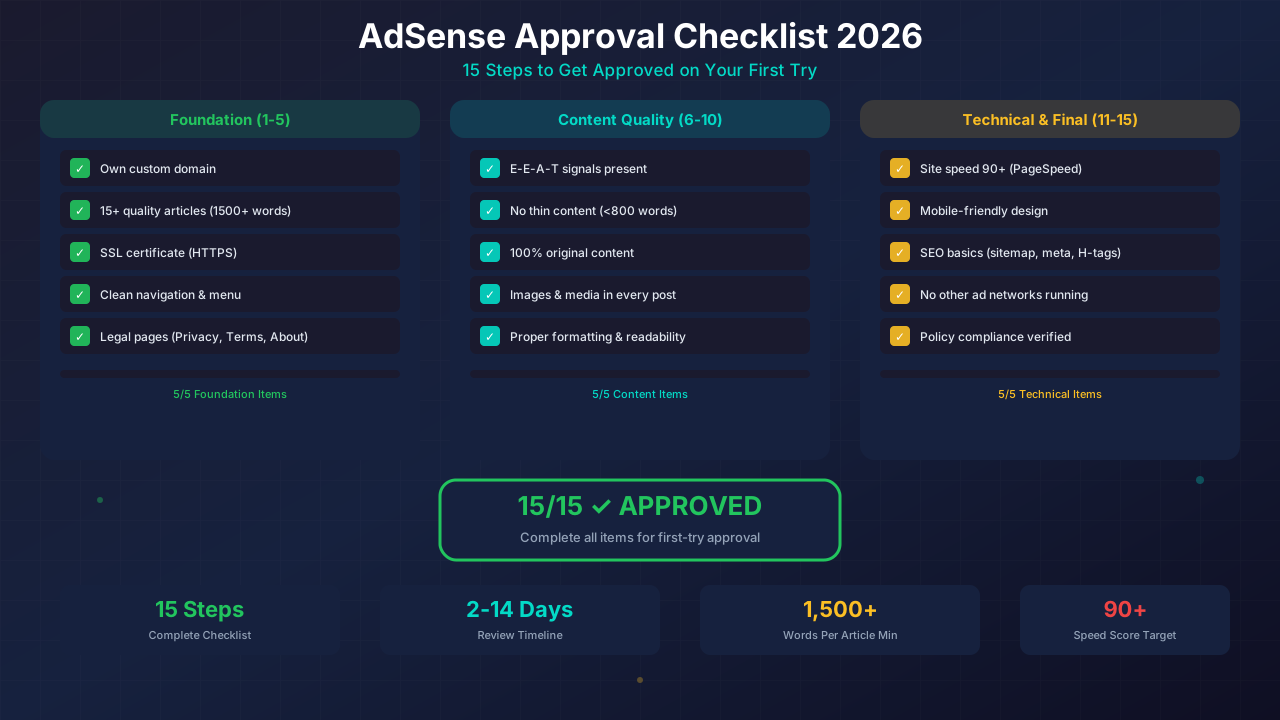
Getting approved for Google AdSense in 2026 isn't as hard as people think. But you do need to check every box. This checklist covers the 15 things Google looks for — and how to make sure your site passes on the first try.
I've helped hundreds of bloggers get approved. The ones who follow a systematic checklist almost always succeed. The ones who rush their application almost always get rejected. Let's make sure you're in the first group.
What You'll Learn:
- All 15 requirements Google checks during review
- Exact content thresholds for approval
- Technical setup that passes review
- Legal pages you must have
- What to do if you've been rejected before
Before You Apply: Foundation Checks
These five items are non-negotiable. Without them, your application will be rejected automatically.
Step 1: Get Your Own Domain
Google wants to see a custom domain like yourblog.com. Free subdomains (yourname.blogspot.com or yourname.wordpress.com) are much harder to get approved. A domain costs about $10-15 per year — it's the best investment you'll make.
Your domain should be at least 30 days old before applying. Some niches need longer. Check our domain age guide for details.
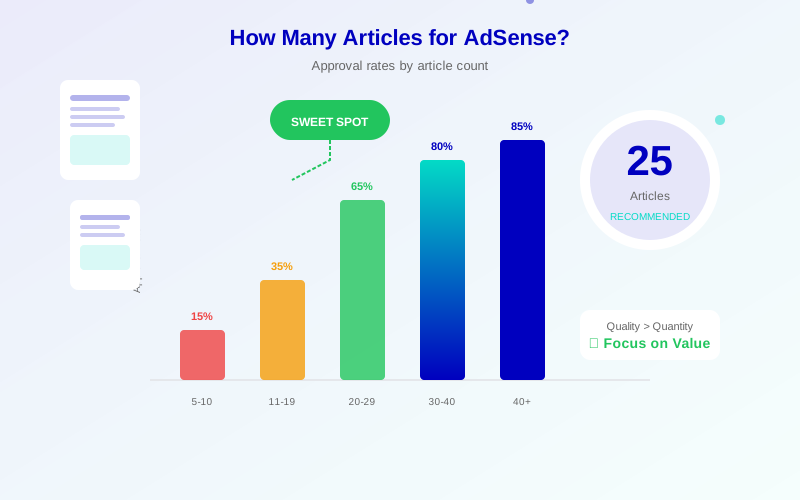
Step 2: Publish 15+ Quality Articles
This is where most people fail. Google wants to see:
- Minimum 15 articles (20+ is better)
- 1,500+ words each (longer is fine)
- 100% original content — no copy-paste from other sites
- Helpful, informative posts that solve real problems
- Regular publishing schedule — not all posted on the same day
Read our guide on how many articles you need for more specifics.
Step 3: Install SSL (HTTPS)
Every page on your site must load over HTTPS. Most hosting providers offer free SSL through Let's Encrypt. If your site shows "Not Secure" in the browser, fix this first. Our HTTPS guide walks you through setup.
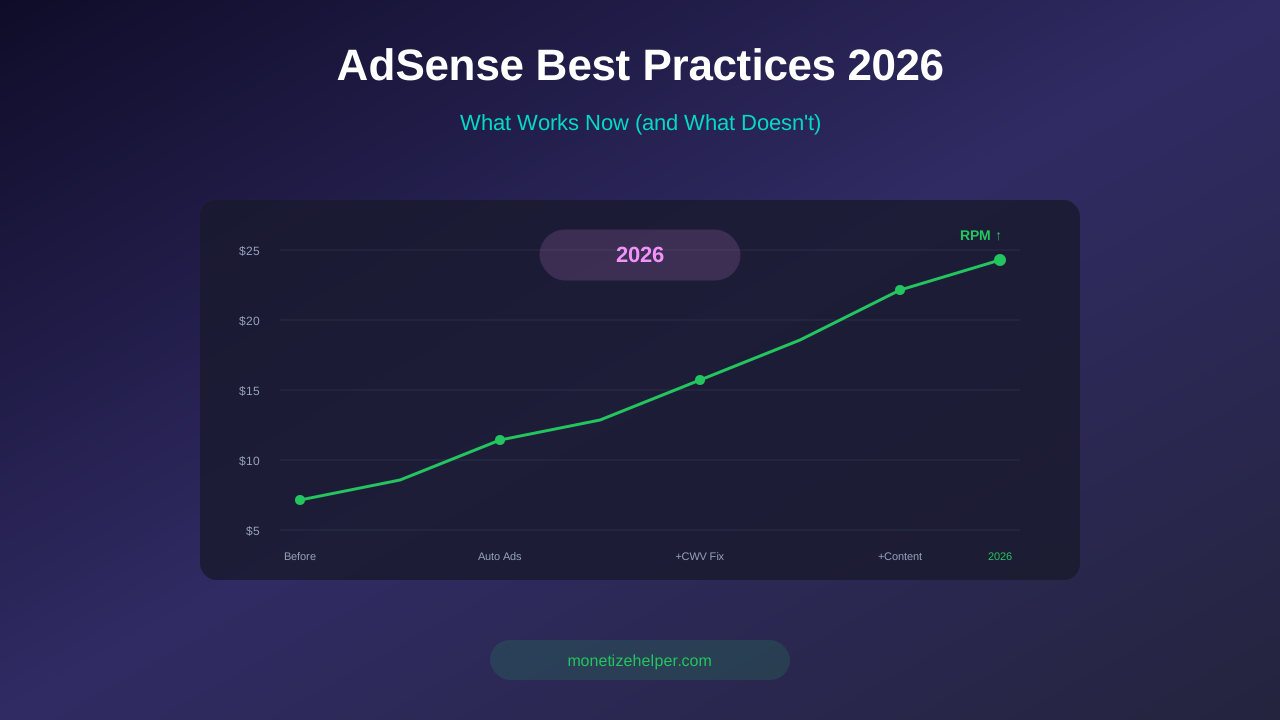
See also: Google AdSense Best Practices 2026: What Works Now (and What Doesn't) →
Step 4: Set Up Clean Navigation
Google's reviewers browse your site like real visitors. Make sure they can find content easily:
- Clear top menu with category links
- Search functionality
- No broken links (test with a free link checker)
- Proper breadcrumbs for nested pages
Step 5: Create Legal Pages
You need these four pages at minimum:
- Privacy Policy — Required by Google. See our privacy policy guide
- Terms & Conditions — Sets usage rules. See our T&C generator guide
- About Page — Shows you're a real person/team with expertise
- Contact Page — A working email or contact form
Content Quality Checks (Steps 6-10)
Step 6: Check for E-E-A-T Signals
Google looks for Experience, Expertise, Authoritativeness, and Trustworthiness. Show these by:
- Including author bios with real names
- Citing sources in your articles
- Sharing personal experience and examples
- Keeping content accurate and up-to-date
Our E-E-A-T guide explains this in detail.
Step 7: Remove Thin Content
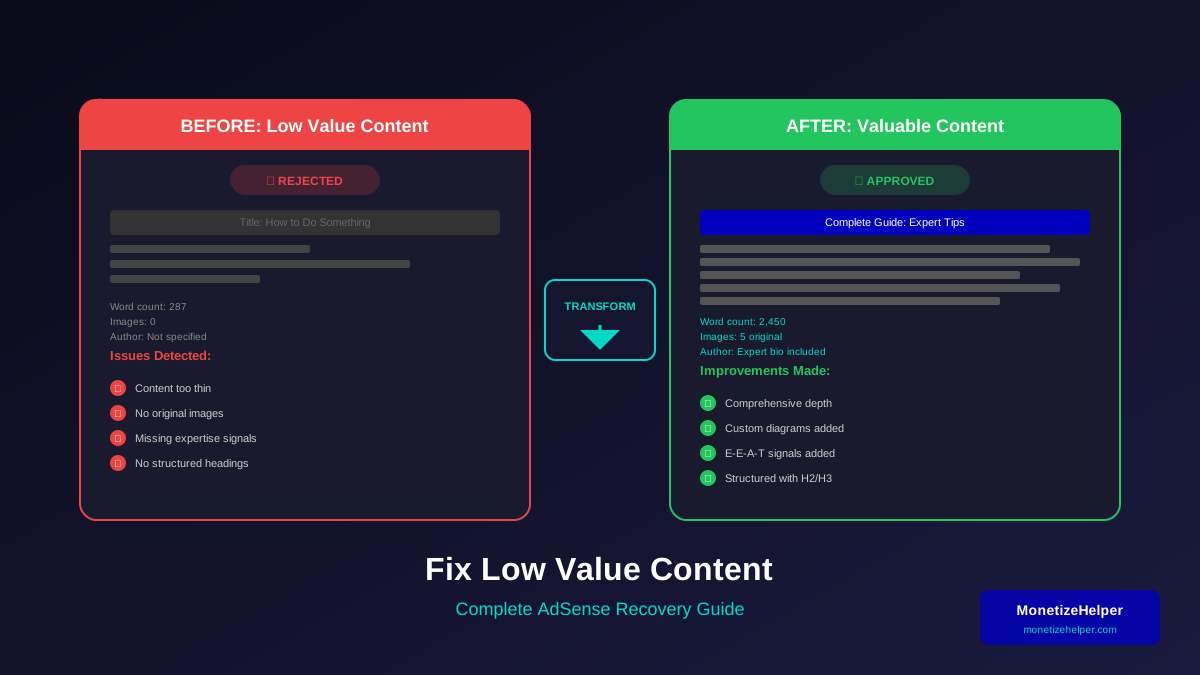
Go through every page. Delete or expand anything under 800 words. Thin content is the #1 reason for "low value content" rejections. Check our low value content fix guide for solutions.
Learn more in AdSense YouTube vs Website: Which Earns More Money in 2026? →
Step 8: Make Content Original
Run your posts through a plagiarism checker. Even accidental similarity to other sites can trigger a rejection. Rewrite any sections that score high on similarity.
Step 9: Add Images and Media
Text-only pages look unprofessional. Add relevant images, charts, or videos to every article. Use original graphics when possible. Always add alt text for accessibility and SEO.
Step 10: Format for Readability
Google checks how easy your content is to read. Use headings, short paragraphs, bullet points, and tables. Read our formatting guide for the full breakdown.
Technical Setup (Steps 11-13)
Step 11: Optimize Site Speed
Slow sites get rejected. Check your site on Google PageSpeed Insights and aim for 90+ on mobile. The key metrics:
- LCP (Largest Contentful Paint): Under 2.5 seconds
- CLS (Cumulative Layout Shift): Under 0.1
- FID (First Input Delay): Under 100 milliseconds
Step 12: Make Your Site Mobile-Friendly
More than half of Google's traffic is mobile. Your site must look great on phones. Test with Google's Mobile-Friendly Test. Fix any issues before applying.
Learn more in Free vs Self-Hosted Blogs for AdSense: Which One Gets Approved? →
Step 13: Set Up Basic SEO
- Submit an XML sitemap to Google Search Console
- Configure your robots.txt correctly
- Add meta titles and descriptions to every page
- Use proper heading hierarchy (one H1 per page)
Final Preparation (Steps 14-15)
Step 14: Remove Other Ad Networks
If you're running ads from other networks, remove them before applying. Google wants a clean site during review. You can add other networks back later, but during the approval process, keep your site ad-free.
Step 15: Check Policy Compliance
Review Google's AdSense Program Policies one final time. Make sure your content doesn't include:
- Adult content
- Violent or hateful content
- Content that promotes illegal activities
- Copyrighted material you don't own
- Excessive profanity
See our full guide on AdSense content policies for the complete list.
What Happens After You Apply
After submitting your application:
- Wait 2-14 days for review (most sites hear back within a week)
- Keep publishing new content during the review period
- Don't make major changes to your site structure
- Check your email for the approval or rejection notice
Learn more about timelines in our AdSense approval timeline guide.
Learn more in AdSense vs Alternatives: Which Ad Network Pays You More? →
What to Do If You Get Rejected
Don't panic. Rejections are common and fixable. Google gives a reason for every rejection. The most common ones:
- "Low value content" — Add more articles, make existing ones longer and more helpful
- "Site under construction" — Your site looks incomplete. Add more pages and polish the design
- "Policy violations" — Check for restricted content and remove it
- "Insufficient content" — You need more articles (aim for 20+)
After fixing the issues, wait 2-4 weeks before reapplying. Our reapplication guide covers the full recovery process.
Frequently Asked Questions
How many articles do I really need for AdSense approval?
Aim for 15-20 quality articles, each 1,500+ words. Some niches need more. It's better to have fewer great articles than many thin ones.
Does my domain need to be a certain age?
Google doesn't officially require a minimum age. But sites at least 1-3 months old with regular content perform better in reviews.
Can I use AI-generated content?
Google allows AI-assisted content, but it must be original, helpful, and high quality. Pure AI output with no editing will likely get rejected. Read our AI content guide for safe usage tips.
See also: Multiple AdSense Accounts: Rules, Risks & What Google Allows →
Should I apply with a new or established site?
Either works, but established sites with traffic are approved faster. New sites should focus on building at least 2-3 months of consistent content first.
Can I apply for AdSense more than once?
Yes. There's no limit on reapplications. Just fix the issues Google flagged before trying again.
Your AdSense Approval Action Plan
Follow this checklist top to bottom. Don't skip steps. The bloggers who get approved on the first try are the ones who check every box before clicking "Apply."
Start with the foundation: domain, content, SSL, navigation, and legal pages. Then polish your content quality. Finish with technical optimizations. When everything is green, submit your application with confidence.
Ready to check your site? Run our free Content Analyzer to score your blog across all the metrics Google cares about. Then review our AdSense Best Practices for 2026 guide for final optimization tips.