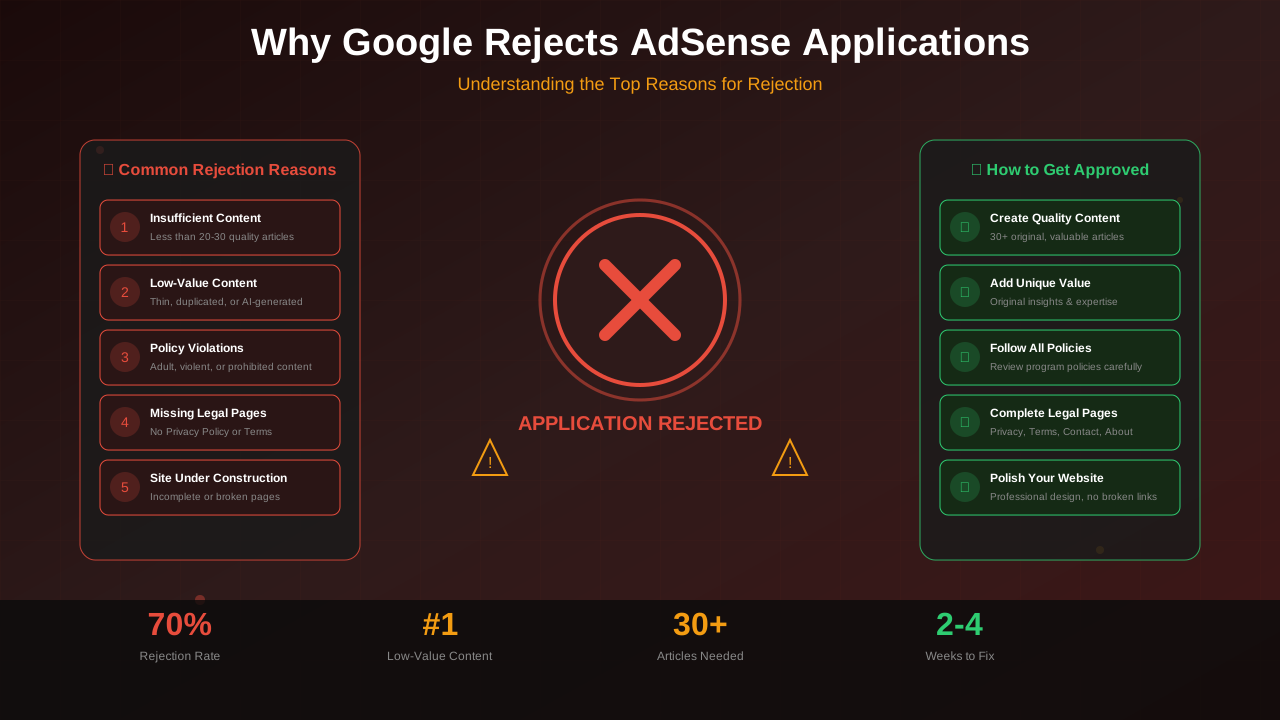
"Site does not meet Google's policy requirements: Valuable inventory" — did you get this message? Don't worry. You're not alone! This is the most common reason Google says no to AdSense. The great news? You can totally fix it.
This rejection doesn't mean your writing is bad. It just means Google's system couldn't find enough clues that your site helps people. Once you know what Google wants, you can show them your site is awesome.
What You Will Learn:
- What "low value content" really means
- The 7 things Google looks for in good content
- How to check and fix your articles
- Changes that help you get approved
- When to apply again after fixing things
What "Low Value Content" Actually Means
When Google says your site has low value content, they mean one thing. They couldn't find enough signs that your content helps readers.
This doesn't mean your writing is bad. It means their computer system didn't spot the quality signs it looks for.
Common Triggers for This Rejection:
- Thin content: Articles with less than 500-800 words
- Generic info: Stuff you can find on any website
- Not enough detail: Only scratching the surface of topics
- No fresh ideas: Just copying what others already wrote
- Template content: AI-made or spun articles
- No expertise shown: No author name, skills, or experience listed
The 7 Content Quality Signals Google Evaluates
Google checks many things when it looks at your content. Let's learn about each one so you know what to improve.
1. Content Depth
Does your content fully cover the topic? Google wants complete answers, not quick summaries.
- Cover all parts of a topic
- Answer questions readers might ask next
- Give background info
- Share examples and real stories
2. Original Analysis
Do you share your own ideas? Your unique thoughts make you different from other sites.
- Share your own experiences
- Show your own data or research
- Create your own methods or systems
- Give opinions and explain why you think that way
3. Expertise Signals
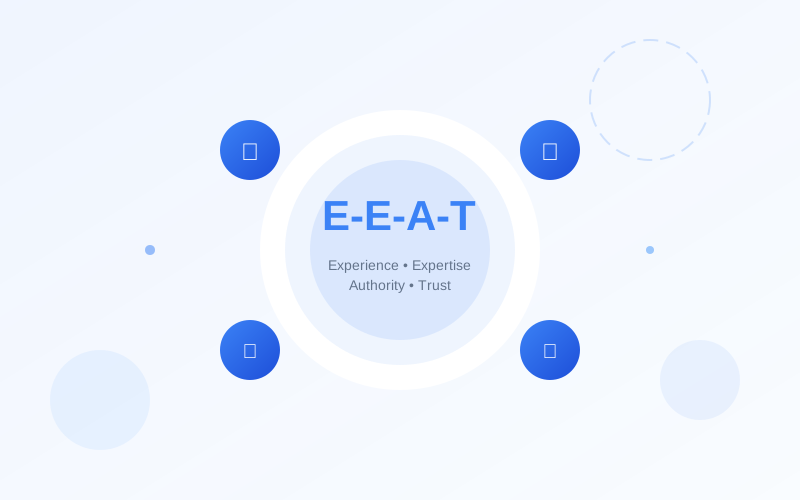
Does your site show you know your stuff? This is a big part of Google's E-E-A-T check.
- Author bios that show your skills
- A good "About" page
- Proof that you know the topic well
- Staying focused on one main topic area
4. User Value
Does your content help people do something? Useful, hands-on content shows value.
See also: AdSense Approval Checklist 2026: 15 Steps to Get Approved Fast →
- Clear main points
- Steps people can follow
- Focus on solving problems
- Templates and helpful tools
5. Content Structure
Is your content easy to follow? Good structure helps readers and Google understand what you wrote.
- Headings in the right order
- Clear sections
- Table of contents for long articles
- Easy to scan quickly
6. Content Freshness
Is your content up to date? Old content shows you don't care for your site.
- Recent publish dates
- Current info
- Modern examples
- New content added often
7. Trust Signals
Does your site look trustworthy? Trust goes beyond just your articles.
- Contact info
- Privacy policy and terms pages
- Secure site (HTTPS)
- Clean, professional design
How to Audit Your Existing Content
Before you fix things, you need to find the problems. This check-up shows you exactly what needs work.
Content Audit Checklist:
| Factor | Minimum Standard | Recommended | Check |
|---|---|---|---|
| Word Count | 800+ words | 1500+ words | ☐ |
| Headings | 3+ H2 headings | 5+ with H3s | ☐ |
| Original Images | 1 per article | 3-5 per article | ☐ |
| Internal Links | 2 per article | 5+ per article | ☐ |
| External References | 1-2 per article | 3-5 credible sources | ☐ |
| Author Bio | Name present | Full bio + photo | ☐ |
Audit Each Article:
- Open a spreadsheet and list all your articles
- Count the words in each article
- Write down how many headings each has
- Check if you have images (especially ones you made)
- Count links to other pages on your site
- Make sure author info exists
- Give each article a depth score from 1 to 5
Articles with low scores need big upgrades or you should delete them. Sometimes removing weak content helps more than trying to fix it.
Content Improvement Strategies
Now that you know what's wrong, use these tips to make your content better.
See also: Google AdSense Best Practices 2026: What Works Now (and What Doesn't) →
Strategy 1: Expand Thin Content
Articles under 1000 words need to grow. But don't just add fluff—add real value.
How to add good stuff:
- Explain "why" for each piece of advice
- Add step-by-step guides
- Give examples for every point
- Talk about special cases and exceptions
- Add a FAQ section
- Create comparison tables
Strategy 2: Add Original Elements
Original content makes you stand out from others writing about the same stuff.
Original things to add:
- Your own case studies
- Screenshots you took yourself
- Charts and diagrams you made
- Survey results or research
- Interviews with experts
- Your own frameworks
Strategy 3: Enhance Structure
Better structure makes your content look more trustworthy. It also helps readers use it.
Ways to improve structure:
Learn more in AdSense YouTube vs Website: Which Earns More Money in 2026? →
- Add a table of contents
- Use headings in the right order
- Add "key takeaways" boxes
- Break up long paragraphs
- Use bullet points and numbered lists
- Create tables to compare things
Strategy 4: Build Expertise Signals
Showing your expertise helps readers and Google trust you.
Ways to show expertise:
- Write detailed author bios with your skills
- Make an About page with your story
- Link to trusted sources
- Mention your relevant experience
- Add social proof when you have it
What Content to Remove
Sometimes deleting content helps more than fixing it. Weak or copied content can hurt your whole site's quality score.
Content to Consider Removing:
- Articles under 300 words that you can't make longer
- Content that's the same or almost the same as other articles
- Content that doesn't fit your main topic
- Old content you can't update
- Placeholder pages with barely any text
- Category pages with no real content
"A site with 15 great articles will often get approved faster than a site with 50 okay ones. Quality beats quantity every time."
— AdSense Policy Team Member, Publisher Event 2024
Sample Content Improvements
Let's look at some before and after examples.
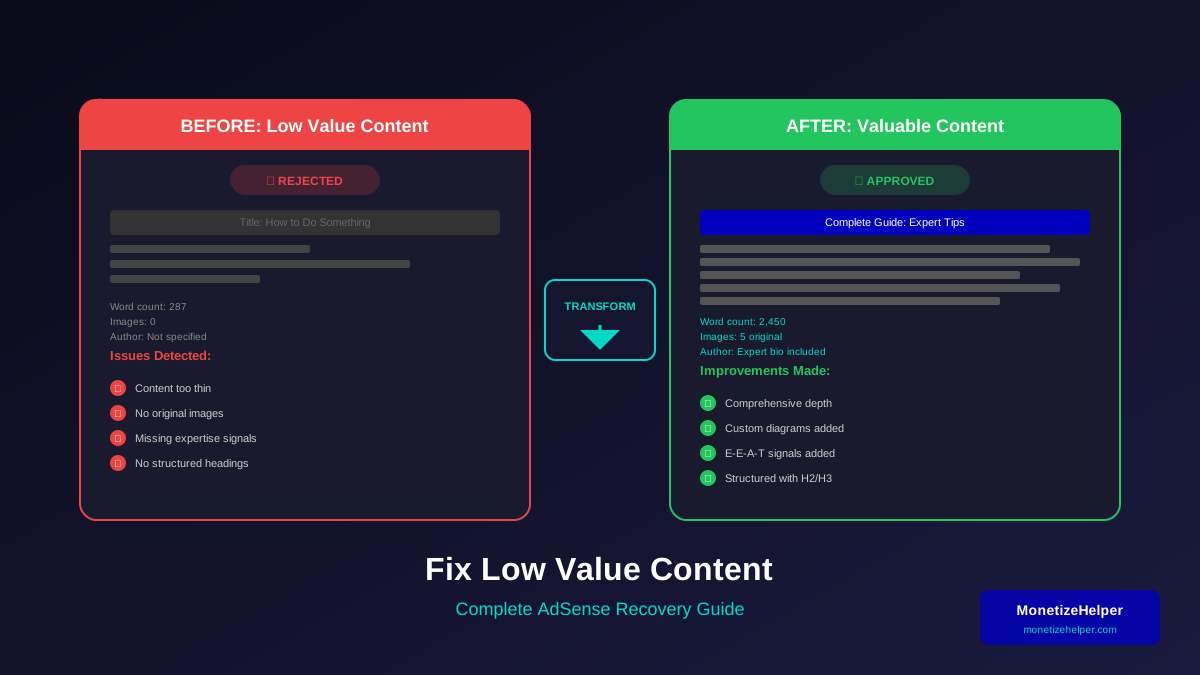
Before (Thin Content):
"How to Make Coffee: Grind your beans. Add hot water. Wait a few minutes. Pour into cup. Enjoy your coffee!"
Learn more in Free vs Self-Hosted Blogs for AdSense: Which One Gets Approved? →
Word count: 24 words. No value, no expertise, no depth.
After (Valuable Content):
The better version would have:
- An intro about why brewing method matters
- Types of beans and how they taste
- How to grind for different brew types
- Water temperature and quality tips
- Step-by-step guides for each method
- How to fix common problems
- What equipment to buy
- FAQ section
Word count: 2000+ words with real depth and useful tips.
Reapplication Timeline
After you fix things, the timing of your new application matters a lot.
Recommended Timeline:
| Stage | Duration | Activities |
|---|---|---|
| Content Audit | 1-2 days | Review all content, find problems |
| Content Improvement | 2-4 weeks | Make articles better, remove thin ones |
| New Content | 2-3 weeks | Write 5-10 great new articles |
| Site Polish | 3-5 days | Fix design, add important pages |
| Wait Period | 2 weeks | Let Google find and save your changes |
| Reapply | Day 1 | Send in your new application |
Total time: 6-10 weeks from rejection to reapplying. Don't rush it or you might get rejected again.
Frequently Asked Questions
How many articles do I need to fix before reapplying?
Fix all your thin content, not just some of it. Google looks at your whole site. Even a few weak articles can get you rejected again. Either make them better or delete them.
Learn more in AdSense vs Alternatives: Which Ad Network Pays You More? →
Should I remove old content or improve it?
If you can make the content truly helpful, update it. If it's too short or off-topic, delete it. Quality always beats quantity for AdSense approval.
How long should I wait before reapplying?
Wait at least 2-4 weeks after making big changes. This gives Google time to find and save your updates. If you apply too fast with the same content, you'll get the same rejection.
Can I use AI to expand my content?
AI can help with research and planning. But your content still needs to be truly helpful. AI content without human knowledge often gets flagged as low value. Use AI as a helper, not a replacement for your own expertise.
What if I get rejected again?
Look closely at the rejection reason. It might be different this time. If it's still about low value content, your changes weren't enough. Ask someone else to look at your content before you try again.
Conclusion
Getting rejected for low value content is annoying. But you can fix it! The trick is knowing what Google's system looks for. Then you can add those quality signs to your content on purpose.
Focus on depth over length. Share fresh ideas instead of generic info. Show real expertise, not surface-level knowledge. With careful improvements and patience, you can turn a rejected site into an approved one.
For a full guide on meeting all AdSense requirements, check out our Ultimate AdSense Approval Guide. To learn more about what Google wants to see, read our E-E-A-T Guide for Blog Monetisation.