Every website needs a Terms & Conditions page — and Google AdSense makes it even more important. But writing one from scratch feels overwhelming. The good news? Free generators can do most of the work for you.
This guide walks you through what your Terms & Conditions page must include, which generators to use, and how to customize the output for your specific blog. Let's make your site legally solid.
What You'll Learn:
- Why every blog needs a Terms & Conditions page
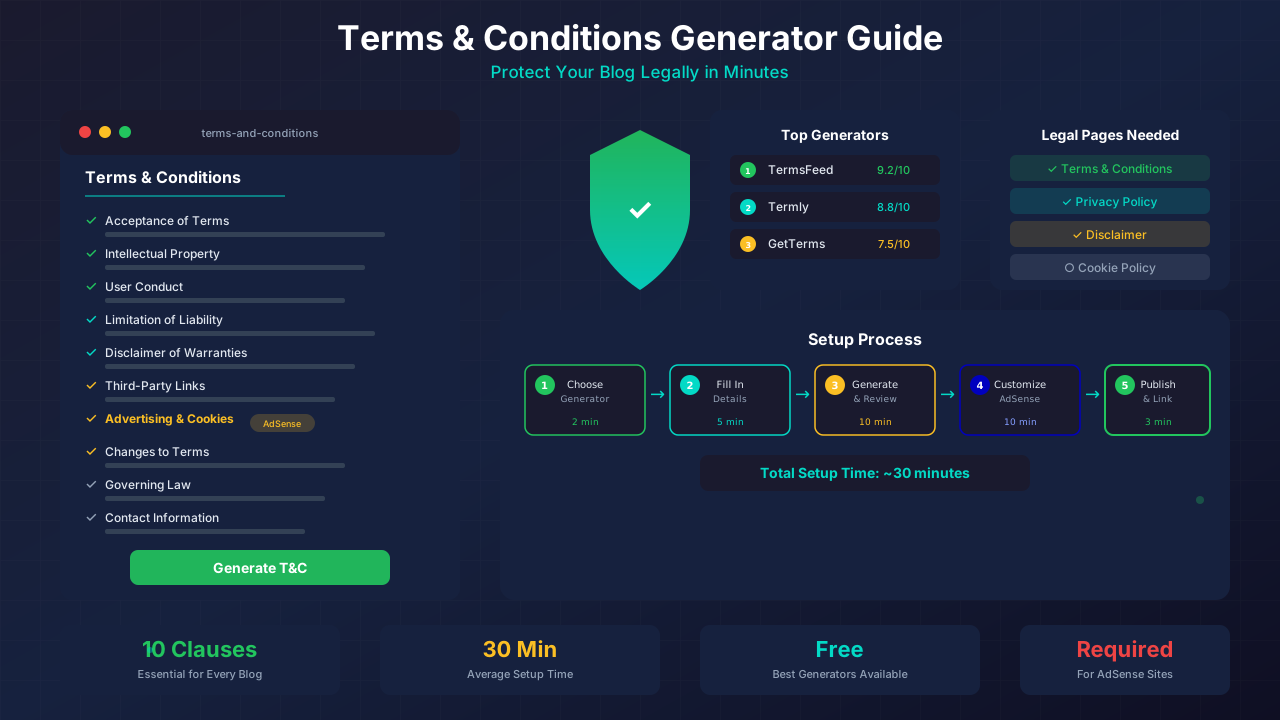
- The 10 essential clauses your T&C must include
- Best free generators compared
- How to customize generated terms for your blog
- AdSense-specific legal requirements
Why Your Blog Needs Terms & Conditions
Terms & Conditions (T&C) set the rules for using your website. They protect you from legal issues and set clear expectations for visitors.
Here's why they matter:
- Legal protection: Limits your liability if someone misuses your content
- AdSense compliance: Google requires proper legal pages for ad-serving sites
- Content ownership: Establishes that your content belongs to you
- User behavior rules: Sets boundaries for comments and interactions
- Dispute resolution: Defines how disagreements are handled
"A Terms & Conditions page isn't just legal paperwork. It's your first line of defense against content theft, user disputes, and liability claims."
10 Essential Clauses for Blog T&C
Not all Terms & Conditions pages are equal. Here are the clauses every blog should include.
1. Acceptance of Terms
This clause says: "By using this website, you agree to these terms." It's the foundation of your entire T&C page. Without it, the rest doesn't hold up.
For more on this topic, see our guide on COPPA Compliance for Bloggers: How to Protect Kids and Your AdSense Account →
2. Intellectual Property Rights
State that your blog content — articles, images, logos — belongs to you. This protects against content theft and unauthorized reuse.
3. User Conduct & Comments Policy
If you allow comments, set rules. Ban spam, hate speech, and illegal content. This gives you the right to remove bad comments without legal pushback.
4. Limitation of Liability
Protect yourself from lawsuits. This clause says you're not responsible if someone follows your advice and has a bad outcome. It's especially important for finance and health blogs.
5. Disclaimer of Warranties
Your content is provided "as is." You don't guarantee accuracy or completeness. This pairs with limitation of liability to form your legal shield.
For more on this topic, see our guide on Image Attribution & Copyright: The Complete Blogger Guide →
6. Third-Party Links Policy
You link to external sites. This clause says you're not responsible for their content. It's crucial when you recommend tools, products, or services.
7. Advertising & Cookies Disclosure
Google requires this for AdSense sites. Disclose that you show ads, use cookies for personalization, and that third parties may collect data. Link to your cookie consent setup guide for implementation details.
8. Changes to Terms
Reserve the right to update your terms. State how you'll notify users — usually by posting the updated version with a new date.
9. Governing Law
Specify which country or state's laws apply. This matters if there's ever a legal dispute.
Related reading: Copyright Laws for Bloggers: How to Use Images Legally →
10. Contact Information
Provide a way for users to reach you with questions about the terms. An email address is enough for most blogs.
Best Free T&C Generators
You don't need a lawyer to create solid Terms & Conditions. These generators create professional legal pages in minutes.
How to Use a Generator (Step by Step)
- Choose a generator from the list above
- Enter your website name, URL, and contact email
- Select your content type (blog, e-commerce, SaaS)
- Check boxes for features: comments, ads, cookies, newsletter
- Generate the page and review the output
- Customize the language to match your blog's tone
- Add it to your site as a standalone page
- Link it from your footer — the same way we do at Monetize Helper
Customizing for AdSense Sites
If you run AdSense, your Terms & Conditions need extra clauses that generators sometimes miss. Add these manually.
Required AdSense Disclosures
- Third-party ad serving: State that Google and other vendors use cookies to serve ads
- Cookie usage: Explain that cookies personalize ads based on prior visits
- Opt-out options: Link to Google's Ads Settings page for opt-out
- Data collection: Mention that third-party vendors may collect browsing data
Also make sure your privacy policy aligns with your T&C. They should reference each other.
See also: Sponsored Content Disclosure: Legal Requirements Every Blogger Must Know →
Sample AdSense Clause
Here's a template you can add to your generated Terms & Conditions:
Third-Party Advertising

This website uses Google AdSense and other advertising services
to display ads. These services may use cookies and similar
technologies to serve ads based on your prior visits to this
website or other websites.

Google's use of advertising cookies enables it and its partners
to serve ads based on your visit to this site and/or other sites
on the Internet.

You may opt out of personalized advertising by visiting
Google's Ads Settings (https://www.google.com/settings/ads).
Common Mistakes to Avoid
- Copy-pasting from another site: Their terms don't match your situation. Customize every time.
- Using legal jargon nobody understands: Write in plain language when possible.
- Forgetting to update: When you add new features (newsletter, store), update your terms.
- Hiding the page: Link your T&C from the footer on every page of your site.
- Ignoring local laws: GDPR, CCPA, and other regulations may require specific clauses. Read our GDPR guide for details.
Frequently Asked Questions
Are Terms & Conditions legally enforceable?
Yes, when written properly and clearly presented. Courts have upheld website T&C when users had reasonable notice of the terms before using the site.
Can I write my own T&C without a lawyer?
For a standard blog, yes. Generators create solid templates that cover the basics. But if you sell products, collect sensitive data, or operate in regulated industries, consider consulting a lawyer.
How often should I update my Terms & Conditions?
Review them every 6 months or whenever you make significant changes to your site. Adding ads, comments, a store, or a newsletter are all reasons to update.
Learn more in Earnings Disclaimer Template for Blogs: Free Copy-Paste Guide →
Do I need both Terms & Conditions AND a Privacy Policy?
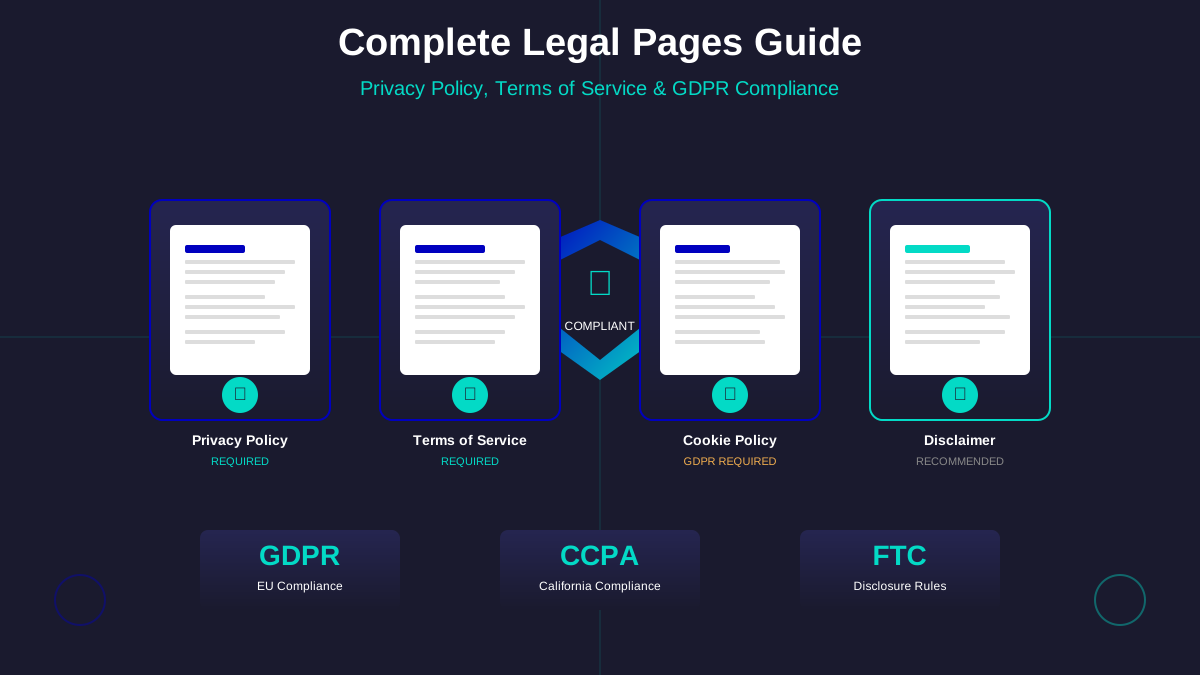
Yes. They serve different purposes. T&C sets usage rules. Privacy Policy explains data collection. Google requires both for AdSense sites. See our complete legal pages guide.
Where should I put my Terms & Conditions page?
Link it from your website footer on every page. Most sites use the URL /terms-of-service or /terms-and-conditions. It should be accessible in one click from any page.
Get Your T&C Set Up Today
A solid Terms & Conditions page takes 30 minutes to set up with a generator and some customization. It protects your content, satisfies AdSense, and builds trust with your readers.
Start with a generator like TermsFeed or Termly. Add the AdSense-specific clauses. Review and customize the language. Link it from your footer. Done.
Next steps: Set up your Terms & Conditions, then check that your privacy policy and disclaimer page are also in place. All three form your blog's legal foundation.