Can you have two AdSense accounts? This is one of the most common questions new publishers ask. The short answer is no. Google only allows one AdSense account per person. But there are some exceptions and smart ways to work within the rules.
What You'll Learn:
- Google's official rule on multiple accounts
- What happens if you create a second account
- How to use one account for multiple websites
- When Google allows exceptions
- How businesses can have separate accounts
Google's One Account Per Person Rule
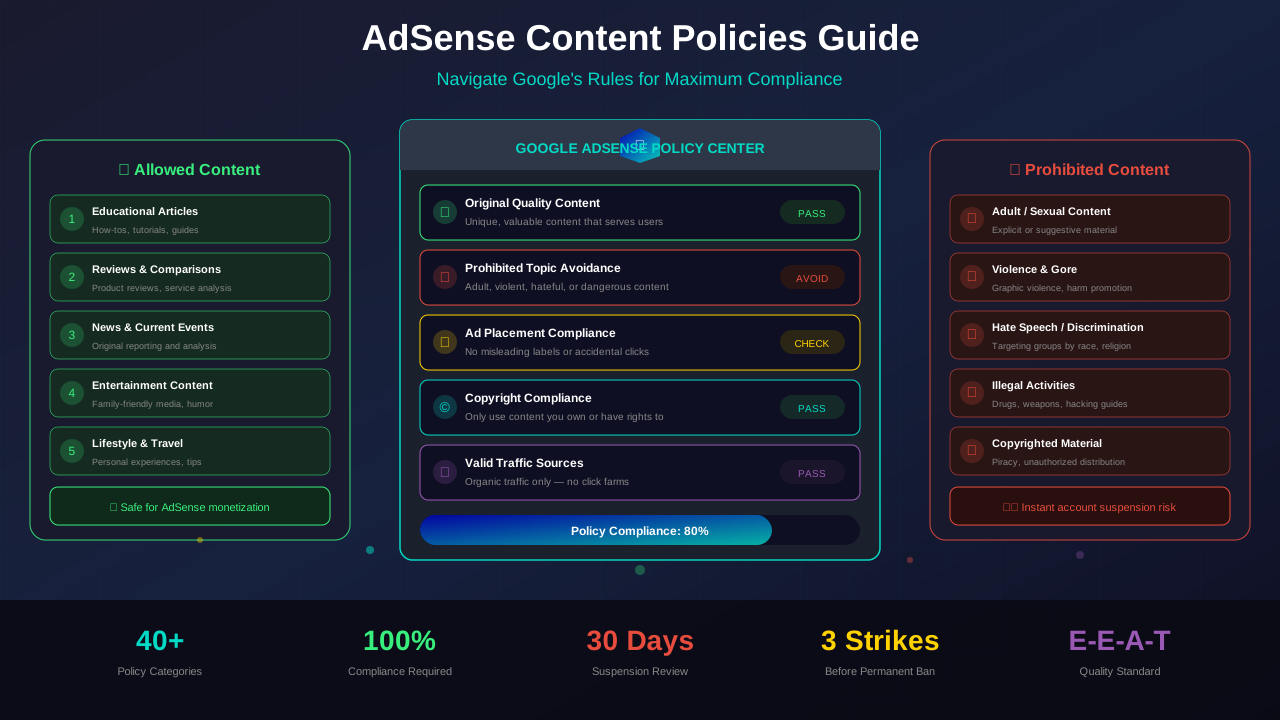
Google is very clear about this. Each person can only have one AdSense account. This is stated directly in the AdSense Terms of Service.
Your account is tied to your name and tax information. It doesn't matter how many websites you own. You still only get one account.
This rule exists for good reasons. Google needs to verify who they're paying. They also need to track policy violations. One account per person makes both easier.
"Publishers may only maintain one AdSense account under the same payee name. Duplicate accounts may be disabled."
— Google AdSense Program Policies
What Happens If You Create a Second Account?
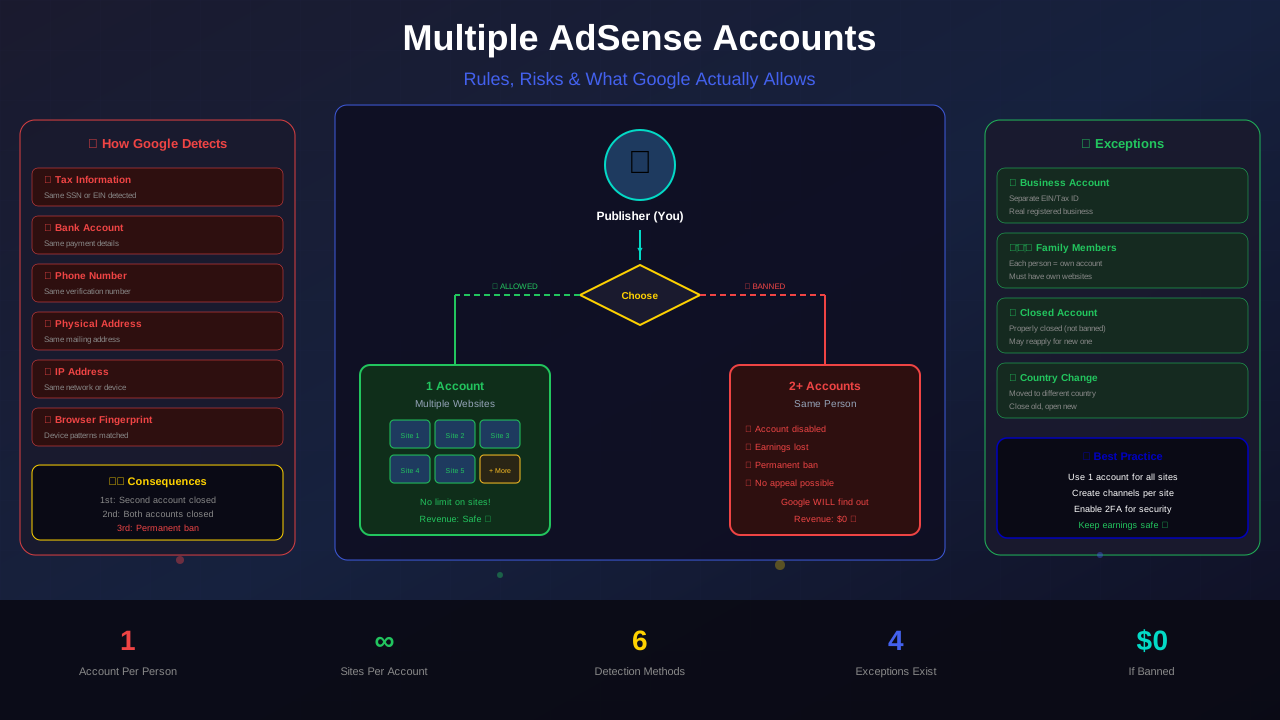
Google is very good at catching duplicate accounts. They use several signals to find them. Here's what they look at:
- Tax information: Same name and Social Security Number or Tax ID
- Payment details: Same bank account or payment method
- Phone number: Same number used for verification
- Address: Same physical address
- IP address: Same computer or network
- Browser fingerprint: Same device patterns
If Google finds you have two accounts, here's what happens:
| Action | What Happens | Can You Appeal? |
|---|---|---|
| First Warning | Second account disabled | Yes |
| Repeat Offense | Both accounts disabled | Difficult |
| Fraud Pattern | Permanent ban from AdSense | Very unlikely |
The worst part? You might lose all your unpaid earnings. Google holds payment until you reach the threshold. If your account gets disabled before payout, that money is gone.
Using One Account for Multiple Websites
Here's the good news. You can use one AdSense account on as many websites as you want. There's no limit on the number of sites.
See also: AdSense Approval Checklist 2026: 15 Steps to Get Approved Fast →
To add a new site, go to your AdSense dashboard. Click "Sites" in the left menu. Click "Add site" and enter your domain. Google will review the new site before showing ads.
Each site must meet AdSense content policies on its own. If one site violates the rules, it could affect your entire account. So make sure every site follows Google's guidelines.
Tips for Managing Multiple Sites
Running ads on several sites takes some planning. Here are tips to keep things running smoothly:
- Use channels: Create custom channels for each site to track performance
- Monitor each site: Check each site's earnings and traffic separately
- Keep all sites compliant: One bad site can get your whole account banned
- Use URL channels: Track which pages earn the most across all sites
When Google Allows Multiple Accounts
There are a few real exceptions to the one-account rule. These are rare but important to know.
1. Business vs Personal Account
You can have one personal account and one business account. The business account must be registered under a company name. It needs a separate tax ID (like an EIN in the US).
This only works if you actually own a registered business. You can't just make up a business name. Google verifies this information.
See also: Google AdSense Best Practices 2026: What Works Now (and What Doesn't) →
2. Previous Account Was Closed
If your old account was properly closed (not banned), you might apply for a new one. Google sometimes allows this. But it depends on why the old account was closed.
If you were banned for policy violations, don't try to open a new account. Google will catch it and ban you again.
3. Different Countries
In some cases, publishers who move to a different country can open a new account. This is because tax rules change. But you should close your old account first and contact AdSense support.
Can Family Members Have Their Own Accounts?
Yes! Each family member can have their own AdSense account. The rule is one account per person, not per household.
Your spouse, adult children, or siblings can each have their own accounts. But each person needs their own:
- Unique email address
- Own tax information
- Separate bank account for payments
- Their own websites with original content
Warning: Don't create fake accounts in family members' names. Google checks for patterns. If all the accounts access from the same computer and manage the same sites, that looks suspicious.
Learn more in AdSense YouTube vs Website: Which Earns More Money in 2026? →
Common Mistakes People Make
Many publishers get into trouble without meaning to. Here are the most common mistakes:
1. Forgetting About an Old Account
Some people applied years ago and forgot about it. Then they apply again. Google sees both accounts and flags them. Before applying, check if you already have an account.
2. Using a Different Email
Some think using a new email means a new identity. It doesn't. Google matches your name, address, and phone number. A different email won't fool the system.
3. Asking Someone to Create an Account for You
If your account is banned, asking a friend to create one is a violation. Google calls this "circumventing enforcement." The penalty is severe — both accounts get banned.
What to Do If Your Account Is Banned
If Google banned your AdSense account, your options are limited. But there are some steps you can take:
Step 1: File an Appeal
Go to the AdSense appeal form. Explain what happened honestly. Don't make excuses. Google respects honesty.
Learn more in Free vs Self-Hosted Blogs for AdSense: Which One Gets Approved? →
Step 2: Fix the Issues
If you know what caused the ban, fix it. Remove any policy-violating content. Clean up your website. Show Google you've made changes.
Step 3: Wait Patiently
Appeals can take 2-4 weeks. Don't submit multiple appeals. One is enough. Submitting many appeals slows down the process.
Step 4: Consider Alternatives
If your appeal fails, look into AdSense alternatives. Networks like Mediavine, Ezoic, and AdThrive are great options. Some even pay more than AdSense.
Setting Up a Business AdSense Account
A business account is the legitimate way to have a second account. Here's how to set one up:
| Requirement | Personal Account | Business Account |
|---|---|---|
| Name | Your legal name | Business name |
| Tax ID | SSN or personal ID | EIN or business ID |
| Bank Account | Personal account | Business account |
| Address | Home address | Business address |
| Verification | ID check | Business documents |
The business must be real. Google will verify your business registration. Shell companies or fake businesses will be caught.
Best Practices for Account Management
Keep your AdSense account safe with these best practices:
Learn more in AdSense vs Alternatives: Which Ad Network Pays You More? →
- Secure your Google account: Use two-factor authentication
- Don't share login details: Give team members user access instead
- Monitor your account regularly: Check for policy warnings
- Keep payment info current: Update your address and bank details
- Read policy updates: Google changes rules from time to time
- Don't click your own ads: This is the #1 reason for bans
"The most common reason we see accounts disabled is invalid click activity. Protect your account by never clicking your own ads."
— Google AdSense Help Center
Frequently Asked Questions
Can I have two AdSense accounts with different emails?
No. Google matches accounts by name and tax information, not email. Using a different email doesn't create a separate identity in Google's system.
My spouse wants an AdSense account. Is that allowed?
Yes. Each person can have their own account. Your spouse needs their own email, tax info, bank account, and websites with original content.
Can I transfer my AdSense account to someone else?
No. AdSense accounts are not transferable. You can't sell, trade, or give away your account. Each person must create their own.
What if I have accounts from different Google products?
AdMob and YouTube monetization are separate from AdSense web accounts. You can have a YouTube channel monetized and a separate AdSense for your website. They may link to the same payment profile.
I was rejected. Can I apply again?
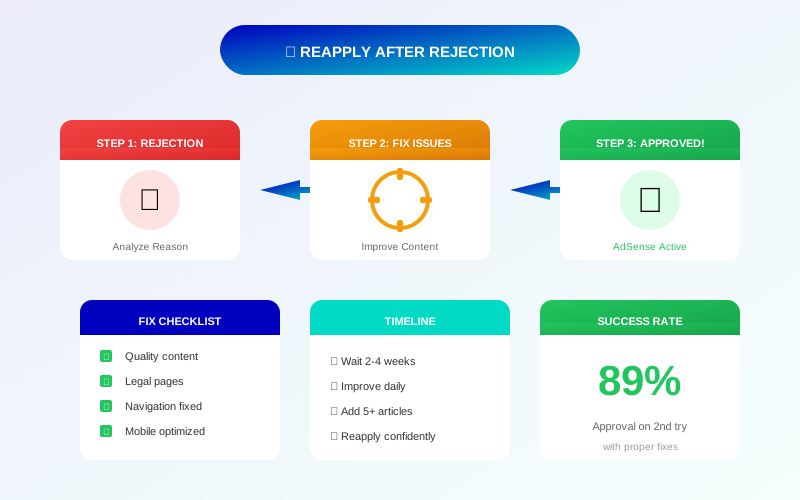
Yes! Being rejected is different from being banned. You can fix the issues and reapply for AdSense as many times as you need. Just don't create a second account to try again.
Conclusion
Google allows only one AdSense account per person. This rule is strictly enforced. Breaking it can get you permanently banned.
But you don't need multiple accounts. One account works on unlimited websites. Add new sites through your dashboard and track each one separately.
If you need a second account, the only safe option is a legitimate business account with separate tax information. Stay within the rules, and your account will stay safe.
Focus on growing your sites instead of gaming the system. That's the real path to higher earnings.