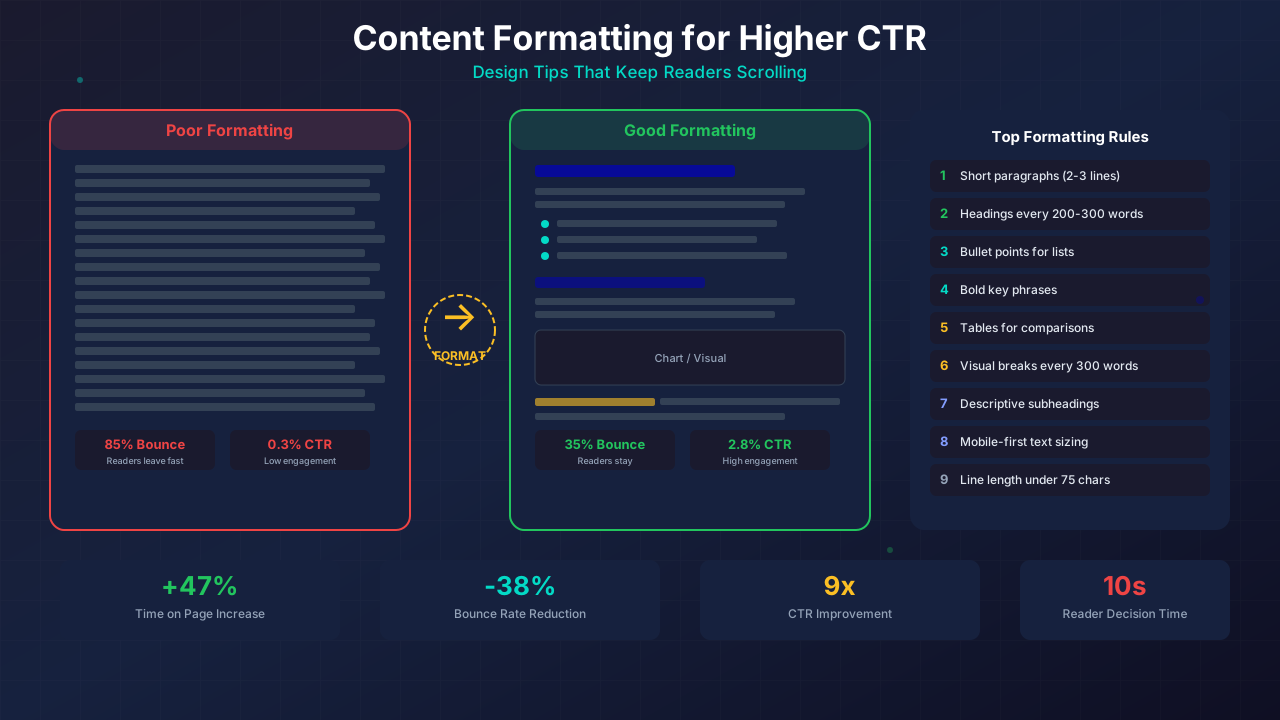
Great content can fail if it looks like a wall of text. How you format your blog posts matters just as much as what you write. The right formatting keeps readers scrolling, clicking, and coming back for more.
Studies show that readers scan web pages — they don't read every word. Smart formatting guides their eyes to the key points. Let's look at the techniques that make the biggest difference.
What You'll Learn:
- Why formatting directly affects your CTR and ad revenue
- The "F-pattern" and how readers actually scan your pages
- 10 formatting techniques that reduce bounce rates
- How to format content for mobile readers
- Tools to check your formatting quality
Why Formatting Matters for CTR
CTR (click-through rate) measures how often readers click on links, buttons, or ads on your page. Good formatting puts these clickable elements in the reader's natural eye path.
Here's what happens when you format content well:
- Lower bounce rate: Readers stay longer when content is easy to scan
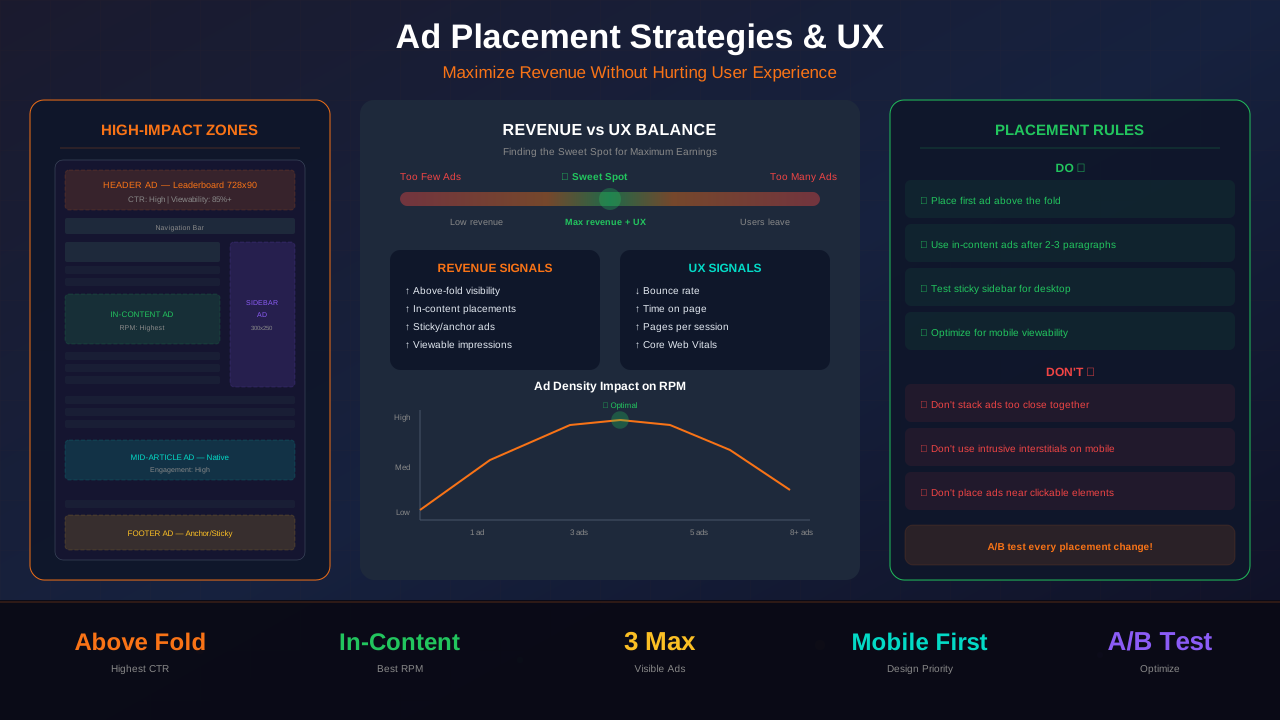
- Higher ad viewability: Well-placed content breaks create natural ad slots
- More internal clicks: Highlighted links in scannable content get more clicks
- Better SEO signals: Google tracks time on page and scroll depth
The F-Pattern: How Readers Scan
Eye-tracking studies by the Nielsen Norman Group found that people read web pages in an F-shaped pattern. They scan across the top, then drop down and scan a shorter line, then scan down the left side.
This means:
- Your first two paragraphs get the most attention
- The first words of each heading matter most
- Left-aligned content gets more views than centered text
- Readers skip large blocks of text entirely
Format your content to work WITH this pattern, not against it. Put your most important information at the top and start of each section.
You might also find helpful: SEO-Friendly URL Design: Best Practices for Clean, Clickable URLs →
10 Formatting Techniques That Work
1. Use Short Paragraphs
Keep paragraphs to 2-3 sentences max. On mobile, even a 4-sentence paragraph looks like a wall of text. White space between paragraphs gives readers breathing room.
2. Add Headings Every 200-300 Words
Headings are signposts. They tell scanners what each section covers. Use H2 for main sections and H3 for subsections. Start headings with keywords when possible.
3. Use Bullet Points for Lists
Whenever you list three or more items, use bullets. Readers process bullet points 50% faster than the same information in paragraph form. Keep each bullet to one line when you can.
4. Bold Key Phrases
Strategic bolding draws the scanner's eye to your main points. Bold the one phrase in each section that captures the key idea. Don't overdo it — if everything is bold, nothing stands out.
See also: Ad Placement Strategies That Boost Revenue Without Hurting UX →
5. Use Tables for Comparisons
Tables organize complex data into a scannable format. They're perfect for comparing features, prices, or options. Keep tables simple — 3-5 columns maximum.
6. Add Visual Breaks
Images, charts, and diagrams break up text and give readers a mental pause. Place a visual element every 300-400 words. This is also where strategic ad placement works best.
7. Write Descriptive Subheadings
Don't use vague headings like "More Info" or "Details." Use specific subheadings that tell readers exactly what they'll learn. Question-based headings work especially well.
8. Highlight Key Takeaways
Use blockquotes or colored boxes for important insights. These "pull quotes" catch the eye of scanners and reinforce your main messages.
Learn more in Color Schemes for Professional Websites That Boost Revenue →
"Readers decide in 10-20 seconds whether to stay on your page. Good formatting buys you those extra seconds."
9. Use Numbered Lists for Steps
When order matters, use numbered lists instead of bullets. Readers trust numbered lists because they suggest a clear, tested process. They also perform well in featured snippets.
10. Keep Line Length Under 75 Characters
Lines longer than 75 characters are harder to read. On a standard blog layout with a sidebar, this happens naturally. If your content area is too wide, consider a max-width container.
Formatting for Mobile Readers
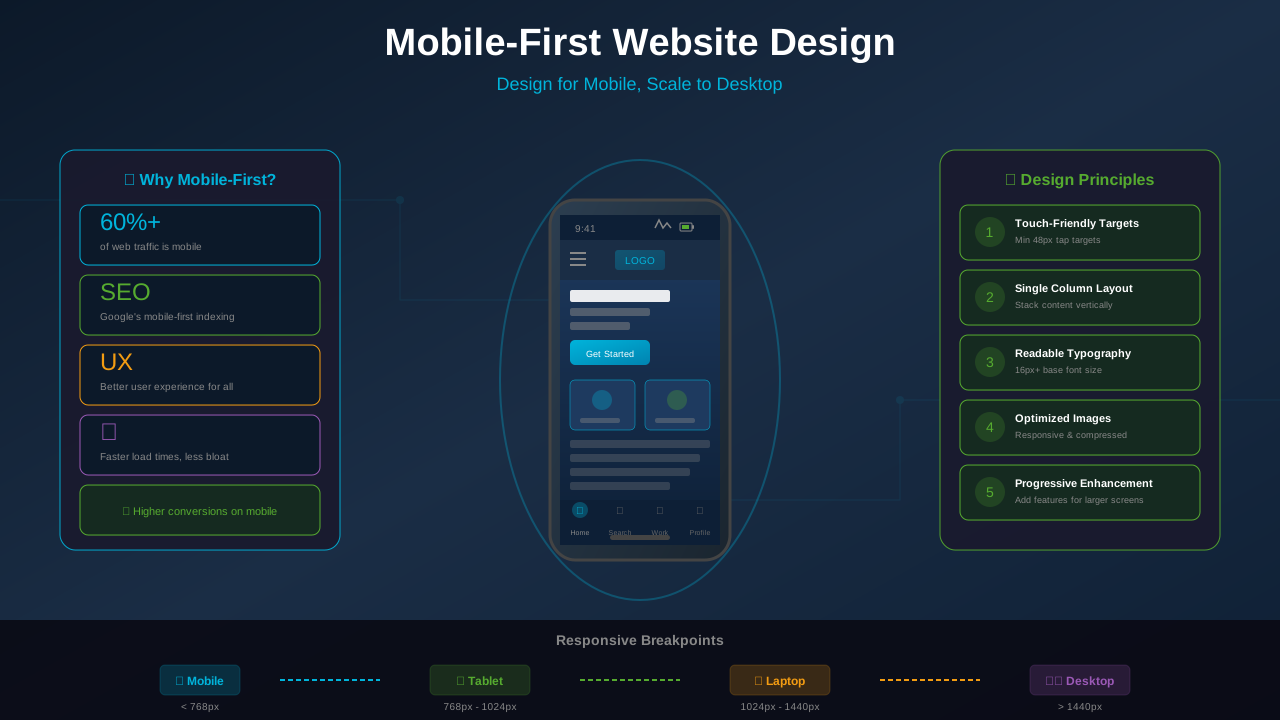
Over 60% of blog traffic now comes from phones. What looks fine on a desktop can be painful on a 6-inch screen.
You might also find helpful: Best WordPress Themes for AdSense: Top Picks for Maximum Revenue →
Mobile-Specific Tips
- One sentence paragraphs are okay on mobile — they're easier to read on small screens
- Avoid wide tables: Use responsive tables or convert to stacked lists
- Tap-friendly links: Make links large enough to tap (at least 44x44px hit area)
- Front-load headings: Only the first 5-6 words show on small screens
- Test everything: Always preview your posts on a real phone
A blog that looks great on mobile will have lower bounce rates and higher ad engagement. Check our guide on mobile-first design for more tips.
How Formatting Affects Ad Revenue
Good formatting creates natural breaks in your content. These breaks are prime spots for ads. When a reader pauses between sections, an ad feels less intrusive.
Here's the connection:
- More headings = more ad slots: Ad networks often place ads before or after H2 headings
- Longer sessions = more impressions: When readers stay longer, they see more ads
- Better viewability = higher CPMs: Ads earn more when readers actually see them
- Lower bounce = higher RPM: Engaged visitors generate more RPM
Tools to Check Your Formatting
Don't guess — measure. These tools help you spot formatting issues:
See also: UX Design Principles That Boost Blog Revenue: A Complete Guide →
- Hemingway Editor: Highlights complex sentences and suggests simpler alternatives
- Yoast SEO: Checks paragraph length, heading distribution, and transition words
- Our Content Analyzer: Scans your live page for readability, formatting, and SEO issues
- Google Mobile-Friendly Test: Shows how your content appears on mobile devices
Frequently Asked Questions
How many headings should a 2,000-word article have?
Aim for 8-12 headings. That's roughly one heading every 200-250 words. Use a mix of H2 and H3 tags for clear hierarchy.
Is it okay to use single-sentence paragraphs?
Yes! Single-sentence paragraphs add emphasis and are easy to read on mobile. Just don't make every paragraph one sentence — variety keeps things interesting.
Do images slow down my page?
They can, but properly optimized images (compressed, lazy-loaded, right format) add more value than they cost. SVGs are especially lightweight for diagrams and charts.
Should I use bold or italic for emphasis?
Use bold for key takeaways and important terms. Use italic sparingly for quotes or subtle emphasis. Bold catches the scanner's eye. Italic is easy to miss.
Start Formatting Better Today
Good formatting isn't about making your blog look pretty. It's about making your content easier to consume. When readers can scan your posts quickly, they stay longer, click more, and come back again.
Start with the three easiest wins: shorter paragraphs, more headings, and bullet points. Then add bolder key phrases, visual breaks, and tables. Each change adds up.
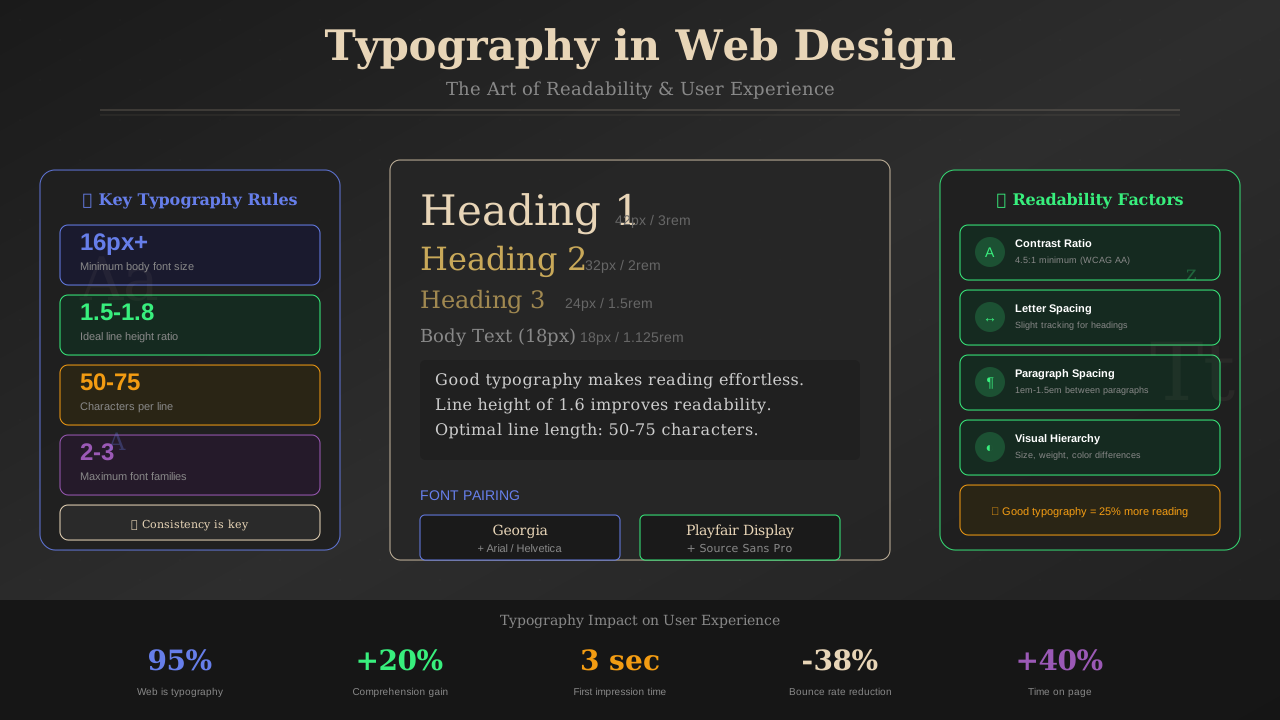
Next steps: Run your latest post through our Content Analyzer to see how your formatting scores. Then check out our typography guide for font and spacing tips.