Should you monetize a YouTube channel or a website with AdSense? Both can make real money. But they work very differently. This guide breaks down the pros, cons, and earnings potential of each so you can pick the best path for you.
What You'll Learn:
- How AdSense works on YouTube vs websites
- Which platform pays more per 1,000 views
- The approval process for each
- Ad formats available on each platform
- Which option is best for beginners
How AdSense Works on YouTube vs Websites
Google AdSense is one product, but it works differently depending on where you use it. On a website, you place ad code on your pages. Google fills those spots with ads. You earn money when people see or click those ads.
On YouTube, things are a bit different. You join the YouTube Partner Program (YPP). Google then places ads before, during, and after your videos. You earn a share of that ad revenue.
The core idea is the same: show ads, earn money. But the details matter a lot. Let's dig into each platform.
Website AdSense: How It Works
With website AdSense, you have full control. You choose where ads appear on your pages. You pick the ad sizes and formats. You can use display ads, in-article ads, matched content ads, and more.
Google's algorithm matches ads to your content and your visitors. If you run a finance blog, you'll see high-paying finance ads. If you write about cooking, you'll get food-related ads. Your niche directly affects your earnings.
YouTube AdSense: How It Works
YouTube handles most of the ad placement for you. Once you're in the Partner Program, YouTube decides which ads to show on your videos. You can choose to enable or disable certain ad types, but YouTube controls the rest.
The main ad formats on YouTube are pre-roll ads (before the video), mid-roll ads (during videos over 8 minutes), post-roll ads, and overlay ads. YouTube also shows display ads next to your video on desktop.
The Approval Process: YouTube vs Website
Getting approved for AdSense is different on each platform. Let's compare the requirements.
See also: AdSense Approval Checklist 2026: 15 Steps to Get Approved Fast →
YouTube Partner Program Requirements
To monetize on YouTube, you need to join the YouTube Partner Program. Here are the requirements as of 2026:
- At least 1,000 subscribers
- 4,000 valid public watch hours in the last 12 months OR 10 million Shorts views in 90 days
- Follow all YouTube monetization policies
- Have an AdSense account linked to your channel
- Live in a country where YPP is available
Building 1,000 subscribers can take months or even years. The 4,000 watch hours requirement means people need to actually watch your videos, not just click and leave.
Website AdSense Requirements
For a website, the requirements are simpler but different. You need:
- A website with original, high-quality content
- At least 15-30 published articles (more is better)
- Required legal pages (privacy policy, about, contact)
- Clean site design with good navigation
- Some organic traffic (not a hard number)
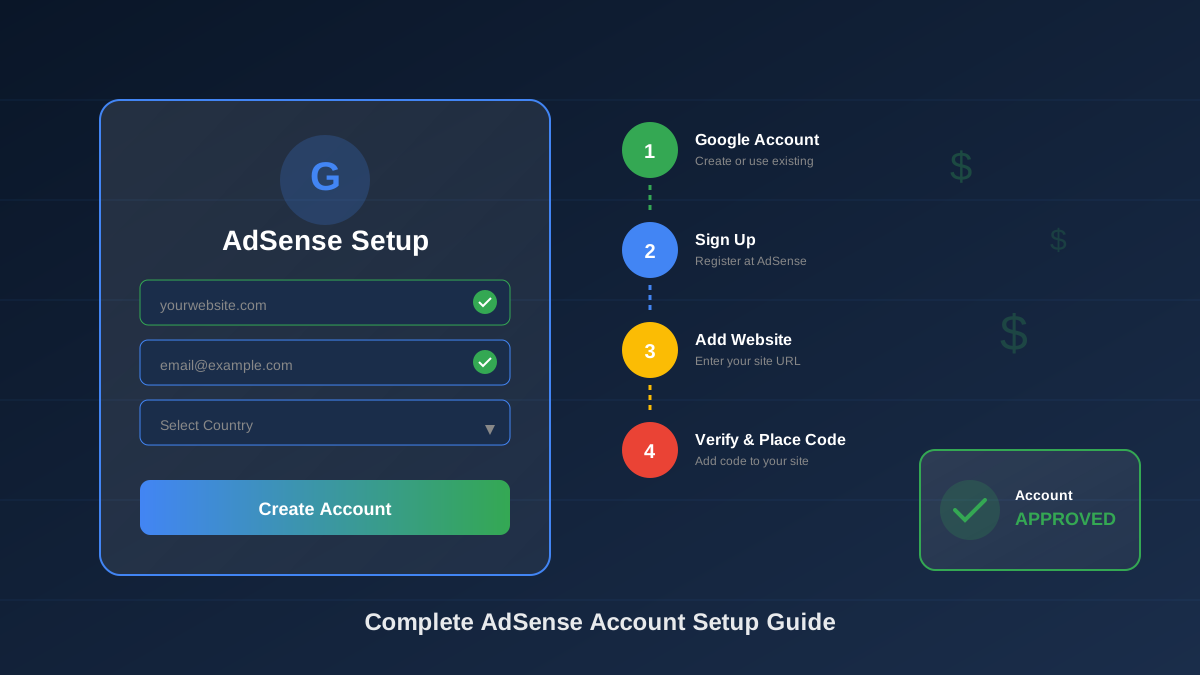
Most websites can get approved within 2-4 weeks if they follow the AdSense approval guide. The process is generally faster than building up a YouTube channel to YPP requirements.
Earnings Comparison: Which Pays More?
This is the big question. Let's look at real numbers.
YouTube RPM (Revenue Per 1,000 Views)
YouTube RPM varies widely by niche. Here are typical ranges:
See also: Google AdSense Best Practices 2026: What Works Now (and What Doesn't) →
- Finance/Business: $12 - $30 RPM
- Technology: $8 - $15 RPM
- Gaming: $2 - $5 RPM
- Entertainment: $2 - $6 RPM
- Education: $5 - $12 RPM
- Health: $8 - $20 RPM
Remember, YouTube takes 45% of ad revenue. The RPM numbers above are what you actually receive after YouTube's cut.
Website RPM (Revenue Per 1,000 Pageviews)
Website AdSense RPM also varies by niche, but many niches pay more per view:
- Finance/Insurance: $15 - $50+ RPM
- Technology: $5 - $15 RPM
- Health: $8 - $25 RPM
- Travel: $8 - $20 RPM
- Food/Recipes: $10 - $30 RPM
- Lifestyle: $5 - $15 RPM
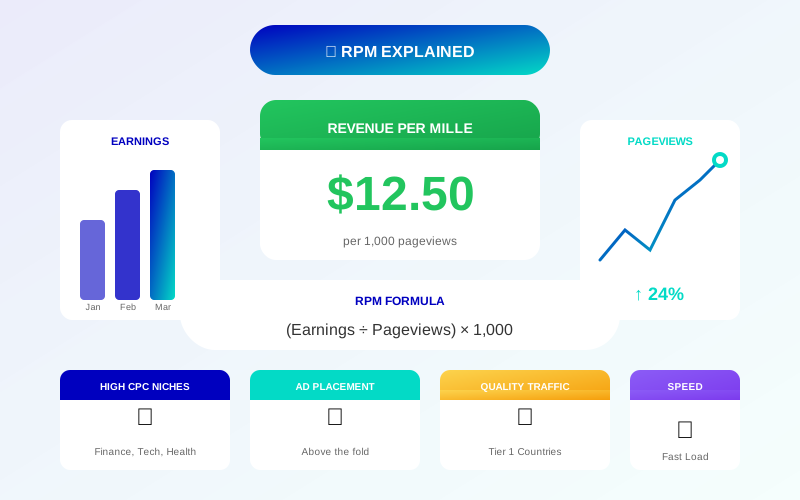
Website publishers keep 68% of ad revenue, compared to YouTube's 55%. That bigger share adds up over time. For a deeper look at website earnings, check our RPM explained guide.
Ad Formats Available
The types of ads you can show affect your earnings a lot. Here's what each platform offers.
YouTube Ad Formats
- Skippable video ads: Viewers can skip after 5 seconds. You earn when they watch 30 seconds or click.
- Non-skippable ads: 15-20 second ads viewers must watch. Higher pay but can annoy viewers.
- Bumper ads: 6-second unskippable ads. Lower pay but less intrusive.
- Overlay ads: Semi-transparent banners on the lower part of videos (desktop only).
- Display ads: Appear next to the video on desktop.
- Sponsored cards: Show relevant products during the video.
Website Ad Formats
- Display ads: Standard banner ads in various sizes (728x90, 336x280, 300x250, etc.).
- In-article ads: Native-looking ads that blend with your content.
- Multiplex ads: Grid of recommended content-style ads.
- Auto ads: Google automatically places ads where they work best.
- Anchor ads: Sticky ads at the bottom of mobile screens.
- Vignette ads: Full-screen ads between page loads on mobile.
Websites give you more control over ad placement. You can test different positions and formats to find what earns the most. On YouTube, the platform makes most of these decisions for you.
Pros and Cons of Each Platform
YouTube Pros
- YouTube has a massive built-in audience (2+ billion monthly users)
- Videos can go viral and bring huge traffic spikes
- YouTube Shorts offer a new monetization path
- You don't need to pay for hosting
- Comments and community features boost engagement
YouTube Cons
- Creating videos takes more time and equipment
- YouTube takes a 45% revenue cut
- You don't own the platform (YouTube can change rules anytime)
- YPP approval requires significant effort upfront
- Algorithm changes can tank your views overnight
Website Pros
- You own your website and content
- Higher revenue share (68% vs 55%)
- Full control over ad placement and user experience
- SEO traffic is more stable than algorithm-driven views
- Can upgrade to premium networks like Mediavine or Raptive
- Multiple monetization options (affiliate, sponsored, products)
Website Cons
- You need to pay for hosting and domain
- Building traffic from scratch takes time
- Requires some technical knowledge
- Content creation (writing) is ongoing work
- SEO results can take 3-6 months to show
Can You Do Both? (Yes, and Here's How)
The best strategy? Use both platforms together. Many successful creators run a website AND a YouTube channel. They cross-promote to build a bigger audience.
Learn more in Free vs Self-Hosted Blogs for AdSense: Which One Gets Approved? →
Here's how to make it work:
- Create blog posts from your videos. Turn your video scripts into written articles. This doubles your content without doubling your work.
- Embed YouTube videos in blog posts. This boosts watch time on YouTube and keeps visitors on your site longer.
- Link from YouTube descriptions to your website. Drive YouTube viewers to your site for more detailed guides.
- Use the same keywords. Target the same topics in both formats to dominate search results.
- Build an email list from both. Capture subscribers from your website and YouTube channel for direct access to your audience.
Running both platforms means two ad revenue streams. A blog post with AdSense ads AND an embedded YouTube video earns money from both. That's a smart setup.
Which Is Easier to Start?
A website is easier and cheaper to launch. You can start a blog for about $3-10 per month with basic hosting. All you need is a computer and the ability to write.
YouTube requires more upfront investment. You need a decent camera or smartphone, a microphone, good lighting, and basic editing skills. Free editing tools exist, but there's still a learning curve.
However, YouTube has one big advantage: a built-in discovery engine. The YouTube algorithm can push your videos to new viewers. With a website, you need to learn SEO and wait months for Google to rank your content.
"I started with a blog and added YouTube six months later. The blog provided steady SEO income while YouTube gave me viral growth potential. Together, they earned 3x what either one would alone."
Learn more in AdSense vs Alternatives: Which Ad Network Pays You More? →
— Sarah Mitchell, Lifestyle Creator
Long-Term Revenue Potential
Over time, websites tend to have a higher earnings ceiling. Here's why:
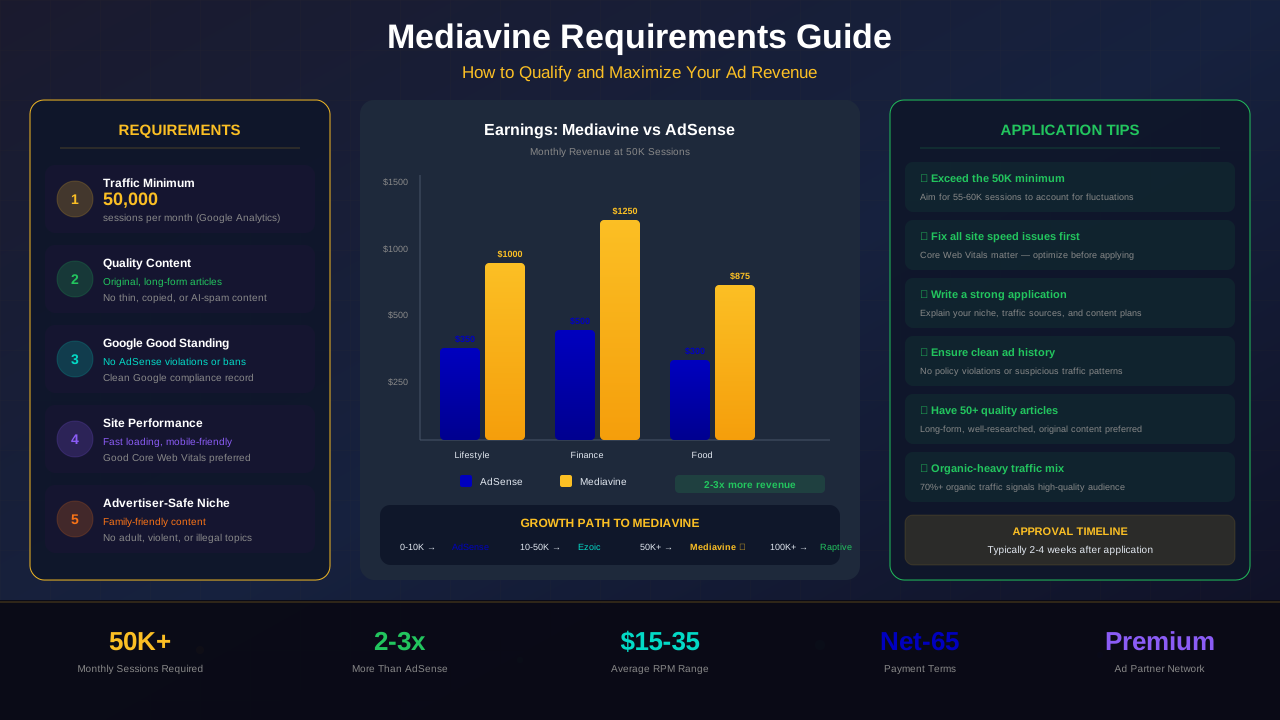
With a website, you can switch from AdSense to premium ad networks like Mediavine ($15-35 RPM) or Raptive ($20-50+ RPM) once you hit traffic thresholds. That alone can 3x to 10x your ad revenue. YouTube doesn't have this upgrade path — you're stuck with YouTube's revenue share.
Websites also support more diverse income streams. You can add affiliate marketing, sell digital products, offer courses, and run sponsored content. YouTube creators can do some of these too, but a website gives you more flexibility.
That said, top YouTube creators with millions of subscribers can earn much more than most website owners. The ceiling on YouTube is incredibly high if you can build a massive audience. But most creators won't reach that level.
Frequently Asked Questions
Can I use the same AdSense account for YouTube and my website?
Yes! You can link one AdSense account to both your YouTube channel and your website. All earnings show up in the same place. Check our guide on AdSense account setup for details.
Does YouTube AdSense affect my website AdSense approval?
No. YouTube monetization and website AdSense are reviewed separately. Having a monetized YouTube channel doesn't automatically approve your website, and vice versa.
See also: Multiple AdSense Accounts: Rules, Risks & What Google Allows →
Which platform has better RPM for beginners?
Websites generally have better RPM for beginners in high-CPC niches like finance and health. YouTube RPM tends to be lower for new channels because advertisers pay more for channels with proven engagement.
Can I switch from YouTube AdSense to website AdSense?
You don't need to switch. They are separate features of the same platform. You can run both at the same time with no conflict.
Is YouTube Shorts monetization worth it?
YouTube Shorts RPM is currently much lower than regular videos — often $0.01 to $0.05 per 1,000 views. Shorts are great for building an audience, but they won't replace long-form video or website ad revenue anytime soon.
What's the fastest way to make money with AdSense?
A website is typically faster. You can get AdSense approval within 2-4 weeks with good content. YouTube requires months to build up to YPP requirements. However, once approved, YouTube traffic can grow faster thanks to the algorithm.
Conclusion
Both YouTube and website AdSense are great ways to earn passive income. Websites offer more control, higher revenue share, and a path to premium ad networks. YouTube offers a built-in audience and viral growth potential.
The best choice depends on your skills and preferences. If you love writing, start a website. If you love video, start on YouTube. If you can handle both, do both for maximum earnings.
Start with whichever platform excites you more. You can always add the other one later. The most important thing is to start creating high-quality content today.