Google AdSense has strict content rules. Break them, and you could lose your account forever. But don't worry! This guide explains every policy in simple terms so you can stay safe and keep earning.
What You'll Learn:
- What content Google bans completely
- Which topics have restrictions (but are still allowed)
- How to check if your content follows the rules
- What happens when you break a policy
- How to fix policy violations fast
Why AdSense Content Policies Matter
AdSense content policies protect everyone. They protect advertisers from appearing next to harmful content. They protect users from misleading websites. And they protect you from losing your income.
Google reviews every website that runs AdSense ads. If your content breaks the rules, you'll get a warning or a ban. According to Google's Publisher Policies, violations can result in ad limits or account termination.
The good news? Most policies are common sense. Let's break them down.
Prohibited Content: What Gets You Banned
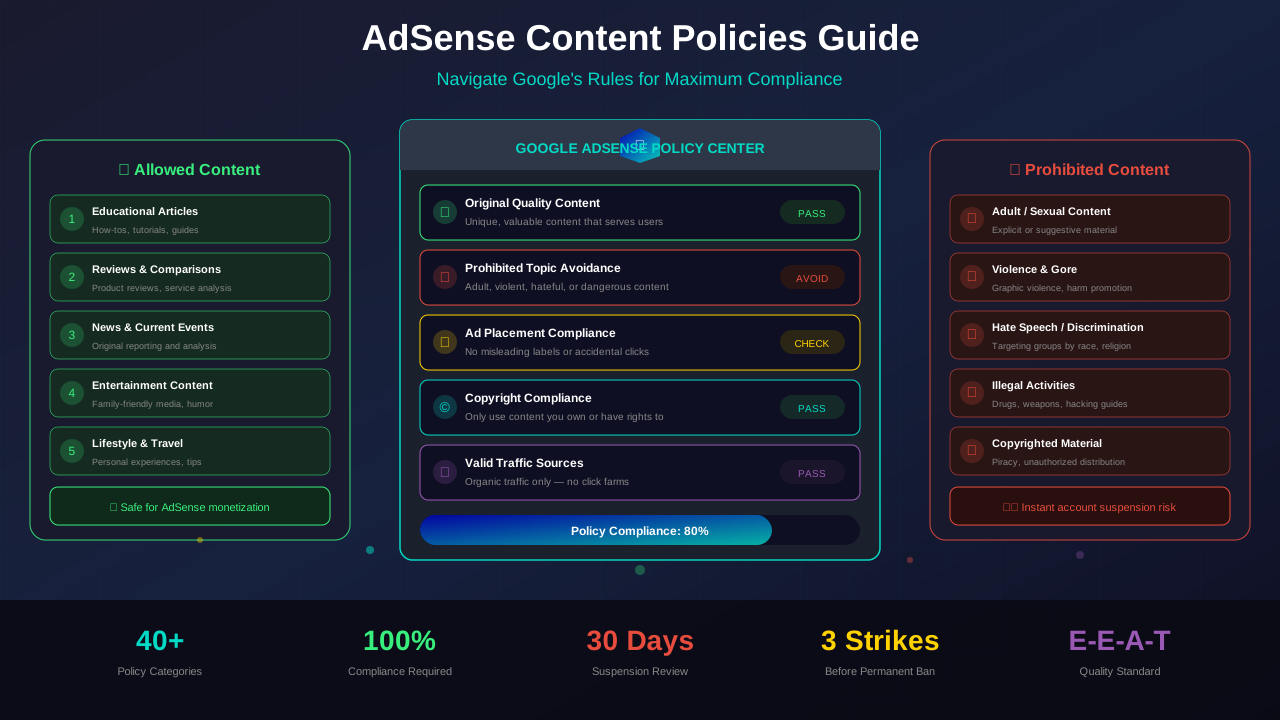
Some content types are completely banned from AdSense. If Google finds this content on your site, they will remove your ads or disable your account.
Adult and Sexual Content
This is the most common reason sites get rejected. Google does not allow any sexually explicit content. This includes suggestive images, adult stories, or links to adult sites.
Dangerous or Harmful Products
You cannot promote drugs, weapons, explosives, or tobacco products. This also covers content that teaches people how to make dangerous items.
Hate Speech and Discrimination
Content that attacks people based on race, religion, gender, or other traits is not allowed. Google takes this very seriously.
See also: AdSense Approval Checklist 2026: 15 Steps to Get Approved Fast →
Misleading or Deceptive Content
Fake news, misleading claims, and clickbait all break the rules. Your content must be honest and accurate. Check our guide on E-E-A-T for blog monetization for quality standards.
Copyrighted Material
Don't copy content from other websites. Every article must be original. Using someone else's work without permission can lead to instant removal.
"Publishers must not place Google ads on pages with content that violates our Publisher Policies. Doing so may result in ad serving being restricted or your account being disabled."
— Google AdSense Program Policies
Restricted Content: Allowed With Limits
Some topics are allowed, but fewer ads will show on these pages. This means lower earnings. Here's what falls into this category:
| Restricted Topic | What's Allowed | What's Not Allowed |
|---|---|---|
| Alcohol | Reviews, recipes, education | Promoting underage drinking |
| Gambling | Strategy guides, news | Online casino promotion |
| Health | General wellness tips | Unproven medical claims |
| Firearms | Safety education, news | Sales or how-to-build guides |
| Politics | Balanced reporting | Extreme partisan content |
If your site covers these topics, you can still use AdSense. Just know that your RPM might be lower than other niches. Learn more about niches in our high CPC niches guide.
See also: Google AdSense Best Practices 2026: What Works Now (and What Doesn't) →
Content Quality Guidelines
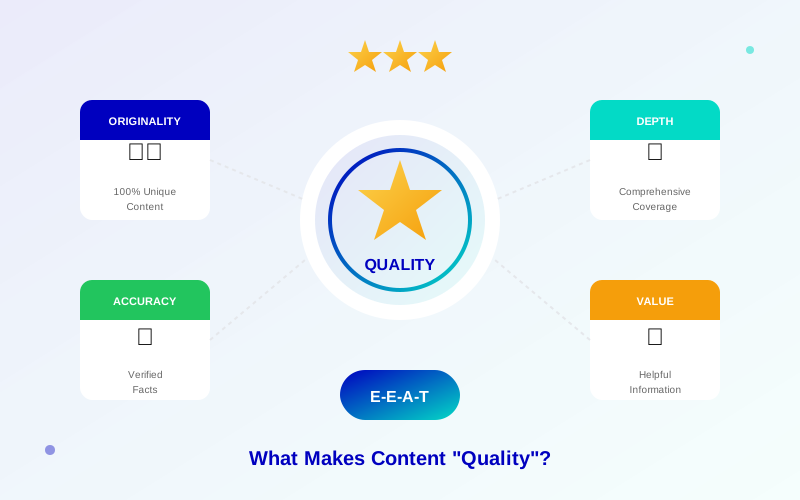
Beyond prohibited content, Google has quality rules too. Your content must provide real value to readers.
Minimum Content Requirements
- Original content – Write your own articles
- Enough content – Each page needs substantial text
- Real value – Help readers solve problems
- Good grammar – Write clearly and correctly
- No thin pages – Avoid pages with just a few sentences
Navigation and User Experience
Your website must be easy to use. Visitors should find what they need quickly. Read our navigation best practices guide for help with this.
Ad Placement Policy Rules
How you place ads matters just as much as your content. Google has specific rules about ad placement.
Don't Trick Users Into Clicking
Ads must be clearly separate from your content. Never place ads where users might click by accident. This includes:
- Putting ads too close to navigation menus
- Making ads look like download buttons
- Placing ads under misleading headings
- Using images that lead to accidental clicks
Ad Density Limits
Don't fill your page with ads. Your content should be the main focus. Google recommends a healthy balance between content and ads.
Learn more in AdSense YouTube vs Website: Which Earns More Money in 2026? →
Ads on Error Pages
You cannot place ads on pages that show errors, like 404 pages or login screens. These pages don't provide value to users.
"Ads should complement your content, not overwhelm it. Sites with more ads than content provide a poor user experience."
— Google Search Central
Most Common Policy Violations
Here are the violations Google catches most often. Avoid these mistakes to keep your account safe:
| Violation | Risk Level | How to Fix |
|---|---|---|
| Insufficient content | 🟡 Medium | Add more helpful text to thin pages |
| Copied content | 🔴 High | Write original content only |
| Misleading navigation | 🟡 Medium | Use clear menus and labels |
| Pop-up overuse | 🟡 Medium | Limit pop-ups, especially on mobile |
| Adult content | 🔴 High | Remove all adult material immediately |
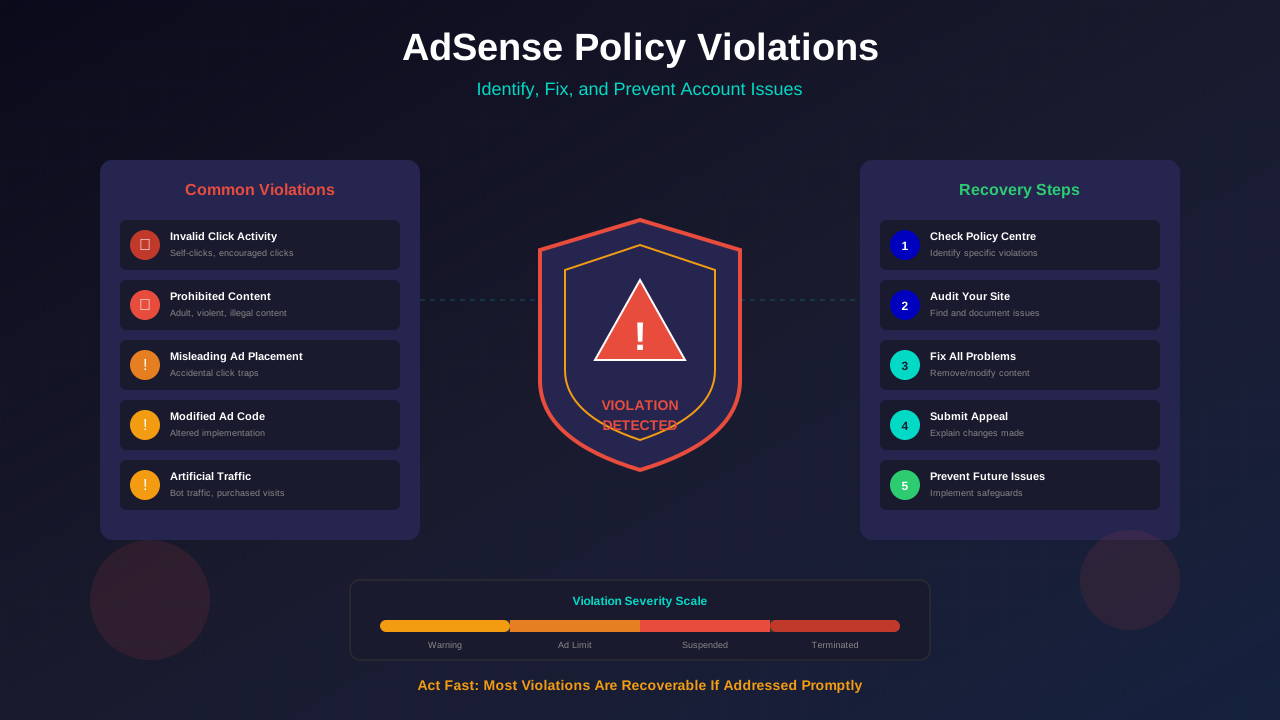
| Invalid click activity | 🔴 Critical | Never click your own ads |
For more detail on click issues, read our invalid click protection guide.
How to Check Your Content Before Publishing
Follow these steps before publishing any content on your AdSense site:
Learn more in Free vs Self-Hosted Blogs for AdSense: Which One Gets Approved? →
- Read Google's policies – Review the official rules at least once
- Check your content topics – Make sure they're not prohibited
- Review your images – Remove anything suggestive or violent
- Test your links – Don't link to banned websites
- Check ad placement – Make sure ads are clearly labeled
- Read everything out loud – Does it make honest claims?
What Happens When You Break a Policy
Google uses a stepped approach for most violations:
Step 1: Warning
You'll get an email warning. Google tells you which page or content broke the rules. Fix it quickly to avoid further action.
Step 2: Ad Serving Restrictions
If you don't fix the problem, Google may limit or stop ads on specific pages. This directly hurts your earnings.
Step 3: Account Suspension
For serious or repeated violations, Google may suspend your entire account. At this point, you'll need to appeal. Check our policy violations recovery guide for help.
Frequently Asked Questions
Can I write about controversial topics with AdSense?
Yes, but be careful. Balanced, factual reporting on controversial topics is usually fine. Just avoid hate speech, extreme content, or misleading claims.
Learn more in AdSense vs Alternatives: Which Ad Network Pays You More? →
Will one policy violation get me banned?
Usually not. Google typically sends warnings first. But serious violations like adult content or click fraud can lead to instant bans.
Can I appeal a policy violation?
Yes! Fix the issue first, then submit an appeal through your AdSense dashboard. Include details about what you changed. Most appeals get reviewed within 1-2 weeks.
Do I need to check old content for policy issues?
Absolutely. Google can review any page on your site at any time. Do regular content audits to catch problems. Our content audit guide walks you through this process.
Are AI-generated articles allowed on AdSense sites?
Google allows AI-assisted content as long as it provides value. The key is quality, not who wrote it. Always review and edit AI content before publishing.
Conclusion
AdSense content policies are your roadmap to a safe, profitable website. Follow Google's rules, create helpful content, and place ads responsibly.
Start by reviewing your existing content against the guidelines above. Fix any issues you find. Then set up a regular review process to catch problems early.
Remember: quality content that helps readers is always safe. When in doubt, ask yourself: "Does this page genuinely help my visitors?" If yes, you're on the right track!