Getting approved for Google AdSense can feel like trying to solve a puzzle without all the pieces. Every year, thousands of bloggers and website owners apply—and many get rejected. But here is the good news: with the right approach, you can join the successful 13% who get approved on their first try. This guide walks you through every step.
Think of AdSense approval like applying for a job at a top company. Google wants to hire websites that will make their advertisers happy. Your job is to prove you are the best candidate. This guide shows you exactly how to do that.
What You Will Learn:
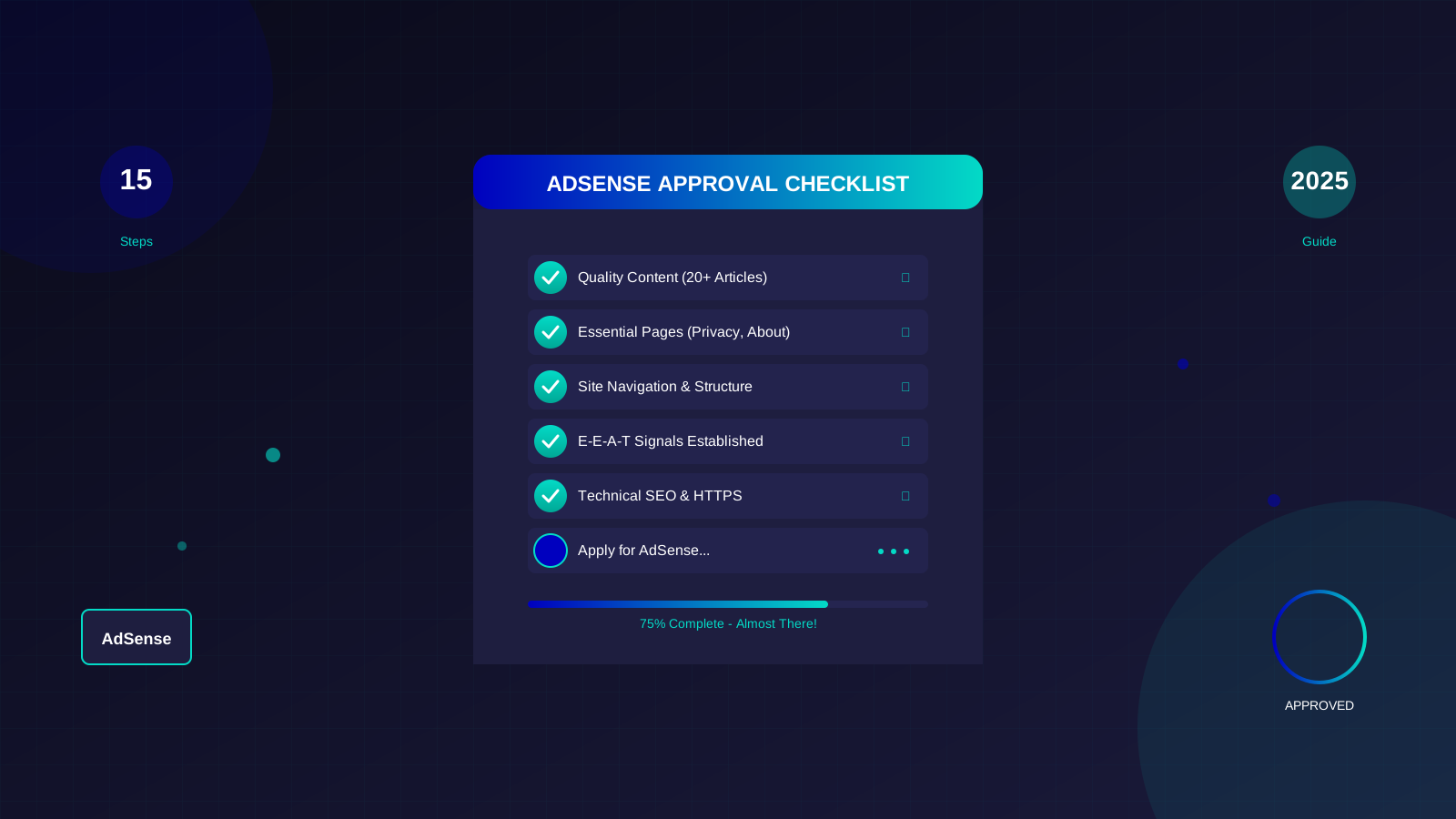
- The exact 15 steps Google uses to evaluate your website
- How to fix the 5 most common rejection reasons
- Insider tips from publishers who got approved in under 2 weeks
- A complete checklist to verify your site is ready
- Real examples of websites that passed and failed
What is Google AdSense and Why Does It Matter?
Google AdSense is an advertising programme that lets website owners earn money by displaying ads. When visitors click on these ads or view them, you earn a portion of what advertisers pay Google. It is the most popular ad network in the world, used by over 38 million websites.
Why choose AdSense over other ad networks? Simple: Google has the largest pool of advertisers. More advertisers mean more competition for your ad space, which means higher earnings for you. Some publishers report earning 30-50% more with AdSense compared to alternatives.
"AdSense remains the gold standard for website monetisation. Its quality standards ensure both publishers and advertisers benefit from a trustworthy ecosystem."
— Google AdSense Help Centre
Before You Apply: Foundation Requirements
Before diving into the 15 steps, you need to meet some basic requirements. Think of these as the minimum qualifications for the job.
Age and Ownership Requirements
- You must be 18 years or older to create an AdSense account
- You must own the website or have legal rights to monetise it
- Your website must have been active for at least 1-3 months (varies by country)
- You need a valid postal address to receive payment verification
Technical Requirements
- A top-level domain (yoursite.com, not yoursite.blogspot.com in most cases)
- SSL certificate installed (HTTPS)
- Mobile-responsive design
- Fast loading speed (under 3 seconds)
Step 1: Choose a Winning Niche
Not all niches are created equal when it comes to AdSense. Some topics attract high-paying advertisers, while others barely attract any. Choosing wisely from the start saves you months of frustration.
High-Value Niches for AdSense:
| Niche Category | Average CPC | Competition | Best For |
|---|---|---|---|
| Finance & Insurance | £2.50 - £15.00 | High | Expert writers |
| Health & Medical | £1.50 - £8.00 | High | Qualified professionals |
| Technology | £0.80 - £4.00 | Medium | Tech enthusiasts |
| Education | £0.50 - £3.00 | Medium | Teachers, tutors |
| Home & Garden | £0.30 - £1.50 | Low | Beginners |
| Entertainment | £0.10 - £0.50 | Low | High traffic sites |
Here is the deal: high-paying niches have more competition. If you are just starting, consider niches with medium competition. You can always expand later once you have established authority.
Step 2: Create Quality Content (The Right Way)
Content is king—you have heard this before. But what does "quality content" actually mean to Google? Let me break it down simply.
Quality content solves problems. Every article on your site should answer a question someone is asking. Think about what your readers need help with, then provide that help better than anyone else.
See also: AdSense Approval Checklist 2026: 15 Steps to Get Approved Fast →
The Content Quality Checklist:
- Original: Written by you, not copied from anywhere
- Comprehensive: Covers the topic thoroughly (1500+ words for most topics)
- Accurate: Facts are correct and up-to-date
- Helpful: Readers can take action after reading
- Well-structured: Easy to scan with headings and lists
"Focus on creating content that's useful and original. Content that demonstrates first-hand experience and depth of knowledge will perform well."
— Google Search Central Documentation
How Many Articles Do You Need?
There is no official minimum, but based on analysis of thousands of approved sites, here is what works:
- Minimum: 15-20 high-quality articles
- Recommended: 25-30 articles for faster approval
- Ideal: 40+ articles for highest approval chances
Remember: 20 excellent articles beat 100 mediocre ones every time. For more details on creating content that gets approved, read our guide on how to write high-value content.
Step 3: Create Essential Pages
Google requires certain pages on every website that applies for AdSense. Missing even one can result in rejection. Here is what you absolutely need:
Required Pages:
- Privacy Policy: Explains how you collect and use visitor data. This is legally required and Google checks for it.
- About Us: Tells visitors who runs the site and why it exists. This builds trust and demonstrates E-E-A-T.
- Contact Page: Provides a way for visitors to reach you. Include an email address or contact form.
Strongly Recommended Pages:
- Terms of Service: Legal agreement between you and your visitors
- Disclaimer: Especially important for health, finance, or advice content
- Cookie Policy: Required for EU visitors under GDPR
For a complete guide on creating these pages, see our detailed article on privacy policy requirements for AdSense.
Step 4: Perfect Your Website Navigation
Imagine walking into a shop where products are thrown everywhere with no signs. You would leave immediately, right? The same applies to websites. Good navigation keeps visitors (and Google) happy.
Navigation Best Practices:
- Clear Main Menu: Include links to important pages (Home, About, Contact, Categories)
- Logical Categories: Group similar content together
- Footer Links: Add Privacy Policy, Terms, and other legal pages
- Search Function: Help users find what they need quickly
- Breadcrumbs: Show users where they are on your site
Learn more about creating user-friendly websites in our website navigation best practices guide.
See also: Google AdSense Best Practices 2026: What Works Now (and What Doesn't) →
Step 5: Complete Technical Setup
Technical issues are invisible to most visitors but crystal clear to Google. These problems can silently kill your AdSense application.
Technical Checklist:
| Issue | What to Check | How to Fix | Priority |
|---|---|---|---|
| SSL Certificate | Does your URL show HTTPS? | Install SSL (most hosts offer free) | Critical |
| Mobile Responsiveness | Test on multiple devices | Use responsive theme | Critical |
| Page Speed | Google PageSpeed Insights | Optimise images, use caching | High |
| Broken Links | Use broken link checker | Fix or remove broken links | High |
| XML Sitemap | Check Search Console | Generate and submit sitemap | Medium |
Step 6: Build E-E-A-T Signals
E-E-A-T stands for Experience, Expertise, Authoritativeness, and Trustworthiness. These are the qualities Google looks for when deciding if your site deserves to show ads. Learn more from Google's official helpful content guidelines.
How to Demonstrate E-E-A-T:
- Experience: Share personal stories and first-hand knowledge
- Expertise: Show credentials, display author bios
- Authoritativeness: Get mentioned on other reputable sites
- Trustworthiness: Be accurate, cite sources, use HTTPS
"For topics that could significantly impact someone's health, financial stability, or safety, we have even higher standards for content quality."
— Google Search Quality Guidelines
Our comprehensive E-E-A-T guide for blog monetisation explains this in detail.
Step 7: Avoid Prohibited Content
Some content types are automatic disqualifiers for AdSense. Google is strict about this, and even a single violation can result in permanent rejection. Review the complete list in the AdSense program policies.
Prohibited Content Categories:
- Adult or sexually suggestive content
- Violent or graphic content
- Content promoting illegal activities
- Hate speech or discrimination
- Content about weapons or drugs
- Gambling or casino content
- Misleading or deceptive content
- Copyrighted material used without permission
If your niche touches any of these areas, even tangentially, reconsider your content strategy or apply to alternative ad networks instead.
Step 8: Use Original or Licensed Images
Images can enhance your content, but using the wrong ones can destroy your AdSense application. Google takes copyright seriously.
Learn more in AdSense YouTube vs Website: Which Earns More Money in 2026? →
Safe Image Sources:
- Your own photos: Best option—completely original
- Stock photo sites: Unsplash, Pexels, Pixabay (check licences)
- Custom graphics: Create your own using Canva or similar tools
- Properly attributed: If attribution is required, provide it
Image Optimisation Tips:
- Compress images to reduce file size (use TinyPNG or Squoosh)
- Use descriptive file names (not IMG_12345.jpg)
- Add alt text for accessibility and SEO
- Use WebP format for better compression
Step 9: Meet Domain Requirements
Your domain plays a bigger role in AdSense approval than most people realise.
Domain Best Practices:
- Age: Wait 1-6 months after registering (varies by country)
- Type: Use a custom domain (.com, .net, .org)
- Name: Choose something professional and memorable
- History: Check if domain was previously penalised
For more on this topic, see our article about domain age requirements for AdSense.
Step 10: Optimise User Experience
User experience affects everything: how long visitors stay, whether they return, and crucially, whether Google approves your site.
UX Improvement Areas:
- Reading experience: Large enough fonts, good contrast, adequate spacing
- Page layout: Clean design without distracting elements
- Load time: Fast pages keep visitors engaged
- Pop-ups: Minimise or eliminate intrusive pop-ups
- Ad density: If using other ad networks, do not overcrowd
Step 11: Build a Traffic Foundation
While Google does not officially require minimum traffic, sites with zero visitors often get rejected. Why? Because Google cannot evaluate user engagement on a site nobody visits.
Traffic Building Strategies:
- SEO: Target long-tail keywords with low competition
- Social Media: Share content on relevant platforms
- Community Participation: Engage in forums and groups
- Email List: Start building from day one
Aim for at least 50-100 daily visitors before applying. This shows Google that real people find your content valuable.
Step 12: Remove or Reduce Other Ads
If your site is covered in ads from other networks, Google may see this as a red flag. It suggests you prioritise revenue over user experience.
Recommendations:
- Remove all ads from other networks before applying
- If you must keep some, reduce to 1-2 maximum
- Never place ads in misleading positions
- Ensure content is always the primary focus
Step 13: Verify Site Ownership
During the application process, Google will ask you to verify that you own the website. This involves adding a code snippet to your site.
Learn more in Free vs Self-Hosted Blogs for AdSense: Which One Gets Approved? →
Verification Methods:
- Head tag: Add code between <head> tags (most common)
- WordPress plugin: Use Site Kit by Google
- Theme settings: Many themes have a dedicated field
Make sure the verification code stays on your site throughout the review process. Removing it can delay approval.
Step 14: Apply Correctly
The application process itself is straightforward, but small mistakes can cause delays.
Application Checklist:
- Go to adsense.google.com
- Sign in with your Google account
- Enter your website URL (use https:// version)
- Select your country and time zone
- Accept the terms and conditions
- Add the AdSense code to your website
- Submit for review
Common Application Mistakes:
- Using a Google account under 18 years old
- Entering URL without https://
- Applying with incomplete website
- Removing verification code too early
Step 15: Wait Patiently and Keep Improving
After submitting, the waiting begins. Review times vary from a few days to several weeks. Use this time wisely.
What to Do While Waiting:
- Continue publishing quality content
- Fix any technical issues you discover
- Build more traffic through SEO and promotion
- Do not make major changes to site structure
- Check your email regularly for updates
"The time it takes for your account to be fully approved can vary. During this time, you can continue to make improvements to your site."
— Google AdSense Support
Common Rejection Reasons and Fixes
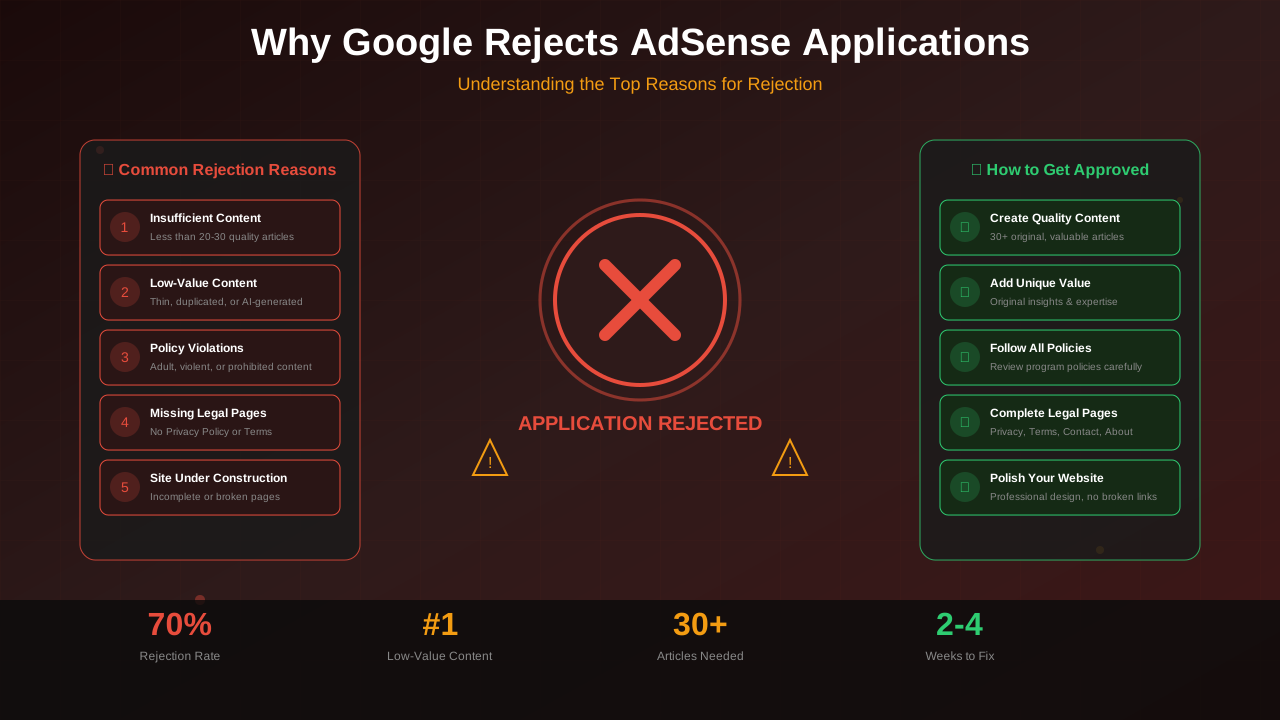
If your application is rejected, do not panic. Most rejections can be fixed. Here are the most common reasons:
| Rejection Reason | What It Means | How to Fix | Time to Fix |
|---|---|---|---|
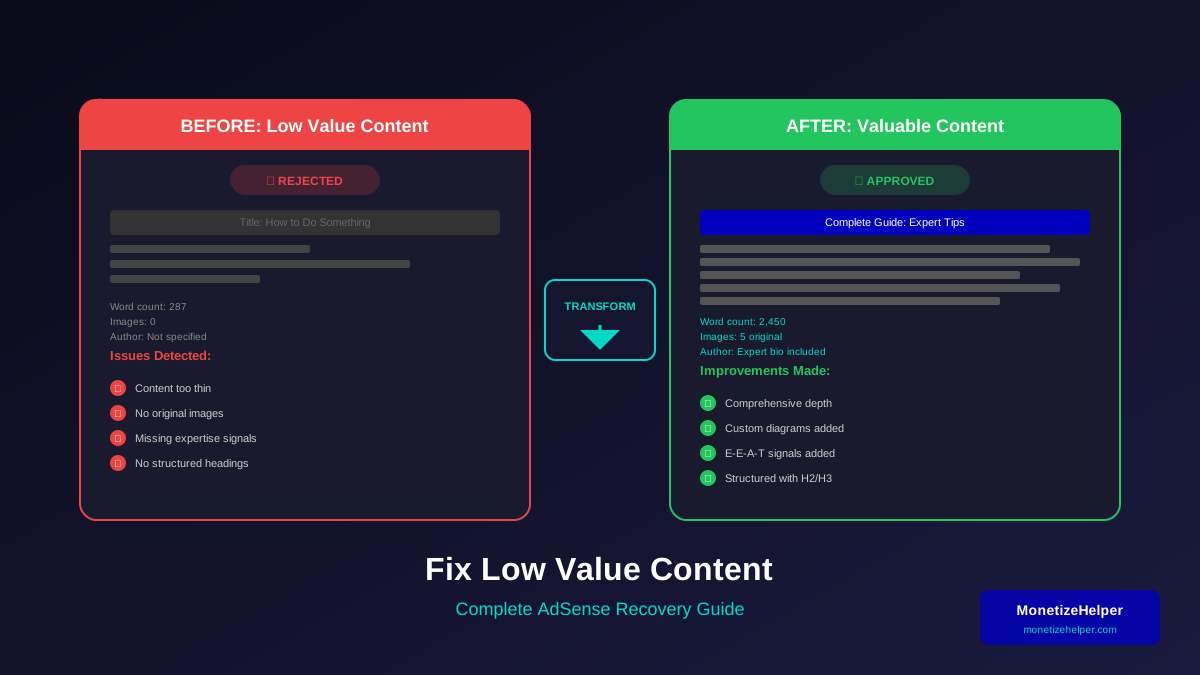
| Low-value content | Content is not helpful enough | Improve article depth and quality | 2-4 weeks |
| Site under construction | Website appears incomplete | Add more content and essential pages | 1-2 weeks |
| Insufficient content | Not enough articles | Add 10-15 more quality articles | 2-4 weeks |
| Navigation issues | Hard to find content | Improve menu and internal linking | 1-2 days |
| Policy violation | Prohibited content present | Remove violating content | Immediate |
For a detailed breakdown of rejection fixes, read our complete guide: Why Google Keeps Rejecting Your AdSense Application.
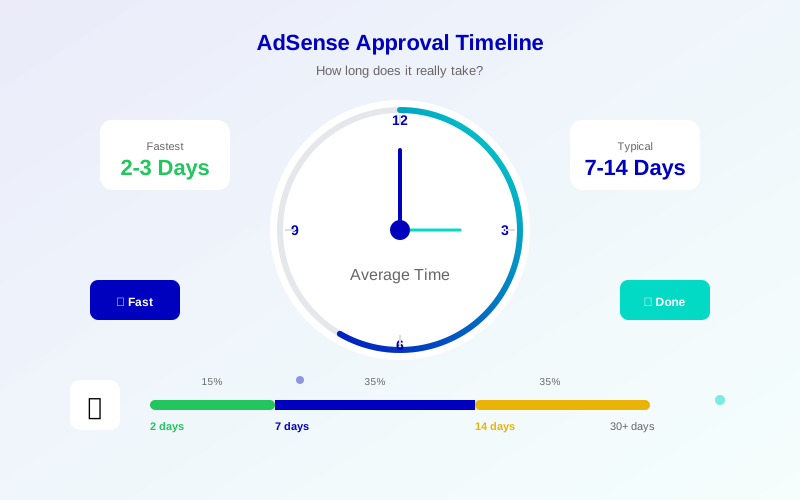
Realistic AdSense Approval Timeline
Based on data from thousands of publishers, here is what to expect:
Learn more in AdSense vs Alternatives: Which Ad Network Pays You More? →
- Initial review: 24-48 hours to 2 weeks
- Full approval: 2 days to 4 weeks
- If rejected: Wait 2-4 weeks before reapplying
- Total time (from scratch): 2-6 months typical
What Happens After Approval?
Congratulations! Once approved, you can start displaying ads. But approval is just the beginning.
Next Steps After Approval:
- Set up ad units: Choose between Auto Ads or Manual placement
- Configure ad settings: Block unwanted categories
- Monitor performance: Track RPM, CTR, and earnings
- Optimise placement: Test different positions
- Scale traffic: More visitors = more revenue
For strategies to maximise your earnings, check our guide to increasing AdSense revenue.
Your Path to AdSense Success Starts Now
Getting approved for AdSense requires patience, quality, and attention to detail. Follow these 15 steps consistently, and you will dramatically increase your chances of approval.
Remember: Google wants to approve quality websites. Your job is simply to prove your site meets their standards. Focus on creating genuine value for your readers, and the monetisation will follow.
Start with Step 1 today. In a few months, you could be earning your first AdSense revenue.
Frequently Asked Questions (FAQs)
How long does AdSense approval take in 2025?
Most applications receive a response within 2-14 days. However, some may take up to 4 weeks during busy periods. Continue improving your site while waiting, but avoid making major structural changes.
Can I apply for AdSense with a free domain?
In most countries, Google requires a custom domain (like yoursite.com) rather than a free subdomain (like yoursite.blogspot.com). Some exceptions exist for certain Blogger sites, but using a custom domain is strongly recommended.
How many page views do I need for AdSense?
Google does not specify a minimum traffic requirement. However, sites with at least 50-100 daily visitors have higher approval rates. Focus on building some organic traffic before applying.
What happens if I get rejected multiple times?
You can reapply as many times as needed. Each time, carefully read the rejection reason and address it specifically. Wait at least 2 weeks between applications to make meaningful improvements.
Can I use AdSense with other ad networks?
Yes, once approved, you can use AdSense alongside other ad networks. However, during the application phase, it is best to remove other ads or keep them minimal to show Google that user experience is your priority.