Starting a new website and want to monetize with AdSense? You are not alone. Every day, thousands of new bloggers apply for AdSense—but most get rejected on their first try. This guide shows you exactly how to set up your new site for quick approval.
New websites face extra challenges. Google is cautious about approving sites without a track record. But with the right approach, you can get approved faster than most—sometimes in just a few weeks.
What You Will Learn:
- Why Google is cautious about new websites
- Minimum requirements your site must meet
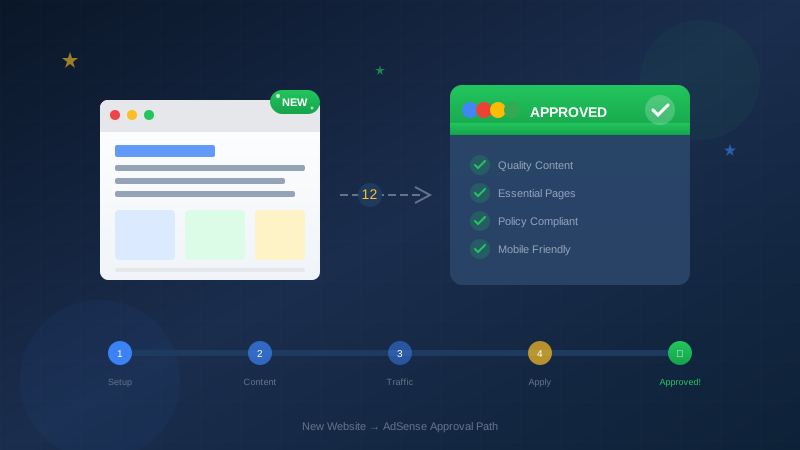
- 12 strategies to accelerate approval
- Exact content plan for new sites
- Timeline expectations by region
Why New Websites Face Challenges
Google receives millions of AdSense applications. Many come from low-quality or spam sites. To protect advertisers, Google applies extra scrutiny to new websites.
The Trust Problem
Advertisers pay good money to show ads. They want their ads on established, trustworthy sites—not fly-by-night blogs that might disappear tomorrow. Your new site has no history, no traffic data, and no trust signals.
"We look for sites that have a significant amount of original, high-quality content. We also require that your site be active and receiving traffic."
— Google AdSense Help Center
What Google Worries About
- Content quality: Will this site produce valuable content?
- Longevity: Will this site still exist in 6 months?
- Traffic: Will enough people see the ads?
- Policy compliance: Will the owner follow the rules?
The Domain Age Factor
In many countries, Google requires domains to be at least 6 months old. This is not a universal rule—some regions have different requirements, and some new sites do get approved earlier. But domain age matters for most applicants.
| Region | Typical Domain Age Requirement | Notes |
|---|---|---|
| United States, UK, Canada | None officially, but 2-3 months typical | Quality matters more than age |
| India | 6 months minimum | Strictly enforced |
| China | 6 months minimum | Strictly enforced |
| European Union | 2-4 months typical | Quality focused |
| Other regions | Varies by country | Check local requirements |
Minimum Requirements for New Sites
Before applying, make sure your new website meets these absolute minimum requirements:
Essential Pages (Non-Negotiable)
Your site must have these pages before you apply:
- Privacy Policy: Required by Google. Explains how you collect and use visitor data.
- About Page: Shows who you are and why your site exists.
- Contact Page: Provides a way for visitors to reach you.
- Terms of Service: Legal protection and user guidelines.
Learn how to create these pages in our Complete Legal Pages Guide.
Content Requirements
| Requirement | Minimum | Recommended |
|---|---|---|
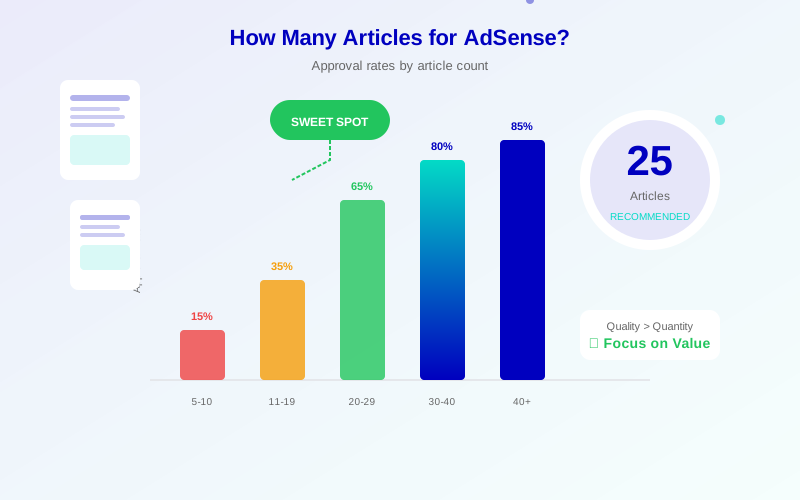
| Number of articles | 10-15 posts | 20-30 posts |
| Words per article | 500+ words | 1000-2000 words |
| Total content | 5,000+ words | 20,000+ words |
| Publishing frequency | Weekly | 2-3 times per week |
Technical Requirements
- Custom domain: yoursite.com (not yoursite.blogspot.com)
- SSL certificate: HTTPS enabled
- Mobile-friendly: Responsive design
- Fast loading: Under 3 seconds
- Clean navigation: Easy-to-use menu
"Your site should have clear navigation, organized content, and be easy for visitors to find their way around."
— Google AdSense Program Policies
12 Quick Approval Strategies
These strategies help new websites get approved faster. Implement as many as possible before applying.
See also: AdSense Approval Checklist 2026: 15 Steps to Get Approved Fast →
Strategy 1: Focus on One Niche
New sites that try to cover everything look unfocused. Google prefers sites with a clear topic. Pick one niche and stick to it.
Good examples:
- Budget travel tips for Europe
- Beginner guitar lessons
- Healthy recipes for busy parents
Bad examples:
- Travel + gaming + recipes + tech reviews
- Random lifestyle content
- News aggregation site
Strategy 2: Create Pillar Content First
Before applying, create 3-5 comprehensive "pillar" articles. These should be 2000+ words each and cover your main topics in depth.
Example for a cooking blog:
- "Complete Guide to Meal Prep for Beginners" (2500 words)
- "Essential Kitchen Tools Every Cook Needs" (2000 words)
- "How to Create a Weekly Meal Plan" (2200 words)
Strategy 3: Demonstrate E-E-A-T
E-E-A-T stands for Experience, Expertise, Authoritativeness, and Trustworthiness. Show Google you have these qualities:
- Experience: Write about topics you have personal experience with
- Expertise: Include detailed, accurate information
- Authoritativeness: Add author bios with credentials
- Trustworthiness: Cite sources, add privacy policy, use HTTPS
Strategy 4: Add Author Information
Anonymous blogs struggle to get approved. Add real author information:
- Author name on every article
- Author bio with photo
- Author page with credentials
- Link to social profiles
Strategy 5: Get Some Traffic First
Sites with zero traffic raise red flags. Before applying:
See also: Google AdSense Best Practices 2026: What Works Now (and What Doesn't) →
- Share articles on social media
- Submit to Google Search Console
- Build a few backlinks naturally
- Aim for at least 100 visitors per day
Strategy 6: Use Original Images
Stock photos are fine, but original images signal quality. For each article:
- Create custom featured images
- Add screenshots where relevant
- Use infographics to explain concepts
- Always add alt text to images
Strategy 7: Build Internal Links
Link your articles together. This shows Google your site has depth and helps visitors explore more content.
Goal: Every article should link to 2-3 other relevant articles on your site.
Strategy 8: Create a Clear Site Structure
Organize your content logically:
Homepage
├── About
├── Contact
├── Blog
│   ├── Category 1
│   │   ├── Article 1.1
│   │   ├── Article 1.2
│   ├── Category 2
│   │   ├── Article 2.1
│   │   ├── Article 2.2
├── Privacy Policy
└── Terms of Service
Strategy 9: Avoid Problematic Content
Before applying, review your content for anything that could trigger rejection:
- No adult or suggestive content
- No gambling content
- No violent or hateful content
- No copyrighted material
- No excessive profanity
Strategy 10: Optimize for Mobile
Google uses mobile-first indexing. Test your site on mobile devices:
- Use Google's Mobile-Friendly Test
- Ensure text is readable without zooming
- Make buttons easy to tap
- Avoid horizontal scrolling
Strategy 11: Remove Placeholder Content
Nothing says "under construction" like placeholder content. Remove:
- Lorem ipsum text
- Sample posts that came with your theme
- Empty categories or tags
- Coming soon pages
- Broken links or images
Strategy 12: Wait for the Right Moment
Do not rush your application. Better to wait an extra month with more content than to get rejected and wait another 2 weeks to reapply.
Learn more in AdSense YouTube vs Website: Which Earns More Money in 2026? →
Apply when you have:
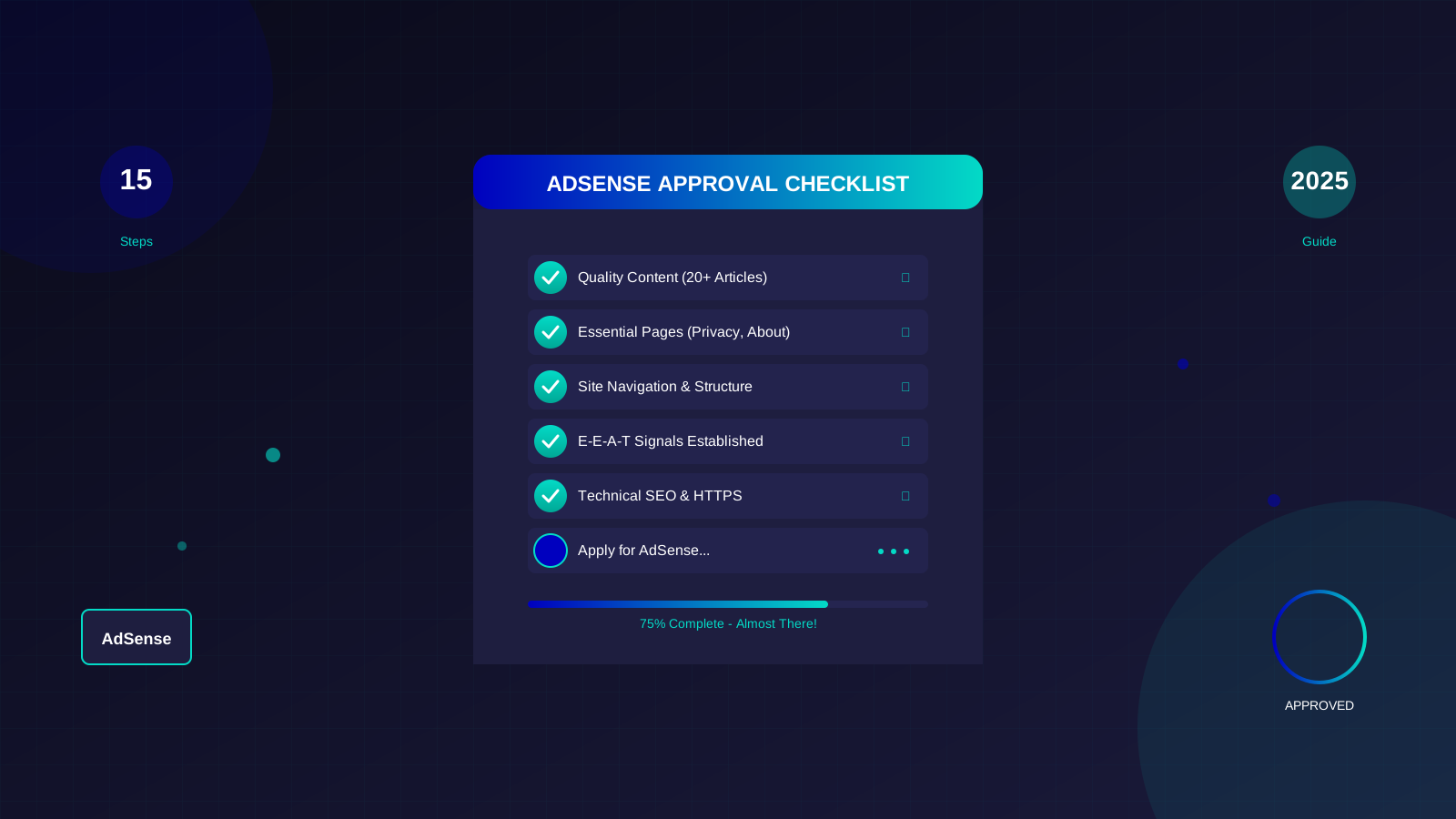
- At least 20 quality articles
- Consistent publishing schedule (2+ months)
- Some organic traffic
- All essential pages complete
- Clean, professional design
"Take your time to build a quality site. A well-prepared application has a much higher chance of approval than a rushed one."
— Experienced AdSense Publisher
Content Roadmap for New Sites
Follow this content plan to build a site ready for AdSense approval:
Week 1-2: Foundation
- Create Privacy Policy, About, Contact, and Terms pages
- Set up site structure and categories
- Publish first 3 pillar articles (2000+ words each)
- Submit site to Google Search Console
Week 3-4: Building Content
- Publish 6-8 supporting articles (1000+ words each)
- Add internal links between articles
- Create author bio and profile
- Share content on social media
Week 5-6: Expanding
- Publish 6-8 more articles
- Add 2 more pillar articles
- Improve older articles with images and formatting
- Build a few quality backlinks
Week 7-8: Refinement
- Continue publishing 2-3 articles per week
- Test site speed and mobile experience
- Review all content for quality
- Fix any broken links or errors
Week 9-10: Application Ready
- Minimum 20 quality articles published
- Consistent traffic starting to build
- All technical requirements met
- Apply for AdSense
| Week | Content Goal | Focus |
|---|---|---|
| 1-2 | 3 pillar + 4 essential pages | Foundation |
| 3-4 | 6-8 supporting articles | Depth |
| 5-6 | 6-8 articles + 2 pillars | Expansion |
| 7-8 | 4-6 articles | Polish |
| 9-10 | Apply with 20+ articles | Application |
Common Mistakes New Sites Make
Learn from others' mistakes. Here are the most common reasons new websites get rejected:
Mistake 1: Applying Too Early
The #1 mistake. Rushing to apply with 5 thin articles almost guarantees rejection. Wait until you have substantial content.
Mistake 2: Thin Content
Articles under 500 words often get flagged as "low value content." Every article should provide real value to readers.
Mistake 3: Missing Essential Pages
Forgetting the Privacy Policy is an automatic rejection. Create all required pages before applying.
Mistake 4: Copy-Paste Content
Even accidentally similar content can trigger rejection. Write everything from scratch and use plagiarism checkers.
Learn more in Free vs Self-Hosted Blogs for AdSense: Which One Gets Approved? →
Mistake 5: Broken Navigation
If Google cannot navigate your site easily, approval is unlikely. Test every menu link and make sure everything works.
Mistake 6: Using Free Subdomain
Sites like myblog.wordpress.com or myblog.blogspot.com are harder to get approved. Invest in a custom domain.
Mistake 7: No Traffic
A site with zero visitors sends a bad signal. Build some audience before applying.
Quick Diagnostic Checklist
| Issue | Check | Fix |
|---|---|---|
| Too few articles | Count your posts | Write more before applying |
| Thin content | Check word counts | Expand articles to 1000+ words |
| Missing pages | Review essential pages | Create Privacy, About, Contact |
| No author info | Check article bylines | Add author bio and photo |
| Site not indexed | Search Console | Submit sitemap |
| Slow loading | PageSpeed Insights | Optimize images and code |
Realistic Timeline Expectations
How long does AdSense approval take for new websites? It varies, but here are realistic expectations:
Application Review Time
After you submit your application, Google typically takes:
- Fast track: 24-48 hours (rare, for clearly qualified sites)
- Standard: 1-2 weeks
- Extended: 2-4 weeks (common for new sites)
Total Timeline from New Site to Approval
| Scenario | Time to Approval | Requirements |
|---|---|---|
| Best case | 6-8 weeks | Excellent content, fast growth |
| Typical | 2-4 months | Good content, steady progress |
| With rejections | 4-6 months | Fixes needed between attempts |
| Domain age required | 6+ months | In regions like India/China |
If You Get Rejected
Do not panic. Most successful publishers were rejected at least once. Here is what to do:
- Read the rejection email carefully
- Identify specific issues mentioned
- Fix the problems completely
- Add more quality content
- Wait at least 2 weeks before reapplying
For detailed help with rejections, read our guide to reapplying after rejection.
"Don't give up after one rejection. Use the feedback to improve your site, and your next application will be stronger."
Learn more in AdSense vs Alternatives: Which Ad Network Pays You More? →
— Google AdSense Community Expert
Start Building Your AdSense-Ready Site Today
Getting AdSense approval for a new website takes patience and planning. But by following these strategies, you can significantly speed up the process and avoid common pitfalls.
Your action plan:
- Set up your custom domain with SSL
- Create all essential pages (Privacy, About, Contact, Terms)
- Write 3-5 pillar articles (2000+ words each)
- Publish consistently for 6-8 weeks
- Build traffic through social sharing
- Apply when you have 20+ quality articles
Ready to learn more? Check out our Ultimate AdSense Approval Guide for comprehensive coverage of everything you need to know.
Frequently Asked Questions
Can I get AdSense approved with a brand new domain?
Yes, in most countries. However, some regions like India and China require domains to be at least 6 months old. In countries without age requirements, a new domain can get approved if it has excellent content, proper setup, and meets all other requirements.
How many articles do I need before applying?
While there is no official minimum, most successful new sites have at least 15-20 quality articles before applying. Focus on depth over quantity—10 excellent 2000-word articles are better than 30 thin 300-word posts.
Should I use a free blogging platform or self-hosted?
Self-hosted websites on custom domains have much higher approval rates. Free platforms like Blogger can work, but you should use a custom domain (yourblog.com instead of yourblog.blogspot.com). WordPress.org with your own hosting is generally the best option.
What if I am in a country with domain age requirements?
If you are in India, China, or another country with strict domain age requirements, use the waiting period productively. Build your content library, grow your traffic, and ensure your site is perfect when you reach the 6-month mark.
How long should I wait between rejection and reapplication?
Wait at least 2 weeks, but longer is often better. Use the time to significantly improve your site. If you reapply immediately without meaningful changes, you will likely get rejected again. Make substantial improvements, then reapply.
![Domain Age for AdSense: How Old Should Your Website Be? [2025 Guide]](/images/articles/domain-age-adsense-approval.svg)