Invalid click activity is one of the top reasons AdSense accounts get suspended. But here's the good news: you can protect yourself! This guide shows you how to spot bad clicks and keep your account safe.
What You'll Learn:
- What counts as invalid click activity
- How Google detects fake clicks
- Warning signs your account is at risk
- How to protect your account proactively
- What to do if you're under attack
What Is Invalid Click Activity?
Invalid clicks are any clicks on ads that Google thinks aren't real. These clicks don't come from genuine user interest. They can hurt advertisers, so Google takes them very seriously.
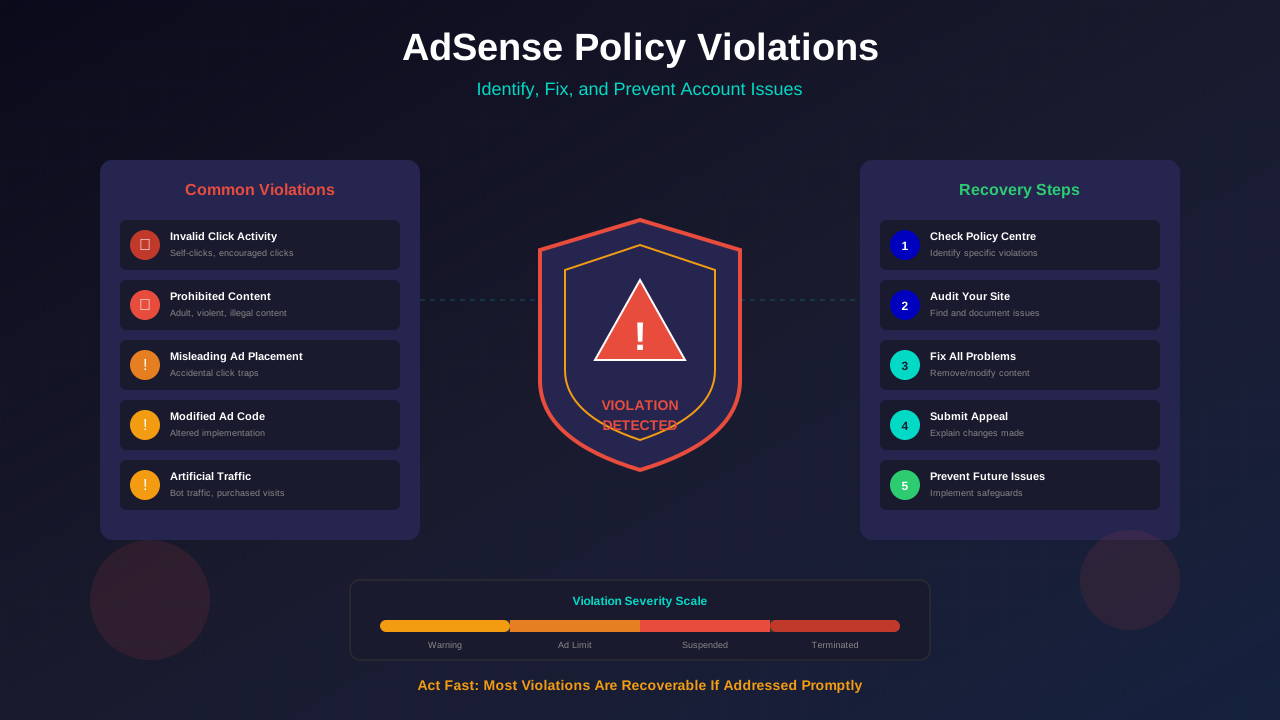
According to Google's AdSense policies, invalid activity includes:
- Clicking your own ads – Even by accident
- Asking others to click – Friends, family, or paid services
- Bot traffic – Automated programs clicking ads
- Click fraud attacks – Competitors trying to hurt you
- Misleading ad placement – Tricking users into clicking
How Google Detects Invalid Clicks
Google has a very smart system to catch fake clicks. Their technology checks every single click on your ads. Here's what they look at:
IP Address Patterns
Multiple clicks from the same IP address look suspicious. Google tracks this in real-time.
Click Timing
Clicks that happen too fast or at strange times (like 3 AM) get flagged. Normal users have natural patterns.
User Behavior
Real users spend time on landing pages. Bots often leave right away. Google measures this.
See also: AdSense Approval Checklist 2026: 15 Steps to Get Approved Fast →
Geographic Mismatch
If clicks come from countries that don't match your audience, that's a red flag.
"We use both automated systems and human reviews to detect invalid activity. Publishers who try to cheat the system will eventually be caught."
— Google AdSense Help Center
Warning Signs Your Account Is At Risk
Watch for these danger signals. If you see them, act fast! Check our guide on recovering from policy violations for more help.
- Unusual CTR spikes – Your click rate jumps way above normal
- Traffic from suspicious sources – Unknown referrers in your analytics
- Earnings that seem too good – Sudden increases without traffic growth
- Low time on site – Visitors leaving within seconds
- Warnings in AdSense dashboard – Google sends alerts before bans
How to Protect Your Account
Prevention is much better than recovery. Here are proven ways to keep your account safe:
See also: Google AdSense Best Practices 2026: What Works Now (and What Doesn't) →
1. Never Click Your Own Ads
This sounds obvious, but even accidental clicks count. Use ad blockers when browsing your own site. If you accidentally click, report it immediately.
2. Monitor Your Traffic Sources
Check Google Analytics regularly. Look for strange referrers or sudden traffic spikes. Our technical SEO guide shows you how to set this up.
3. Use the Invalid Click Contact Form
If you suspect an attack, report it right away. Go to the Invalid Click Contact Form and tell Google what's happening.
4. Block Suspicious Traffic
Use your hosting control panel to block IP addresses that look suspicious. Some security plugins can do this automatically.
Learn more in AdSense YouTube vs Website: Which Earns More Money in 2026? →
5. Don't Buy Traffic
Paid traffic services often use bots. Even if they promise "real" traffic, it's rarely genuine. Stick to organic growth methods.
6. Set Up Click Fraud Protection
Tools like ClickCease or PPC Protect can help monitor and block suspicious activity. They add an extra layer of security.
What to Do If You're Under Attack
If you notice unusual click patterns, don't panic. Take these steps right away:
- Document everything – Take screenshots of your analytics
- Report to Google immediately – Use the Invalid Click Contact Form
- Block suspicious IPs – Check server logs and block attackers
- Reduce ad exposure temporarily – Consider hiding some ad units
- Keep detailed records – Google may ask for evidence
"When publishers proactively report suspicious activity, it helps us protect the ecosystem. We take these reports seriously and investigate each one."
Learn more in Free vs Self-Hosted Blogs for AdSense: Which One Gets Approved? →
— Google AdSense Team
Frequently Asked Questions
Can I get banned for clicks I didn't cause?
Yes, unfortunately. That's why reporting suspicious activity is so important. Google expects publishers to take reasonable steps to prevent invalid clicks.
How many invalid clicks does it take to get banned?
There's no exact number. Google looks at patterns, not just counts. A sustained pattern of invalid activity is more likely to cause problems than a few random clicks.
Can I appeal if my account gets disabled?
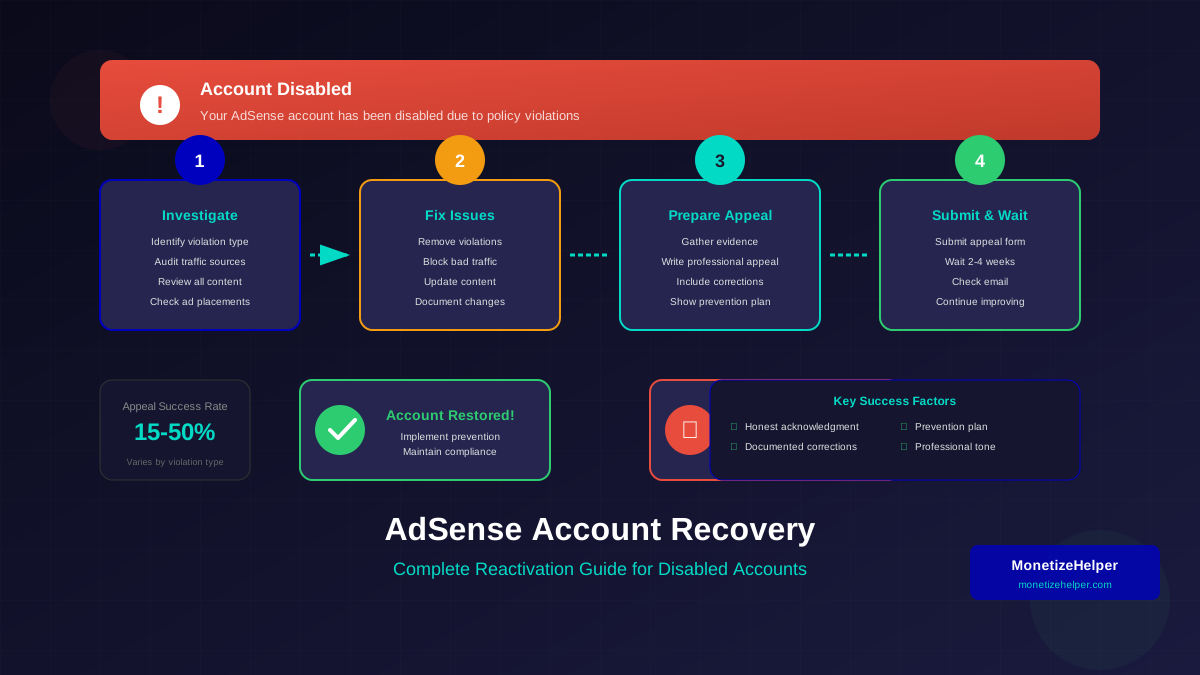
Yes! You can submit an appeal through AdSense. Include all your evidence and explain what happened. Check our account reactivation guide for detailed steps.
How long does Google take to investigate?
It varies. Simple cases might get resolved in days. Complex investigations can take weeks. Keep checking your email for updates.
Learn more in AdSense vs Alternatives: Which Ad Network Pays You More? →
Conclusion
Invalid click activity is serious, but you can protect yourself. Monitor your traffic regularly. Report anything suspicious immediately. And never, ever click your own ads.
The best defense is being proactive. Set up monitoring, know what normal looks like, and act fast when something seems off. Your AdSense account depends on it!
Need more help protecting your account? Read our complete guide on AdSense policy violations to understand all the rules you need to follow.