Your website's design is not just about aesthetics—it directly impacts your AdSense approval chances. Google evaluates user experience as a key factor in determining whether a site provides genuine value to visitors. A well-designed website signals professionalism, trustworthiness, and quality.
This comprehensive guide covers every design element that matters for AdSense approval, from navigation structure to mobile responsiveness. Follow these principles, and you will create a website that both users and Google will love.
Why Website Design Matters for AdSense
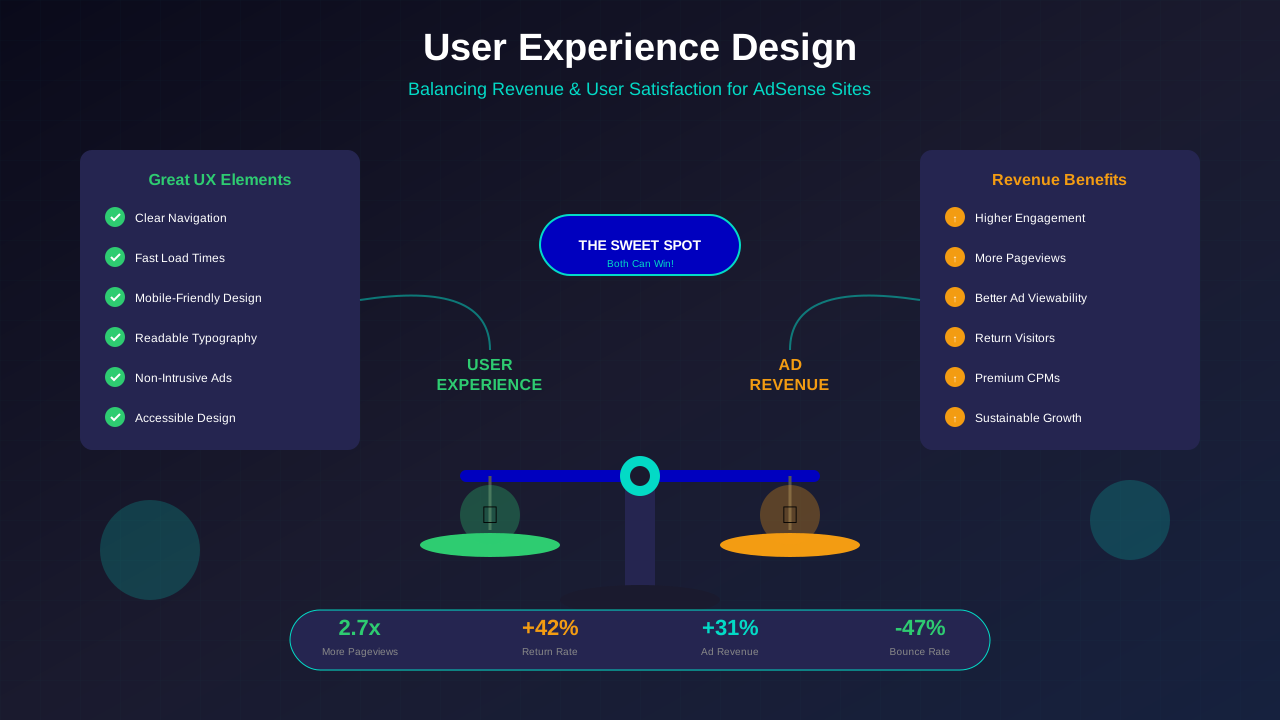
Google's AdSense reviewers evaluate your website's overall user experience. A well-designed site signals that you are serious about providing value, not just collecting ad revenue.
Poor design creates multiple problems:
- High bounce rates that signal low-quality content
- Difficulty finding important pages (like privacy policy)
- Frustrating user experience that drives visitors away
- Perception of untrustworthiness or spam
"We look for sites that provide a good user experience. This includes easy navigation, original content, and a design that makes it simple for users to find what they're looking for."
— Google AdSense Help Centre
Navigation Structure Best Practices
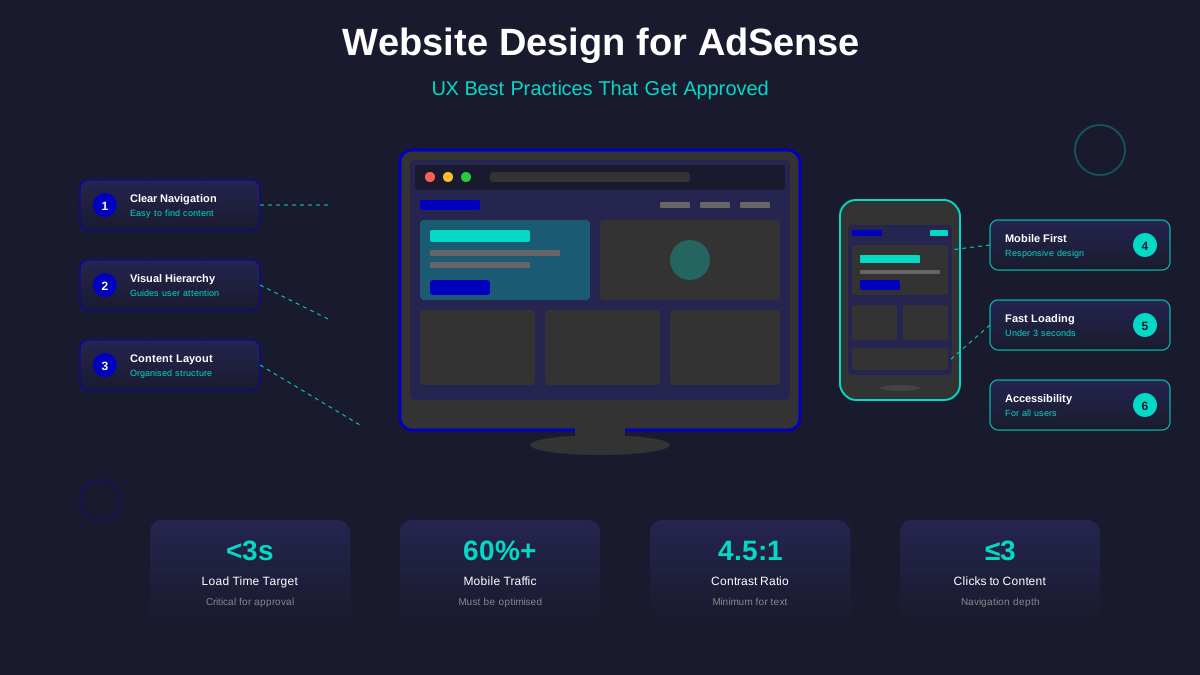
Your navigation is the roadmap of your website. Users should be able to find any page within 2-3 clicks. Here is how to create navigation that works:
Primary Navigation Elements
- Main Menu: Include your most important categories (5-7 items maximum)
- Logo Link: Always links to homepage
- Search Function: Essential for sites with more than 20 articles
- Mobile Menu: Hamburger icon that expands to full menu
Footer Navigation
Your footer should include:
See also: Content Formatting Tips That Boost CTR & Keep Readers on Your Blog →
- Links to all legal pages (Privacy Policy, Terms, etc.)
- About and Contact page links
- Category links for content discovery
- Copyright notice
- Social media links (if applicable)
For detailed guidance on navigation structure, see our comprehensive article on website navigation best practices.
Typography and Readability
Good typography makes your content accessible and enjoyable to read. Poor typography drives visitors away before they even start reading.
Typography Best Practices:
| Element | Recommendation | Why It Matters |
|---|---|---|
| Body Font Size | 16-18px minimum | Readable on all devices |
| Line Height | 1.5-1.8x font size | Improves readability |
| Line Length | 60-80 characters | Reduces eye strain |
| Contrast Ratio | 4.5:1 minimum | Accessibility compliance |
| Font Family | System fonts or popular web fonts | Fast loading, reliable |
| Heading Hierarchy | Clear H1 → H2 → H3 progression | Scanability and SEO |
Font Pairing Guidelines
Limit yourself to 2-3 fonts maximum:
- Headlines: A distinctive, readable font (e.g., Montserrat, Playfair Display)
- Body Text: A clean, easy-to-read font (e.g., Open Sans, Lora, System fonts)
- Accents: Only if necessary for branding (use sparingly)
Creating Visual Hierarchy
Visual hierarchy guides visitors' eyes to the most important elements first. According to Nielsen Norman Group, without it, your page becomes overwhelming and confusing.
You might also find helpful: SEO-Friendly URL Design: Best Practices for Clean, Clickable URLs →
Elements of Visual Hierarchy:
- Size: Larger elements draw attention first
- Colour: Contrasting colours highlight important elements
- Position: Top-left to bottom-right reading pattern (in Western languages)
- White Space: Separation creates emphasis
- Contrast: Different weights and styles create distinction
Applying Hierarchy to Blog Posts:
- Title (H1) should be the largest, most prominent element
- Author and date smaller but visible
- Featured image draws immediate attention
- Body text comfortable size with ample spacing
- Subheadings (H2, H3) break up content visually
- Call-to-action buttons stand out with colour
The Power of White Space
White space (also called negative space) is the empty space between elements. Many new designers fear white space, but it is essential for professional design.
White Space Benefits:
- Improves readability by reducing visual clutter
- Creates focus on important content
- Makes designs feel premium and professional
- Reduces cognitive load on visitors
- Improves mobile experience
"White space is like oxygen. It allows the other elements to breathe and have room to exist."
— Ellen Lupton, Graphic Designer
Where to Add White Space:
- Between paragraphs (1.5-2em margin)
- Around images (padding/margin)
- Between sections (clear visual separation)
- In navigation (don't crowd menu items)
- Around call-to-action buttons
Mobile-First Responsive Design
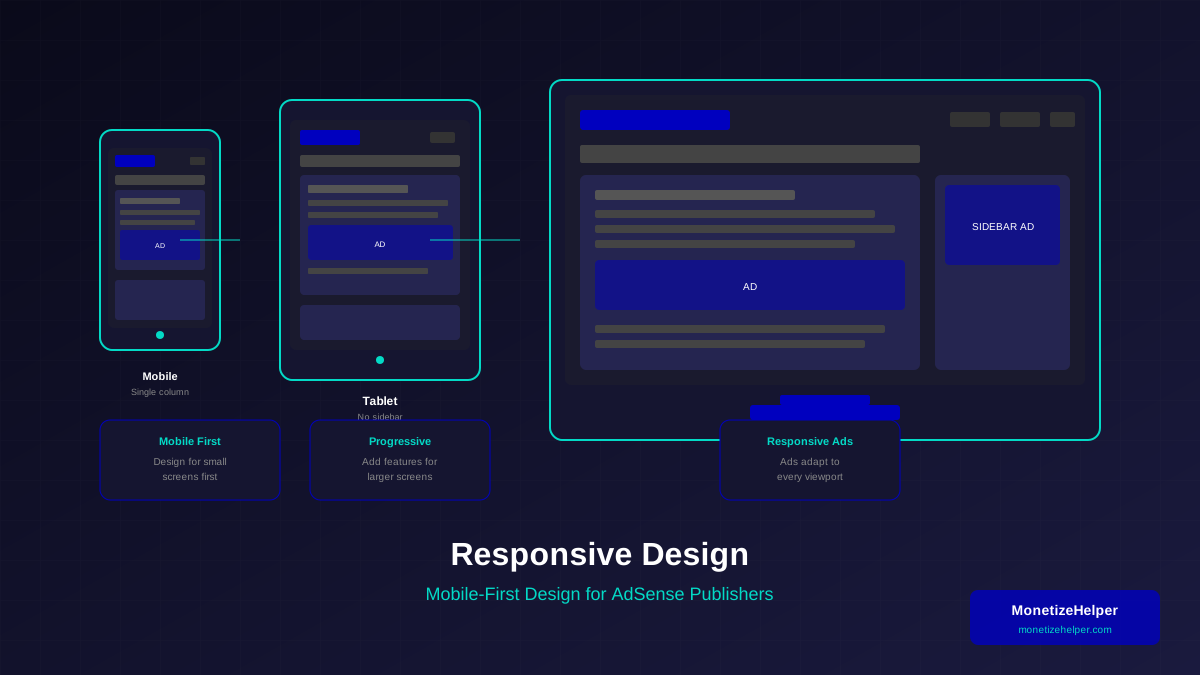
More than 60% of web traffic comes from mobile devices. Google prioritises mobile experience in its evaluations, making mobile-first design essential for AdSense approval.
Mobile Design Essentials:
- Touch Targets: Buttons at least 44x44 pixels
- Readable Text: No horizontal scrolling required
- Fast Loading: Optimised images and code
- Thumb-Friendly Navigation: Important actions within reach
- No Pop-ups: Or easily dismissible ones
Testing Mobile Experience:
- Use Chrome DevTools device emulator
- Test on actual devices (iOS and Android)
- Check Google's Mobile-Friendly Test tool
- Monitor Core Web Vitals in Search Console
For a deep dive into mobile optimisation, read our guide on mobile optimisation for AdSense.
See also: Ad Placement Strategies That Boost Revenue Without Hurting UX →
Page Speed Optimisation
Slow websites frustrate users and hurt your chances of AdSense approval. Aim for pages that load in under 3 seconds.
Speed Optimisation Techniques:
| Technique | Impact | Difficulty |
|---|---|---|
| Compress Images | High | Easy |
| Use Modern Image Formats (WebP) | High | Medium |
| Enable Browser Caching | Medium | Easy |
| Minify CSS/JavaScript | Medium | Easy |
| Use a CDN | High | Medium |
| Lazy Load Images | High | Easy |
| Reduce Server Response Time | High | Varies |
Colour Scheme and Branding
A cohesive colour scheme creates professionalism and brand recognition. Inconsistent colours signal an amateur website.
Colour Best Practices:
- Primary Colour: Your main brand colour (used for buttons, links, accents)
- Secondary Colour: Complementary colour for variety
- Neutral Colours: White, black, greys for backgrounds and text
- Accent Colour: For important elements and calls-to-action
Accessibility Considerations:
- Never rely on colour alone to convey information
- Ensure sufficient contrast for text readability
- Test with colour blindness simulators
- Use consistent colour meanings throughout the site
Essential Pages Every Website Needs
Beyond your content pages, certain essential pages are required for AdSense approval and professional appearance:
Required Pages:
- Homepage: Clear purpose and navigation to main content
- About Page: Who you are and what your site offers
- Contact Page: Way for visitors to reach you
- Privacy Policy: Required for AdSense
- Terms of Service: Legal protection
Recommended Pages:
- FAQ page (helps users and SEO)
- Sitemap (helps navigation and SEO)
- Category archives (content organisation)
- Author pages (E-E-A-T signals)
Common Design Mistakes to Avoid
These design mistakes frequently cause AdSense rejections:
Learn more in Color Schemes for Professional Websites That Boost Revenue →
- Cluttered Layouts: Too many elements competing for attention
- Missing Navigation: Users cannot find important pages
- Broken Mobile Experience: Site unusable on phones
- Slow Loading: Heavy images and unoptimised code
- Poor Contrast: Text difficult to read
- No Visual Hierarchy: Everything looks equally important
- Inconsistent Design: Each page looks different
- Auto-Playing Media: Videos or audio that play automatically
- Intrusive Pop-ups: Especially on mobile
- Missing Essential Pages: No about, contact, or legal pages
Pre-AdSense Design Checklist
Before applying for AdSense, verify your design meets these criteria:
Frequently Asked Questions (FAQs)
Do I need a custom website design for AdSense approval?
No, you do not need a custom design. Quality WordPress themes or website builders work fine. What matters is that your site is professional, navigable, and provides a good user experience.
How important is mobile responsiveness for AdSense?
Extremely important. Google uses mobile-first indexing, and most web traffic is mobile. A site that does not work well on mobile will likely be rejected or perform poorly with ads.
Can I use a free website theme for AdSense?
Yes, but choose carefully. Free themes should be from reputable sources, regularly updated, and well-coded. Avoid themes with excessive ads, slow loading, or poor mobile support.
You might also find helpful: Best WordPress Themes for AdSense: Top Picks for Maximum Revenue →
How many pages does my website need for AdSense?
There is no official minimum, but aim for at least 15-20 quality content pages plus essential pages (About, Contact, Privacy Policy, Terms). Quality matters more than quantity.
Should I add ads before applying for AdSense?
No. Apply with a clean site first. Adding ad placeholders or other ad networks before AdSense approval can create a poor user experience and negatively impact your application.
Conclusion
Website design is not just about looking good—it is about creating an experience that serves your visitors and meets Google's quality standards. Focus on clear navigation, readable typography, mobile responsiveness, and fast loading times.
Every design decision should ask: "Does this help my visitors find what they need?" When you prioritise user experience, AdSense approval becomes a natural outcome rather than a struggle.
For a complete guide to getting your website approved, visit our Ultimate AdSense Approval Guide which covers all aspects of preparation.