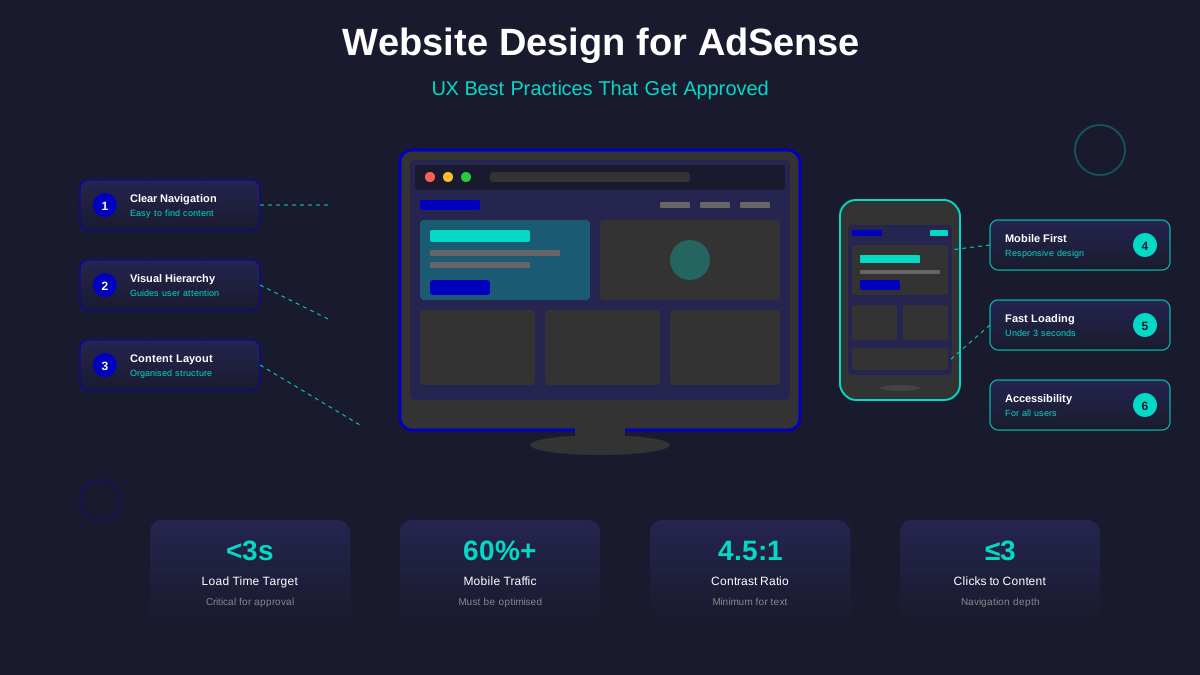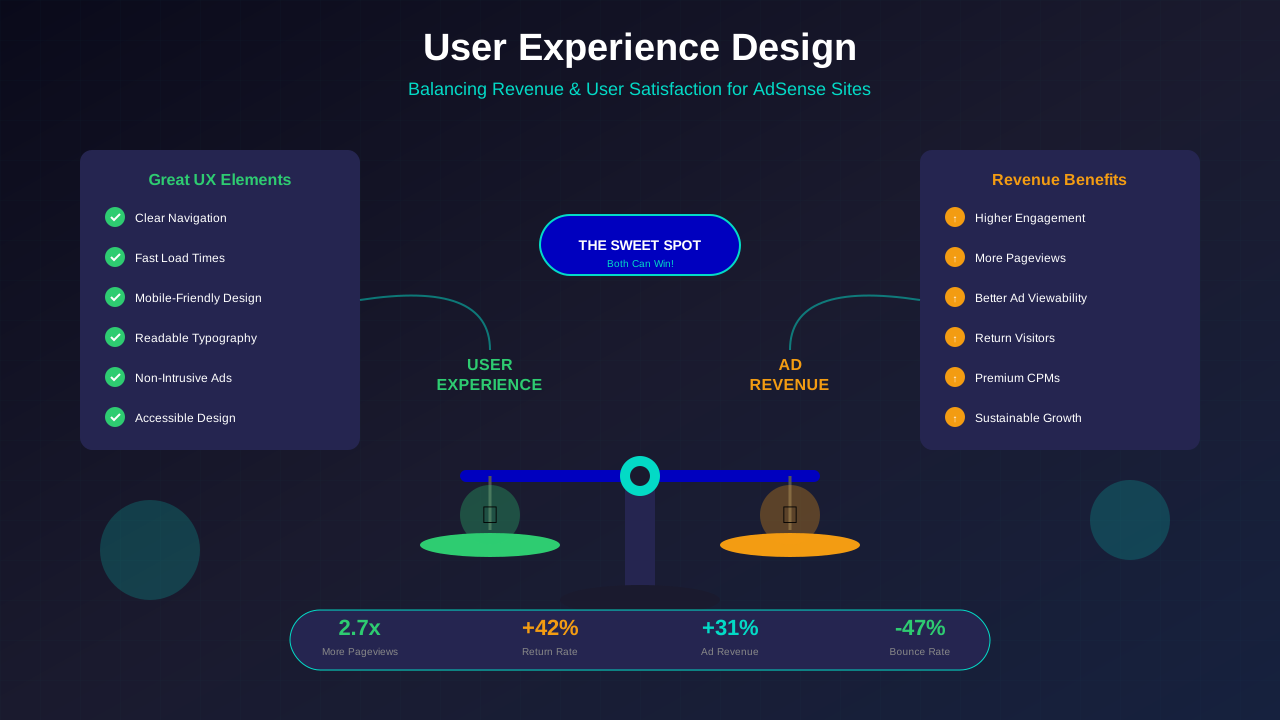
With over 60% of web traffic coming from mobile devices, responsive design is not optional—it is essential. For AdSense publishers, a responsive site means better user experience, higher engagement, and ads that perform well across all screen sizes.
This guide covers the principles of responsive design specifically for publishers, ensuring your site looks professional and your ads display optimally on every device.
Mobile-First Design Approach
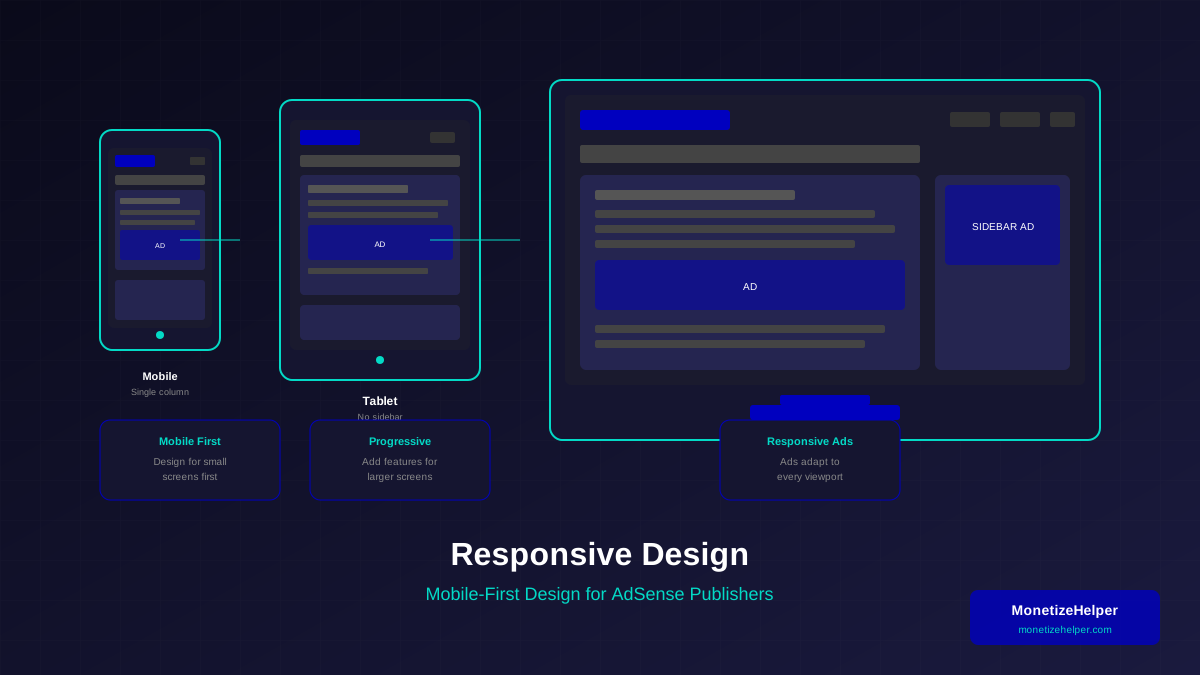
Mobile-first means designing for the smallest screens first, then progressively enhancing for larger screens. This ensures mobile users—your majority audience—get the best experience.
Why Mobile-First for Publishers:
- 60%+ of traffic is mobile for most publishers
- Google uses mobile-first indexing
- Mobile users have higher bounce rates with poor design
- Mobile ad formats have specific requirements
Mobile-First Design Process:
- Design for mobile screens first (320px-480px)
- Add complexity for tablets (768px-1024px)
- Enhance fully for desktop (1024px+)
- Test on actual devices, not just browser resize
Creating Flexible Layouts
Flexible layouts adapt to any screen size. Use relative units and CSS Grid or Flexbox for truly responsive designs.
Relative Units to Use:
| Unit | Use Case | Example |
|---|---|---|
| % | Container widths | width: 90% |
| rem | Font sizes, spacing | font-size: 1.125rem |
| em | Component-relative sizing | padding: 1em |
| vw/vh | Viewport-based sizing | height: 100vh |
| clamp() | Fluid typography | font-size: clamp(1rem, 2vw, 1.5rem) |
Layout Best Practices:
- Max-width containers: Prevent content from stretching too wide
- Fluid grids: Use CSS Grid with fr units or Flexbox
- Flexible images: max-width: 100% on all images
- No horizontal scroll: Never force horizontal scrolling
Typography for Readability
Good typography keeps readers on the page longer, improving engagement and ad exposure. For a deeper dive, see our typography and readability guide.
Typography Guidelines:
- Base font size: 16px minimum (18px recommended)
- Line height: 1.5-1.7 for body text
- Line length: 45-75 characters per line
- Contrast: Minimum 4.5:1 for body text
Mobile Typography:
- Larger tap targets (minimum 44px)
- Adequate spacing between interactive elements
- Readable fonts without zooming
- Proper heading hierarchy (H1, H2, H3)
Implementing Responsive AdSense Ads
AdSense responsive ads automatically adjust to fit available space. Implement them correctly for best results.
See also: Content Formatting Tips That Boost CTR & Keep Readers on Your Blog →
Responsive Ad Best Practices:
- Use responsive ad units (not fixed size)
- Set appropriate container constraints
- Test ad appearance on all breakpoints
- Reserve adequate space to prevent layout shift
Ad Container Guidelines:
- Mobile: Full-width ads work best
- Tablet: Consider in-content rectangles
- Desktop: Leaderboards and sidebar ads effective
Common Responsive Ad Mistakes:
- Forcing desktop ad sizes on mobile
- Not testing ads at all breakpoints
- Ignoring ad container spacing
- Placing too many ads on mobile
Responsive Navigation
Navigation must work flawlessly on all devices. Poor navigation increases bounce rate and hurts engagement. Review our navigation best practices for detailed guidance.
Navigation Patterns:
- Hamburger menu: Standard for mobile, expandable menu icon
- Bottom navigation: Thumb-friendly on mobile
- Horizontal menu: Traditional desktop navigation
- Mega menu: For sites with many categories
Navigation Best Practices:
- Keep primary navigation visible or easily accessible
- Large touch targets on mobile (44px minimum)
- Clear visual hierarchy
- Search functionality easily accessible
- Category structure logical and scannable
Responsive Images
Images often cause the most performance issues on responsive sites. Optimise them properly.
Image Optimisation Techniques:
- Responsive srcset: Serve different sizes for different screens
- Modern formats: WebP with fallbacks
- Lazy loading: Load images as users scroll
- Appropriate compression: Balance quality and file size
Image Guidelines:
| Screen Size | Max Image Width | Format |
|---|---|---|
| Mobile | 480px | WebP (quality 75-80) |
| Tablet | 768px | WebP (quality 80) |
| Desktop | 1200px | WebP (quality 85) |
Testing Across Devices
Testing is crucial. Browser resizing is not enough—test on actual devices.
You might also find helpful: SEO-Friendly URL Design: Best Practices for Clean, Clickable URLs →
Testing Checklist:
- ☐ Test on actual iOS and Android devices
- ☐ Check major browsers (Chrome, Safari, Firefox)
- ☐ Verify ad rendering on all breakpoints
- ☐ Test touch interactions
- ☐ Check page speed on mobile networks
- ☐ Verify readability without zooming
Testing Tools:
- Browser DevTools: Quick responsive checks
- BrowserStack: Test on real devices remotely
- Google Mobile-Friendly Test: Basic mobile compatibility
- Real devices: Nothing replaces actual device testing
Performance Considerations
Responsive sites must also be fast. Mobile users often have slower connections. Monitor your Core Web Vitals to ensure good performance.
Mobile Performance Tips:
- Minimise CSS and JavaScript
- Use critical CSS for above-fold content
- Lazy load below-fold images and ads
- Reduce HTTP requests
- Use efficient caching strategies
"A site that looks beautiful but loads slowly on mobile will lose visitors before they see any content—or any ads."
— Mobile UX Research
Frequently Asked Questions
Should I create a separate mobile site?
No. Responsive design is the recommended approach. Separate mobile sites create maintenance overhead, potential duplicate content issues, and a fragmented user experience.
See also: Ad Placement Strategies That Boost Revenue Without Hurting UX →
How do I handle sidebars on mobile?
Sidebars typically stack below main content on mobile, or convert to collapsible sections. The sidebar content should not push main content too far down.
What breakpoints should I use?
Common breakpoints: 480px (mobile), 768px (tablet), 1024px (small desktop), 1200px (large desktop). Adjust based on your specific design needs and traffic data.
How many ads should I show on mobile?
Less than desktop. Mobile screens are smaller, so the same number of ads feels more intrusive. Focus on 2-3 well-placed ads rather than trying to match desktop ad density.
Learn more in Color Schemes for Professional Websites That Boost Revenue →
Conclusion
Responsive design is essential for modern publishers. A site that works beautifully on all devices improves user experience, search rankings, and ad performance.
Start with mobile-first principles, use flexible layouts, optimise typography for readability, and implement responsive ads correctly. Test thoroughly on actual devices, and maintain performance as a priority.
For more design guidance, see our complete guide to Website Design and UX for AdSense.
You might also find helpful: Best WordPress Themes for AdSense: Top Picks for Maximum Revenue →