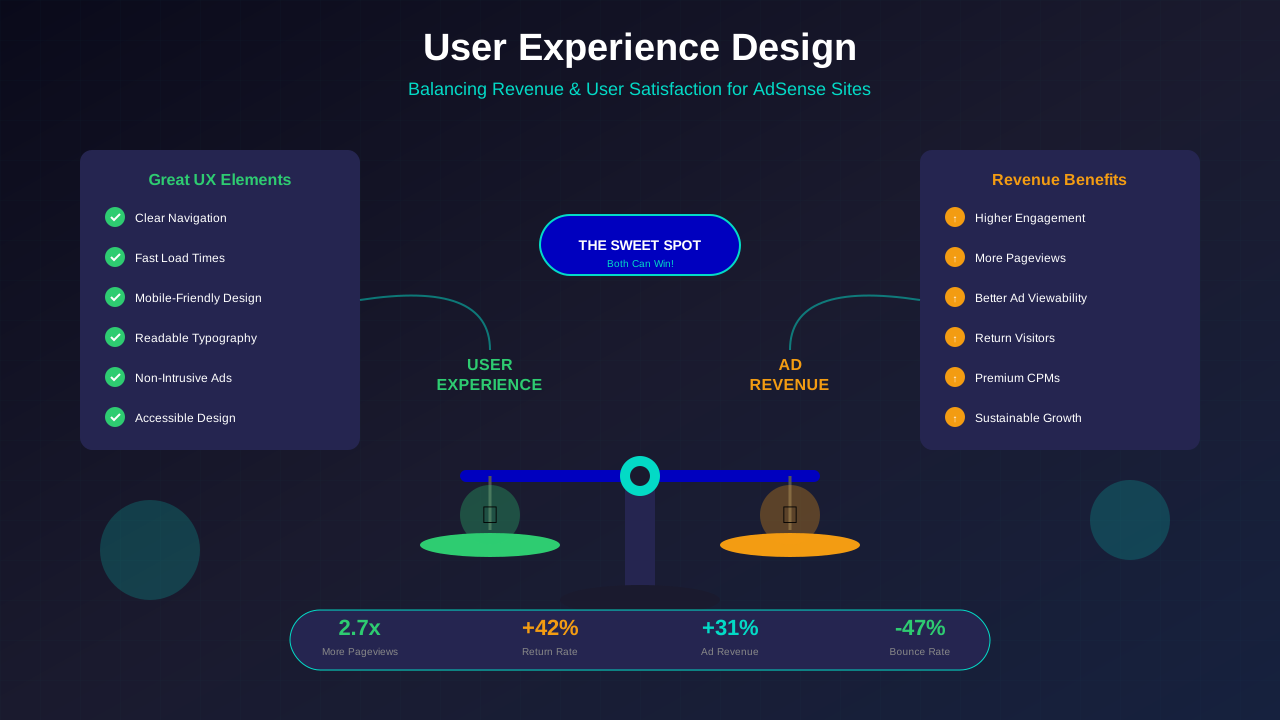
Great user experience and ad revenue aren't opposing forces—they're complementary. Websites that prioritise user experience see higher engagement, more pageviews, and ultimately better ad performance. The key lies in thoughtful design that serves both visitors and monetisation goals.
This guide explores user experience principles specifically for ad-supported websites, helping you create designs that visitors love whilst maintaining healthy revenue streams.
The UX-Revenue Relationship
Understanding how user experience impacts revenue helps justify UX investments:
Engagement Drives Pageviews
Satisfied users explore more content. Each additional pageview creates new ad impression opportunities. A site with excellent UX might see 3-4 pageviews per session compared to 1.5 for a frustrating experience.
Return Visitors Build Value
Returning visitors are more valuable than new visitors. They're more engaged, more likely to share content, and create predictable traffic patterns that attract quality advertisers.
Time on Site Affects Ad Performance
Longer sessions mean more ad exposures and higher viewability scores. Users who enjoy their experience spend more time consuming content rather than bouncing immediately.
Brand Perception Matters
Premium advertisers prefer quality environments. A well-designed site attracts better ad inventory and higher CPMs than a cluttered, frustrating experience.
Navigation and Information Architecture
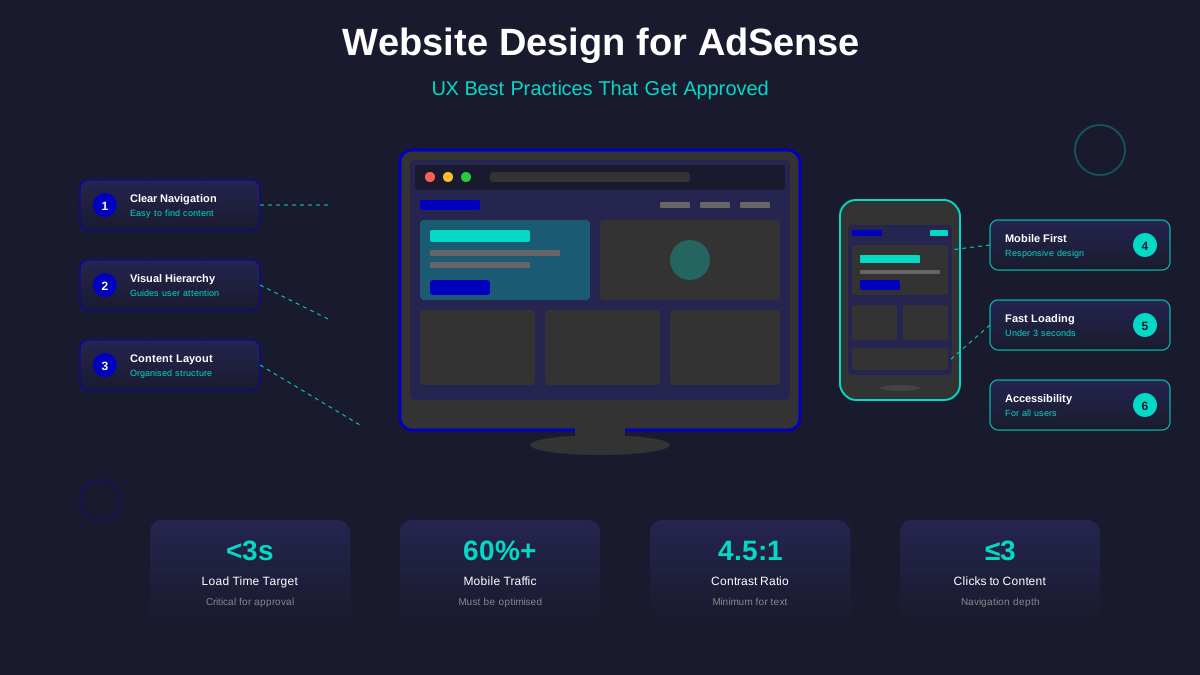
Clear navigation helps users find content whilst creating natural paths past ad placements:
Intuitive Menu Structure
Organise content logically. Use clear category names that match user expectations. A well-structured menu helps users explore topics they care about—each exploration being another pageview opportunity.
Breadcrumb Navigation
Breadcrumbs help users understand their location and easily navigate to related content. They also benefit SEO by providing clear site structure signals to search engines.
See also: Content Formatting Tips That Boost CTR & Keep Readers on Your Blog →
Internal Linking Strategy
Strategic internal links guide users to related content. "Related posts" sections, contextual links within articles, and category highlights all encourage deeper exploration.
Search Functionality
For larger sites, robust search helps users find specific content. Users who search are highly motivated—help them find what they need, and they'll engage deeply with your content.
Content Layout Principles
How content is presented significantly impacts both readability and ad effectiveness:
Readable Typography
Good typography is essential for engagement. See our comprehensive typography guide for detailed recommendations:
- Body text at 16-18px minimum for comfortable reading
- Line length between 50-75 characters for optimal readability (per UX research)
- Adequate line height (1.5-1.7) for easy scanning
- High contrast between text and background
Visual Hierarchy
Clear headings, subheadings, and section breaks help users navigate content. Well-structured content is easier to consume, encouraging longer engagement and natural scroll patterns past ad placements.
White Space
Adequate spacing around content elements reduces cognitive load and improves comprehension. Don't be afraid of empty space—it makes both content and ads more noticeable.
Image Optimisation
Relevant images break up text and maintain engagement. Ensure images are properly sized, compressed, and have meaningful alt text for accessibility and SEO.
You might also find helpful: SEO-Friendly URL Design: Best Practices for Clean, Clickable URLs →
Ad Integration Tip
Design your content layout first, then identify natural ad positions. Ads should feel like part of the page design, not afterthoughts. In-content ads work best when placed at natural content breaks—between sections or after substantial paragraphs.
Mobile Experience Excellence
With mobile traffic dominating, mobile UX directly impacts majority of your ad revenue:
Responsive Design
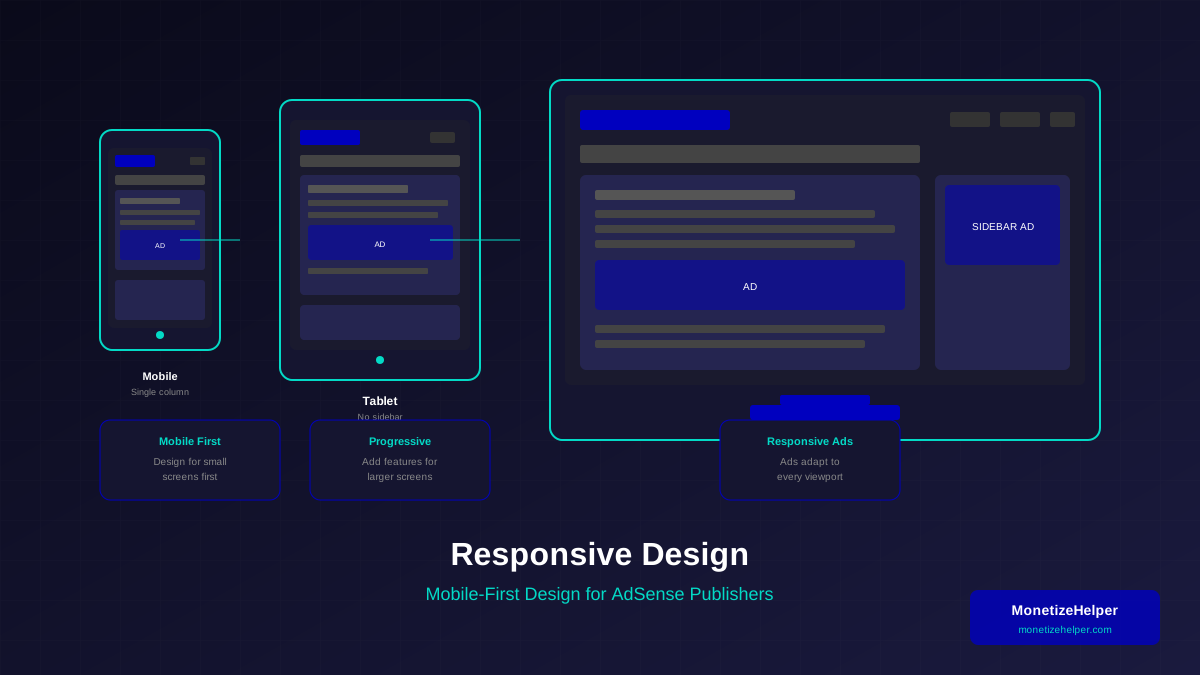
Content must adapt seamlessly to all screen sizes. Our responsive design guide for AdSense covers this in detail. Test on multiple devices—what looks fine on an iPhone might be problematic on smaller Android devices.
Touch-Friendly Elements
Buttons and links need adequate size and spacing for touch interaction. Our CTA button design guide covers optimal sizing. Google recommends tap targets of at least 48x48 pixels with 8px spacing between them.
Mobile Ad Considerations
- Avoid sticky ads that obscure content on small screens
- Ensure ads don't push important content below the fold
- Test ad loading impact on mobile performance
- Consider mobile-specific ad sizes for better integration
Thumb-Friendly Navigation
Place key navigation elements within easy thumb reach. Bottom navigation patterns work well on mobile, keeping important actions accessible without stretching.
Page Speed as UX
Loading speed is a fundamental UX factor that directly impacts engagement:
Perceived Performance
Users perceive fast-loading pages more positively regardless of actual load time. Show content progressively—text first, then images, then ads. This keeps users engaged whilst resources load.
See also: Ad Placement Strategies That Boost Revenue Without Hurting UX →
Loading Indicators
When something takes time, indicate progress. Skeleton screens and loading animations reduce perceived wait time and signal that content is coming.
Prioritise Critical Content
Above-the-fold content should load first. Users can begin engaging with visible content whilst below-fold resources load in the background.
Thoughtful Ad Integration
Ads can enhance rather than detract from UX when integrated thoughtfully:
Ad Relevance
Relevant ads provide value to users. Google's contextual targeting generally shows appropriate ads, but ensure your content categories are clear to help the algorithm.
Visual Integration
Ads should feel like part of the design, not intrusive overlays. Use consistent spacing, ensure ads don't break visual rhythm, and consider how ad colours interact with your design.
Frequency Considerations
More ads don't always mean more revenue. Finding the optimal number requires testing—too many ads reduce engagement, potentially decreasing overall revenue despite more impressions.
Non-Intrusive Formats
- In-article native ads blend with content
- Multiplex ads at article end feel like recommendations
- Sidebar ads on desktop don't interrupt reading flow
- Avoid pop-ups, pop-unders, and auto-play video ads
Accessibility Considerations
Accessible design serves all users and often improves UX for everyone:
Learn more in Color Schemes for Professional Websites That Boost Revenue →
Colour Contrast
Ensure sufficient contrast between text and backgrounds. WCAG guidelines recommend minimum 4.5:1 ratio for normal text. This helps users with visual impairments and improves readability for all.
Keyboard Navigation
All functionality should be accessible via keyboard. Users with motor impairments rely on keyboard navigation—and power users often prefer it too.
Screen Reader Compatibility
Use semantic HTML and proper heading hierarchy. Add alt text to images. These practices help screen reader users and improve SEO simultaneously.
Ad Accessibility
While you can't control ad content, ensure ad containers don't break page accessibility. Ads should be properly labelled and not trap keyboard focus.
Testing and Iteration
UX improvement is ongoing. Regular testing reveals opportunities:
Analytics Review
Monitor key metrics: bounce rate, time on page, pages per session, and exit pages. High-exit pages may have UX issues worth investigating.
Heat Maps and Recordings
Tools like Hotjar or Clarity show how users actually interact with your pages. Watch recordings to identify friction points and confusion.
You might also find helpful: Best WordPress Themes for AdSense: Top Picks for Maximum Revenue →
User Feedback
Direct feedback reveals issues analytics can't capture. Simple surveys, feedback forms, or comment monitoring provide qualitative insights.
A/B Testing
Test design changes systematically. Small changes can have significant impact—test one variable at a time to understand what works.
Frequently Asked Questions
How many ads should I show per page?
There's no universal answer—it depends on content length and user behaviour. Start conservatively (2-3 ads per page) and test increasing gradually whilst monitoring engagement metrics. If bounce rate increases or time on page decreases, you've found your limit.
Should I use Auto ads or manual placement?
Auto ads can work well for finding additional inventory, but manual placement gives more control over UX. Many publishers use a hybrid: manual placement for key positions, Auto ads to fill gaps. Use Auto ads' exclusion settings to protect important page areas.
Do pop-up ads hurt UX too much?
Traditional pop-ups are widely despised and can hurt SEO. Google's intrusive interstitial penalty affects mobile search rankings. If you must use overlays, time them appropriately (on exit intent, not immediately) and ensure they're easy to dismiss.
How do I balance ad revenue with user experience?
Track both metrics together. Calculate revenue per session, not just per pageview. If aggressive ads increase short-term CPM but decrease sessions and return visitors, you're likely losing money long-term. Sustainable monetisation requires satisfied users.
What's more important: ad viewability or user experience?
They're interconnected. Ads placed in user-hostile ways (blocking content, causing layout shift) technically have high viewability but damage engagement. Naturally integrated ads seen by engaged users provide sustainable viewability without UX costs.
Conclusion: UX as Revenue Strategy
User experience isn't a cost centre—it's a revenue driver. Sites that prioritise user satisfaction see higher engagement, more pageviews, better ad performance, and sustainable growth.
The most successful ad-supported sites are those where ads feel like a natural part of a quality experience, not interruptions to be endured. Design your site for users first, then thoughtfully integrate monetisation.
Remember: every UX decision affects both user satisfaction and revenue. The goal is finding approaches that optimise both—and these approaches exist for virtually every situation. Test, iterate, and always keep your users' needs at the centre of your design decisions.