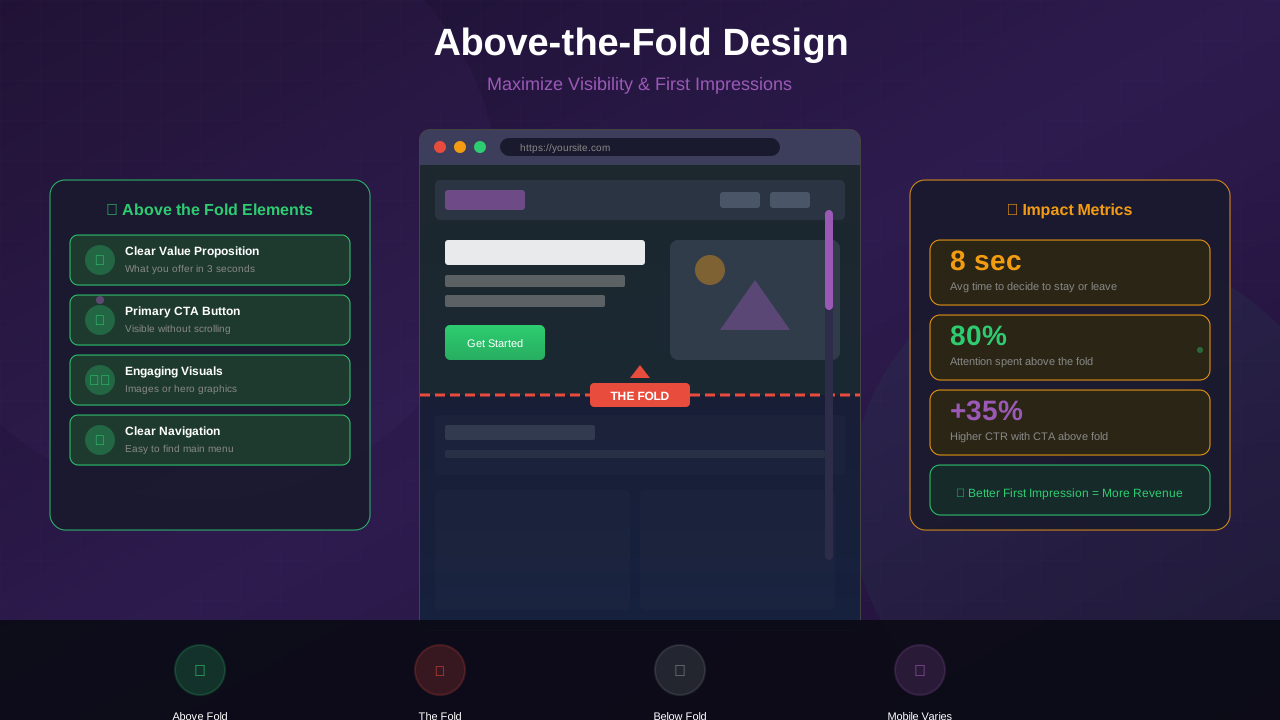
Above the fold—the area visible without scrolling—is prime real estate on your website. Getting this area right is crucial: it needs to engage visitors, satisfy Google's quality guidelines, and potentially accommodate ads. This guide shows you how to balance all three for optimal results.
Many publishers make critical mistakes in this area, either overwhelming visitors with ads or missing revenue opportunities. Let us explore the strategies that work best in 2025.
Understanding Above the Fold
The term "above the fold" comes from newspapers, where the most important headlines appeared on the top half—visible when newspapers were folded on newsstands.
Above the Fold in 2025
Today, it refers to what users see before scrolling. But this varies significantly:
- Desktop: Approximately 600-800 pixels of vertical space
- Laptop: Around 500-700 pixels
- Mobile: Roughly 500-650 pixels
- Tablet: Varies widely by device
Why It Matters
First impressions happen in seconds. Research from Nielsen Norman Group shows:
- Users form opinions in 0.05 seconds
- 38% leave if layout is unattractive
- Above-fold content determines if users scroll
- This area sets expectations for the entire site
Google's Guidelines
Google has clear expectations for above-the-fold content:
The Page Layout Algorithm
In 2012, Google introduced an algorithm targeting sites with excessive above-fold ads. It was updated multiple times and remains relevant today.
See also: Content Formatting Tips That Boost CTR & Keep Readers on Your Blog →
What Google Expects
- Visible content above the fold
- Clear indication of what the page is about
- Easy access to main content without scrolling excessively
- Ads should not push content below the fold
"If you click on a website and the part of the website you see first either doesn't have a lot of visible content above-the-fold or dedicates a large fraction of the site's initial screen real estate to ads, that's not a very good user experience."
— Google Search Central
AdSense Policy Considerations
AdSense specifically requires:
- More content than ads on every page
- Ads must not mimic or push down content
- No deceptive layouts that confuse users
Content-First Above the Fold
Prioritize content while leaving room for monetization:
Essential Above-Fold Elements
- Clear headline: What the page is about
- Value proposition: Why users should stay
- Navigation: How to explore more (see our navigation best practices guide)
- Beginning of content: First paragraph minimum
Optimal Content Layout
- Header/logo: 60-80 pixels
- Navigation: 40-60 pixels
- Article title: 100-150 pixels
- Content introduction: 200+ pixels
- Remaining space: optional ad unit
Smart Ad Placement
Where to place ads in the above-fold area:
You might also find helpful: SEO-Friendly URL Design: Best Practices for Clean, Clickable URLs →
Acceptable Placements
Learn more about responsive ad placement strategies that work across all devices.
- Header leaderboard: Below navigation, above title
- Sidebar ad: Next to content, not replacing it
- In-content: After headline and first paragraph
Placements to Avoid
- Large ads that push all content below fold
- Pop-ups or interstitials on arrival
- Ads that look like content or navigation
- Multiple large ad units competing for space
The 30% Rule
A safe guideline: ads should occupy no more than 30% of above-fold space. The remaining 70% should be navigation, branding, and content.
Mobile Above the Fold
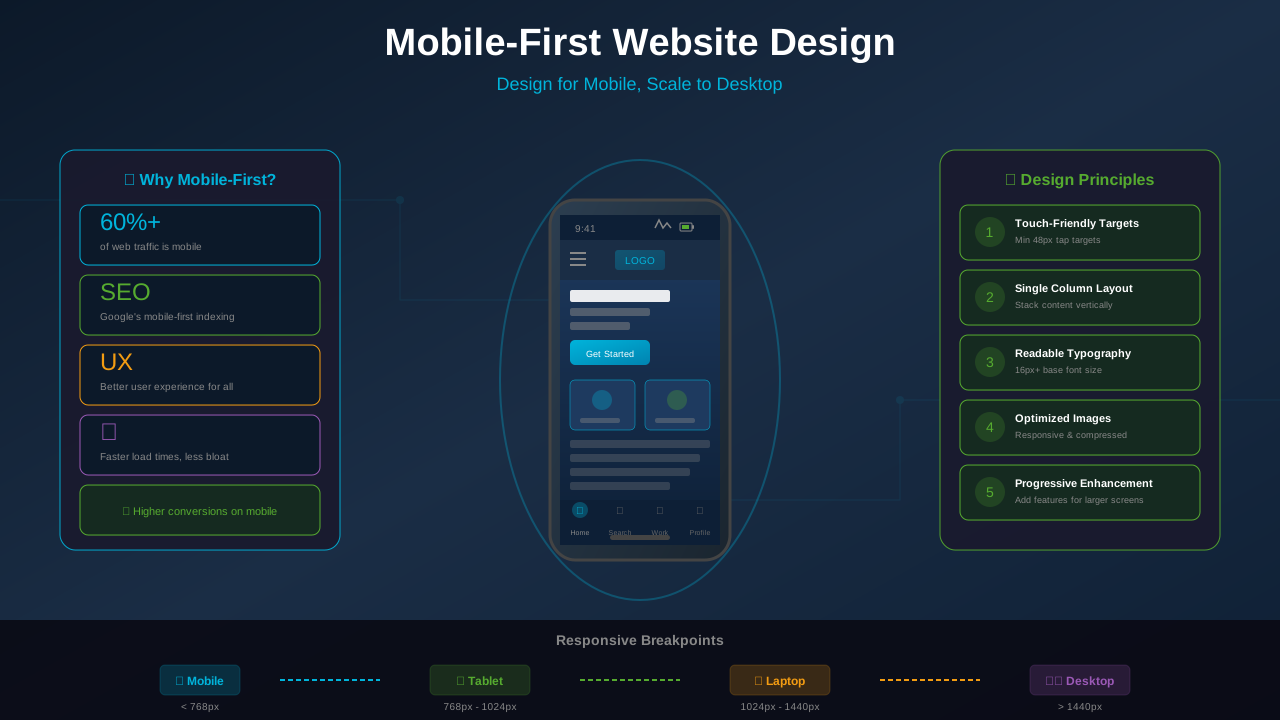
Mobile requires special attention. For comprehensive guidance, see our mobile-first website design guide.
Limited Space
With less vertical space on mobile:
See also: Ad Placement Strategies That Boost Revenue Without Hurting UX →
- Every pixel matters more
- Large header banners are problematic
- Content must be immediately visible
Mobile Ad Best Practices
- Use 320x100 or smaller above-fold ads
- Place first ad after headline and intro
- Anchor ads work well on mobile
- Avoid sticky header ads
Google's Mobile Interstitial Penalty
Avoid intrusive interstitials that:
- Cover main content immediately on arrival
- Require dismissal before accessing content
- Use layout where above-fold is primarily an interstitial
Effective Design Patterns
Layouts that work well for content and ads:
Pattern 1: Compact Header
- Slim navigation bar (50px)
- No banner ad in header area
- Full headline and intro visible
- First ad after opening paragraph
Pattern 2: Sidebar Integration
- Two-column layout on desktop
- Content in main column
- Single sidebar ad unit
- Content always dominant
Pattern 3: In-Content First Ad
- Full-width content area
- Title and meta visible
- First paragraph visible
- In-article ad after second paragraph
Testing Your Above the Fold
Validate your design decisions:
Simulation Testing
- Resize browser to common viewport sizes
- Check what appears before scrolling
- Test on actual mobile devices
- Use Chrome DevTools device simulation
- Run Google PageSpeed Insights to check layout performance
Common Viewport Sizes
- Desktop: 1920x1080, 1366x768
- Laptop: 1440x900, 1280x800
- Mobile: 375x667 (iPhone), 360x640 (Android)
- Tablet: 768x1024 (iPad)
User Testing
- Ask testers what they notice first
- Time how quickly they understand the page
- Check if they feel ads are excessive
- Monitor scroll depth analytics
Common Mistakes to Avoid
Mistake 1: Giant Header Ads
A 970x250 billboard ad at the very top pushes all content below the fold on most screens. This risks both user abandonment and Google penalties.
Learn more in Color Schemes for Professional Websites That Boost Revenue →
Mistake 2: Sticky Ads That Cover Content
Sticky ads that cover content as users scroll create frustration and policy violations.
Mistake 3: No Content Visible
If users see only ads, logo, and navigation—with no actual content—expect high bounce rates.
Mistake 4: Ignoring Mobile
Designing for desktop and letting mobile "figure itself out" leads to terrible mobile experiences.
Mistake 5: Slow-Loading Ads
Ads that load slowly and shift content down cause poor Core Web Vitals scores and user frustration.
You might also find helpful: Best WordPress Themes for AdSense: Top Picks for Maximum Revenue →
Implementation Tips
For Header Ads
- Use smaller formats: 728x90 instead of 970x250
- Consider placing below navigation instead of above
- Reserve space to prevent layout shift
For In-Content Ads
- Ensure at least headline + 1-2 paragraphs visible first
- Use lazy loading for below-fold ads
- Test visibility across devices
For Mobile
- Use responsive ad units
- Anchor ads are often better than in-content above fold
- Test specifically on mobile devices
Frequently Asked Questions
Can I place any ads above the fold?
Yes, but moderately. One reasonably sized ad unit is typically fine. The key is ensuring substantial content is also visible.
Will Google penalize above-fold ads?
Only if ads dominate the above-fold area to the point where content is pushed down significantly. Balanced layouts are acceptable.
What size ads work best above the fold?
On desktop, 728x90 (leaderboard) or sidebar units work well. On mobile, 320x100 or smaller. Avoid very large units that dominate the viewport.
Should I remove all above-fold ads?
Not necessarily. Above-fold ads can perform well and generate good revenue. The key is balance—content should be the focus, with ads complementing rather than dominating.
How do I know if my above-fold is problematic?
Check your bounce rate, time on page, and scroll depth. High bounce rates and low scroll depth may indicate above-fold problems. Also monitor for Google Search Console messages.