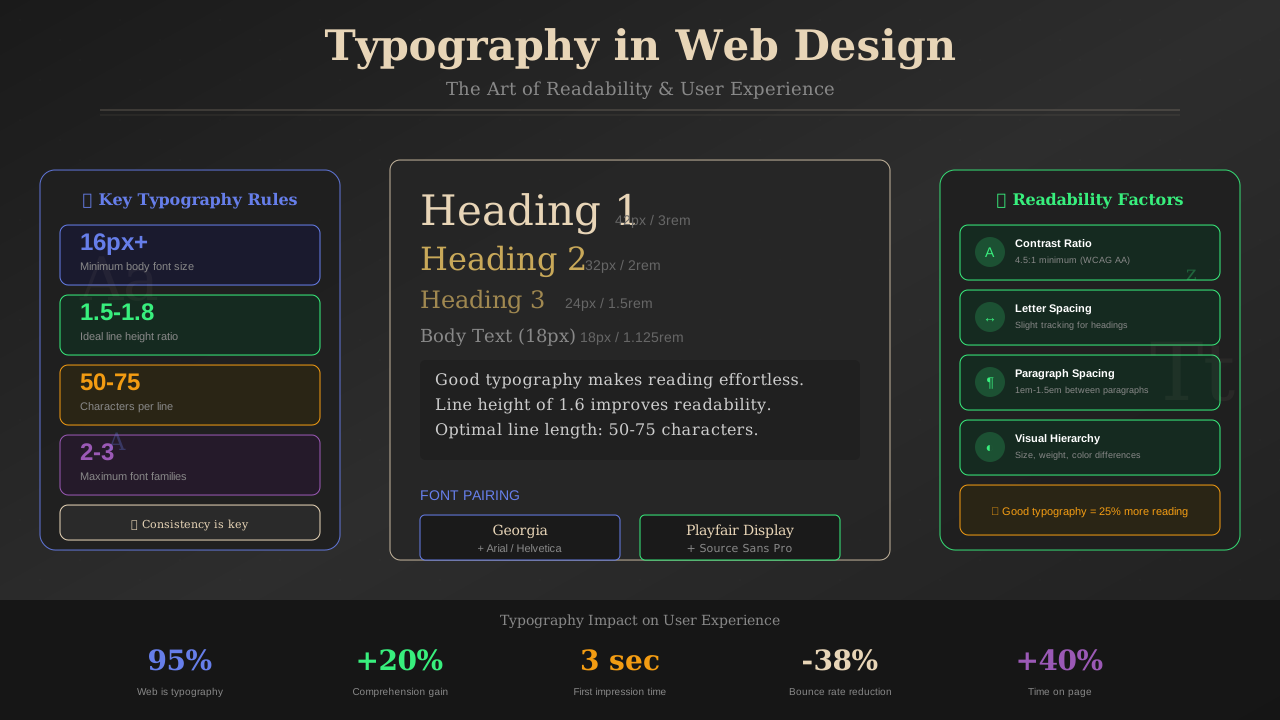
White space isn't wasted space—it's working space. Smart use of white space can boost your ad revenue by up to 20%. Here's how to use it right.
What You'll Learn:
- What white space really means in design
- Why white space improves ad performance
- How to find the right balance
- Common white space mistakes to avoid
- Before and after examples
What Is White Space?
White space (also called negative space) is the empty area between design elements. It doesn't have to be white—it's just the space without content.
White space includes:
- Margins – Space around the edges of your page
- Padding – Space inside elements, around text
- Line spacing – Space between lines of text
- Paragraph spacing – Space between text blocks
- Gutters – Space between columns or grid items
According to Nielsen Norman Group, proper use of white space increases comprehension by almost 20%.
Why White Space Increases Revenue
It sounds counterintuitive, but less crowded pages often earn more. Here's why:
1. Ads Stand Out More
When surrounded by white space, ads become more noticeable. They're not competing with cluttered content for attention.
2. Users Stay Longer
Clean, spacious layouts reduce cognitive load. Users can focus better and stay on your page longer. More time = more ad impressions.
3. Higher Engagement
Easy-to-read pages get more shares and return visits. This grows your audience and ad revenue over time.
See also: Content Formatting Tips That Boost CTR & Keep Readers on Your Blog →
4. Better Click-Through Rates
Studies show that ads with adequate breathing room get clicked more often. Google's own design guidelines recommend generous spacing around ad units.
"White space is like air: it's necessary for design to breathe."
— Wojciech Zieliński, Design Researcher
Finding the Right Balance
Too little white space feels cramped. Too much looks empty. Here's how to find the sweet spot:
The 40-60 Rule
Aim for roughly 40-60% white space on content pages. This gives readers room to breathe while keeping pages substantial.
Content Density by Page Type
- Homepage: More white space (50-60%)
- Blog posts: Balanced (40-50%)
- Product pages: Can be denser (35-45%)
- Landing pages: Generous space around CTAs
Practical White Space Tips
Here's how to add more white space without redesigning your whole site:
You might also find helpful: SEO-Friendly URL Design: Best Practices for Clean, Clickable URLs →
Increase Line Height
Set line-height to 1.6-1.8 for body text. This simple change dramatically improves readability.
Add Padding to Containers
Give your content sections more internal padding. Even 10-20 extra pixels makes a difference.
Use Larger Margins
Increase margins between sections. This creates visual hierarchy and makes pages easier to scan.
Space Around Ads
Give ad units breathing room. Google recommends at least 150px of padding around text ads. Check our ad placement guide for more details.
Limit Column Width
Keep text columns to 65-75 characters wide. Wide text blocks are hard to read. Add side margins to narrow your content.
See also: Ad Placement Strategies That Boost Revenue Without Hurting UX →
Common White Space Mistakes
Avoid these errors when working with white space:
- Inconsistent spacing – Use a spacing system (8px, 16px, 24px, 32px)
- Cramming above the fold – Visitors will scroll; give top content room
- Ignoring mobile – White space needs adjust for smaller screens
- Uneven padding – Keep padding consistent within elements
- Forgetting headers – Give headings extra space above them
White Space and Ad Placement
Strategic white space around ads improves performance without violating AdSense policies:
- Above ads: Add 20-30px margin to separate from preceding content
- Below ads: Same spacing before next content section
- Beside ads: In-content ads need clear margins from text
- Never: Use white space to make ads look like content
Learn more about effective monetization in our UX best practices guide.
Testing Your White Space
Not sure if your spacing is right? Here's how to test:
The Squint Test
Squint at your page. If it looks like a solid block of gray, you need more white space. You should see distinct content regions.
Learn more in Color Schemes for Professional Websites That Boost Revenue →
The Scroll Test
Scroll through your page quickly. Can you easily identify different sections? White space should create clear visual breaks.
User Testing
Ask real users: "Does this page feel cramped or comfortable?" Their gut reaction tells you a lot.
Heat Map Analysis
Use tools like Hotjar to see where users click and how far they scroll. Well-spaced pages typically show more even engagement.
Frequently Asked Questions
Does white space waste screen space?
No! White space improves comprehension and engagement. Users actually consume more content when it's well-spaced.
Will more white space hurt my ad revenue?
Usually the opposite. Better-spaced ads get more attention and higher CTR. Quality matters more than quantity.
You might also find helpful: Best WordPress Themes for AdSense: Top Picks for Maximum Revenue →
How much white space is too much?
If your page feels empty or unfinished, you've gone too far. Users should feel like they're getting value, not searching for content.
Should I reduce white space on mobile?
Slightly, yes. Screen real estate is precious on mobile. But don't eliminate it—mobile readers still need breathing room.
Conclusion
White space is a powerful tool for both user experience and monetization. It makes content easier to read, ads more visible, and pages more professional.
Start with small changes: increase line height, add padding, give ads room to breathe. Test the results and adjust. Your readers—and your revenue—will thank you.
For more design tips, read our guides on typography for readability and professional color schemes.