While mobile traffic dominates, desktop users often convert better and see higher CPCs. Sidebar ads remain valuable real estate for desktop visitors. This guide shows you how to maximize sidebar ad performance.
The sidebar is not dead—it has evolved. With proper design and smart placement, sidebar ads can contribute significantly to your AdSense revenue without hurting user experience.
What You Will Learn:
- Why sidebar ads still matter for revenue
- Best ad sizes for sidebars
- How to implement sticky sidebar ads
- Design tips for better visibility
- Responsive design considerations
Why Sidebars Still Matter
Despite the mobile-first world, sidebars continue to play an important role in desktop monetization.
Desktop User Characteristics
| Metric | Desktop | Mobile |
|---|---|---|
| Session duration | Longer | Shorter |
| Pages per session | Higher | Lower |
| Conversion rates | Higher | Lower |
| Average CPC | Higher | Lower |
| Screen real estate | Abundant | Limited |
Sidebar Advantages
- Always visible: Stays in view while scrolling (when sticky)
- Non-intrusive: Does not interrupt content reading
- Large formats: Accommodates high-performing ad sizes
- Brand-safe placement: Clear separation from content
"Desktop users spend 40% more time on site and have 25% higher purchase intent than mobile users."
— Industry Research
Optimal Sidebar Ad Sizes
Choose ad sizes that fit your sidebar width while maximizing ad inventory and revenue.
Top Performing Sidebar Sizes
| Size | Name | Best For |
|---|---|---|
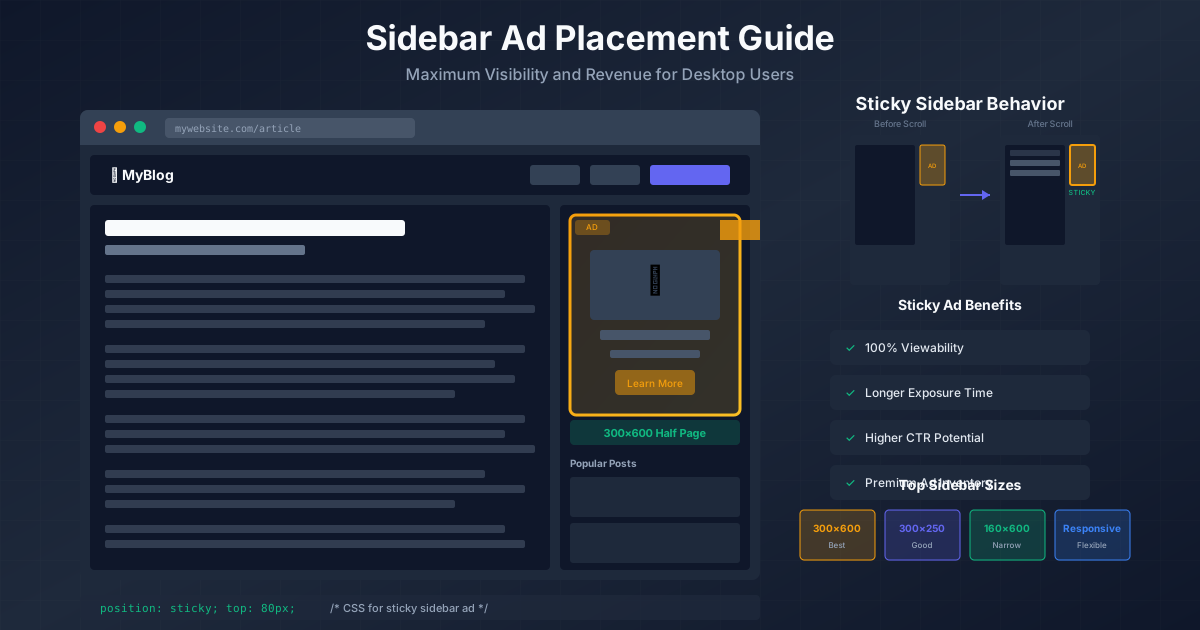
| 300×600 | Half Page | Maximum visibility, premium inventory |
| 300×250 | Medium Rectangle | Universal compatibility, good fill rate |
| 160×600 | Wide Skyscraper | Narrow sidebars, vertical emphasis |
| 336×280 | Large Rectangle | Wider sidebars, higher CPCs |
| Responsive | Fluid | Variable width sidebars |
Size Selection Tips
- Match ad width to sidebar width minus padding
- 300×600 consistently outperforms smaller sizes
- Use responsive ads if sidebar width varies
- Consider ad stack (multiple ads vertically)
Sidebar Width Guidelines
| Sidebar Width | Recommended Size |
|---|---|
| 320px or wider | 300×600 or 300×250 |
| 280-319px | 250×250 or responsive |
| 180-279px | 160×600 |
| Under 180px | Consider wider sidebar |
Sticky Sidebar Ads
Sticky (or fixed) sidebar ads remain visible as users scroll. They dramatically improve viewability and revenue.
See also: Content Formatting Tips That Boost CTR & Keep Readers on Your Blog →
How Sticky Ads Work
A sticky ad starts in its normal position. When the user scrolls past it, the ad becomes fixed to the viewport and follows as the user scrolls.
Sticky Ad Benefits
- 100% viewability: Always in the visible viewport
- Longer exposure: Users see the ad throughout reading
- Higher CTR: More opportunity for engagement
- Premium inventory: Advertisers pay more for viewability
AdSense Sticky Ad Rules
Google allows sticky ads with these restrictions:
- Maximum one sticky ad per page
- Must not cover content when user stops scrolling
- Must have clear boundaries
- Cannot be too close to navigation
Implementation Example
.sidebar-ad {
  position: sticky;
  top: 80px; /* Below header */
}

.sidebar-container {
  height: 100%;
  min-height: 600px;
}
Sticky Ad Best Practices
- Set top offset to clear fixed headers
- Ensure parent container has sufficient height
- Stop sticky before footer
- Test on different screen heights
- Limit to one sticky ad per page
Design Principles
Good sidebar design improves ad visibility while maintaining site aesthetics.
You might also find helpful: SEO-Friendly URL Design: Best Practices for Clean, Clickable URLs →
Visual Hierarchy
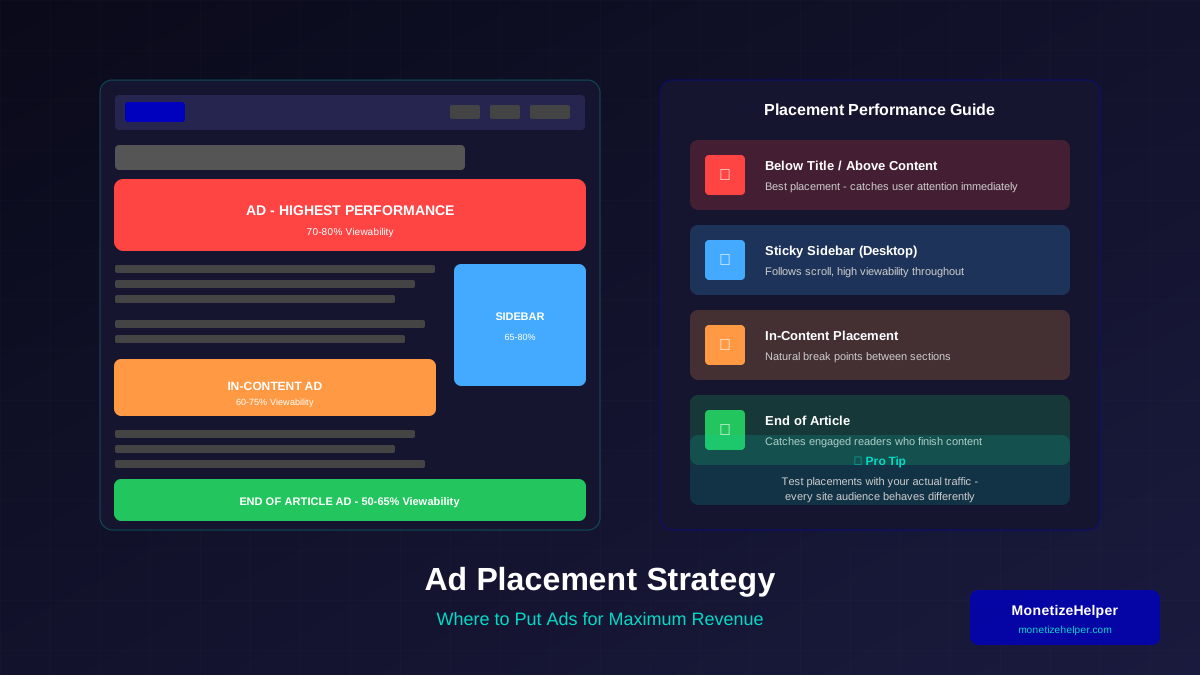
- Place ads near top of sidebar
- Use whitespace to draw attention
- Separate ads from widgets with spacing
- Avoid visual clutter around ads
Color and Contrast
- Use background colors that contrast with ads
- Light backgrounds often work best
- Avoid borders that make ads look like banners to ignore
- Let ads stand out naturally
Sidebar Content Order
Recommended order for sidebar elements:
- Ad unit (300×600 or 300×250)
- Popular/related posts
- Newsletter signup
- Social follow buttons
- Secondary ad (if space allows)
- Archives/categories
What to Avoid
- ❌ Crowding ads with too many widgets
- ❌ Placing ads below the fold only
- ❌ Using distracting animations near ads
- ❌ Making sidebar too narrow for good ad sizes
- ❌ Multiple sticky elements competing for attention
Balancing Content and Ads
A well-designed sidebar serves users while maximizing revenue.
The 60/40 Rule
A good guideline for sidebar composition:
See also: Ad Placement Strategies That Boost Revenue Without Hurting UX →
- 60% should be useful to users (navigation, related content)
- 40% can be monetization (ads, sponsored content)
User Value Elements
Include these to balance advertising:
- Related or popular posts with thumbnails
- Quick navigation or categories
- Search functionality
- Recent comments (if community-focused)
Multiple Sidebar Ads
You can have multiple ads in one sidebar, but be strategic:
- Space ads apart with content between them
- Use only one sticky ad
- Larger ad sizes at top, smaller below
- Maximum 2-3 ads per sidebar
"Users tolerate ads when they are balanced with valuable content. A sidebar full of only ads drives visitors away."
Learn more in Color Schemes for Professional Websites That Boost Revenue →
— UX Design Principle
Responsive Considerations
Sidebars behave differently across screen sizes. Plan for each breakpoint.
Screen Size Behavior
| Screen Width | Sidebar Behavior | Ad Strategy |
|---|---|---|
| 1200px+ | Full sidebar visible | 300×600 sticky |
| 992-1199px | Sidebar visible | 300×250 or responsive |
| 768-991px | Sidebar may collapse | Consider hiding or moving |
| Under 768px | Sidebar hidden or below content | Use in-content ads instead |
Mobile Sidebar Options
- Hide sidebar: Most common approach
- Move below content: Less effective for ads
- Collapsible menu: Show on tap
Responsive Ad Code
/* Show sidebar ad on desktop only */
.sidebar-ad {
  display: block;
}

@media (max-width: 991px) {
  .sidebar-ad {
    display: none;
  }
}
Implementation Guide
Follow these steps to implement effective sidebar ads.
Step 1: Design Your Sidebar
- Set sidebar width (300-350px recommended)
- Plan content order and spacing
- Reserve space for ads (no CLS)
- Design responsive behavior
Step 2: Create Ad Units
- Go to AdSense → Ads → By ad unit
- Create display ad unit
- Choose fixed or responsive size
- Name descriptively (e.g., "Sidebar Top 300x600")
Step 3: Reserve Ad Space
<div class="sidebar-ad-container">
  <!-- Reserve exact space to prevent CLS -->
  <div style="min-height: 600px; width: 300px;">
    <ins class="adsbygoogle"
         style="display:block"
         data-ad-client="ca-pub-XXXXX"
         data-ad-slot="XXXXX"
         data-ad-format="vertical"></ins>
    <script>
         (adsbygoogle = window.adsbygoogle || []).push({});
    </script>
  </div>
</div>
Step 4: Add Sticky Behavior
.sidebar-ad-container {
  position: sticky;
  top: 100px; /* Adjust based on header height */
}

/* Ensure parent has height for sticky to work */
.sidebar {
  min-height: 100vh;
}
Step 5: Test and Monitor
- Test on various screen sizes
- Verify sticky stops before footer
- Check CLS in PageSpeed Insights
- Monitor ad performance in AdSense
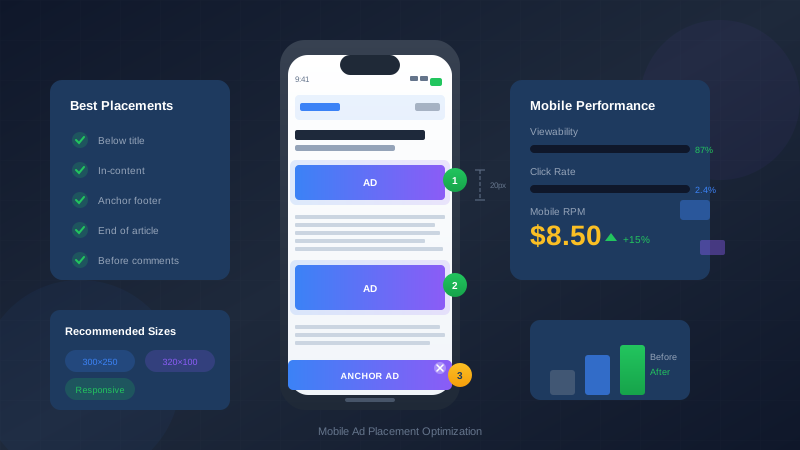
For more on mobile ad design, see our guide on mobile ad placement optimization.
You might also find helpful: Best WordPress Themes for AdSense: Top Picks for Maximum Revenue →
Frequently Asked Questions
Should I use a left or right sidebar?
Right sidebars are more common and often perform better for ads. Users read content on the left and naturally glance right when pausing. However, test both if your layout allows. The key is placing ads where users naturally look.
How many ads can I put in one sidebar?
There is no strict limit, but quality matters more than quantity. Two to three well-placed ads typically outperform five crowded ones. Space ads apart with content, and only use one sticky ad. Monitor user behavior—high bounce rates suggest too many ads.
Do sidebar ads work on tablets?
It depends on orientation and screen size. Landscape tablets often show sidebars well, but portrait mode usually hides them. Use responsive design to show sidebar ads on tablets in landscape and hide them in portrait, using in-content ads instead.
Should I use sticky ads if I have a sticky header?
Yes, but coordinate them properly. Calculate the top offset for your sticky ad to account for the header height. For example, if your header is 80px tall, set the sticky ad's top position to at least 90px. Avoid overlapping sticky elements.
Why are my sidebar ad earnings low?
Common reasons include: low desktop traffic (mobile users don't see sidebars), poor ad sizes (use 300×600 or 300×250), ads placed too low (should be at top of sidebar), or lack of sticky implementation (ads scroll out of view quickly).