Your website footer is more important than you think. A good footer helps users find what they need. It also helps Google understand your site better. Here's how to design a footer that works hard for your AdSense blog.
What You'll Learn:
- Why footers matter for AdSense sites
- What to include in your footer
- Footer design best practices
- Common footer mistakes to avoid
- How footers help SEO and user trust
Why Your Footer Matters
Users scroll to the bottom of your page for a reason. They're looking for important links, legal pages, or contact info. A well-designed footer gives them what they need.
For AdSense sites, your footer is especially important. Google checks for certain pages during approval. Many of those pages live in your footer. Things like your privacy policy, about page, and contact page should all be easy to find.
A good footer also builds trust. When visitors see professional footer links, they feel safer on your site.
What to Include in Your Footer
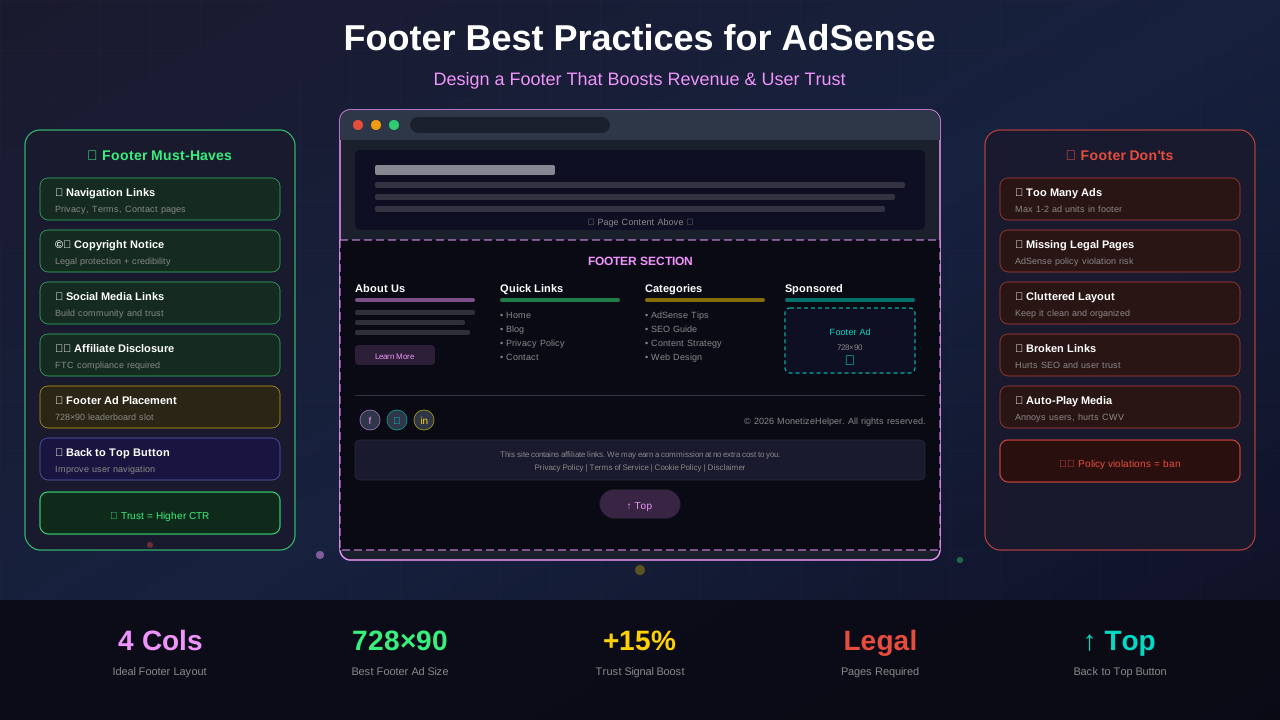
Every AdSense website footer should have these elements:
Legal Pages (Required)
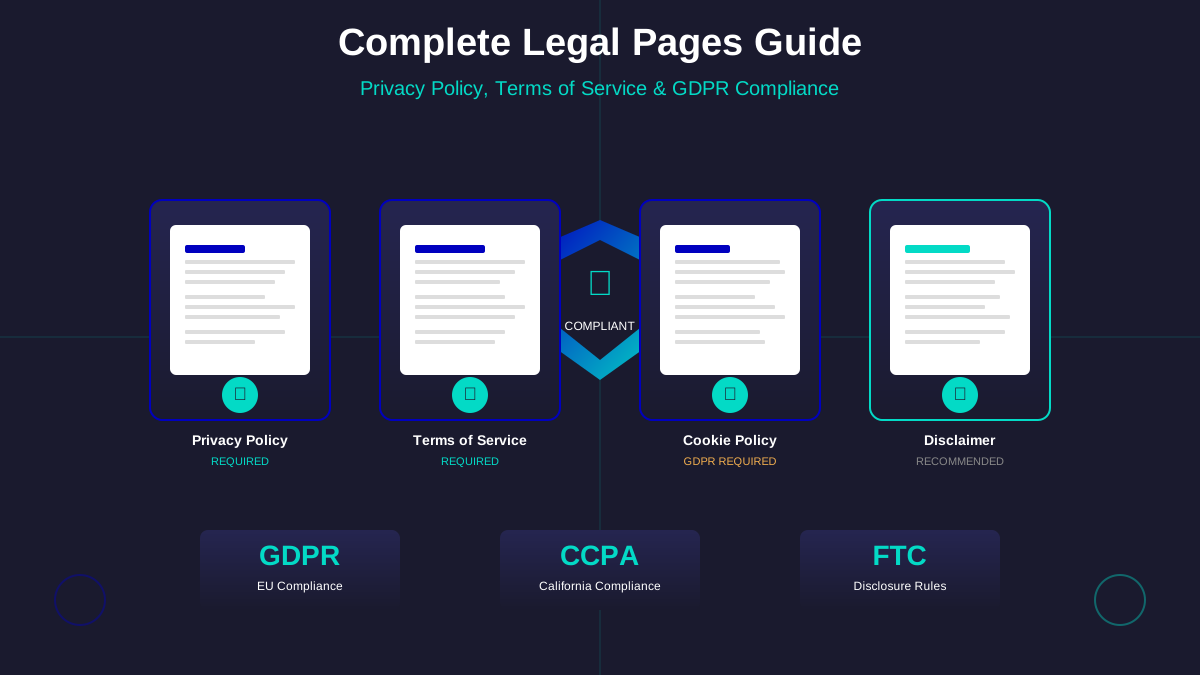
Google requires certain legal pages for AdSense approval. Link to all of them from your footer:
- Privacy Policy – Required by Google AdSense
- Terms of Service – Protects you legally
- Disclaimer – Important for advice-based content
- Cookie Policy – Required for GDPR compliance
Need help creating these pages? Check our complete legal pages guide.
See also: Content Formatting Tips That Boost CTR & Keep Readers on Your Blog →
Navigation Links
Add links to your most important pages. This helps users find content and helps Google crawl your site.
About Information
A short description of your site builds trust. Include your name or brand and what your blog is about.
Contact Information
Give users a way to reach you. This could be a contact form link, email address, or social media links.
Copyright Notice
Add a simple copyright line at the bottom. Use the current year and your site name.
You might also find helpful: SEO-Friendly URL Design: Best Practices for Clean, Clickable URLs →
Footer Design Best Practices
A good-looking footer builds trust. Follow these design tips:
Keep It Organized
Use columns to organize your footer links. Group related items together. Most footers use 3-4 columns.
Use Clear Headings
Label each footer section with a heading. "Quick Links," "Legal," and "Connect" are common choices.
Match Your Brand
Your footer should look like part of your site. Use your brand colors and fonts. Don't make it feel disconnected. See our color psychology guide for color tips.
See also: Ad Placement Strategies That Boost Revenue Without Hurting UX →
Make Links Readable
Use enough contrast so links are easy to read. Light text on a dark footer works well. Make sure links look clickable.
Mobile-Friendly Footer
On mobile, footer columns should stack vertically. Make touch targets big enough to tap easily. Test your footer on a real phone.
| Do This | Don't Do This |
|---|---|
| Organize links into clear sections | Dump all links in one big list |
| Link to legal pages prominently | Hide legal links in tiny text |
| Use your brand colors | Use random colors that clash |
| Keep footer compact | Make footer as long as the page |
| Include social media links | Add too many external links |
"A well-designed footer acts as a safety net for users who didn't find what they needed in the main content. It's your last chance to help them."
— Nielsen Norman Group
How Footers Help SEO
Your footer does more than look nice. It helps your SEO in several ways:
Learn more in Color Schemes for Professional Websites That Boost Revenue →
Internal Linking
Footer links to important pages pass link equity throughout your site. This helps all your pages rank better. Learn more in our internal linking guide.
Crawlability
Google crawls footer links on every page. This helps Google discover and index all your content.
Site Structure Signals
Footer links tell Google which pages are most important to your site. Use this wisely by linking to your best content.
Common Footer Mistakes
Avoid these footer problems that can hurt your site:
You might also find helpful: Best WordPress Themes for AdSense: Top Picks for Maximum Revenue →
- Missing privacy policy link – Required for AdSense
- Too many links – Keep it focused, not overwhelming
- Broken links – Test footer links regularly
- No mobile design – Footer must work on phones
- Ads in footer – Ads in the footer rarely get clicks and can look spammy
- Outdated copyright year – Update it every January
Frequently Asked Questions
Should I put AdSense ads in my footer?
Generally no. Footer ads have very low click rates. They can also make your site look unprofessional. Focus ads in your content area instead.
How many links should my footer have?
Aim for 10-20 links total. Organize them into 3-4 sections. Too many links dilute their value and confuse users.
Do I need a footer on every page?
Yes! Your footer should appear on every page of your site. This ensures users can always find your legal pages and important links.
Should I put my address in the footer?
Only if you have a physical business. Most bloggers don't need a street address. A contact email or form is enough.
Conclusion
Your footer might be at the bottom of the page, but it's a top priority for AdSense sites. Include your legal pages, organize links clearly, and match your brand design.
Start by checking your current footer. Make sure your privacy policy, terms, and contact links are there. Then improve the design using the tips above.
A professional footer builds trust with both users and Google. Get it right, and you'll have a stronger foundation for your AdSense revenue!