Typography is the foundation of readable web content. Poor font choices and text formatting drive visitors away, whilst thoughtful typography keeps them engaged, reading longer, and clicking on ads. For monetised websites, typography directly impacts both user experience and revenue potential.
This comprehensive guide covers everything you need to know about web typography, from font selection to line spacing, ensuring your content is both beautiful and highly readable.
Why Typography Matters for Monetised Websites
Typography affects every aspect of how users interact with your content, directly impacting user experience and ad revenue:
- Time on Page: Readable text increases average session duration
- Bounce Rate: Poor typography causes immediate abandonment
- Ad Viewability: Longer reading sessions mean more ad impressions
- Trust: Professional typography signals credibility
- Accessibility: Good typography includes more readers
Choosing the Right Fonts
Font selection affects both readability and brand perception. For web content, prioritise clarity and performance.
Serif vs Sans-Serif
The traditional debate continues, but modern screens have changed the equation:
Web-Safe and System Fonts
Modern system font stacks provide excellent typography without loading external files:
See also: Content Formatting Tips That Boost CTR & Keep Readers on Your Blog →
/* System font stack for optimal performance */
body {
  font-family: -apple-system, BlinkMacSystemFont,
    'Segoe UI', Roboto, Oxygen, Ubuntu, Cantarell,
    'Open Sans', 'Helvetica Neue', sans-serif;
}
Popular Web Font Pairings
These pairings from Google Fonts work well together:
- Heading: Playfair Display / Body: Source Sans Pro
- Heading: Montserrat / Body: Merriweather
- Heading: Raleway / Body: Lora
- Heading: Oswald / Body: Open Sans
- Heading: Poppins / Body: Nunito
💡 Font Loading Performance
Each custom font adds 20-100KB to page weight. Limit yourself to 2-3 font families maximum. Use font-display: swap to prevent invisible text during loading, and subset fonts to include only needed characters.
Font Sizing Best Practices
Proper font sizing ensures comfortable reading across all devices.
You might also find helpful: SEO-Friendly URL Design: Best Practices for Clean, Clickable URLs →
Body Text Size
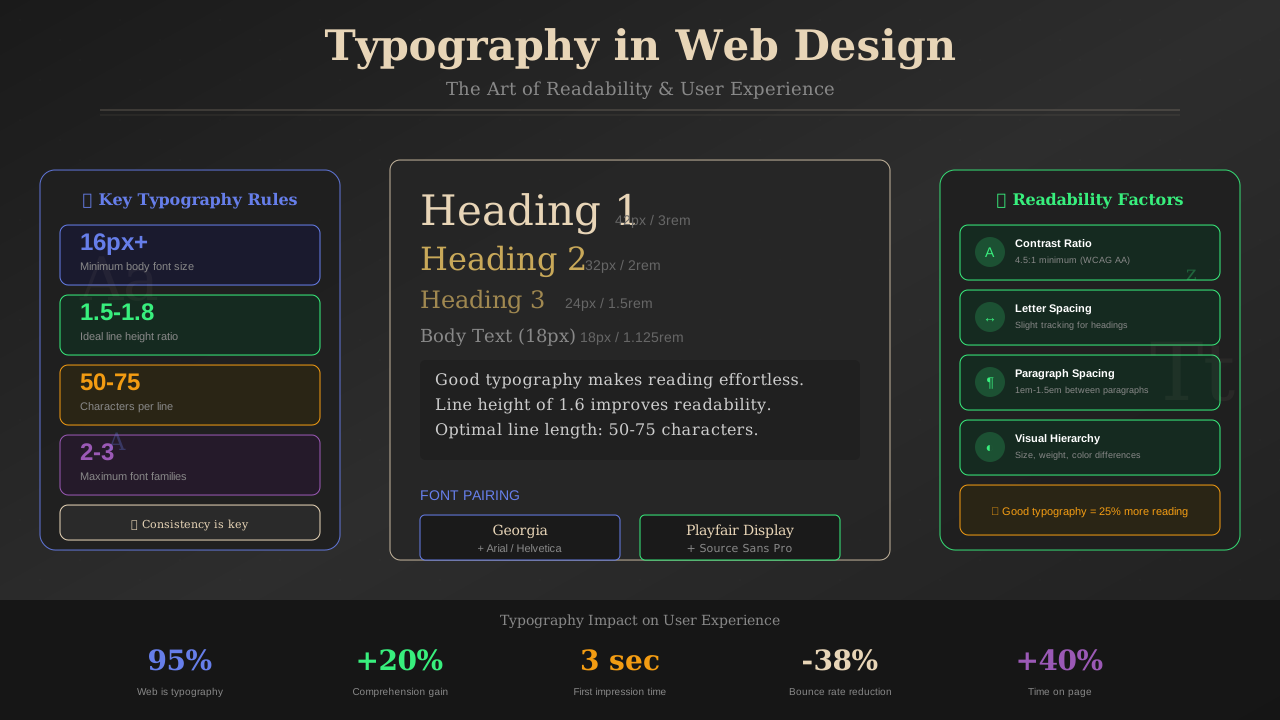
The minimum readable body text size for web:
- Desktop: 16-18px (1rem-1.125rem)
- Mobile: 16px minimum (browser default)
- Long-form content: 18-20px for reduced eye strain
Type Scale
Use a consistent ratio between heading levels:
Responsive Typography
Scale typography based on viewport size for optimal reading. This works hand-in-hand with responsive layout techniques:
See also: Ad Placement Strategies That Boost Revenue Without Hurting UX →
/* Fluid typography using clamp() */
h1 {
  font-size: clamp(1.75rem, 4vw, 2.5rem);
}

body {
  font-size: clamp(1rem, 1vw + 0.75rem, 1.125rem);
}Line Height and Spacing
Proper spacing prevents text from feeling cramped and improves readability significantly.
Line Height (Leading)
Optimal line height varies by context:
- Body text: 1.5-1.7 (150-170%)
- Headings: 1.2-1.3 (120-130%)
- Large text (20px+): 1.4-1.5
- Small text (<14px): 1.6-1.8
Line Length (Measure)
Optimal line length for comfortable reading:
Learn more in Color Schemes for Professional Websites That Boost Revenue →
- Ideal: 50-75 characters per line
- Maximum: 80-85 characters
- Minimum: 45 characters (mobile)
/* Optimal reading width */
article {
  max-width: 65ch; /* ~65 characters */
  margin: 0 auto;
}
Paragraph Spacing
Create clear visual breaks between paragraphs:
- Use margin-bottom equal to line-height (1.5em)
- Avoid both indentation AND paragraph spacing—choose one
- Web convention favours spacing over indentation
Colour and Contrast
Text colour contrast directly impacts readability and accessibility compliance. Follow W3C accessibility guidelines for best results.
WCAG Contrast Requirements
Dark Mode Considerations
Dark themes require different approach to contrast:
You might also find helpful: Best WordPress Themes for AdSense: Top Picks for Maximum Revenue →
- Avoid pure white (#FFFFFF) on pure black—it causes halation
- Use off-white (#E0E0E0 to #F0F0F0) for body text
- Background should be dark grey (#121212 to #1A1A1A)
- Maintain the same contrast ratios as light mode
✅ Contrast Checker Tools
- • WebAIM Contrast Checker
- • Colour Contrast Analyser (desktop app)
- • Chrome DevTools Accessibility panel
- • Figma/Sketch accessibility plugins
Creating Visual Hierarchy
Typography hierarchy guides readers through content structure:
Hierarchy Elements
- Size: Larger = more important
- Weight: Bolder = more important
- Colour: Higher contrast = more attention
- Position: Top and left = viewed first
- Spacing: More whitespace = more importance
Heading Hierarchy Best Practices
- Only one H1 per page (the main title)
- Do not skip heading levels (H2 → H4 is wrong)
- Use headings for structure, not styling
- Keep heading text concise and descriptive
- Ensure headings are distinct from body text
Mobile Typography Optimisation
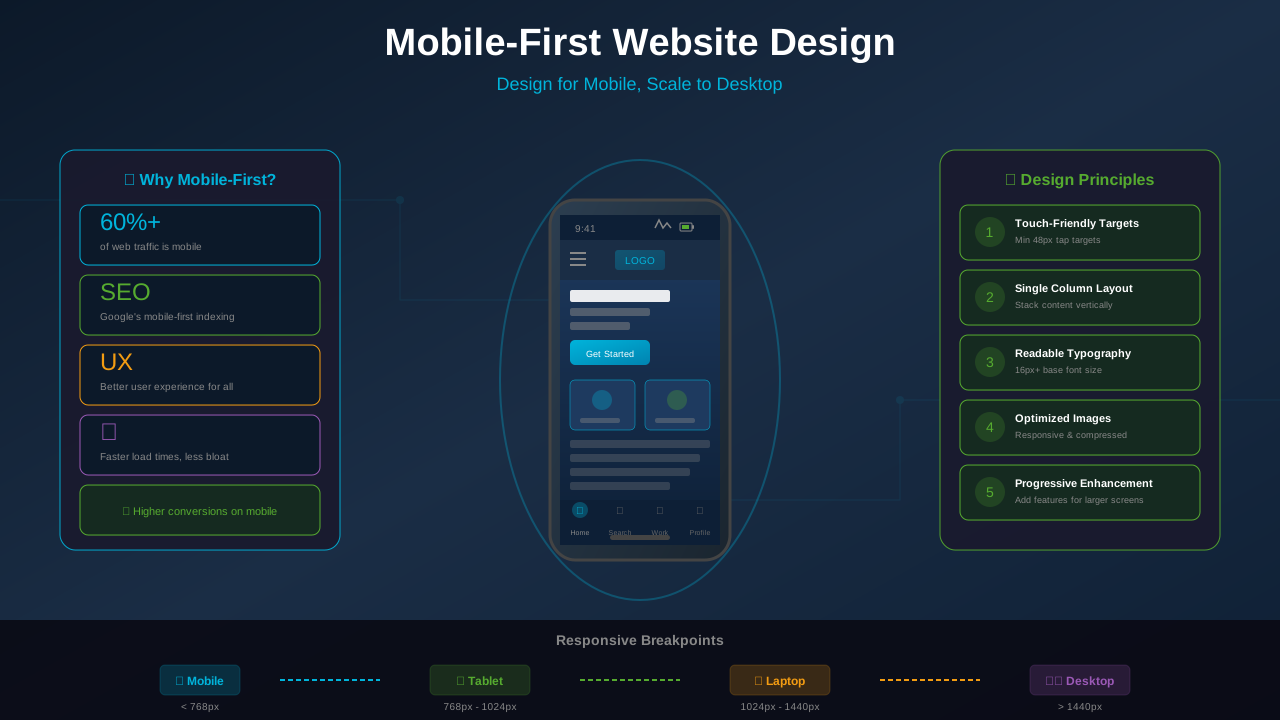
Mobile reading requires specific typographic adjustments. These principles align with mobile-first design best practices:
- Larger touch targets: Links in text should have extra padding
- Shorter line lengths: Naturally limited by screen width
- Increased line height: 1.6-1.8 for mobile body text
- Generous margins: 16-24px edge padding
- Thumb-friendly: Important text away from screen edges
Typography Performance
Font Loading Strategies
Modern CSS provides several approaches documented on MDN Web Docs:
- font-display: swap - Shows fallback immediately, swaps when loaded
- font-display: optional - Uses cached font or fallback only
- Preload critical fonts - Add <link rel="preload"> for above-fold fonts
- Subset fonts - Include only needed character sets
<link rel="preload"
      href="/fonts/main.woff2"
      as="font"
      type="font/woff2"
      crossorigin>
Common Typography Mistakes to Avoid
- Text too small: Under 16px for body text
- Lines too long: Over 85 characters wide
- Insufficient contrast: Light grey on white backgrounds
- Too many fonts: More than 2-3 typefaces
- Tight line height: Below 1.4 for body text
- Justified text: Creates uneven spacing on web
- All caps body text: Harder to read in long passages
Conclusion: Typography That Converts
Effective web typography balances aesthetics with functionality. Readable content keeps visitors engaged longer, directly benefiting monetised sites through increased ad impressions and lower bounce rates.
Start with the fundamentals: appropriate font size (16px+), comfortable line height (1.5+), optimal line length (50-75 characters), and strong contrast. Then refine based on your specific content type and audience preferences.
Remember that typography serves your content—it should enhance readability without calling attention to itself. When readers can focus entirely on your message without struggling to read it, you have achieved typographic success.