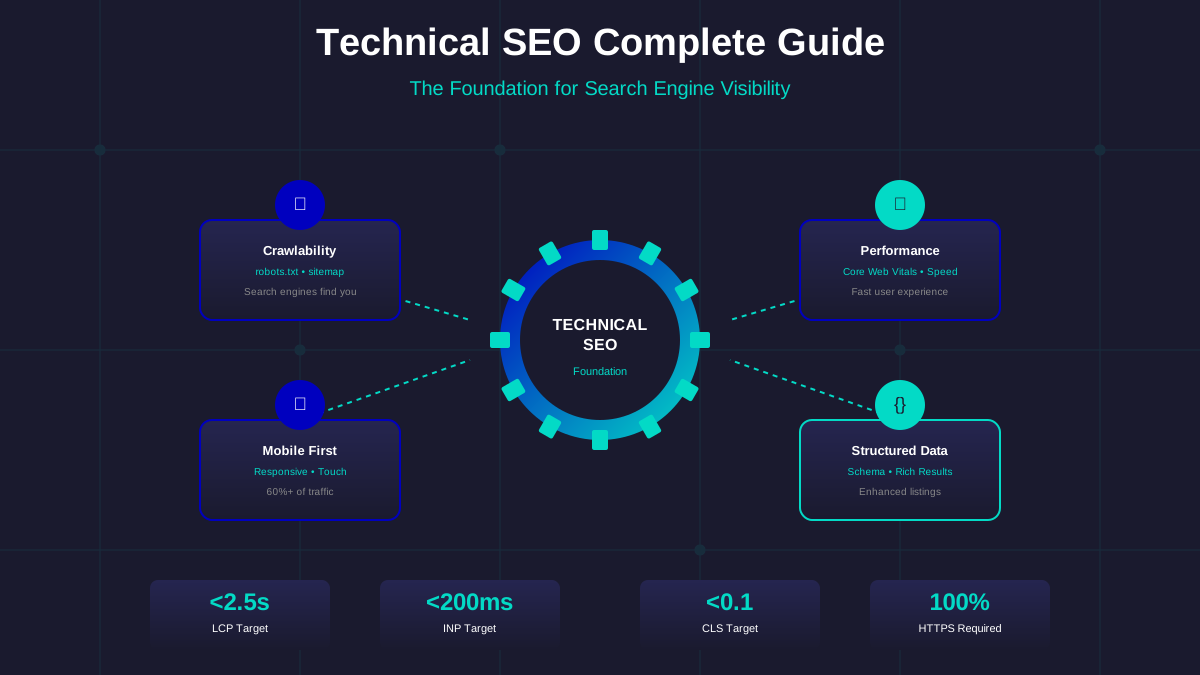
Technical SEO is the foundation that determines whether your content gets discovered by search engines. Without solid technical foundations, even the best content remains invisible—and invisible content earns zero ad revenue. This comprehensive guide shows you how to build a technically sound website that ranks.
Think of technical SEO as the infrastructure of your website. Just as a beautiful building needs solid foundations, your content needs proper technical implementation to perform well in search results and generate AdSense income.
What You Will Learn:
- How search engine crawling and indexing works
- Site speed optimisation for Core Web Vitals
- Structured data implementation for rich results
- Mobile-first indexing best practices
- Technical SEO audit checklist for AdSense sites
How Crawling and Indexing Works
Before Google can show your pages in search results, it must discover and understand them. This happens through crawling (finding pages) and indexing (storing page information).
The Crawling Process:
- Discovery: Googlebot finds your site through links, sitemaps, or direct URL submission
- Crawling: Googlebot visits your pages and reads the content
- Processing: Google analyses page content, links, and structure
- Indexing: Eligible pages are added to Google's search index
- Ranking: Indexed pages compete for positions in search results
Common Crawling Problems:
- Blocked by robots.txt: Pages accidentally blocked from crawling
- Noindex tags: Meta tags preventing indexing
- Orphan pages: Pages with no internal links pointing to them
- Slow server response: Googlebot times out waiting for pages
- Crawl budget waste: Low-value pages consuming crawl resources
"Make sure that your site appears the way you want in Google Search by checking and fixing your robots.txt, sitemap, and crawling issues."
— Google Search Central Documentation
Robots.txt and Sitemap Configuration
Your robots.txt file tells search engines which parts of your site to crawl. Your sitemap tells them what pages exist.
Robots.txt Best Practices:
- Place at root domain (yoursite.com/robots.txt)
- Allow all important content pages
- Block admin areas, duplicate content, and utility pages
- Include sitemap location
- Test in Google Search Console before deploying
Example Robots.txt:
User-agent: *
Allow: /
Disallow: /admin/
Disallow: /search/
Disallow: /*?*

Sitemap: https://yoursite.com/sitemap.xml
XML Sitemap Best Practices:
- Include all important, indexable pages
- Keep under 50,000 URLs per sitemap
- Update automatically when content changes
- Submit to Google Search Console
- Include lastmod dates for content updates
URL Structure Optimisation
Clean, descriptive URLs help both users and search engines understand your content.
See also: How to Fix Mixed Content Errors: Complete Guide for Blog Owners →
URL Best Practices:
| Good URL | Bad URL | Why It Matters |
|---|---|---|
| /adsense-approval-guide/ | /page?id=12345 | Descriptive, readable |
| /blog/seo-tips/ | /blog/2025/01/15/post/ | Keywords visible |
| /contact/ | /Contact-Us-Page.html | Lowercase, no extensions |
| /privacy-policy/ | /privacy_policy/ | Hyphens preferred |
URL Guidelines:
- Use lowercase letters only
- Separate words with hyphens (not underscores)
- Keep URLs short but descriptive
- Include target keywords when natural
- Avoid parameters when possible
- Use consistent structure across the site
Core Web Vitals Optimisation
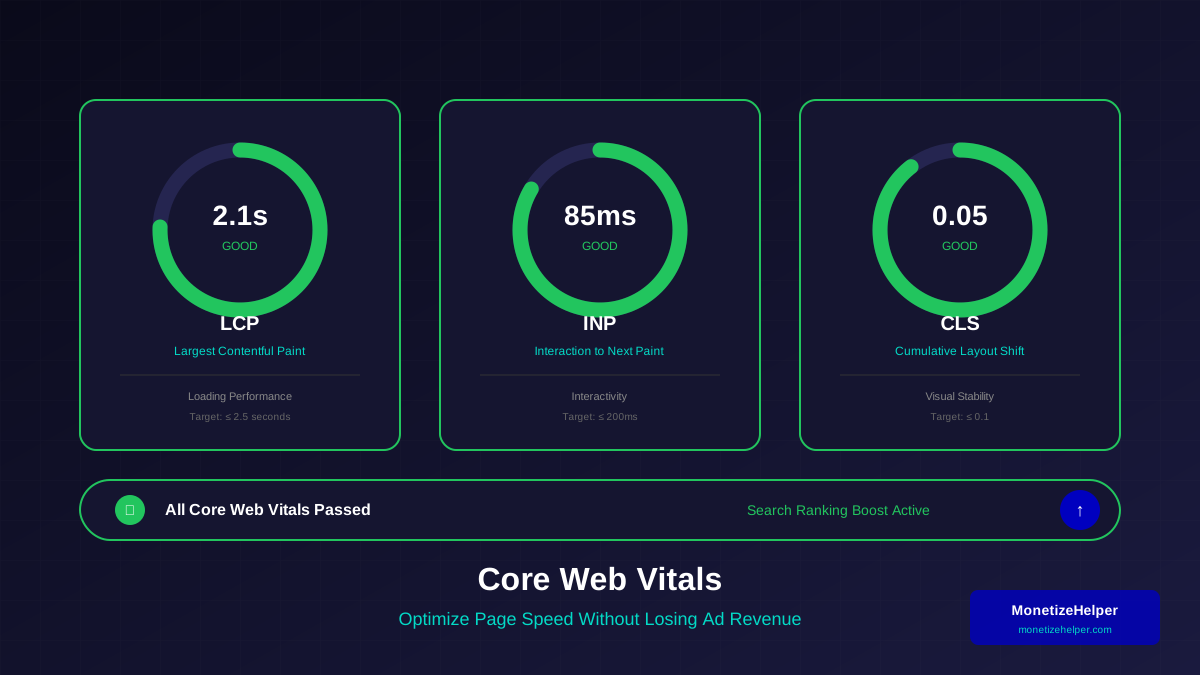
Core Web Vitals are Google's user experience metrics. They measure loading performance, interactivity, and visual stability—and they affect your rankings.
Largest Contentful Paint (LCP) Optimisation:
LCP measures how long it takes for the main content to load. Target: under 2.5 seconds.
- Optimise and compress images
- Use a Content Delivery Network (CDN)
- Implement lazy loading for below-fold images
- Preload critical resources
- Reduce server response time
Interaction to Next Paint (INP) Optimisation:
INP measures responsiveness to user interactions. Target: under 200 milliseconds.
You might also find helpful: URL Structure Best Practices: Clean URLs That Boost SEO & AdSense Revenue →
- Break up long JavaScript tasks
- Minimise main thread work
- Reduce JavaScript bundle size
- Use web workers for heavy processing
- Optimise event handlers
Cumulative Layout Shift (CLS) Optimisation:
CLS measures visual stability. Target: under 0.1.
- Set dimensions for images and videos
- Reserve space for ads and embeds
- Avoid inserting content above existing content
- Use CSS transform for animations
- Preload fonts to prevent FOIT/FOUT
Site Speed Optimisation
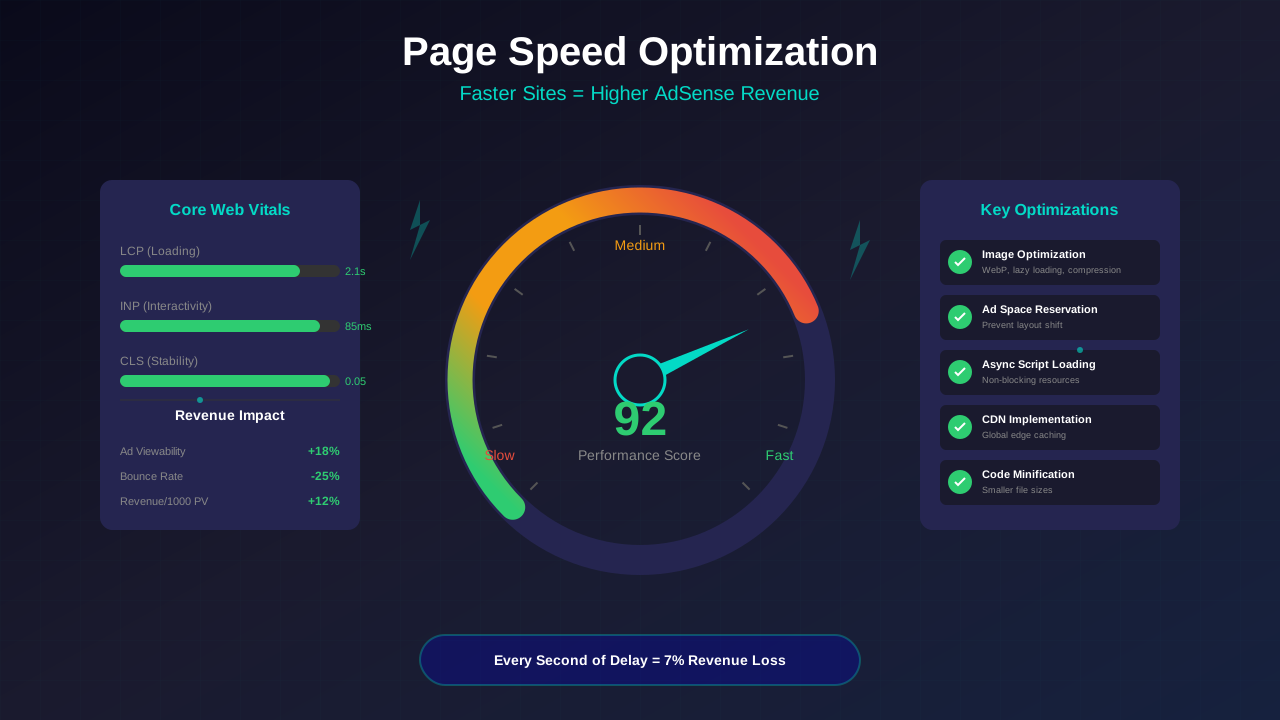
Site speed affects user experience, search rankings, and ad revenue. Slow sites have higher bounce rates and lower ad viewability.
Speed Optimisation Techniques:
- Image Optimisation: Use WebP format, compress images, implement lazy loading
- Code Minification: Minify HTML, CSS, and JavaScript
- Browser Caching: Set appropriate cache headers
- CDN Implementation: Serve assets from global edge servers
- Database Optimisation: Optimise queries, use caching
- Server Configuration: Enable Gzip/Brotli compression
Speed Testing Tools:
- Google PageSpeed Insights
- GTmetrix
- WebPageTest
- Chrome DevTools Lighthouse
- Google Search Console Core Web Vitals report
Structured Data Implementation
Structured data helps search engines understand your content and can enable rich results in search listings.
You might also find helpful: Structured Data Testing Guide: Validate Schema Markup Like a Pro →
Common Schema Types for AdSense Sites:
| Schema Type | Use Case | Rich Result |
|---|---|---|
| Article | Blog posts, news articles | Article carousel, AMP |
| HowTo | Tutorial content | Step-by-step display |
| FAQ | Question/answer sections | FAQ dropdown |
| BreadcrumbList | Site navigation | Breadcrumb trail |
| Organization | Company information | Knowledge panel |
| WebSite | Site-level information | Sitelinks search box |
Structured Data Best Practices:
- Use JSON-LD format (Google's preferred format)
- Test with Google's Rich Results Test
- Only mark up visible content
- Keep structured data accurate and up-to-date
- Follow Google's structured data guidelines
Mobile-First Indexing
Google primarily uses the mobile version of your site for indexing and ranking. Your mobile experience must be excellent.
Mobile-First Requirements:
- Responsive Design: Same content available on mobile and desktop
- Fast Mobile Loading: Optimised for slower connections
- Touch-Friendly: Buttons and links easy to tap
- Readable Without Zooming: Text size appropriate for mobile
- No Horizontal Scrolling: Content fits mobile viewport
For detailed mobile optimisation guidance, see our comprehensive guide on mobile optimisation for AdSense.
Internal Linking Strategy
Internal links help search engines discover content and understand site structure. They also distribute ranking power throughout your site.
For more on this topic, see our guide on Canonical Tags & Duplicate Content: The Complete SEO Fix Guide →
Internal Linking Best Practices:
- Link from high-authority pages to important content
- Use descriptive anchor text (not "click here")
- Create topic clusters with pillar pages
- Ensure no orphan pages exist
- Keep important pages within 3 clicks of homepage
- Update old posts to link to new content
HTTPS and Security
HTTPS is a ranking signal and a requirement for many browser features. All AdSense sites should use HTTPS.
Security Checklist:
- ✅ SSL certificate installed and valid
- ✅ All pages served over HTTPS
- ✅ HTTP redirects to HTTPS
- ✅ No mixed content warnings
- ✅ Security headers configured
- ✅ Regular security updates applied
Technical SEO Audit Checklist
Regular technical audits catch issues before they impact your rankings and revenue.
Frequently Asked Questions (FAQs)
How long does it take for technical SEO changes to take effect?
Technical changes can take anywhere from a few days to several weeks to show impact. Google needs to recrawl your site and reprocess the changes. Major improvements may take 1-3 months to fully reflect in rankings.
Learn more in HTTPS & SSL Security: Essential Guide for AdSense Sites →
Do I need technical SEO knowledge to get AdSense approved?
You need basic technical foundations—a working, fast website with no major errors. You do not need advanced technical skills, but understanding the basics helps you troubleshoot issues and improve performance over time.
What is the most important technical SEO factor?
Crawlability is foundational—if Google cannot crawl your pages, nothing else matters. After that, site speed and mobile experience have the biggest impact on both rankings and user experience.
How often should I audit my site's technical SEO?
Perform a basic audit monthly, checking Search Console for errors and reviewing Core Web Vitals. Do a comprehensive audit quarterly or after major site changes.
Can technical SEO issues cause AdSense rejection?
Yes. Severe technical issues like very slow loading, broken navigation, or non-functional mobile experience can contribute to rejection. Google wants to show ads on sites that provide good user experiences.
Conclusion
Technical SEO provides the foundation for everything else you do online. Without proper crawling, fast loading, and mobile optimisation, your content struggles to reach its audience—and struggles to earn ad revenue.
Start with the basics: ensure your site is crawlable, fast, and mobile-friendly. Then build up to structured data and advanced optimisations. Regular audits catch issues before they become problems.
For the complete guide to preparing your site for AdSense approval, including technical requirements, visit our Ultimate AdSense Approval Guide.