Page speed isn't just about user experience—it directly impacts your AdSense revenue. Slow-loading pages lead to visitors leaving before ads load, lower ad viewability, and reduced advertiser bids. Google's emphasis on Core Web Vitals makes speed optimisation essential for publishers.
This guide explores the connection between page speed and ad revenue, providing practical optimisation strategies that maintain or improve your earnings whilst dramatically improving load times.
The Speed-Revenue Connection
Understanding how page speed affects AdSense revenue helps prioritise optimisation efforts:
Ad Viewability
Ads must be viewable to generate revenue. Google counts an ad as "viewed" when 50% of its pixels are visible for at least one second. Slow pages mean users may scroll past ad positions before ads load, reducing viewability scores and revenue.
Advertiser Bids
Advertisers bid higher for viewable inventory. Sites with better viewability metrics receive higher CPMs. A 20% improvement in viewability can translate to 10-15% higher ad rates.
User Engagement
Fast pages keep users engaged longer. Each additional second of load time increases bounce rate by approximately 32%. Engaged users view more pages and see more ads. Combine fast loading with a strong internal linking strategy to maximize engagement.
Search Rankings
Google uses Core Web Vitals as ranking factors. Better rankings mean more traffic, which directly correlates with ad revenue potential.
Core Web Vitals Explained
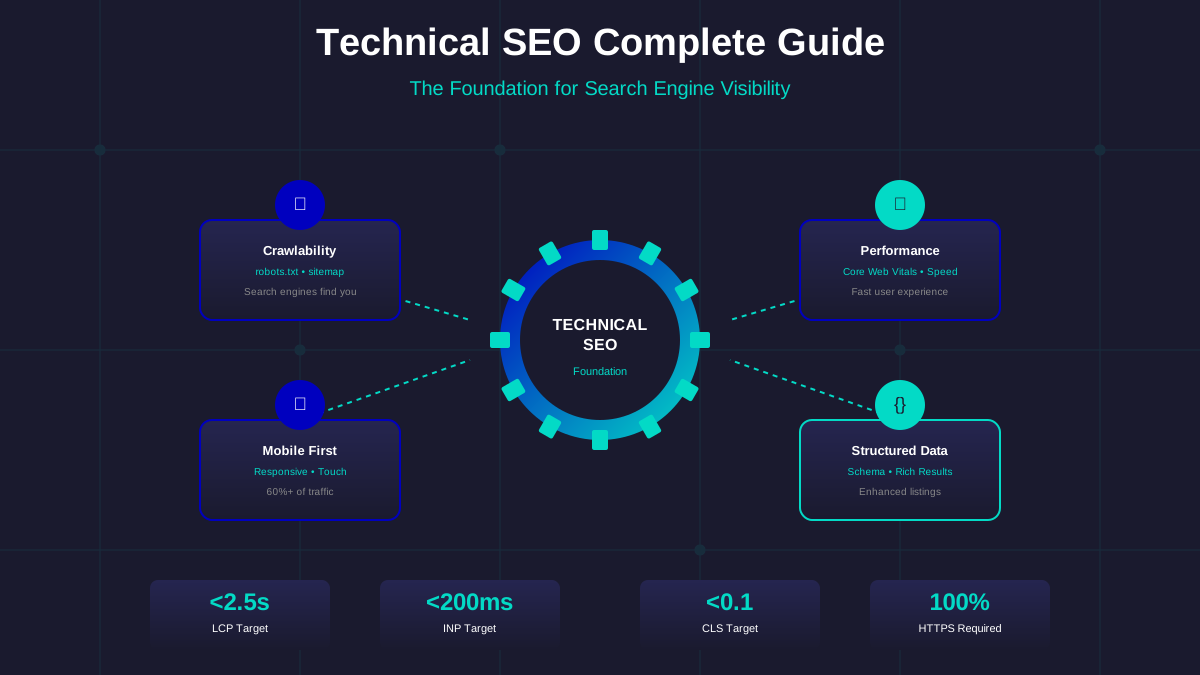
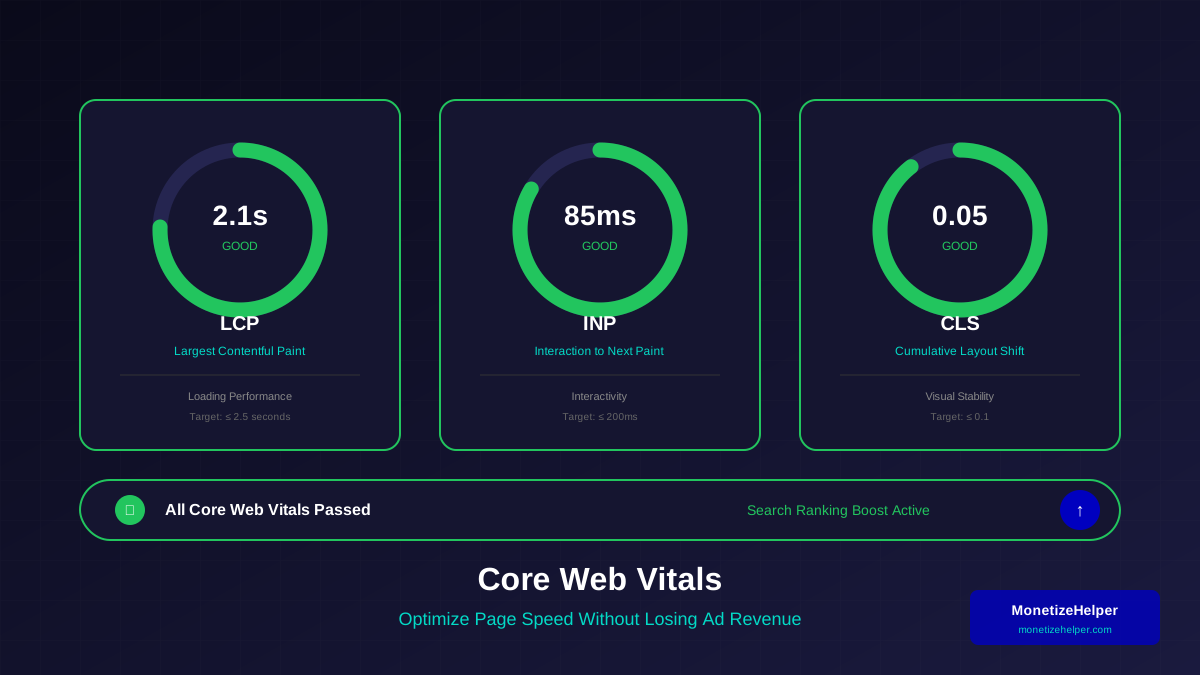
Google's Core Web Vitals are the key metrics for page experience. Understanding each helps prioritise optimisation:
Largest Contentful Paint (LCP)
Measures loading performance—when the largest content element becomes visible. Target: under 2.5 seconds. For ad-supported sites, ensure hero images and primary content load before ads steal bandwidth.
First Input Delay (FID) / Interaction to Next Paint (INP)
Measures interactivity—time from first user interaction to browser response. Target: under 100ms (FID) or 200ms (INP). Ad scripts can significantly impact this metric if not loaded properly.
See also: How to Fix Mixed Content Errors: Complete Guide for Blog Owners →
Cumulative Layout Shift (CLS)
Measures visual stability—how much content shifts during loading. Target: under 0.1. Ads without proper space reservation are a major cause of poor CLS scores.
AdSense and Core Web Vitals
Google has optimised AdSense scripts to minimise Core Web Vitals impact. Using the latest ad code and following Google's implementation guidelines ensures ads don't unnecessarily harm your scores.
Image Optimisation
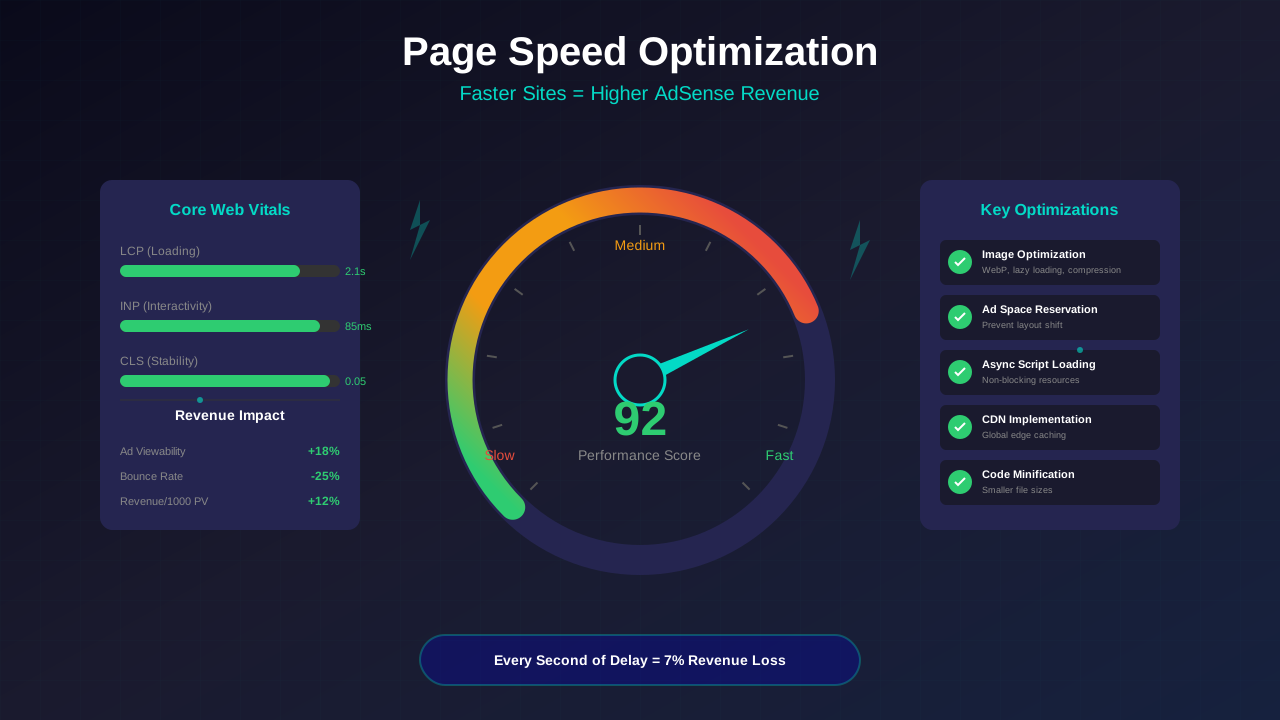
Images typically account for 50% or more of page weight. For a complete guide, see our image optimization guide. Here are the key strategies:
Modern Formats
Use WebP or AVIF formats instead of JPEG/PNG. These formats provide 25-50% smaller file sizes with equivalent quality. Implement fallbacks for older browsers.
Responsive Images
Serve different image sizes based on viewport. This is especially important for mobile optimization. A mobile user shouldn't download a 2000px wide image meant for desktop. Use srcset and sizes attributes for automatic selection.
Lazy Loading
Load images only as users scroll to them. Native lazy loading (loading="lazy") works well for most cases. Prioritise above-the-fold images with loading="eager".
Compression
Compress images without visible quality loss. Tools like ImageOptim, TinyPNG, or automated build pipelines can reduce file sizes by 60-80% whilst maintaining visual quality.
You might also find helpful: URL Structure Best Practices: Clean URLs That Boost SEO & AdSense Revenue →
Ad Loading Strategies
How you load ads significantly impacts both speed and revenue. Balance these priorities carefully:
Asynchronous Loading
AdSense scripts should load asynchronously to prevent blocking page rendering. This is the default behaviour with modern AdSense code. Never modify scripts to load synchronously.
Lazy Load Below-Fold Ads
Consider lazy loading ads that appear below the fold. This prioritises above-fold content whilst still capturing ad revenue as users scroll. Use Intersection Observer API for efficient implementation.
Reserve Ad Space
Define fixed dimensions for ad containers to prevent layout shift when ads load. This is crucial for CLS scores. Even responsive ads can have minimum heights set.
Caching Strategies
Effective caching reduces load times for returning visitors and decreases server load:
Browser Caching
Set appropriate cache headers for static assets. Images, CSS, and JavaScript can often be cached for months. Consider cache-busting strategies for updates (version numbers in filenames).
CDN Usage
Content Delivery Networks serve assets from locations closer to users. This reduces latency significantly, especially for international audiences. Many CDNs offer free tiers suitable for smaller publishers.
You might also find helpful: Structured Data Testing Guide: Validate Schema Markup Like a Pro →
Service Workers
For progressive web apps, service workers enable sophisticated caching strategies. They can serve cached content whilst fetching updates in the background, creating near-instant experiences.
Code Optimisation
Clean, efficient code improves both speed and maintainability:
Minification
Remove unnecessary characters from CSS and JavaScript without changing functionality. Build tools like webpack, Rollup, or simple online minifiers can reduce file sizes by 30-50%.
Critical CSS
Inline critical CSS required for above-the-fold rendering directly in HTML. This eliminates render-blocking CSS requests. Tools can automatically extract critical CSS from your stylesheets.
Code Splitting
Load only the JavaScript needed for the current page. Modern frameworks support automatic code splitting. This is particularly important if you use heavy JavaScript libraries.
Defer Non-Essential Scripts
Use defer or async attributes for scripts not needed for initial rendering. Analytics, chat widgets, and social sharing scripts can safely load after primary content.
Server and Hosting
Backend performance impacts time-to-first-byte (TTFB) and overall speed:
For more on this topic, see our guide on Canonical Tags & Duplicate Content: The Complete SEO Fix Guide →
Quality Hosting
Invest in quality hosting appropriate for your traffic levels. Shared hosting works for small sites but can bottleneck growing traffic. Consider managed WordPress hosting or VPS solutions as you scale.
HTTP/2 or HTTP/3
Modern protocols allow multiple simultaneous connections and header compression. Most quality hosts support HTTP/2 or newer. This particularly benefits pages with many resources.
Database Optimisation
For dynamic sites, database queries can be a bottleneck. Implement query caching, optimise database tables regularly, and consider object caching solutions like Redis or Memcached.
Measuring Performance
You can't improve what you don't measure. Use these tools regularly:
Google PageSpeed Insights
Free tool providing Core Web Vitals data, lab metrics, and specific optimisation recommendations. Test both mobile and desktop versions of key pages.
Google Search Console
Shows Core Web Vitals data for your actual users (field data). Identifies pages with issues and tracks improvement over time. Essential for understanding real-world performance.
WebPageTest
Advanced testing from multiple locations and devices. Provides detailed waterfall charts showing exactly what loads when. Excellent for diagnosing specific bottlenecks.
Learn more in HTTPS & SSL Security: Essential Guide for AdSense Sites →
Chrome DevTools
Built-in browser tools for performance profiling. Network tab shows resource loading, Performance tab records detailed timings. Lighthouse audits provide comprehensive analysis.
Frequently Asked Questions
Will removing ads improve my page speed?
Yes, fewer ads mean less to load. However, this defeats monetisation purposes. Instead, focus on efficient ad loading (async, lazy loading below fold) and proper space reservation. Well-implemented ads have minimal impact on user experience.
How much should I prioritise speed over revenue?
They're not mutually exclusive. Better speed typically improves revenue through higher viewability, better engagement, and improved search rankings. The goal is optimisation that serves both objectives.
Does Auto ads hurt page speed?
Auto ads add some overhead as they analyse your page to determine placements. For most sites, the impact is minimal. If you're struggling with speed, test manual placements versus Auto ads to compare performance.
What's a good target page speed?
Aim for LCP under 2.5 seconds, FID under 100ms (INP under 200ms), and CLS under 0.1. PageSpeed Insights scores above 90 for mobile indicate excellent performance, though 75+ is acceptable for ad-supported sites.
Should I use a different theme for speed?
Theme choice significantly impacts speed. Bloated themes with excessive features slow everything. Consider lightweight themes built for performance, or hire a developer to optimise your current theme.
Conclusion: Speed as Revenue Strategy
Page speed optimisation isn't separate from revenue optimisation—it's an integral part. Fast pages improve ad viewability, reduce bounce rates, enhance search rankings, and create better user experiences that keep visitors returning.
Start with the highest-impact optimisations: image compression, proper ad space reservation, and quality hosting. Use measurement tools to identify specific bottlenecks, then address them systematically.
Remember that speed optimisation is ongoing. As you add content and features, regularly audit performance to ensure you maintain the fast, revenue-friendly experience your audience and advertisers expect.