Google now looks at the mobile version of your website first. If your site doesn't work well on phones, your rankings will drop. This guide shows you how to get mobile-first indexing right for your AdSense blog.
What You'll Learn:
- What mobile-first indexing means
- How to check if your site is ready
- Common mobile issues that hurt rankings
- How to fix mobile problems fast
- Mobile tips that boost AdSense revenue
What Is Mobile-First Indexing?
Mobile-first indexing means Google uses your mobile site to decide your rankings. In the past, Google looked at the desktop version first. Now, mobile comes first.
This change happened because most people use phones to browse the web. According to Statista, over 60% of web traffic comes from mobile devices.
For your AdSense blog, this means one thing: your mobile site must be perfect. If it's not, you'll lose both rankings and revenue.
How to Check If Your Site Is Mobile-Ready
Google gives you free tools to test your mobile readiness. Here's what to use:
Google Search Console
Go to Search Console and check the "Mobile Usability" report. It shows every mobile issue on your site. Fix these issues first.
PageSpeed Insights
Enter your URL at PageSpeed Insights. Switch to the "Mobile" tab. Your score should be 80 or higher.
See also: How to Fix Mixed Content Errors: Complete Guide for Blog Owners →
Manual Testing
Open your site on your phone. Can you read everything? Do buttons work? Does it load fast? Test it yourself. Our mobile optimization guide has more tips.
Common Mobile Issues That Hurt Rankings
Here are the problems Google catches most often. Fix these to improve your mobile performance:
| Issue | Impact | Fix |
|---|---|---|
| Text too small to read | 🔴 High | Use 16px minimum font size |
| Clickable elements too close | 🔴 High | Add 8px+ spacing between buttons |
| Content wider than screen | 🔴 High | Use responsive CSS with max-width |
| Viewport not set | 🔴 Critical | Add viewport meta tag |
| Slow loading speed | 🟡 Medium | Compress images and use lazy loading |
| Interstitial pop-ups | 🟡 Medium | Remove or minimize pop-ups on mobile |
How to Fix Mobile Issues
Let's fix the most important problems step by step:
1. Add the Viewport Meta Tag
This is the most basic mobile requirement. Add this line to your page's head section:
You might also find helpful: URL Structure Best Practices: Clean URLs That Boost SEO & AdSense Revenue →
<meta name="viewport" content="width=device-width, initial-scale=1">
Without this tag, your site won't display properly on mobile devices.
2. Use Responsive Design
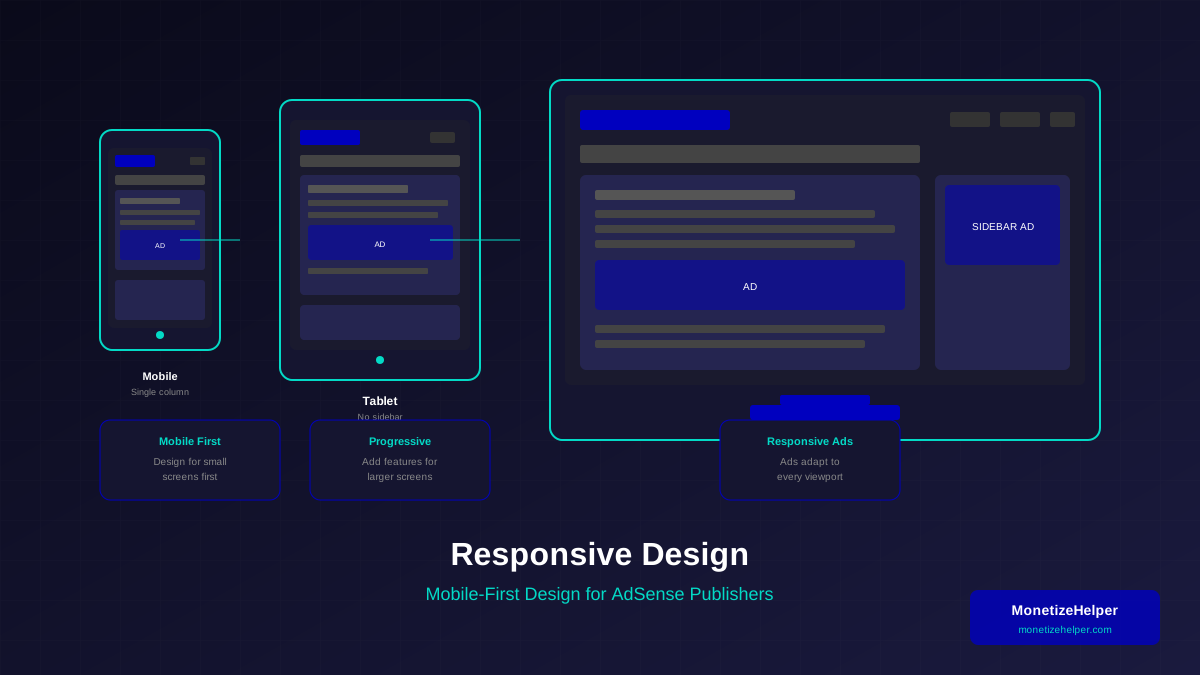
Your layout should adjust to any screen size. Use CSS media queries or a responsive framework. Check our responsive design guide for details.
3. Optimize Images
Large images slow down mobile loading. Use WebP format and compress images. Our image optimization guide shows you how.
You might also find helpful: Structured Data Testing Guide: Validate Schema Markup Like a Pro →
4. Make Touch Targets Big Enough
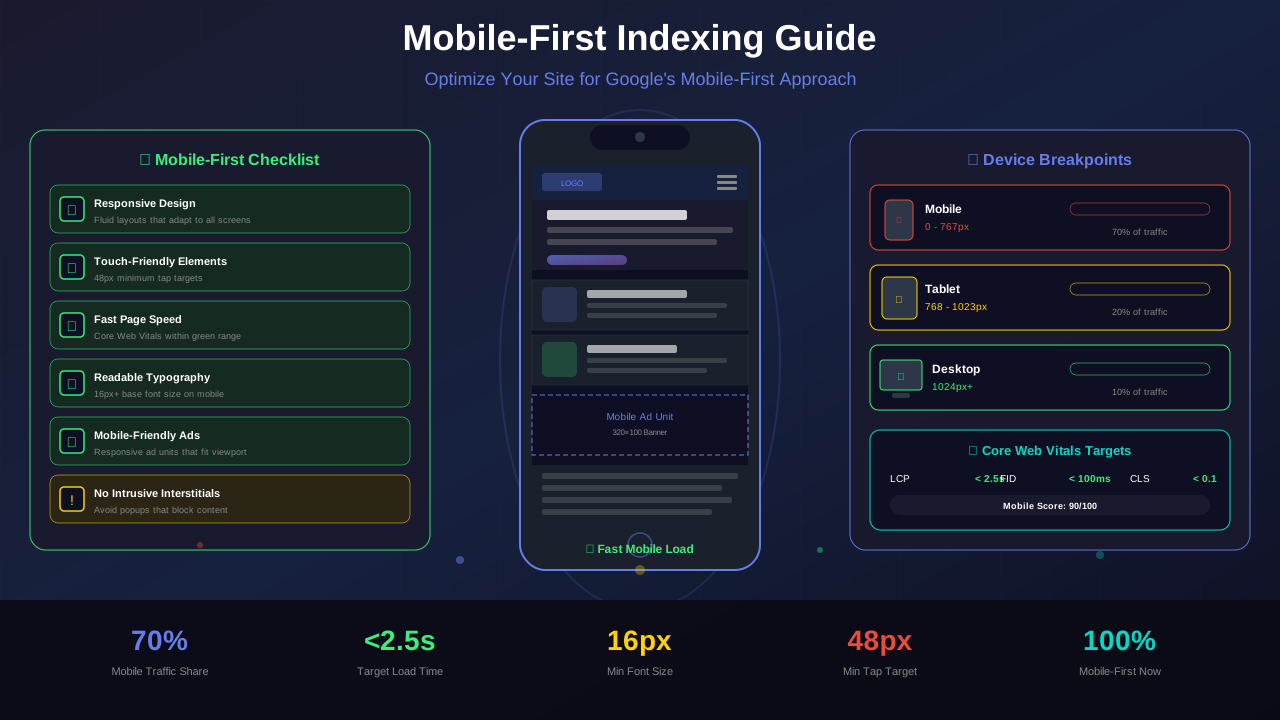
Buttons and links need to be at least 48x48 pixels. Fingers are bigger than mouse cursors. Give users enough space to tap.
5. Speed Up Your Site
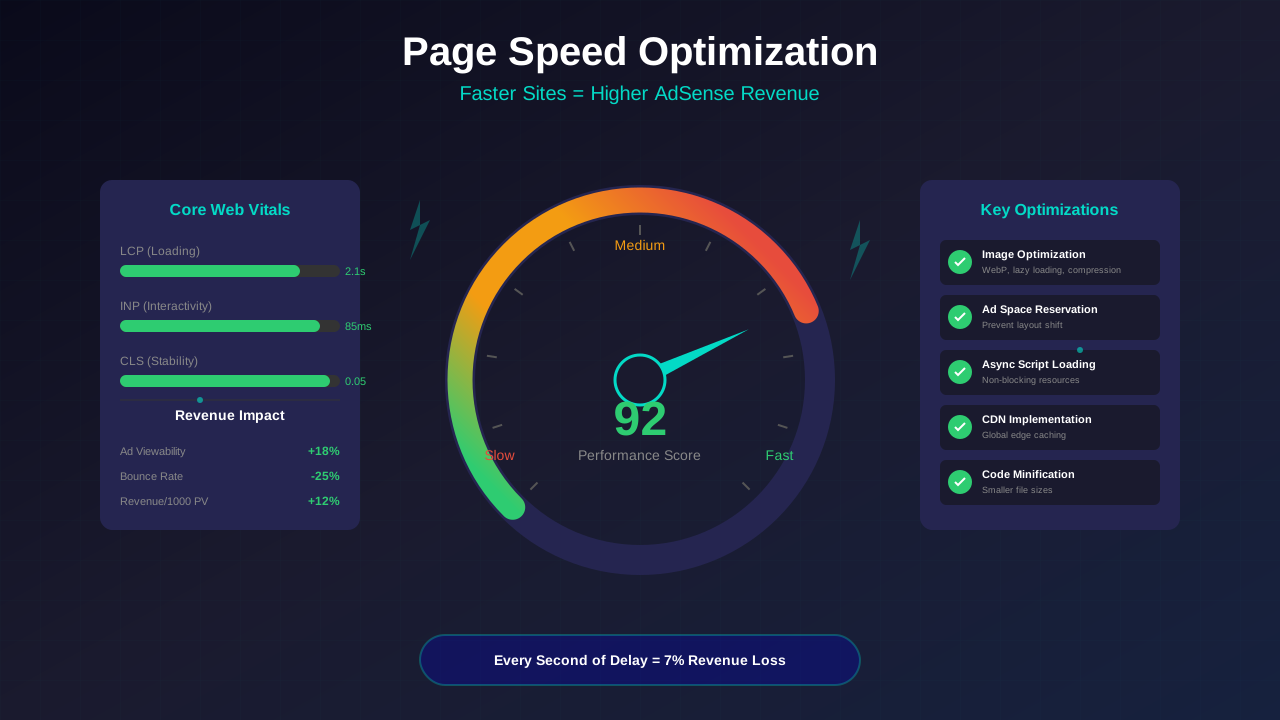
Mobile connections can be slow. Every second of delay costs you visitors. Aim for a load time under 3 seconds. See our page speed guide for help.
"If your site's mobile experience is lacking, users are 5 times more likely to leave. Mobile optimization isn't optional anymore."
— Google Search Central
Mobile Tips for Better AdSense Revenue
A mobile-friendly site earns more from AdSense. Here's how to boost mobile ad revenue:
For more on this topic, see our guide on Canonical Tags & Duplicate Content: The Complete SEO Fix Guide →
Use Responsive Ad Units
Responsive ad units automatically adjust to fit any screen. They work better than fixed-size ads on mobile devices.
Place Ads Where Users Scroll
Mobile users scroll more than desktop users. Place ads between content sections where they naturally pause.
Don't Overload With Ads
Mobile screens are small. Too many ads make the page feel cluttered. Stick to 2-3 ad units per page on mobile.
Test on Real Devices
Don't just use browser tools. Test your ads on actual phones and tablets. The experience can be very different.
Learn more in HTTPS & SSL Security: Essential Guide for AdSense Sites →
Frequently Asked Questions
Does mobile-first indexing affect desktop rankings?
Yes! Google uses your mobile site to determine rankings for both mobile and desktop searches. A poor mobile site hurts everywhere.
What if my site looks different on mobile and desktop?
Make sure all important content is on the mobile version. If content only appears on desktop, Google won't see it for ranking purposes.
How do I know if my site has been switched to mobile-first indexing?
Check Google Search Console. You'll see a notification when your site moves to mobile-first indexing. Most sites have already been switched.
Does mobile page speed affect AdSense earnings?
Yes! Faster pages get more pageviews, which means more ad impressions. Even a 1-second improvement can boost revenue by 10-20%.
Conclusion
Mobile-first indexing is here to stay. Your mobile site is now your main site in Google's eyes. Make it fast, user-friendly, and well-designed.
Start by running the tests mentioned above. Fix the high-priority issues first. Then work on speed and ad placement.
A great mobile experience means better rankings, more traffic, and higher AdSense revenue. You've got this!