Core Web Vitals directly impact your search rankings, user experience, and ultimately your AdSense revenue. But here is the challenge: ads can hurt your performance scores. This guide shows you how to optimize for both—great Core Web Vitals while maintaining ad revenue.
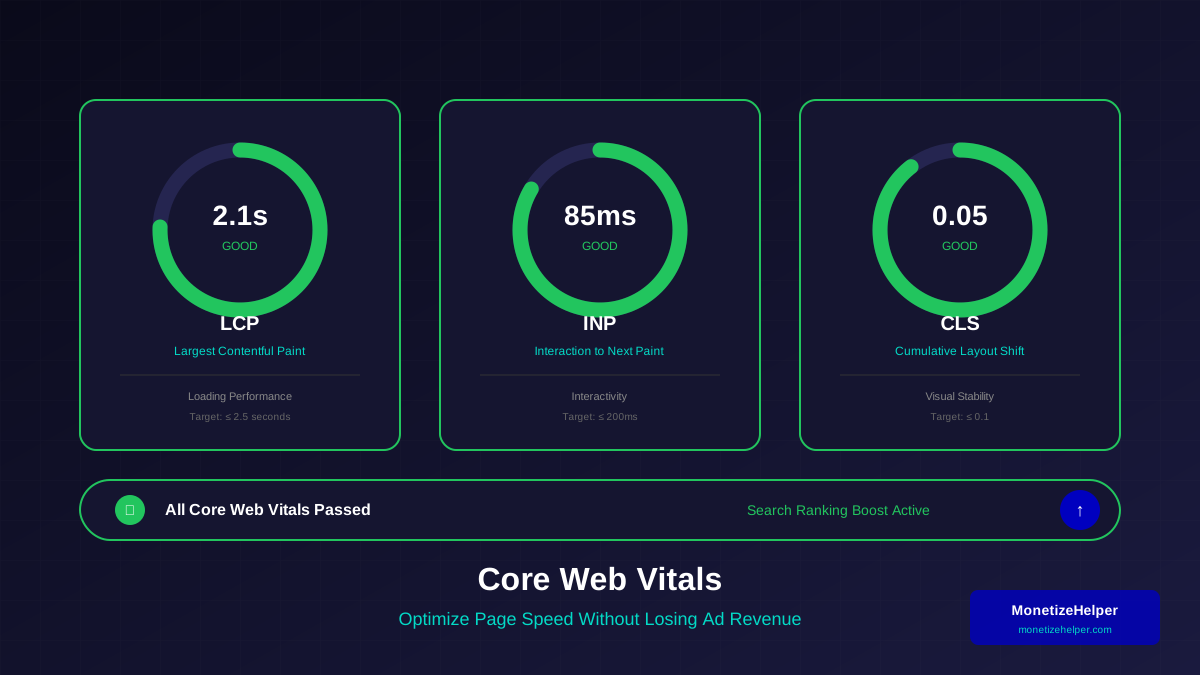
Google uses Core Web Vitals as ranking factors. Sites that pass all three metrics get a ranking boost. Sites that fail may see traffic drop—and with it, ad revenue.
What You Will Learn:
- Understanding LCP, FID, and CLS metrics
- How ads affect each Core Web Vital
- Optimization techniques for publishers
- Lazy loading ads without hurting viewability
- Testing and measuring improvements
Understanding Core Web Vitals
Core Web Vitals are Google's metrics for measuring real-world user experience. According to Google's web.dev documentation, let's understand each one and how ads affect them.
LCP (Largest Contentful Paint)
LCP measures how long it takes for the largest visible content element to load. This is usually a hero image, video, or large text block.
How Ads Affect LCP:
- Ad scripts compete for network resources
- Third-party ad calls add latency
- Large ad creatives slow rendering
INP (Interaction to Next Paint)
INP measures responsiveness—how quickly your site responds to user interactions like clicks and taps. This replaced FID in 2024.
How Ads Affect INP:
- Ad scripts can block the main thread
- Heavy JavaScript processing delays responses
- Ad refresh cycles cause momentary unresponsiveness
CLS (Cumulative Layout Shift)
CLS measures visual stability—how much content unexpectedly shifts during loading. This is the most common issue for sites with ads.
How Ads Affect CLS:
- Ads loading push content down
- Dynamic ad sizes cause shifts
- Late-loading ads disrupt reading
Optimizing LCP for Publishers
Improving LCP while running ads requires balancing content priority with ad loading.
LCP Optimization Strategies:
1. Defer Ad Loading
Load critical content before ad scripts. Use async loading for ad code:
See also: How to Fix Mixed Content Errors: Complete Guide for Blog Owners →
- Load ads after main content renders
- Use async or defer attributes on ad scripts
- Consider lazy loading below-fold ads
2. Optimize Images
If an image is your LCP element, optimize it. Proper image optimization is crucial for LCP:
- Use modern formats (WebP, AVIF) as recommended by Google's WebP documentation
- Implement responsive images
- Preload hero images
- Use appropriate compression
3. Reduce Server Response Time
- Use a fast hosting provider
- Implement server-side caching
- Use a CDN for global distribution
Test your improvements with PageSpeed Insights and Chrome DevTools.
LCP Benchmarks for Publishers:
| Rating | LCP Time | Publisher Impact |
|---|---|---|
| Good | ≤ 2.5 seconds | Ranking boost, better UX |
| Needs Improvement | 2.5 - 4 seconds | No boost, potential issues |
| Poor | > 4 seconds | Ranking penalty, high bounce |
Fixing CLS Issues with Ads
CLS is the biggest challenge for publishers. Ads are notorious for causing layout shifts. Here is how to fix it.
Reserve Space for Ads
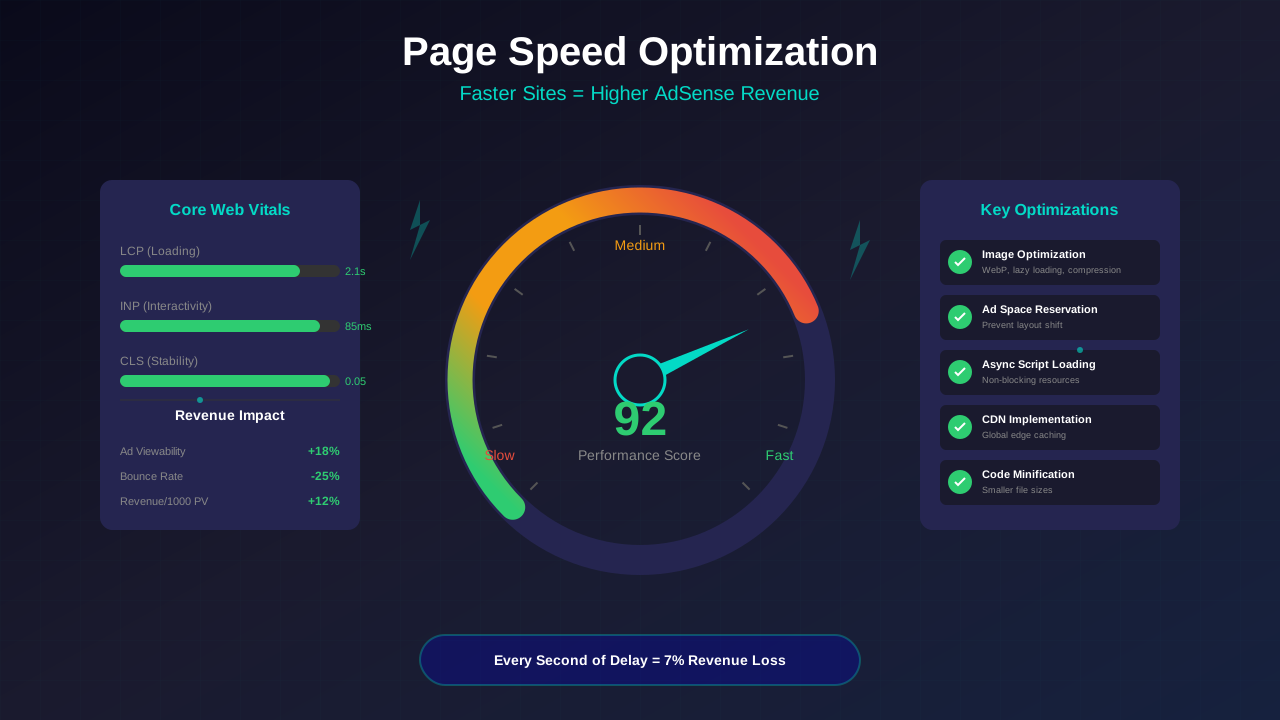
The most effective CLS fix is reserving space for ads before they load. This prevents content from shifting.
Implementation Options:
- Fixed dimensions: Set width and height on ad containers
- Aspect ratio boxes: Use CSS to maintain space
- Min-height: Reserve minimum space for responsive ads
CSS Space Reservation Example:
For a responsive leaderboard ad slot:
You might also find helpful: URL Structure Best Practices: Clean URLs That Boost SEO & AdSense Revenue →
- Set min-height based on typical ad height
- Use aspect-ratio for proportional sizing
- Add background color so empty space looks intentional
Handling Dynamic Ad Sizes:
When ad sizes vary, use the largest expected size as your reserved space. Smaller ads will center within the space.
"Reserve space for your ad slots equivalent to the size of the ad creative that will be loaded. This prevents shifts when ads load."
— Google Web.dev
Improving INP Scores
INP measures responsiveness. Heavy ad scripts can block the main thread, making your site feel sluggish.
INP Optimization Strategies:
1. Minimize Main Thread Work
- Defer non-critical JavaScript
- Break up long tasks
- Use web workers for heavy processing
2. Optimize Ad Script Loading
- Load ad scripts asynchronously
- Limit the number of ad partners
- Remove unused ad tags
3. Reduce JavaScript Execution Time
- Remove unnecessary third-party scripts
- Optimize your own JavaScript
- Use efficient event handlers
Lazy Loading Ads Without Losing Revenue
Lazy loading ads improves performance but can hurt viewability if not implemented correctly.
Lazy Loading Best Practices:
- Above-fold ads: Never lazy load—these should load immediately
- In-content ads: Load when 200-500px from viewport
- Below-fold ads: Lazy load with comfortable buffer
Balancing Performance and Revenue:
- Too aggressive = missed impressions
- Too conservative = no performance benefit
- Test different thresholds for your traffic
Measuring Core Web Vitals
You can not optimize what you do not measure. Use these tools to track your Core Web Vitals performance.
You might also find helpful: Structured Data Testing Guide: Validate Schema Markup Like a Pro →
Measurement Tools:
| Tool | Data Type | Best For |
|---|---|---|
| PageSpeed Insights | Lab + Field | Quick diagnostics |
| Search Console | Field | Tracking trends |
| Chrome DevTools | Lab | Debugging issues |
| Web Vitals Extension | Real-time | Quick checks |
| Lighthouse | Lab | Detailed analysis |
Field vs Lab Data:
- Field data: Real user measurements (CrUX data)—what Google uses for rankings
- Lab data: Simulated tests—useful for debugging but not used for rankings
Focus on field data for ranking impact, but use lab data to diagnose and fix issues. Remember that mobile optimization is especially important since most field data comes from mobile users.
Common Issues for Publishers
These are the most frequent Core Web Vitals problems affecting AdSense publishers.
Issue 1: Ads Causing Layout Shift
Solution: Reserve space with CSS, use fixed ad slot dimensions.
Issue 2: Slow Ad Script Loading
Solution: Load ads asynchronously, defer below-fold ads.
Issue 3: Too Many Third-Party Scripts
Solution: Audit and remove unnecessary scripts, limit ad partners.
For more on this topic, see our guide on Canonical Tags & Duplicate Content: The Complete SEO Fix Guide →
Issue 4: Large Hero Images
Solution: Optimize images, use modern formats, implement preloading.
Issue 5: Render-Blocking Resources
Solution: Defer non-critical CSS/JS, inline critical CSS.
Frequently Asked Questions
Will improving Core Web Vitals hurt my ad revenue?
Not if done correctly. Proper optimization maintains ad viewability while improving performance. In fact, faster sites often see higher engagement and RPM because users stay longer.
How long until I see ranking improvements?
Google uses field data collected over 28 days. After fixing issues, expect 4-6 weeks before seeing the full impact in rankings and Search Console reports.
Should I remove ads to improve scores?
No. Optimize ad loading instead of removing ads. Many high-traffic sites pass Core Web Vitals while running multiple ads per page.
Learn more in HTTPS & SSL Security: Essential Guide for AdSense Sites →
Which metric is most important?
All three matter for the ranking boost. However, for publishers, CLS often needs the most attention because ads frequently cause layout shifts.
Conclusion
Core Web Vitals optimization is essential for publishers who want to maintain search traffic and rankings. The key is treating ads as part of your performance strategy, not an afterthought.
Focus on reserving ad space for CLS, deferring non-critical ad loading for LCP, and minimizing script impact for INP. With the right approach, you can pass all three metrics while maintaining healthy ad revenue.
For more technical optimization strategies, see our comprehensive Technical SEO Guide for AdSense.