Few things are more devastating for online publishers than waking up to find their AdSense account disabled. The sudden loss of revenue, combined with uncertainty about what went wrong and whether recovery is possible, can feel overwhelming. However, account recovery is often achievable with the right approach and understanding of Google's processes.
This comprehensive guide walks you through understanding why accounts get disabled, how to effectively appeal, and most importantly, how to prevent future issues. Whether your account was just disabled or you are preparing against potential problems, this guide provides the knowledge you need.
Understanding Account Disabling
Google disables AdSense accounts for specific policy violations outlined in their AdSense Program Policies. Understanding these reasons is the first step toward successful recovery.
Common Reasons for Account Disabling
Invalid Traffic (Most Common)
Invalid traffic accounts for approximately 60% of account disablings. This includes:
- Click Fraud: Clicking your own ads or encouraging others to do so
- Bot Traffic: Automated programs generating fake impressions or clicks
- Incentivized Clicks: Offering rewards for clicking ads
- Click Exchange Programmes: Participating in schemes that artificially inflate clicks
- Traffic Purchase: Buying traffic that includes invalid sources
Content Policy Violations
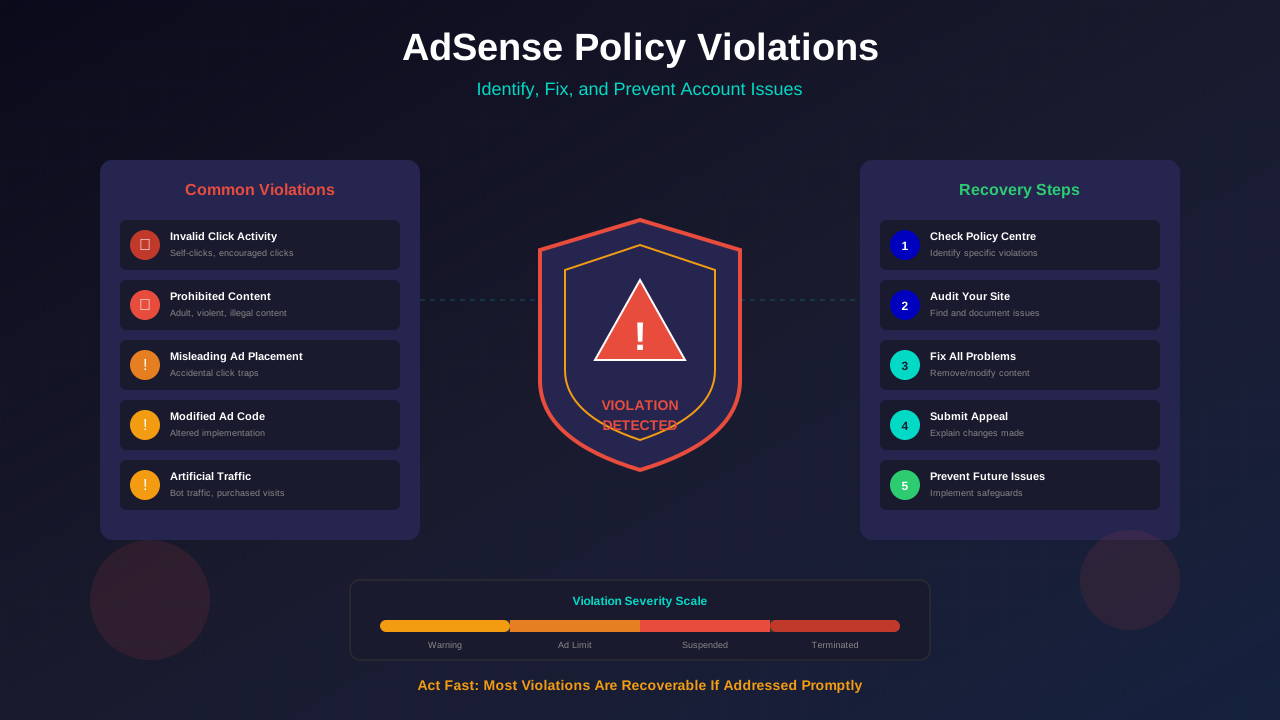
Content issues cause about 25% of disablings. For a deeper understanding of these violations, read our AdSense policy violations recovery guide.
- Prohibited Content: Adult material, violence, hate speech, illegal content
- Copyright Infringement: Hosting copyrighted material without permission
- Scraped Content: Copying content from other websites
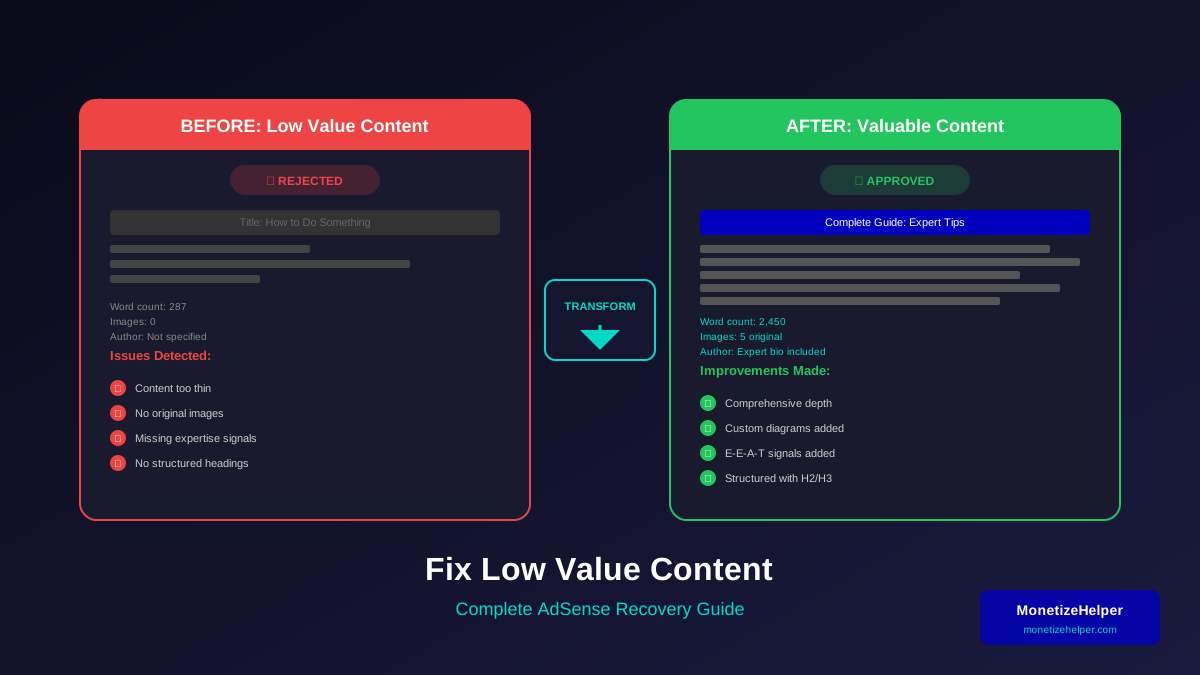
- Thin Content: Pages with little substantive value
- Misleading Content: False information or deceptive claims
Understanding what Google considers quality content for AdSense can help you avoid these issues in the first place.
Implementation Policy Violations
How you implement ads matters:
- Encouraging Clicks: Text near ads that prompts clicking
- Deceptive Placement: Ads designed to look like navigation or content
- Ad Density: Too many ads relative to content
- Pop-Unders: Ads that appear behind the browser window
- Navigation Interference: Ads that block site navigation
Critical Understanding
Google's disabling notification may be vague. They intentionally avoid specifics to prevent gaming the system. Your investigation must examine all potential violation areas, not just those explicitly mentioned.
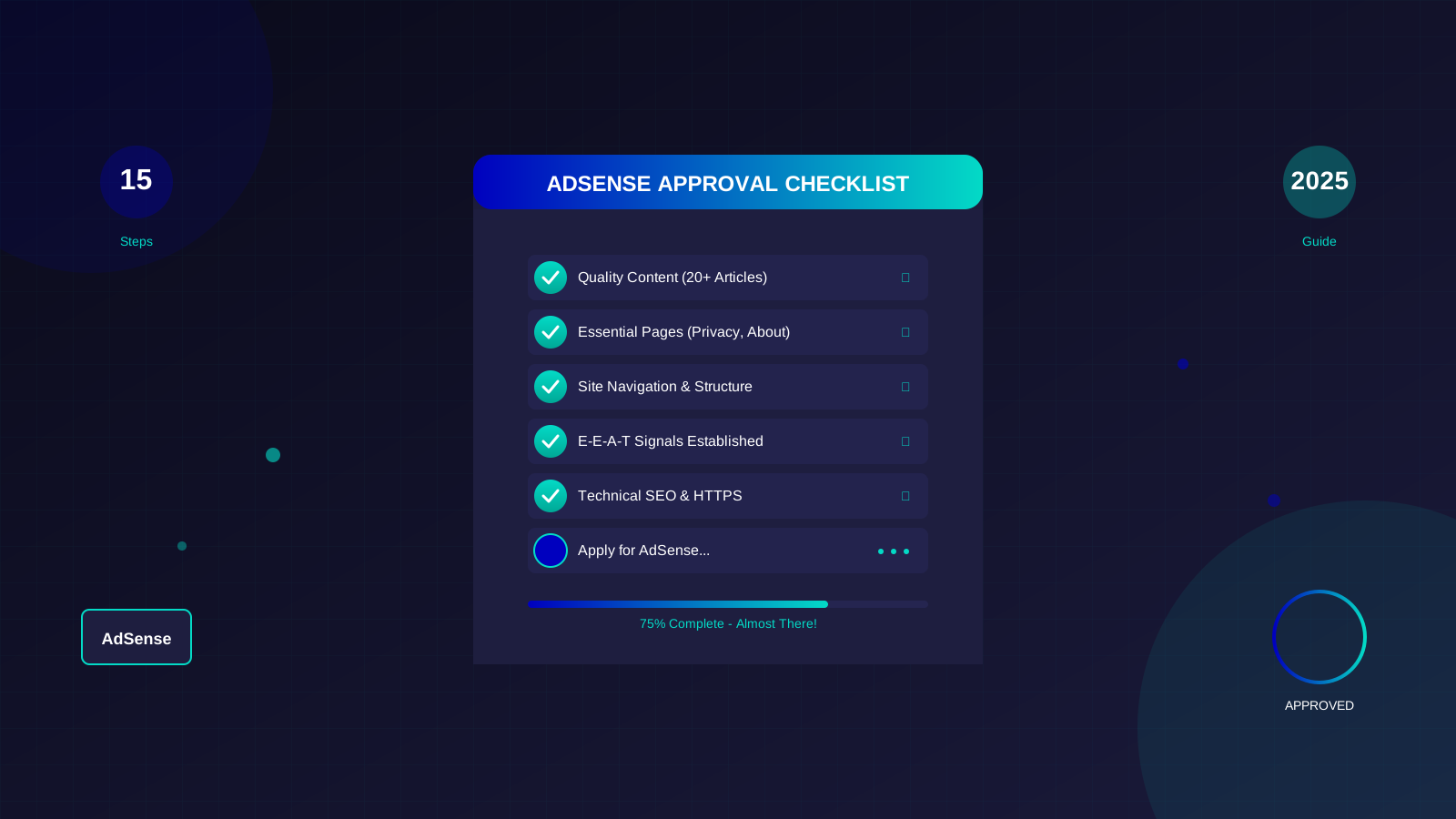
See also: AdSense Approval Checklist 2026: 15 Steps to Get Approved Fast →
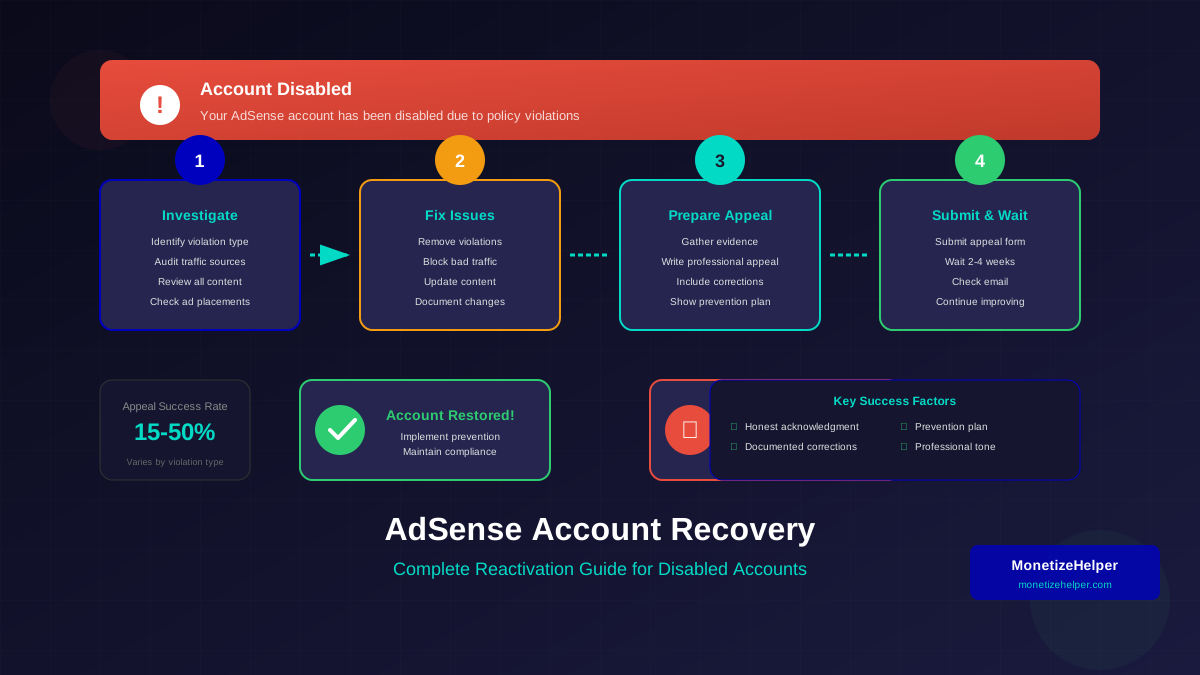
Immediate Steps After Account Disabling
The actions you take in the first 48 hours significantly impact your recovery chances.
Step 1: Stay Calm and Document Everything
Panic leads to poor decisions. Before taking any action:
- Screenshot the disabling notification and all related emails
- Document the date and time you discovered the disabling
- Save your AdSense dashboard data if accessible
- Record your recent earnings, traffic sources, and any changes made
Step 2: Identify the Violation Type
Google's notification typically indicates the category of violation. Common phrases include:
- "Invalid click activity" - Traffic quality issues
- "Policy violations" - Content or implementation problems
- "Risk to advertisers" - Usually traffic quality related
- "Account-level violations" - Serious or repeated issues
Step 3: Conduct a Thorough Site Audit
Review every aspect of your website:
- Traffic Sources: Analyse Google Analytics for suspicious patterns
- Content: Check all pages for policy compliance
- Ad Implementation: Verify placements follow guidelines
- Third-Party Scripts: Review any plugins or scripts that might affect ads
- User Behaviour: Look for unusual click patterns or engagement metrics
The Appeal Process: Step-by-Step
Google provides one appeal opportunity. Making it count requires careful preparation and execution.
See also: Google AdSense Best Practices 2026: What Works Now (and What Doesn't) →
Before You Appeal
Do not rush to appeal. Spend at least 24-48 hours:
- Thoroughly investigating the potential cause
- Fixing any identified issues
- Gathering evidence of legitimate operation
- Documenting the corrective actions taken
Writing an Effective Appeal
Your appeal should follow this structure:
Opening: Acknowledge and Accept Responsibility
Even if you believe the disabling was unjustified, start by acknowledging that Google identified an issue. This shows maturity and willingness to comply.
Body: Explain Your Investigation
Detail what you discovered during your audit. Be specific about:
- The issues you identified
- When these issues likely began
- How they occurred (even if unintentionally)
Actions: Document Your Corrections
Explain specifically what you have changed:
Learn more in AdSense YouTube vs Website: Which Earns More Money in 2026? →
- Content removed or modified
- Traffic sources eliminated
- Implementation changes made
- Preventive measures implemented
Closing: Commit to Compliance
Express your commitment to following policies and request reconsideration professionally. The process is similar to reapplying after an AdSense rejection—thorough preparation increases your success rate.
Appeal Template Structure
Subject: AdSense Account Appeal - [Publisher ID]
1. Acknowledgment of violation (2-3 sentences)
2. Investigation findings (specific details)
3. Corrective actions taken (bullet points)
4. Prevention measures implemented
5. Request for reinstatement (professional tone)
Submitting Your Appeal
- Access the appeal form through your disabling notification email or AdSense Help Centre
- Fill out all required fields completely
- Paste your prepared appeal text
- Include any supporting documentation links
- Submit and note the date/time
After Submitting
Google typically responds within 2-4 weeks, though it can take longer. During this time:
- Do not submit multiple appeals (this can harm your case)
- Continue improving your website
- Maintain normal content publishing
- Monitor your email for responses
Specific Guidance: Invalid Traffic Appeals
Invalid traffic appeals have the lowest success rate but are not impossible. Here is how to maximise your chances:
Learn more in Free vs Self-Hosted Blogs for AdSense: Which One Gets Approved? →
Evidence to Gather
- Google Analytics Data: Traffic sources, geographic distribution, behaviour flow
- Server Logs: If available, show legitimate traffic patterns
- Traffic Source Documentation: Proof of legitimate marketing activities
- Third-Party Verification: Reports from tools like Cloudflare, Sucuri
Common Invalid Traffic Scenarios
Specific Guidance: Content Violation Appeals
Content-related appeals have higher success rates when you can demonstrate complete remediation.
Before Appealing
- Review every page on your website
- Remove or modify all potentially violating content
- Check user-generated content (comments, forums)
- Verify no pages are serving prohibited advertisements
Documenting Changes
Create a spreadsheet showing:
- URLs that were modified or removed
- The specific issue on each page
- The action taken to resolve it
- Date the change was made
What to Do If Your Appeal Is Rejected
A rejected appeal is discouraging but not necessarily final.
Assess Whether to Continue
Consider honestly:
- Was the violation genuine and serious?
- Have you truly addressed all issues?
- Do you have new evidence or information?
Alternative Options
- Start Fresh: With a completely new website and different content approach, you may apply for a new AdSense account after 30+ days. Never use the same content or structure that was previously banned.
- Alternative Networks: Explore AdSense alternatives that may accept publishers with previous account issues.
- Direct Relationships: Develop direct advertising relationships with brands in your niche.
- Different Monetization: Focus on affiliate marketing, sponsored content, or digital products.
Preventing Future Account Issues
Prevention is always better than recovery. Implement these protective measures:
Learn more in AdSense vs Alternatives: Which Ad Network Pays You More? →
Traffic Quality Protection
- Never click your own ads, even accidentally
- Implement click fraud protection tools (ClickCease, PPC Protect)
- Monitor traffic sources in Google Analytics regularly
- Avoid purchasing traffic from unknown sources
- Use reCAPTCHA or similar bot protection
Content Compliance
- Review Google's content policies quarterly
- Audit all website content monthly
- Moderate user-generated content actively
- Implement content guidelines for contributors
- Use plagiarism checkers for all published content
Implementation Best Practices
- Follow Google's ad placement guidelines precisely
- Never place text that encourages ad clicking
- Maintain clear separation between ads and content
- Limit ad density to reasonable levels
- Test all pages across devices for policy compliance
Frequently Asked Questions
How long does the appeal process take?
Google typically responds within 2-4 weeks, though complex cases can take up to 6 weeks. Holidays and peak periods may extend this timeline. You will receive an email notification regardless of the outcome.
Can I create a new AdSense account after being disabled?
Creating a new account to circumvent a ban violates Google's policies and will result in immediate disabling of the new account. However, if you genuinely have a new, different website with unique content, you may apply after addressing all previous issues and waiting at least 30 days.
Will I receive my unpaid earnings?
For invalid traffic violations, Google typically withholds earnings to refund affected advertisers. For other violations, you may receive accumulated earnings above the payment threshold, though this is not guaranteed.
Can I appeal more than once?
Google generally allows one formal appeal. However, if you discover significant new information or evidence after rejection, you can contact AdSense support through alternative channels. Multiple identical appeals harm your case.
Should I hire a professional to appeal?
Be cautious of services claiming high appeal success rates. No one can guarantee reinstatement. However, legitimate AdSense consultants can help you understand violations and prepare stronger appeals. Research any service thoroughly before paying.
Conclusion: Recovery and Resilience
Account disabling is challenging but often recoverable with the right approach. Focus on genuinely understanding what went wrong, making meaningful corrections, and presenting a professional, evidence-based appeal. Whether your appeal succeeds or not, the lessons learned protect your future monetization efforts.
Remember that diversification protects against platform dependency. Even after successful recovery, implement multiple revenue streams so that no single account affects your entire business.
Most importantly, maintain compliance as an ongoing priority, not a one-time effort. Regular audits, policy reviews, and proactive protection measures ensure long-term monetization success.