Receiving an AdSense policy violation notice can be alarming. Whether it's a warning, ad serving limitation, or account suspension, understanding what went wrong and how to fix it is essential for protecting your revenue stream. Most violations are correctable if you act quickly and thoroughly.
This guide covers the most common AdSense policy violations, how to identify issues on your site, and step-by-step recovery strategies to restore your account to good standing.
Understanding AdSense Policy Violations
AdSense policies exist to protect advertisers, users, and the ecosystem. Violations range from minor issues requiring simple fixes to severe problems that can result in permanent account termination.
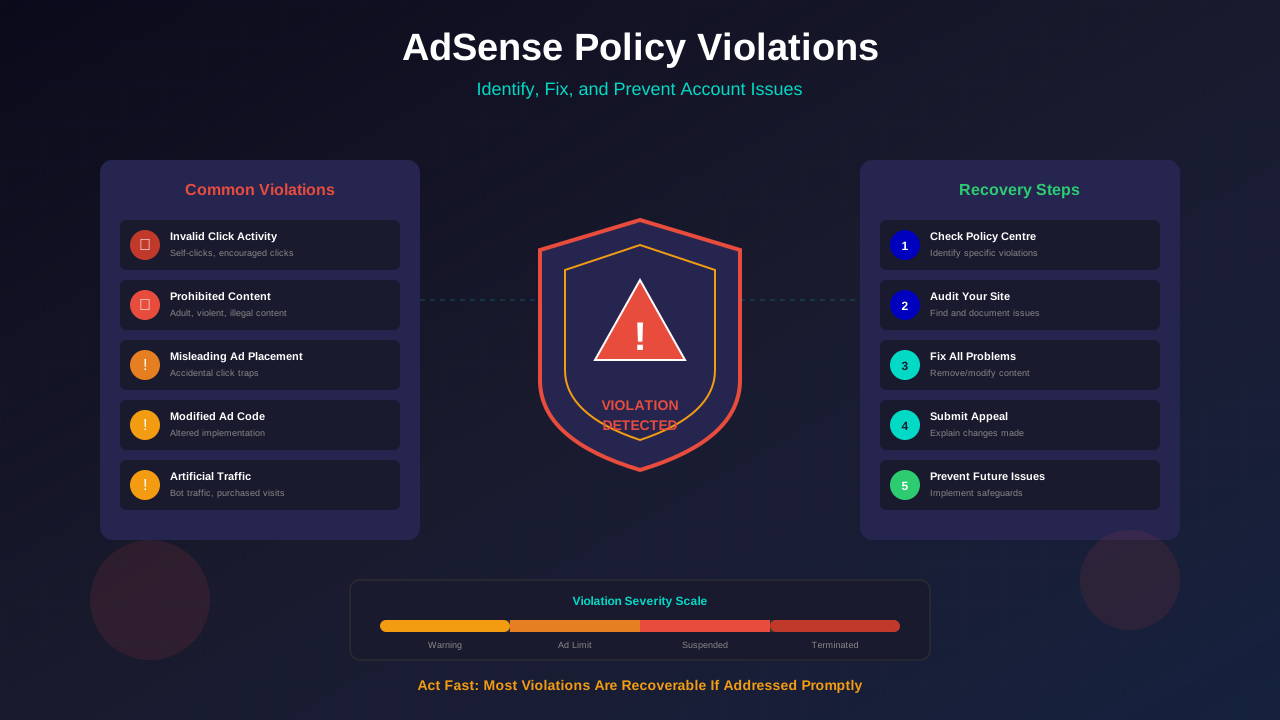
Violation Severity Levels
Google categorises violations by severity:
- Warnings: First-time or minor violations. You have time to fix the issue before penalties apply.
- Ad Serving Limitations: Ads are limited or stopped on specific pages or your entire site whilst you address issues.
- Account Suspension: Temporary suspension requiring appeal after fixing violations.
- Account Termination: Permanent ban for severe or repeated violations.
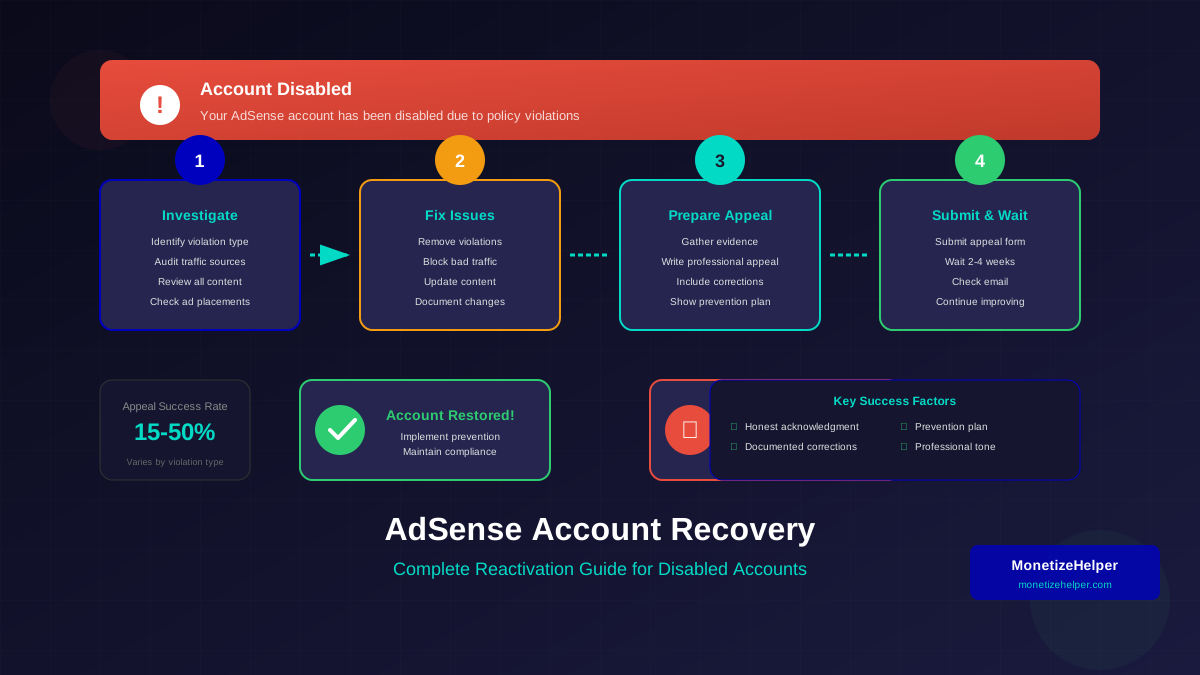
If your account has already been disabled, see our AdSense account reactivation guide for recovery steps.
Where to Check Violations
Google notifies you of violations through multiple channels:
- AdSense Policy Centre (in your AdSense dashboard)
- Email notifications to your registered address
- Google Search Console messages (for some issues)
Common Policy Violations
Understanding the most frequent violations helps you avoid them and recognise issues quickly:
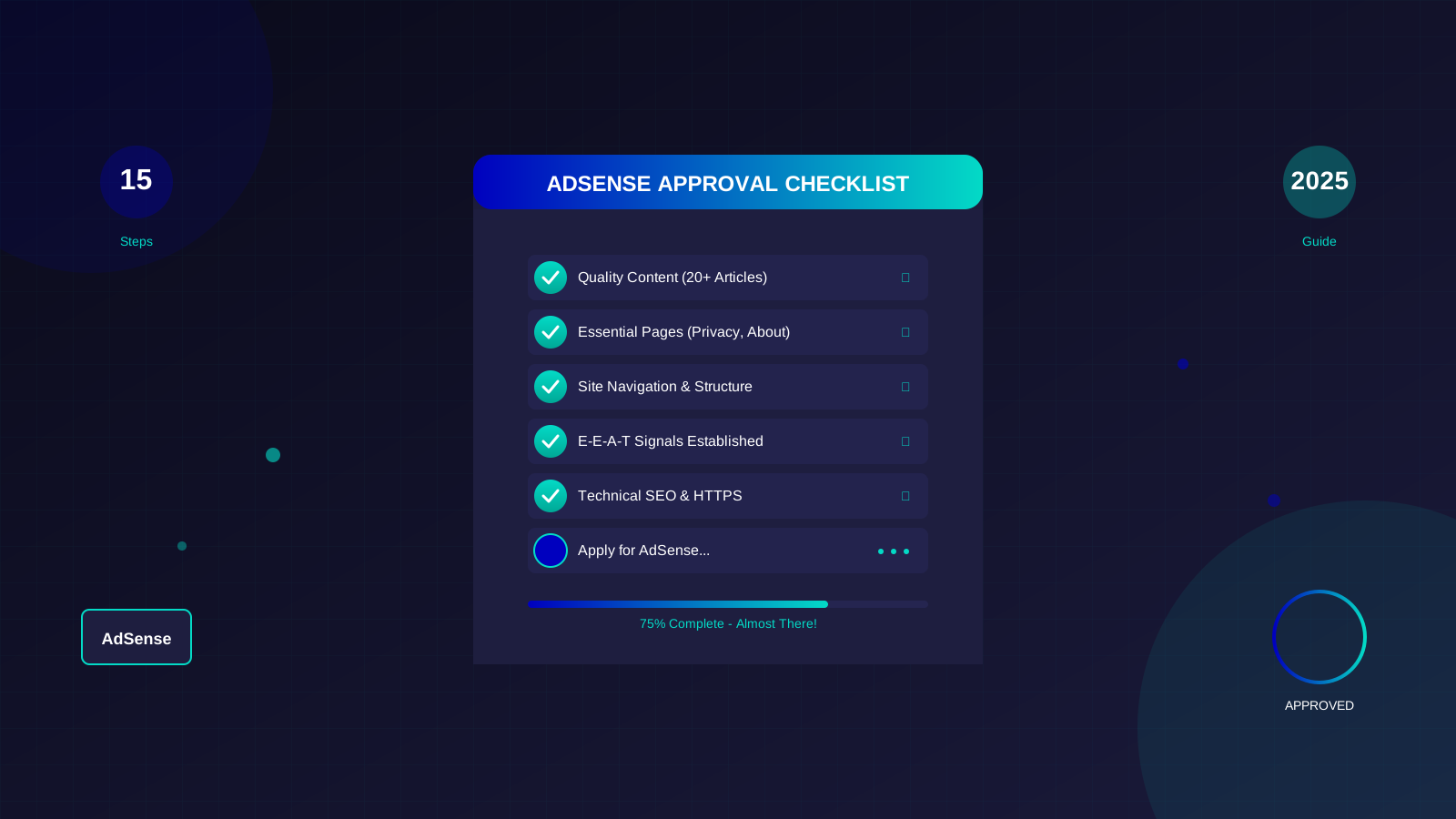
See also: AdSense Approval Checklist 2026: 15 Steps to Get Approved Fast →
Invalid Click Activity
The most serious violation. This includes clicking your own ads, encouraging clicks, or artificial traffic sources. Google's systems detect patterns that suggest manipulation.
Prevention: Never click your own ads, don't ask others to click, avoid incentivised traffic, and monitor traffic sources for anomalies.
Content Policy Violations
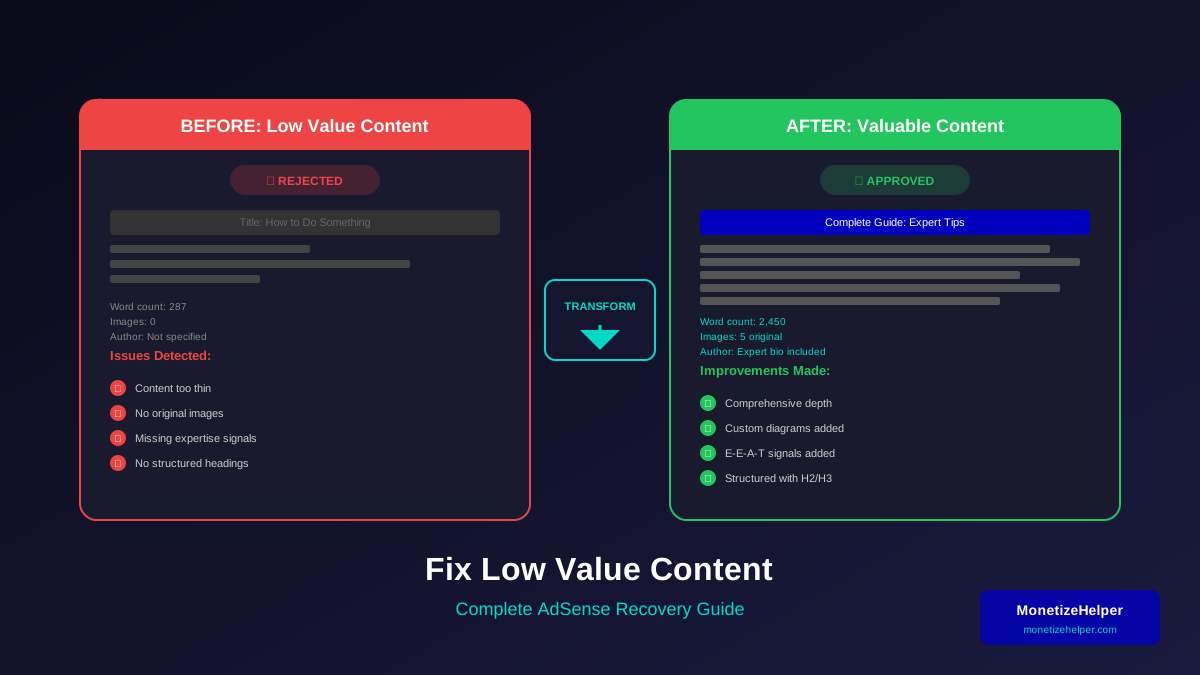
Prohibited content includes issues related to what constitutes quality content. Common violations include:
- Adult or sexually explicit material
- Violence or graphic content
- Hate speech or discriminatory content
- Illegal activities or products
- Deceptive or misleading content
- Copyrighted material without permission
Ad Implementation Issues
Technical violations related to how ads are displayed:
See also: Google AdSense Best Practices 2026: What Works Now (and What Doesn't) →
- Modifying ad code
- Placing ads on pages with no content
- Ads that refresh automatically
- Placing ads in pop-ups or new windows
- Ads that obscure content
Misleading Ad Placement
Ads positioned to generate accidental clicks:
- Ads too close to navigation elements
- Ads disguised as content or download buttons
- Multiple ads stacked together confusingly
- Ads that shift content causing misclicks
Critical Warning
Invalid click activity is treated extremely seriously. Even one instance of clicking your own ads intentionally can result in immediate account termination. Google's detection systems are sophisticated—don't test them.
Identifying Issues on Your Site
When you receive a violation notice, systematic investigation helps identify the problem:
Check the Policy Centre
The AdSense Policy Centre provides specific information about violations. It may identify particular pages or give general guidance about the issue type.
Learn more in AdSense YouTube vs Website: Which Earns More Money in 2026? →
Review Recent Changes
Consider what changed recently. This audit process is similar to what you would do when reapplying for AdSense after rejection:
- New content published
- Theme or design changes
- New plugins or scripts added
- Ad placement modifications
- Traffic source changes
Audit Your Content
Review all content for policy compliance:
- Check for accidentally published drafts
- Review user-generated content (comments, forum posts)
- Examine image and video content
- Check for scraped or duplicate content
Analyse Traffic Sources
Unusual traffic patterns may indicate problems:
- Sudden traffic spikes from unusual sources
- High bounce rates with short sessions
- Traffic from countries inconsistent with your audience
- Referral traffic from suspicious sites
Fixing Violations
Once you identify issues, address them thoroughly:
Learn more in Free vs Self-Hosted Blogs for AdSense: Which One Gets Approved? →
Content Violations
- Remove or modify the problematic content
- If removal isn't possible, remove ads from those specific pages
- Review similar content for potential issues
- Document what you changed
Ad Placement Issues
- Adjust ad positions to avoid accidental clicks
- Add spacing between ads and interactive elements
- Ensure ads are clearly distinguishable from content
- Test on multiple devices to verify fixes
Traffic Issues
- Identify and block suspicious traffic sources
- Stop any paid traffic campaigns temporarily
- Review and remove referral sources that seem artificial
- Monitor traffic patterns for continued anomalies
The Appeal Process
If your account is suspended, you'll need to appeal after fixing issues:
Before Appealing
- Fix ALL identified issues, not just the most obvious
- Wait 24-48 hours after fixes for changes to propagate
- Review your entire site for potential issues you might have missed
- Document all changes you made
Writing an Effective Appeal
- Be specific: Explain exactly what issues you found and how you fixed them
- Be honest: If you made mistakes, acknowledge them
- Be thorough: Show you understand the policies and have taken comprehensive action
- Be professional: Avoid emotional language or blaming Google
After Appealing
- Wait for Google's response (can take days to weeks)
- Don't submit multiple appeals—this can slow the process
- If rejected, carefully read the response and address any remaining issues
- You typically get limited appeal attempts—make each one count
Prevention Strategies
Preventing violations is easier than recovering from them:
Regular Audits
Schedule monthly reviews of:
- All content for policy compliance
- Ad placements on different devices
- User-generated content sections
- Traffic sources and patterns
Content Guidelines
Establish clear guidelines for content creation:
Learn more in AdSense vs Alternatives: Which Ad Network Pays You More? →
- Create a content policy document for contributors
- Review all content before publishing
- Moderate user-generated content actively
- Keep records of content sources and permissions
Technical Safeguards
- Use click fraud protection services
- Monitor traffic sources in Google Analytics
- Set up alerts for unusual traffic patterns
- Keep ad code implementation simple and unmodified
Frequently Asked Questions
Can I get my account back after termination?
Termination is usually permanent, but you can submit one appeal. Success rates are low for termination appeals. If unsuccessful, you cannot create a new AdSense account—Google links accounts by payment information, personal details, and other signals.
Someone clicked my ads repeatedly—will I be penalised?
Google's systems are designed to identify and filter invalid clicks. If you notice suspicious activity, report it through AdSense immediately. Document what you observed. Proactive reporting shows good faith and helps protect your account.
How long do violations stay on my account?
Google doesn't publish specific timelines, but your account history influences how violations are treated. First-time minor violations typically don't have lasting effects if properly addressed. Repeated violations lead to more severe consequences.
Can I run ads on some pages whilst others are flagged?
Yes, you can remove ad code from specific problem pages whilst continuing to monetise compliant content. This is often the best approach for content you can't or won't modify.
My site was hacked and violated policies—what do I do?
Clean your site immediately, then appeal explaining the situation. Include evidence of the hack (access logs, timestamps) and steps you've taken to prevent future breaches. Google generally understands security incidents if you respond quickly.
Conclusion: Protecting Your Account
AdSense policy violations are serious but usually manageable if you respond appropriately. The key is quick action, thorough investigation, and comprehensive fixes. Don't panic, but don't delay either.
Prevention remains the best strategy. Regular audits, clear content guidelines, and traffic monitoring help you catch potential issues before they become violations. Treat your AdSense account as a valuable business asset requiring ongoing attention and care.
If you do receive a violation notice, approach it methodically: understand the issue, fix it completely, and demonstrate to Google that you take compliance seriously. Most publishers who follow this approach successfully maintain their accounts long-term.