Every image you find online is protected by copyright. That means you cannot simply copy and paste photos from Google into your blog posts. Doing so could get you sued, fined, or even banned from Google AdSense.
Many bloggers have learned this lesson the hard way. Some have received demand letters for thousands of dollars. Others lost their AdSense accounts entirely. The good news is that using images legally is not hard once you understand the rules.
What You Will Learn
- What copyright protection means for images online
- The different types of image licenses explained simply
- How fair use works and when it does not protect you
- Where to find free images you can use on your blog
- How to create your own images and graphics
- What happens during a DMCA takedown process
- How copyright violations can hurt your AdSense revenue
- Penalties and damages for image copyright infringement
- Best practices for proper image attribution
What Copyright Means for Images
Copyright is automatic. The moment someone takes a photo or creates a graphic, they own the copyright. They do not need to register it. They do not need to add a copyright symbol. It belongs to them by law.
This means almost every image online has an owner. Even if there is no watermark or credit, someone still holds the rights. Using that image without permission is infringement.
Common Myths About Image Copyright
Many bloggers believe myths that get them in trouble. Here are a few dangerous ones:
- "I found it on Google, so it's free." Google indexes images. It does not license them.
- "I gave credit, so it's okay." Attribution does not replace permission.
- "It's only a small blog." Copyright law applies to blogs of every size.
- "No one will notice." Reverse image search tools make it easy to find stolen photos.
"Copyright protection exists from the moment a work is created in a fixed, tangible form. Registration is not required for protection."
— U.S. Copyright Office
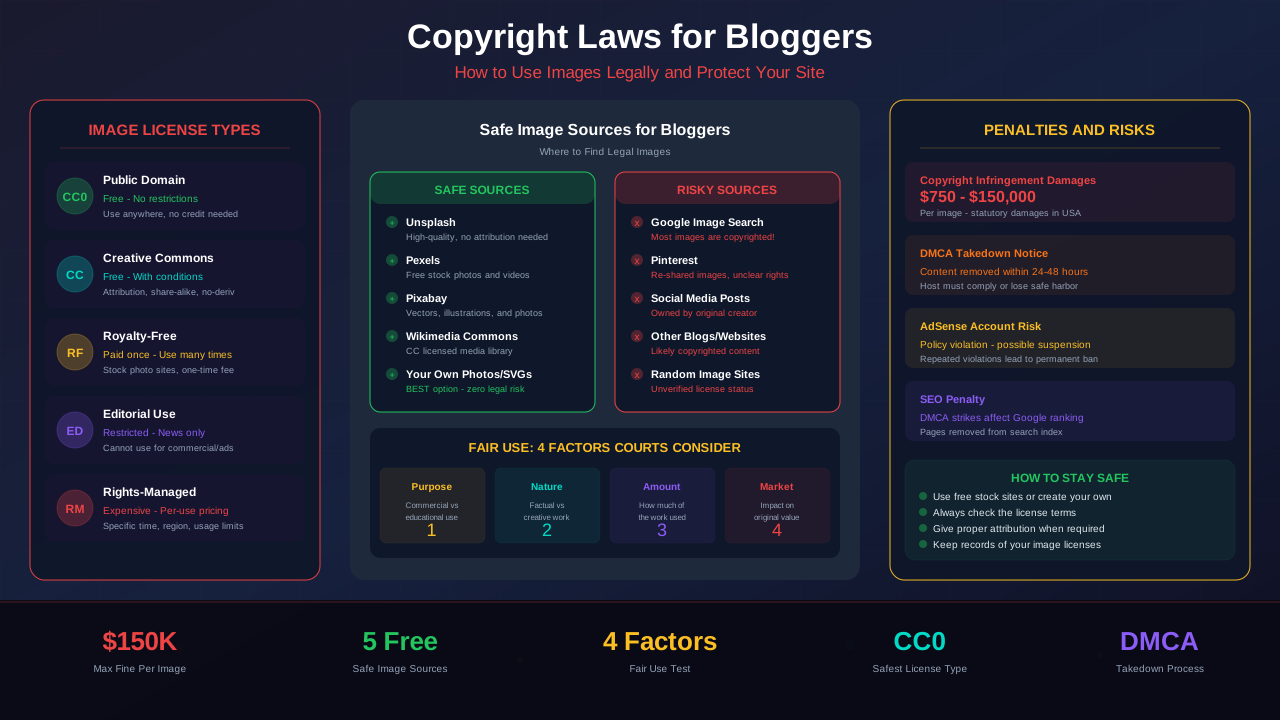
Types of Image Licenses
Not all licenses are the same. Some let you do almost anything with an image. Others have strict rules. Here are the main types you need to know.
Public Domain
Public domain images have no copyright restrictions. You can use them for any purpose, including commercial blogs. Copyright has either expired, been forfeited, or never existed.
Creative Commons
Creative Commons (CC) licenses let creators share their work with specific conditions. There are several types, and each one has different rules.
For more on this topic, see our guide on Terms & Conditions Generator Guide: Protect Your Blog Legally in 2026 →
| License Type | Commercial Use | Modifications | Attribution Required |
|---|---|---|---|
| CC0 (Public Domain) | Yes | Yes | No |
| CC BY | Yes | Yes | Yes |
| CC BY-SA | Yes | Yes (share alike) | Yes |
| CC BY-ND | Yes | No | Yes |
| CC BY-NC | No | Yes | Yes |
| CC BY-NC-SA | No | Yes (share alike) | Yes |
| CC BY-NC-ND | No | No | Yes |
Royalty-Free
Royalty-free does not mean free. You usually pay a one-time fee. After that, you can use the image many times without paying again. Sites like Shutterstock and iStock sell royalty-free images.
Rights-Managed
Rights-managed images are licensed for a specific use. The price depends on how you plan to use the image. Factors include size, placement, duration, and geographic region.
Editorial Use Only
Some images are licensed for editorial use only. This means you can use them in news articles or educational content. You cannot use them on a monetized blog or in advertising.
Understanding Fair Use
Fair use is a legal defense, not a right. It allows limited use of copyrighted material without permission in certain cases. But it is tricky, and courts decide on a case-by-case basis.
The Four Factors of Fair Use
Courts look at four factors when deciding if something is fair use:
- Purpose and character of use: Is it transformative? Is it commercial or educational?
- Nature of the copyrighted work: Is the original creative or factual?
- Amount used: How much of the original did you use?
- Effect on the market: Does your use hurt the original's market value?
"Fair use is one of the most misunderstood aspects of copyright law. Bloggers often assume their use qualifies when it does not."
For more on this topic, see our guide on COPPA Compliance for Bloggers: How to Protect Kids and Your AdSense Account →
— Electronic Frontier Foundation
When Fair Use Typically Does NOT Apply to Bloggers
- Using a photo to make your blog post look nicer
- Copying an image for a product review on a monetized site
- Reposting infographics or charts without adding new commentary
- Using stock photos you found online without paying for them
If your blog earns money through AdSense or affiliate links, courts view your use as commercial. This makes fair use much harder to claim.
Where to Find Free Legal Images
You do not have to pay for every image. Many websites offer high-quality photos you can use for free, even on commercial blogs. Here are the best options.
Top Free Image Websites
- Unsplash: Beautiful, high-resolution photos. Free for commercial use. No attribution required.
- Pexels: Free stock photos and videos. No attribution needed.
- Pixabay: Over 2 million free images, vectors, and illustrations.
- Wikimedia Commons: Huge library of public domain and CC-licensed media.
- StockSnap.io: Hundreds of new free photos added weekly.
Important Warnings About Free Image Sites
Even on free sites, check the license for each image. Some images may have special restrictions. Also, people sometimes upload copyrighted images to free sites without permission.
Always check for model releases if the photo shows a person. Using someone's face to promote a product without consent can lead to a separate lawsuit.
Creating Your Own Images
The safest option is to create your own images. When you make it, you own it. No license worries, no attribution requirements, and no risk of lawsuits.
Tools for Creating Blog Graphics
- Canva: Easy drag-and-drop design tool with free templates
- Figma: Professional design tool with a generous free tier
- GIMP: Free, open-source alternative to Photoshop
- Excalidraw: Simple tool for creating hand-drawn style diagrams
- Screenshots: Take your own screenshots with proper permission
Creating custom SVG graphics, like the ones in this article, is another smart approach. They load fast, look sharp on all screens, and you own the copyright completely.
For more on this topic, see our guide on Image Attribution & Copyright: The Complete Blogger Guide →
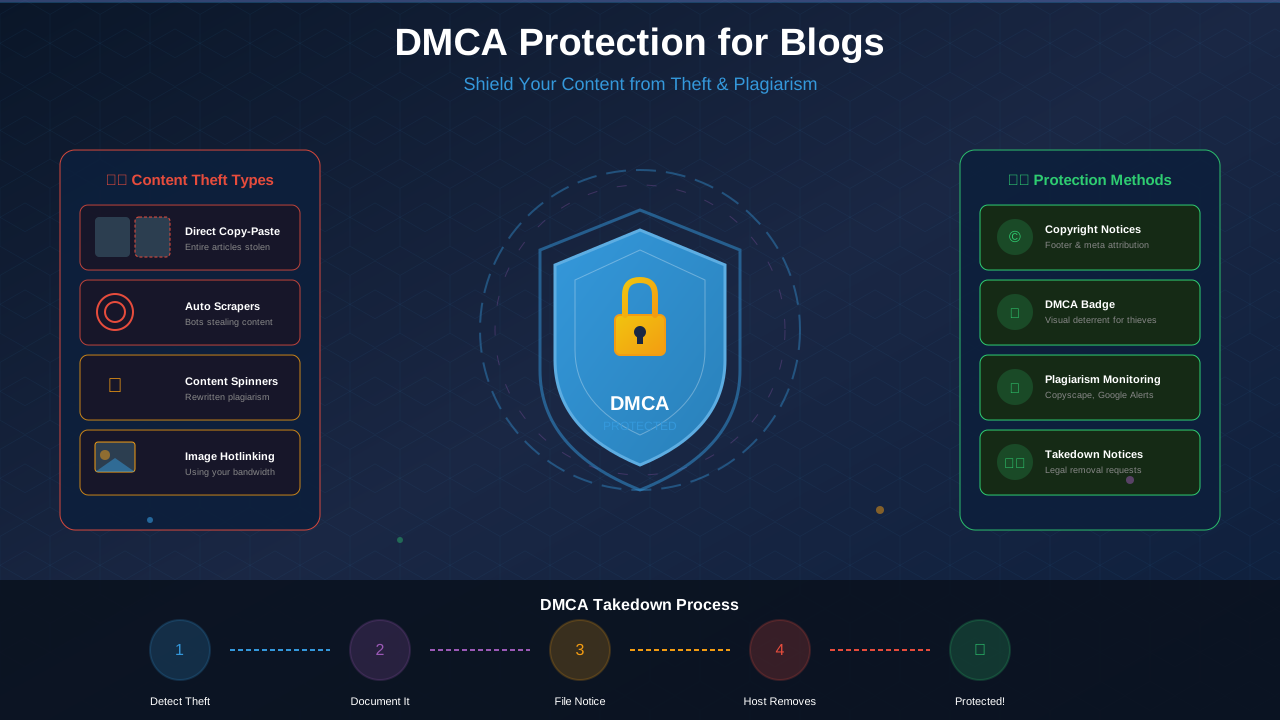
The DMCA Takedown Process
The Digital Millennium Copyright Act gives copyright owners a way to remove stolen content from the internet. If you use someone else's image, here is what can happen.
How a DMCA Takedown Works
- The copyright owner finds their image on your blog
- They send a DMCA takedown notice to your hosting provider
- Your host must remove the content or risk losing safe harbor protection
- You get notified and can file a counter-notice if you believe the claim is wrong
- If no counter-notice is filed, the content stays down
This process can happen without warning. One day your blog post is live, and the next day your host has removed it.
Consequences of DMCA Takedowns
- Blog posts or entire pages removed without your control
- Repeat offenses can get your hosting account terminated
- Lost traffic and revenue during the takedown period
- Damage to your reputation with hosting providers
How Copyright Violations Affect AdSense
Google takes copyright very seriously. Using stolen images on your blog can hurt your AdSense account in several ways.
Google's AdSense Publisher Policies require you to have legal rights to all content on your site. This includes images. If Google finds copyrighted content on your site, they can reduce your ad serving or disable your account.
"Publishers must have the necessary rights to display all content on pages where Google ads are shown, including text, images, video, and any other media."
— Google AdSense Program Policies
Ways Copyright Issues Can Affect Your Revenue
- Ad serving limits: Google may restrict ads on pages with copyright issues
- Policy violations: Repeated issues lead to warnings and account restrictions
- Account suspension: Severe or repeated violations can get your AdSense account banned
- Legal costs: Lawsuits from copyright holders drain your earnings
- Traffic loss: DMCA takedowns reduce your organic traffic and revenue
An AdSense account is hard to get back once it is disabled. Protect your revenue by always using images legally from the start.
See also: Sponsored Content Disclosure: Legal Requirements Every Blogger Must Know →
Penalties and Damages for Infringement
Copyright infringement is not just about getting a takedown notice. You can face real financial consequences that are much larger than you might expect.
Types of Damages
| Damage Type | Amount | When It Applies |
|---|---|---|
| Actual Damages | Varies (lost license fees) | Owner proves financial loss |
| Statutory Damages | $750 – $30,000 per image | No need to prove actual loss |
| Willful Infringement | Up to $150,000 per image | You knew it was copyrighted |
| Attorney's Fees | $10,000 – $100,000+ | Owner's legal costs added to yours |
| Settlement Demands | $500 – $5,000 typical | Copyright trolls commonly demand this |
Many bloggers receive demand letters from companies that specialize in finding copyright violations. These letters typically demand $500 to $5,000 to settle. Ignoring them can lead to a lawsuit with much higher costs.
Best Practices for Image Attribution
When a license requires attribution, do it the right way. Bad attribution can be almost as risky as no attribution. Here is how to credit images properly.
Proper Attribution Format
A good attribution includes four elements:
- Title of the image (if available)
- Creator name with a link to their profile
- Source with a link to the original image
- License type with a link to the license
For example: "Sunset Over Mountains" by Jane Doe on Unsplash. Licensed under Unsplash License.
Where to Place Attribution
- Directly below the image in a caption
- At the bottom of the blog post in a credits section
- In the image alt text (in addition to visible credit)
Never bury attribution in a page that is hard to find. Keep it close to the image so readers and copyright owners can easily see it. This also helps if you need to prove you gave proper credit.
Learn more in Earnings Disclaimer Template for Blogs: Free Copy-Paste Guide →
Frequently Asked Questions
Can I use images from Google Image Search on my blog?
No. Google Image Search is a search tool, not an image library. The images belong to their original creators. You need to check the license for each image before using it. Google does offer a "Creative Commons" filter in image search, but always verify the license at the source.
What happens if I accidentally use a copyrighted image?
Ignorance is not a defense under copyright law. If you receive a takedown notice, remove the image immediately. If you get a demand letter, consider consulting a lawyer. Acting quickly and in good faith can sometimes reduce penalties. The best approach is to check licenses before publishing, not after you get caught.
Do I need to credit free images from Unsplash or Pexels?
Unsplash and Pexels do not require attribution, but it is always a nice practice. Giving credit supports the photographer and builds goodwill. Some bloggers include a small credits section at the bottom of each post. It takes very little effort and shows respect for the creator's work.
Can I use screenshots of other websites in my blog posts?
Screenshots fall into a gray area. Using a screenshot for commentary, criticism, or education may qualify as fair use. But using a screenshot of someone's copyrighted artwork or photography is still risky. Always add your own commentary or analysis when using screenshots, and use only what is necessary to make your point.
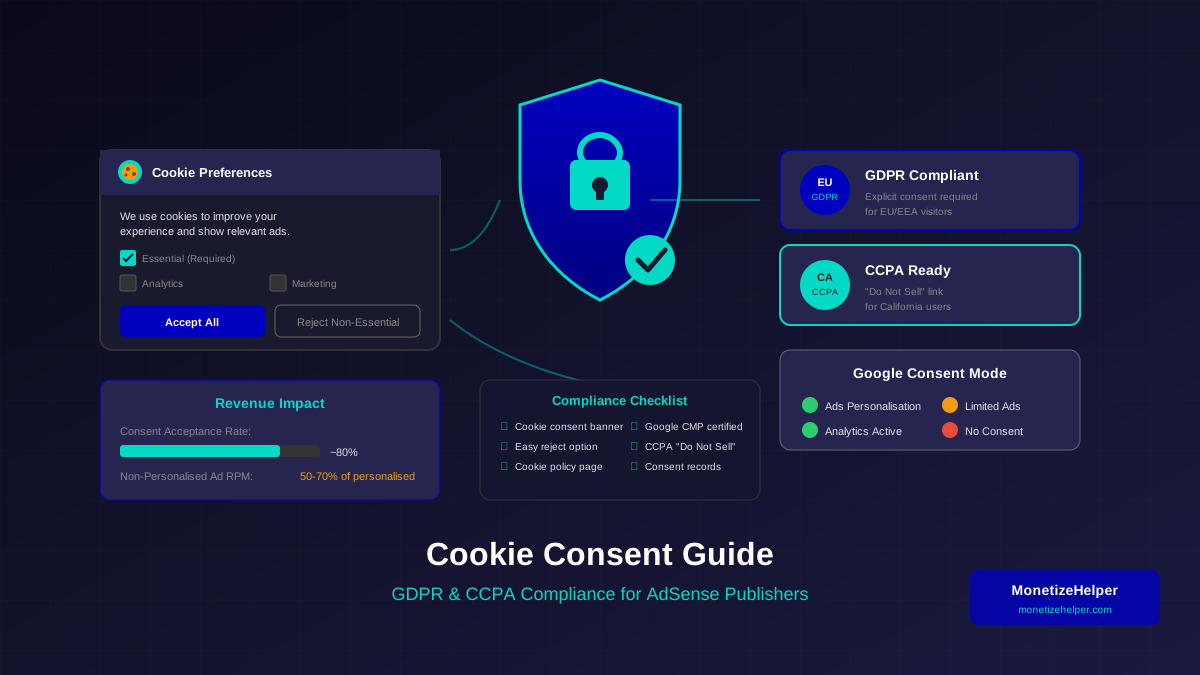
How do copyright laws affect my GDPR and privacy compliance?
Copyright and privacy laws are separate but can overlap. If you use a photo of a person, you may need both copyright permission and consent under privacy laws like GDPR. This is especially important for photos of EU citizens. Always secure model releases and check both copyright and privacy requirements before publishing images that feature identifiable people.