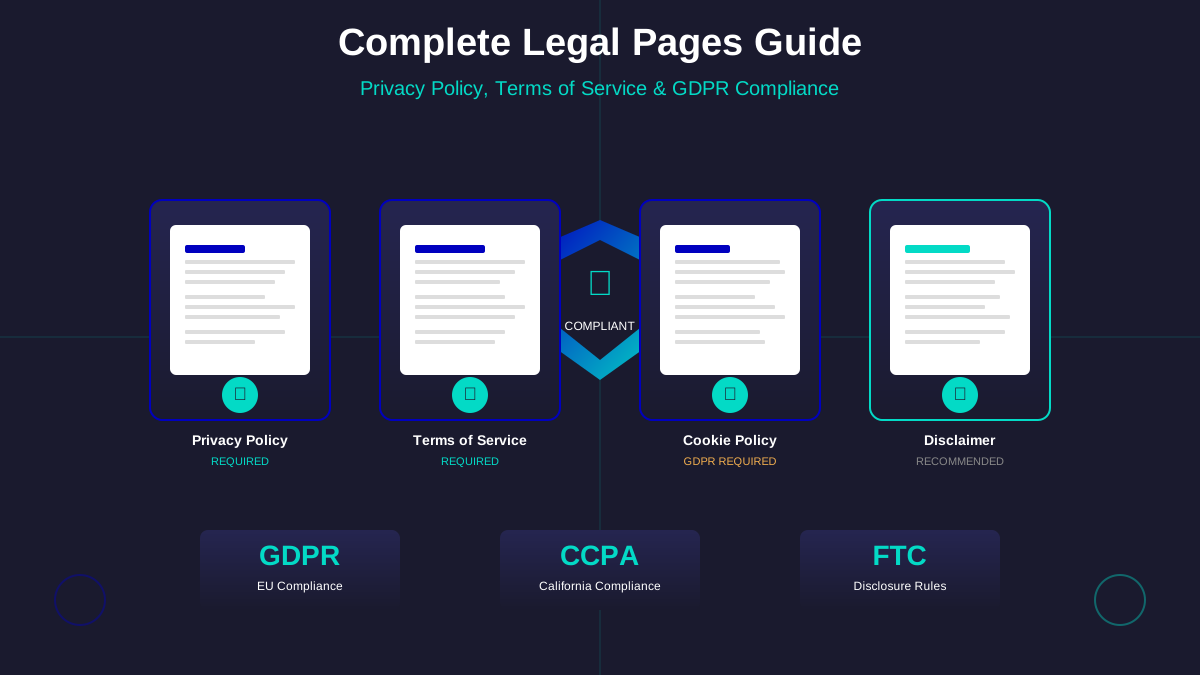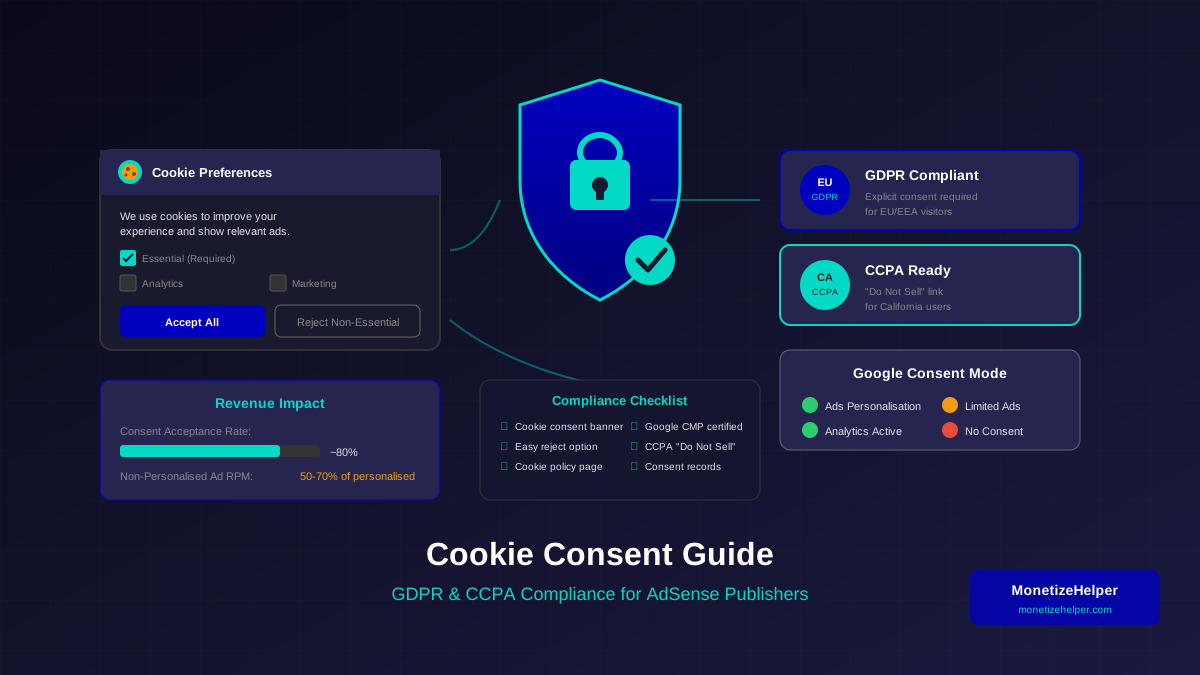
Cookie consent is no longer optional for AdSense publishers—it is a legal requirement that directly impacts your monetization capabilities. With Google's ongoing privacy initiatives and increasingly strict global regulations, publishers who fail to implement proper consent mechanisms risk losing ad revenue, facing legal penalties, and damaging user trust.
This comprehensive guide walks you through everything you need to know about cookie consent for AdSense websites, from understanding the legal requirements to implementing practical solutions that maintain your revenue whilst respecting user privacy.
Why Cookie Consent Matters for AdSense Publishers
Cookies are essential to how Google AdSense functions. They track user behaviour, enable personalised advertising, and measure ad performance. However, this same functionality falls squarely within privacy regulations that govern how you collect and use visitor data.
Legal Exposure
GDPR violations can result in fines up to €20 million or 4% of annual global turnover. CCPA penalties range from $2,500 to $7,500 per intentional violation. Even small publishers are subject to these regulations when they serve visitors from covered jurisdictions.
Google's Requirements
Google's EU User Consent Policy requires publishers to obtain consent before using cookies for personalised advertising when serving European users. Failure to comply can result in limited ad serving or account suspension—directly impacting your AdSense revenue.
User Trust
Beyond legal requirements, transparent cookie practices build user trust. Visitors who understand and control their privacy settings engage more positively with your content and advertisements, ultimately benefiting your long-term monetization.
Important Warning
Non-compliant cookie practices can trigger AdSense policy violations. Google actively monitors consent implementation and may restrict ad serving or disable accounts that fail to meet their consent requirements.
Understanding the Key Regulations
Several major privacy regulations affect how you handle cookies and user consent. Understanding each helps you implement comprehensive compliance.
GDPR (General Data Protection Regulation)
The GDPR applies to any website that serves EU/EEA visitors, regardless of where your business is located. Key requirements include:
For more on this topic, see our guide on Terms & Conditions Generator Guide: Protect Your Blog Legally in 2026 →
- Explicit Consent: Users must actively opt in to non-essential cookies. Pre-ticked consent boxes are explicitly prohibited.
- Informed Consent: Users must understand what cookies do and why they are used before consenting.
- Granular Choices: Users should be able to accept some cookie categories whilst rejecting others.
- Easy Withdrawal: Withdrawing consent must be as easy as giving it.
- Documentation: You must maintain records of consent for compliance verification.
CCPA (California Consumer Privacy Act)
CCPA applies to businesses serving California residents that meet certain thresholds (annual revenue over $25 million, handling data of 50,000+ consumers, or deriving 50%+ revenue from selling personal information). Requirements include:
- Opt-Out Rights: Consumers can opt out of the "sale" of their personal information (which includes some cookie-based advertising).
- "Do Not Sell" Link: A clear link allowing users to opt out must be visible on your website.
- Notice at Collection: Disclose what categories of data you collect and how you use them.
- Non-Discrimination: You cannot penalise users who exercise their privacy rights.
ePrivacy Directive
The ePrivacy Directive (often called the "Cookie Law") works alongside GDPR and specifically addresses electronic communications, including cookies. It requires consent before placing non-essential cookies on user devices.
Google's Specific Consent Requirements
Google has its own consent requirements that work in conjunction with regional regulations. Understanding these is essential for maintaining your AdSense revenue.
EU User Consent Policy
Google's EU User Consent Policy requires publishers serving EU/EEA and UK users to:
- Obtain consent before using cookies for personalised advertising
- Use a Google-certified Consent Management Platform (CMP) or implement the IAB TCF framework
- Provide clear information about data collection and use
- Allow users to withdraw consent easily
Consent Mode
Google Consent Mode allows you to adjust how Google tags behave based on user consent choices. When consent is denied, Google tags can still operate in a limited way that respects privacy whilst recovering some analytics and advertising functionality through modelling.
GDPR Message Requirement
As of 2024, Google requires publishers using AdSense to implement either a Google-certified CMP or use Google's own consent messaging feature to serve ads in the EU/EEA and UK. Non-compliance results in limited ad serving in these regions.
For more on this topic, see our guide on COPPA Compliance for Bloggers: How to Protect Kids and Your AdSense Account →
Google Funding Choices
Google Funding Choices is a free consent solution available within your AdSense dashboard. It allows you to create GDPR-compliant consent messages without third-party tools. For most small publishers, this is the simplest compliant solution.
Implementing Cookie Consent: Step-by-Step
Here is a practical implementation guide for cookie consent on your AdSense website:
Step 1: Audit Your Cookies
Before implementing consent, understand what cookies your website uses:
- Open your website in Chrome DevTools (F12 > Application > Cookies)
- Document all cookies, their purposes, and duration
- Categorise cookies as Essential, Analytics, Marketing, or Functional
- Identify third-party cookies (including Google AdSense cookies)
Step 2: Choose a Consent Management Platform
Select a CMP that fits your needs:
Step 3: Configure Your Consent Banner
Your consent banner must include:
- Clear explanation of what cookies are used for
- Easy access to detailed cookie information
- Accept and Reject buttons (equally prominent)
- Link to your cookie policy and privacy policy
- Option to customise cookie preferences
Step 4: Implement Consent-Dependent Loading
Configure your website to load AdSense and other non-essential scripts only after obtaining consent. Most CMPs handle this automatically through tag management integration.
For more on this topic, see our guide on Image Attribution & Copyright: The Complete Blogger Guide →
Step 5: Implement CCPA Compliance
If you serve California visitors, add:
- A "Do Not Sell My Personal Information" link in your footer
- A mechanism for users to submit opt-out requests
- Updated privacy policy with CCPA-required disclosures
For a complete walkthrough of California privacy requirements, see our detailed guide on CCPA compliance for website owners.
Setting Up Google Funding Choices
For most AdSense publishers, Google Funding Choices provides the simplest path to compliance. Here is how to set it up:
Accessing Funding Choices
- Log in to your AdSense account
- Navigate to Privacy & messaging in the left sidebar
- Select GDPR under Privacy message types
- Click Get Started to create your consent message
Configuring Your Message
- Select the regions where the message should appear (EU/EEA is default)
- Choose your message style and colours to match your website
- Customise the message text whilst maintaining required elements
- Configure consent options (Accept, Manage Options, Reject if required)
- Preview and publish your message
Handling Non-Consent
When users decline consent, Google can serve:
- Limited Ads: Non-personalised ads that do not rely on cookies
- No Ads: Option to show no ads to non-consenting users
- Alternative Content: Display alternative messaging in ad slots
Maintaining Ad Revenue With Consent
Implementing cookie consent inevitably affects some revenue, but strategic approaches minimise the impact:
Consent UX Best Practices
How you present consent options significantly affects acceptance rates:
Related reading: Copyright Laws for Bloggers: How to Use Images Legally →
- Clear Value Exchange: Explain how personalised ads support free content
- Non-Intrusive Design: Use banners that do not obscure content aggressively
- Mobile Optimisation: Ensure consent mechanisms work well on mobile devices
- Quick Dismiss: Make accepting or rejecting consent fast and straightforward
Non-Personalised Ads Strategy
When users decline personalised advertising, non-personalised ads still generate revenue:
- Non-personalised ads use contextual targeting based on page content
- RPMs are typically 30-50% lower than personalised ads
- Focus on high-quality, topically relevant content to improve contextual targeting
- Some revenue is better than no revenue from rejected consent
Consent Mode Implementation
Google Consent Mode helps recover some measurement and advertising capabilities when consent is denied:
- Analytics continues with modelled conversions
- Ad serving adjusts to consent state automatically
- Advertisers can still bid on your inventory with limited signals
- Implementation requires updating your gtag or GTM configuration
Creating Your Cookie Policy
A comprehensive cookie policy supports your consent implementation. Include:
Essential Elements
- Cookie Definition: Explain what cookies are in plain language
- Cookie Categories: List the types of cookies you use and their purposes
- Third-Party Cookies: Disclose cookies set by Google, analytics, and other third parties
- Cookie Duration: Specify how long each cookie category persists
- User Controls: Explain how users can manage or delete cookies
- Policy Updates: State how and when you will update the policy
Your cookie policy should integrate seamlessly with your broader privacy policy for AdSense. Both documents work together to provide comprehensive disclosure to your visitors.
Cookie Categories to Document
Testing Your Compliance Implementation
After implementing cookie consent, verify that your solution works correctly:
Functional Testing
- Test consent banner appearance across devices and browsers
- Verify that cookies are not set before consent is given
- Confirm that AdSense loads only after consent
- Test the reject/decline flow to ensure proper handling
- Verify preference persistence across sessions
Geographic Testing
- Use VPNs to test from different regions (EU, California, etc.)
- Verify that appropriate messages appear for each jurisdiction
- Confirm CCPA "Do Not Sell" link visibility for California visitors
Compliance Auditing Tools
- Cookiebot Scanner: Free audit of your website's cookies
- OneTrust Scanner: Comprehensive cookie and tracking audit
- Browser DevTools: Manual verification of cookie behaviour
Frequently Asked Questions
Do I need cookie consent if most of my visitors are not from the EU?
If you have any EU visitors, GDPR applies to their visits. Additionally, Google's consent requirements apply to all EU/EEA traffic regardless of your location. Most global websites implement universal consent to ensure compliance across all jurisdictions.
See also: Sponsored Content Disclosure: Legal Requirements Every Blogger Must Know →
Will cookie consent significantly reduce my AdSense revenue?
Impact varies by audience geography and consent acceptance rates. EU publishers typically see 10-30% revenue impact, whilst publishers with primarily US traffic see minimal effects. Optimising consent UX and using non-personalised ads for declining users minimises losses.
Can I use a simple "Accept All" cookie banner?
GDPR requires meaningful choice, meaning you must offer a genuine option to reject non-essential cookies. Many regulators have ruled that "Accept" only banners without equivalent "Reject" options are non-compliant. Always provide both options.
How often should I update my cookie consent implementation?
Review your implementation quarterly to ensure continued compliance. Regulations evolve, Google's requirements change, and your website's cookie usage may shift as you add new features or integrations. Regular audits prevent compliance gaps.
What happens if a user clears their cookies after consenting?
When consent cookies are cleared, you must request consent again on their next visit. This is expected behaviour under GDPR—consent cannot be permanent and must be refreshed when the consent mechanism is reset.
Conclusion: Compliance as Competitive Advantage
Cookie consent compliance is not merely a regulatory burden—it is an opportunity to build user trust and demonstrate professionalism. Publishers who implement transparent, user-friendly consent mechanisms often see improved engagement metrics alongside maintained ad revenue.
Start with Google Funding Choices for immediate compliance with AdSense requirements, then evaluate more comprehensive CMPs as your needs evolve. Remember that compliance is an ongoing process requiring regular review and updates as regulations and Google's policies continue to develop.
By taking cookie consent seriously, you protect your AdSense revenue stream whilst respecting user privacy—a balance that serves both your business interests and ethical publishing practices.
To complete your legal compliance setup, make sure you also have a proper disclaimer page for your AdSense website that addresses advertising and data collection practices.