Your URL structure is one of the first things Google sees when crawling your site. A clean, descriptive URL tells both search engines and users exactly what your page is about — before they even click. Yet many bloggers get this wrong, and it costs them rankings, traffic, and AdSense revenue.
Good URL structure isn't just about looking tidy. It directly affects how Google crawls, indexes, and ranks your content. Sites with logical, keyword-rich URLs consistently outperform those with messy, parameter-heavy addresses. This guide covers everything you need to know to get your URLs right.
What You'll Learn:
- Why URL structure matters for SEO and AdSense
- The anatomy of a perfect URL
- 7 best practices for SEO-friendly URLs
- Common URL mistakes that hurt rankings
- How to fix existing bad URLs safely
- CMS-specific URL configuration guides
Why URL Structure Matters for SEO
URLs are a confirmed Google ranking factor. While they carry modest weight compared to content quality and backlinks, they still influence three key areas.
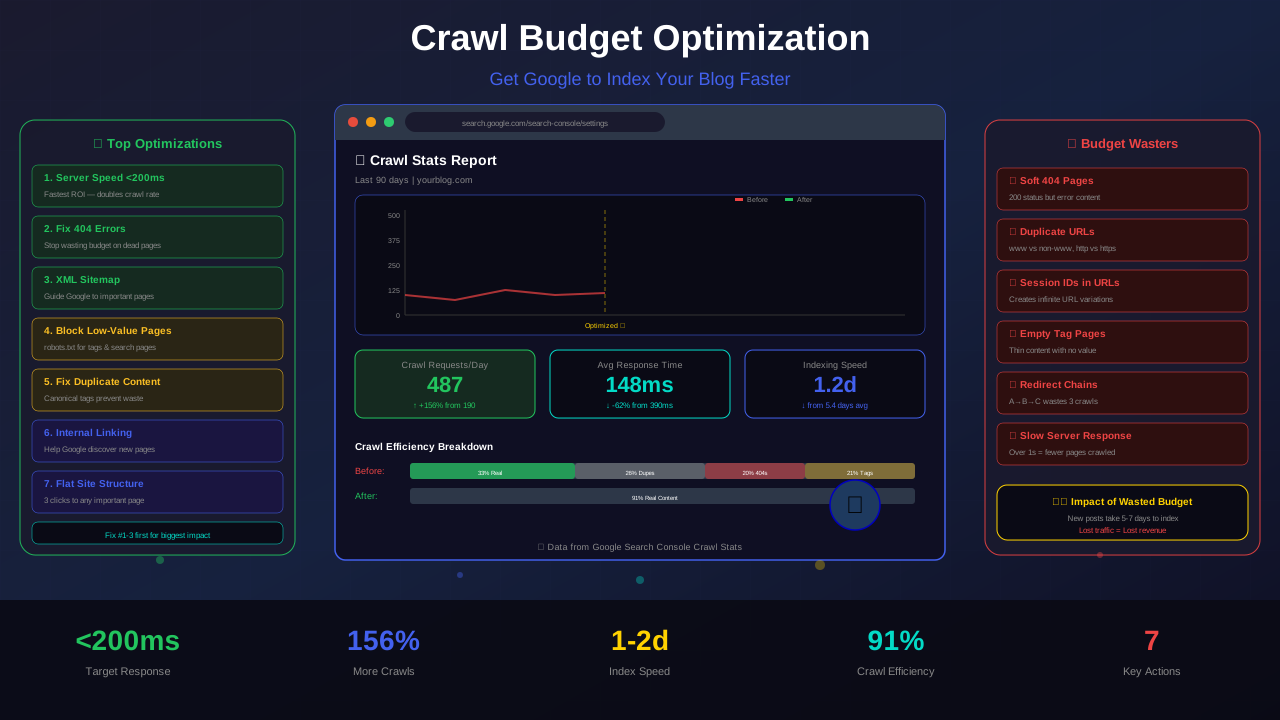
First, crawlability. Google uses URL patterns to understand your site hierarchy. Clean URLs help Googlebot discover and crawl your content efficiently, which is critical for your crawl budget.
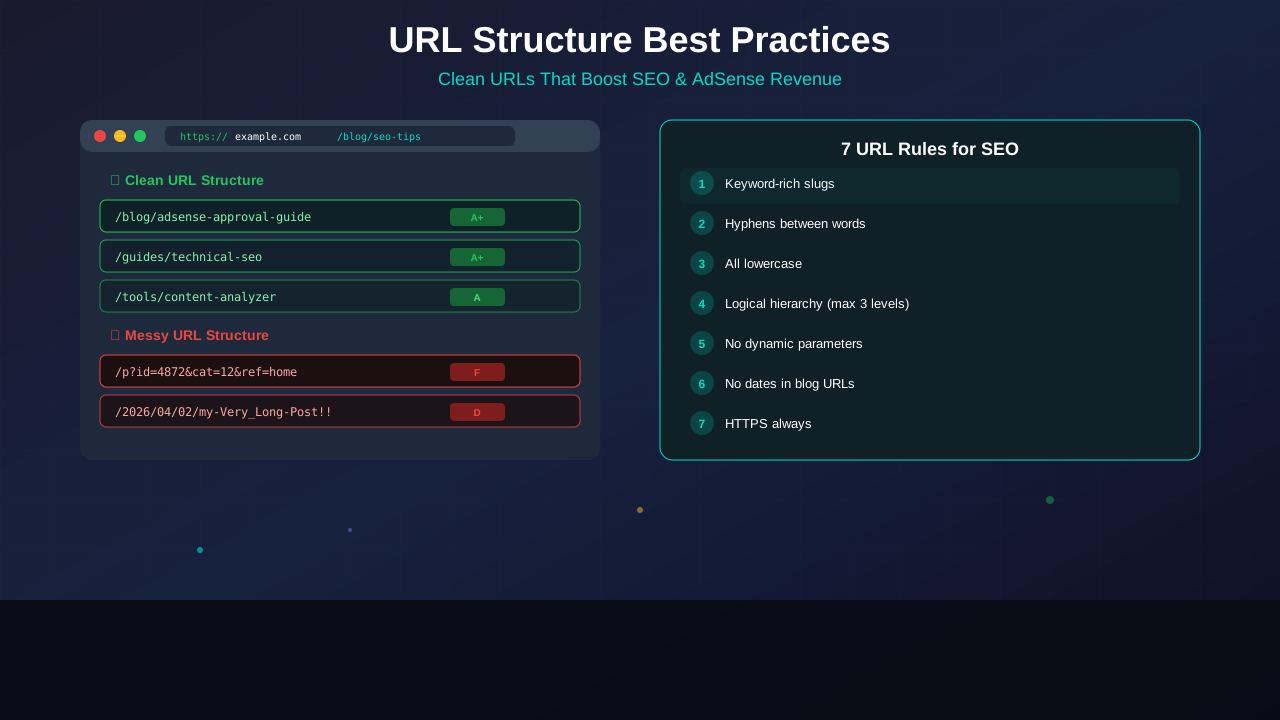
Second, user trust. People are more likely to click a URL they can read and understand. A search result showing example.com/blog/seo-tips gets more clicks than example.com/p?id=4872&cat=12.
Third, keyword signals. Words in your URL reinforce what your page is about. When your target keyword appears in the URL, it gives Google an additional relevance signal.
"URLs that are simple, descriptive, and relevant to the page content help users and search engines understand what a page is about."
— Google Search Central, URL Structure Guidelines
7 Best Practices for SEO-Friendly URLs
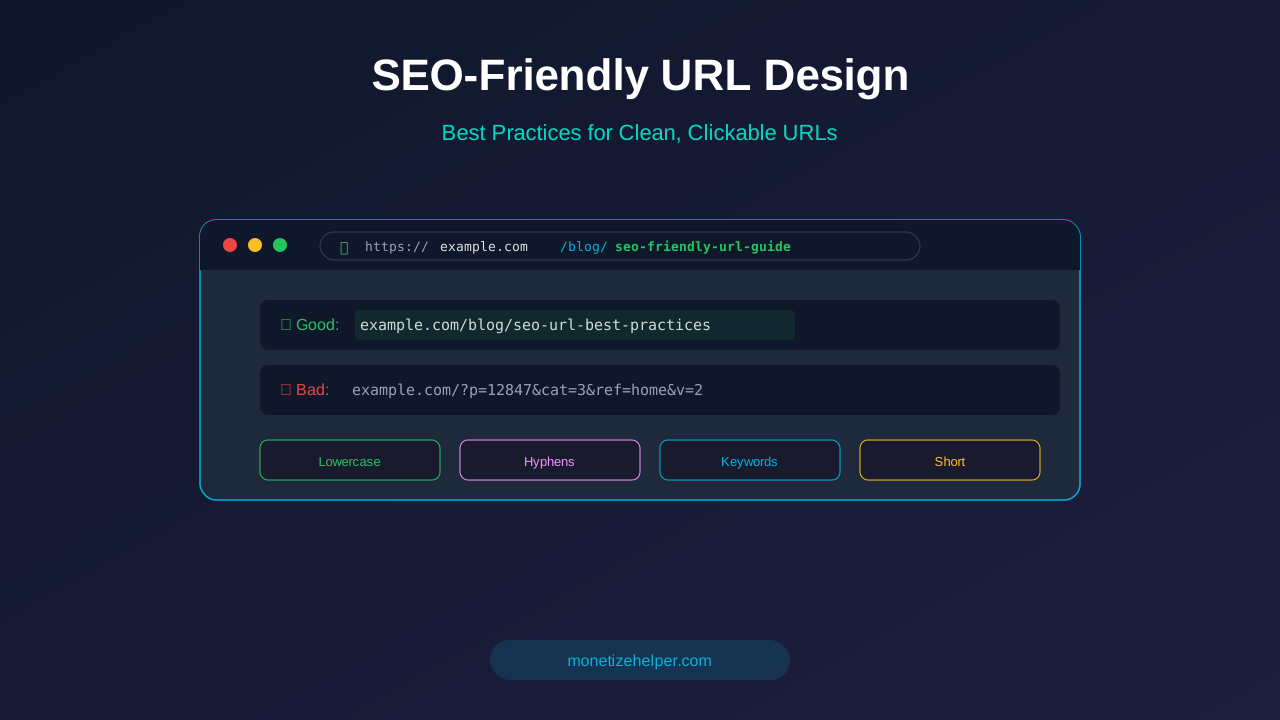
1. Use Descriptive, Keyword-Rich Slugs
Your URL slug should describe the page content using your target keyword. Avoid generic IDs, numbers, or meaningless strings.
- Good:
/blog/increase-adsense-revenue - Bad:
/blog/post-12847
Keep slugs to 3-5 words. Longer URLs get truncated in search results and are harder to share. Remove stop words like "a," "the," "and," and "of" when they don't add meaning.
2. Use Hyphens to Separate Words
Google treats hyphens as word separators. Underscores, spaces, and camelCase don't work the same way.
See also: How to Fix Mixed Content Errors: Complete Guide for Blog Owners →
- Good:
/core-web-vitals-guide - Bad:
/core_web_vitals_guideor/coreWebVitalsGuide
3. Keep URLs Lowercase
Some servers treat URLs as case-sensitive. /Blog/SEO-Tips and /blog/seo-tips could be seen as two different pages, creating duplicate content issues. Always use lowercase.
4. Use a Logical Hierarchy
Your URL structure should reflect your site's content hierarchy. Use categories as parent paths when they add context.
example.com/blog/category-name/article-slug
example.com/guides/topic-name
example.com/tools/tool-name
But don't go deeper than 3 levels. Deep nesting makes URLs long and hard to crawl. Keep it shallow: domain → section → page.
5. Avoid Dynamic Parameters When Possible
URLs with query parameters (?id=123&sort=date) are harder for Google to crawl and index. They also create duplicate content when the same page is accessible through different parameter combinations.
If you must use parameters (for filters, sorting, pagination), use canonical tags to point to the clean version of the URL.
6. Remove Dates from Blog URLs
Many WordPress blogs use date-based URLs like /2026/04/02/my-article. This causes two problems:
- It makes URLs unnecessarily long
- It makes content look outdated — even if you update the article regularly
Use a flat structure like /blog/my-article instead. If you're changing from date-based URLs, set up 301 redirects to avoid losing your existing rankings.
You might also find helpful: Structured Data Testing Guide: Validate Schema Markup Like a Pro →
7. Use HTTPS Always
HTTPS is a Google ranking signal and a requirement for AdSense. Every URL on your site should use HTTPS. If your site still serves HTTP pages, set up server-level redirects to force HTTPS. Read our full guide on HTTPS and SSL for AdSense.
Common URL Mistakes That Hurt Rankings
Using Default CMS Permalinks
WordPress defaults to /?p=123 URLs. This is the worst possible structure. Change this immediately in Settings → Permalinks. Choose "Post name" (/%postname%/) for the cleanest structure.
Including Stop Words
A slug like /how-to-create-the-best-content-for-your-adsense-website is too long. Trim it to /best-content-adsense-website. Keep the essential keywords, drop the filler words.
Changing URLs Without Redirects
If you change a URL after publishing, the old URL becomes a 404 page. Every backlink and internal link pointing to it breaks. Always set up a 301 redirect from the old URL to the new one. Read more about handling 404 errors.
Using Uppercase or Special Characters
Avoid uppercase letters, spaces (encoded as %20), and special characters in URLs. They cause confusion and can create duplicate content. Stick to lowercase letters, numbers, and hyphens only.
Duplicate Content From URL Variations
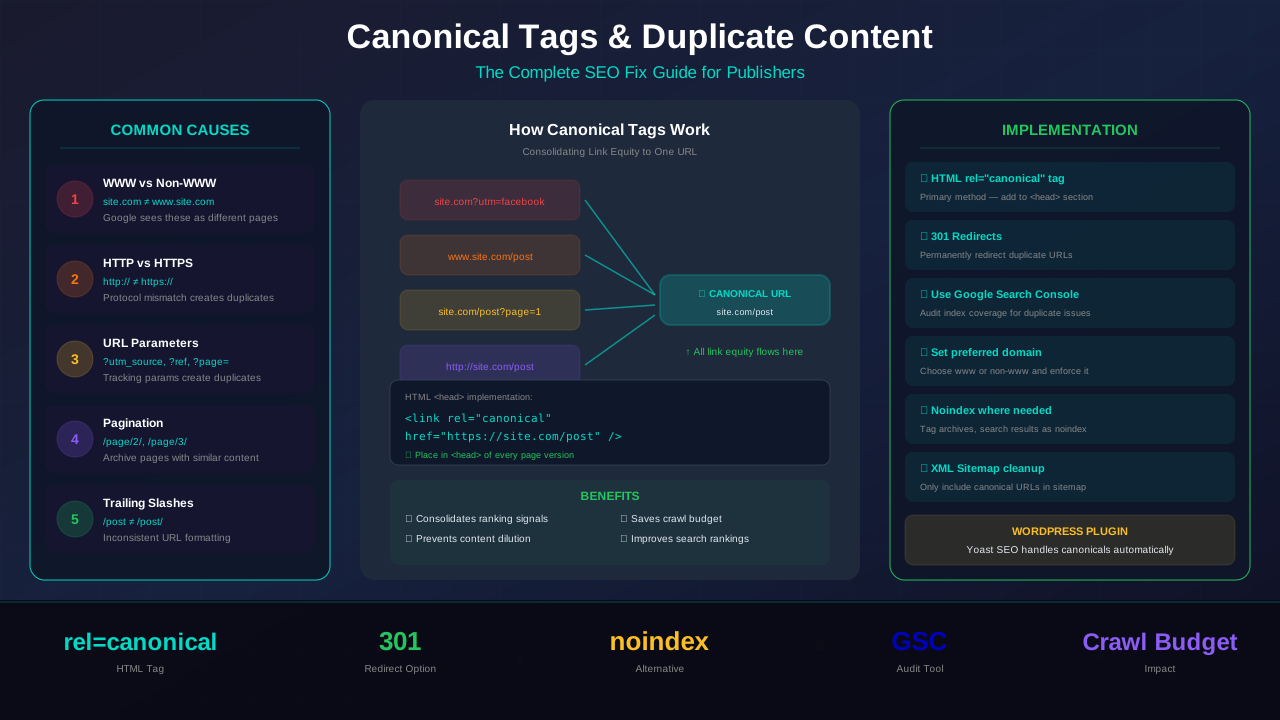
The same content accessible at multiple URLs is a common problem. These are all different URLs in Google's eyes:
example.com/blog/seo-tipsexample.com/blog/seo-tips/(with trailing slash)www.example.com/blog/seo-tipsexample.com/Blog/SEO-Tips
Pick one format and use canonical tags plus redirects to enforce it consistently.
For more on this topic, see our guide on Canonical Tags & Duplicate Content: The Complete SEO Fix Guide →
How to Fix Existing Bad URLs Safely
Changing URLs on a live site is risky if done wrong. Follow this process:
Step 1: Audit Your Current URLs
Use Google Search Console to export all indexed URLs. Look for patterns that need fixing: parameter-heavy URLs, date-based structures, or inconsistent slugs.
Step 2: Plan Your New Structure
Map every old URL to its new URL. Create a spreadsheet with two columns: "Old URL" and "New URL." This becomes your redirect map.
Step 3: Implement 301 Redirects
Set up permanent 301 redirects before changing any URLs. In WordPress, use a plugin like Rank Math or Yoast. For Next.js, add redirects to your next.config.js:
// next.config.js
module.exports = {
  async redirects() {
    return [
      {
        source: '/old-url-path',
        destination: '/new-url-path',
        permanent: true,
      },
    ];
  },
};
Step 4: Update Internal Links
After setting up redirects, update all internal links to point directly to the new URLs. Redirects add a small delay, and chaining redirects hurts performance. Read about internal linking best practices.
Step 5: Submit Updated Sitemap
Update your XML sitemap with the new URLs and resubmit it in Google Search Console. This tells Google to recrawl and reindex with the new structure.
CMS-Specific URL Configuration
WordPress
Go to Settings → Permalinks and select "Post name" (/%postname%/). If you want category prefixes, use "Custom Structure" with /%category%/%postname%/. Install Rank Math or Yoast SEO to customize individual post slugs.
Learn more in HTTPS & SSL Security: Essential Guide for AdSense Sites →
Next.js
Next.js uses file-based routing. Your folder structure is your URL structure. Put blog articles in /app/blog/[slug]/page.tsx to get clean URLs like /blog/my-article. Use generateStaticParams() for static generation.
Shopify
Shopify automatically prepends /products/, /collections/, and /pages/ to URLs. You can't change these prefixes, but you can edit the slug portion. Keep product slugs keyword-rich and short.
Custom CMS
Implement URL rewriting at the server level. Apache uses .htaccess with mod_rewrite. Nginx uses location blocks with rewrite directives. Always sanitize URL slugs by removing special characters and converting to lowercase.
URL Structure and AdSense Revenue
Clean URLs contribute to higher AdSense earnings in three ways:
- Better rankings = more traffic: SEO-friendly URLs help your content rank higher, bringing more organic visitors who see your ads
- Higher CTR in search results: Readable URLs increase click-through rates by 20-40%, meaning more of your impressions convert to visits
- Improved ad targeting: Google uses URL structure to understand page topics, which helps serve more relevant (and higher-paying) ads
Sites that restructure their URLs properly typically see a 15-30% increase in organic traffic within 2-3 months, assuming proper redirects are in place.
Quick URL Audit Checklist
Run through this checklist for every page on your site:
- ☐ URL uses HTTPS
- ☐ URL is all lowercase
- ☐ Words separated by hyphens (not underscores)
- ☐ Contains target keyword
- ☐ Slug is 3-5 words (not excessively long)
- ☐ No special characters, spaces, or query parameters
- ☐ Maximum 3 levels deep (domain/section/page)
- ☐ No dates in URL structure
- ☐ Canonical tag matches the clean URL
- ☐ 301 redirect set up if URL was changed
Frequently Asked Questions
Should I include the category in my blog URL?
It depends on your site size. For sites with 50+ articles across multiple categories, including the category (like /blog/technical-seo/my-article) helps organize content. For smaller sites, a flat structure (/blog/my-article) is simpler and works fine.
You might also find helpful: Crawl Budget Optimization: Get Google to Index Your Blog Faster →
What happens if I change a URL without a 301 redirect?
The old URL returns a 404 error. All backlinks pointing to it lose their ranking power. Google may deindex the page and take weeks to discover the new URL. Always use 301 redirects when changing URLs.
Should I use trailing slashes in URLs?
Google treats /blog/seo-tips and /blog/seo-tips/ as different URLs. Pick one format and be consistent. Use canonical tags and redirects to enforce your choice across the entire site.
How long should a URL slug be?
Keep it under 60 characters. Google can handle longer URLs, but shorter ones are easier to share, look better in search results, and are more memorable. Aim for 3-5 descriptive words.
Do keywords in URLs still matter for SEO?
Yes, but it's a lightweight signal. Keywords in URLs help Google understand page topics and give users a relevance preview. Don't stuff keywords — use them naturally. One main keyword per slug is enough.
Conclusion
URL structure is a technical SEO fundamental that's easy to get right — and painful to fix later. Set up clean, descriptive, keyword-rich URLs from the start, and you'll build a foundation that supports better rankings, more traffic, and higher AdSense revenue for years to come.
Focus on short, lowercase slugs with hyphens. Use logical hierarchy without going too deep. Always redirect old URLs when making changes. And remember: the best URL is one that both Google and your readers can understand at a glance.
Next steps: Run our free Content Analyzer to check your URL structure alongside 14 other SEO factors. Then review your XML sitemap to make sure all your clean URLs are being submitted to Google.