Getting AdSense approved is just the beginning. The real challenge is optimising your earnings to turn your traffic into meaningful revenue. Most publishers leave significant money on the table by using default settings and ignoring optimisation opportunities. This guide shows you how to maximise every visitor's value.
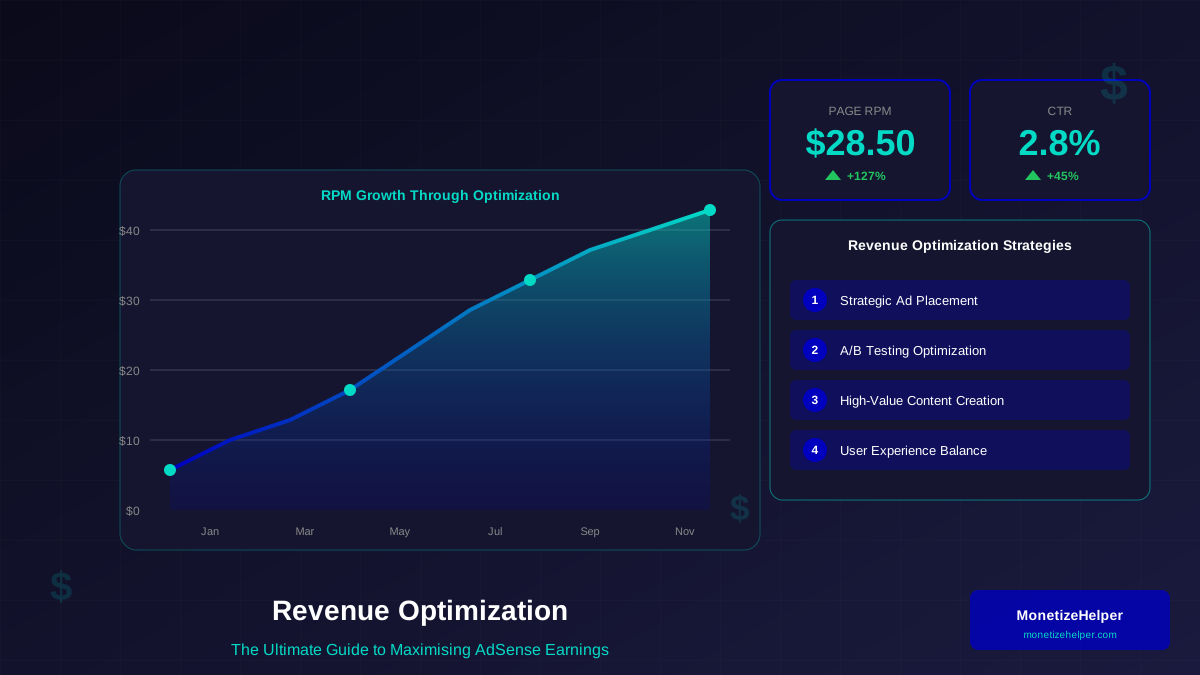
Revenue optimisation is not about cramming more ads onto your pages—it is about finding the perfect balance between user experience and monetisation. Done right, you can increase earnings by 50-200% without changing your traffic at all.
What You Will Learn:
- Understanding key AdSense metrics (RPM, CTR, CPC)
- Strategic ad placement for maximum visibility
- Choosing the right ad formats for your content
- A/B testing strategies for continuous improvement
- Advanced techniques used by top publishers
Understanding AdSense Metrics
Before optimising, you need to understand what you are measuring. Google AdSense provides several metrics, but not all are equally useful.
Key Metrics Explained:
| Metric | Definition | Typical Range | What It Tells You |
|---|---|---|---|
| Page RPM | Earnings per 1000 pageviews | $1-$30+ | Overall monetisation efficiency |
| CTR | Click-through rate | 0.5%-3% | Ad relevance and placement |
| CPC | Cost per click | $0.10-$5+ | Topic/niche value |
| Impression RPM | Earnings per 1000 impressions | $0.50-$10+ | Individual ad performance |
| Active View | % of viewable impressions | 50%-80% | Ad placement visibility |
Why Page RPM Matters Most
Page RPM is your north star metric because it captures the complete picture. You could have high CTR but low CPC, or vice versa. Page RPM tells you how much you actually earn from your traffic.
"Focus on Page RPM, not individual ad performance. A page with one well-placed ad often outearns a page with five poorly placed ones."
— AdSense Product Team
Strategic Ad Placement
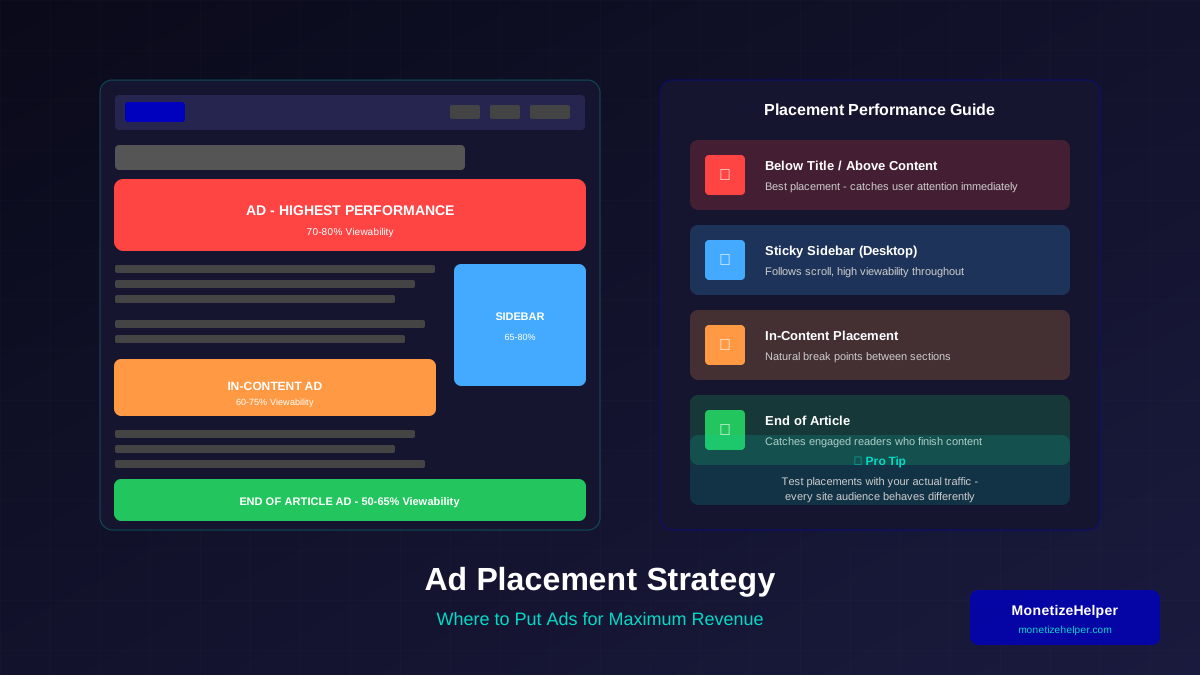
Where you place ads dramatically affects performance. The best placements are where users naturally look while consuming content.
High-Performance Ad Positions:
- Below the Title: Users look here immediately after deciding to read
- Within Content: Between paragraphs where reading naturally pauses
- End of Article: Engaged readers who finished are receptive
- Sidebar (Desktop): Visible throughout reading experience
- Before Comments: Engaged users who want to interact
Placement Guidelines:
- Above the Fold: At least one ad should be visible without scrolling
- With Content Flow: Ads should feel natural, not interruptive
- Balanced Density: Do not overwhelm users with ads
- Mobile Different: Mobile placements need different strategy
Choosing the Right Ad Formats
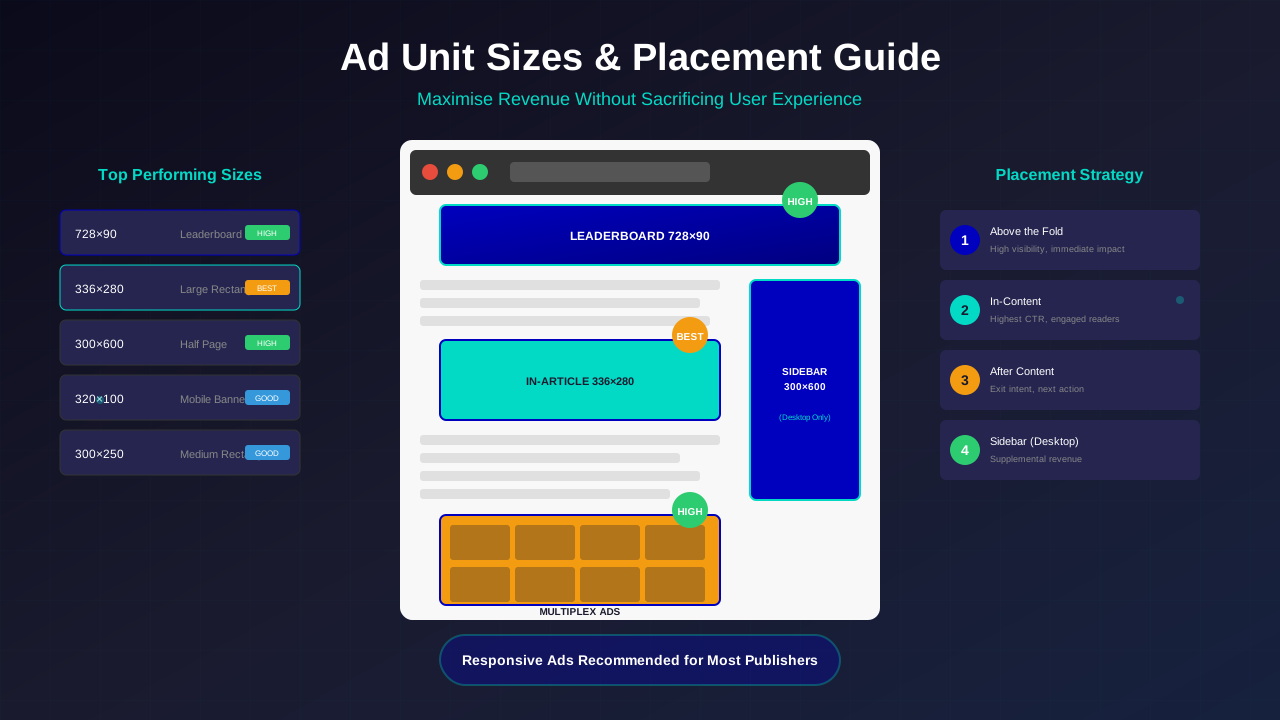
AdSense offers multiple ad formats. Each has strengths depending on your content and layout.
For more on this topic, see our guide on Ezoic vs Mediavine: Which Ad Network Pays More in 2026? →
Ad Format Comparison:
| Format | Best For | RPM Potential | UX Impact |
|---|---|---|---|
| Display Ads | Sidebar, in-content | Medium | Low |
| In-feed Ads | Article lists, archives | Medium-High | Low |
| In-article Ads | Within long content | High | Medium |
| Matched Content | End of articles | Medium | Low (adds value) |
| Anchor Ads | Mobile pages | High | Medium |
| Vignette Ads | Page transitions | Very High | High |
Auto Ads vs Manual Placement
AdSense Auto Ads can place ads automatically. Here is when to use each approach:
Use Auto Ads When:
- Starting out and learning
- Testing new placements
- Managing many pages/sites
- Content is uniform in structure
Use Manual Placement When:
- You understand your traffic well
- User experience is critical
- Content layouts vary significantly
- Optimising for maximum RPM
Content Optimisation for Revenue
Your content directly affects ad revenue. Higher-value topics attract better-paying advertisers.
High-Value Content Characteristics:
- Commercial Intent: Topics where readers are considering purchases
- Problem-Solving: Content that helps people make decisions
- Professional Topics: Business, finance, technology content
- Long-Form: More content means more ad opportunities
- Evergreen: Content that stays relevant generates long-term revenue
For detailed guidance on creating content that earns more, see our guide on how to write high-value content.
A/B Testing Strategies
Optimisation without testing is guessing. A/B testing lets you make data-driven decisions.
Related reading: AdThrive Requirements Guide: What You Need to Join Raptive in 2026 →
What to Test:
- Ad positions (above vs below content)
- Ad formats (display vs in-article)
- Number of ads per page
- Ad sizes and responsiveness
- Text vs display ad styles
Testing Best Practices:
- Test One Variable: Change only one thing at a time
- Run Long Enough: Minimum 2 weeks for reliable data
- Use Sufficient Traffic: Need enough data for statistical significance
- Document Everything: Keep records of tests and results
- Consider Seasonality: Account for traffic and RPM fluctuations
AdSense Experiments
AdSense has built-in experimentation tools. Use them to test:
- Ad styles and colours
- Blocking specific categories
- Ad balance settings
- Auto ads configurations
Balancing UX and Revenue
Aggressive monetisation destroys user experience and ultimately hurts revenue. Find the balance.
Signs of Over-Monetisation:
- High bounce rate
- Low time on site
- Decreasing return visitors
- User complaints
- Decreasing CTR over time
Finding the Balance:
- Start with fewer ads, add gradually
- Monitor user behaviour metrics alongside revenue
- Prioritise content visibility over ads
- Ensure ads never push content below the fold
- Test mobile experience separately
"The best ad placements feel helpful, not intrusive. When users complain about ads, you have gone too far."
— Google Publisher Best Practices
Mobile Revenue Optimisation
Mobile traffic often earns less than desktop, but proper optimisation can close the gap.
For more on this topic, see our guide on Raptive Requirements Guide: Traffic, Content & Application Tips →
Mobile Ad Strategy:
- Anchor Ads: High performance without blocking content
- In-article: Native-feeling ads within content
- Sticky Sidebar: Not applicable on mobile
- Vignettes: Use sparingly - high revenue but affects UX
Mobile-Specific Considerations:
- Ensure ads do not cause layout shifts (CLS) - monitor via Core Web Vitals
- Keep ad loading fast
- Test on actual devices
- Consider thumb zones for ad placement
- Do not block content with interstitials
Advanced Revenue Techniques
Once basics are optimised, these advanced techniques can further increase earnings.
1. Lazy Loading Ads
Load ads only when users scroll near them. Improves page speed and increases viewability.
2. Ad Refresh
Refresh ads for users who stay on page long (use carefully and within policies).
3. Seasonality Planning
RPM varies throughout the year:
Learn more in Mediavine Requirements Guide: How to Qualify and Get Accepted →
- Q4 (Oct-Dec): Highest RPM (holiday spending)
- Q1 (Jan-Mar): Lower RPM (budget resets)
- Q2-Q3: Moderate RPM
4. Geographic Optimisation
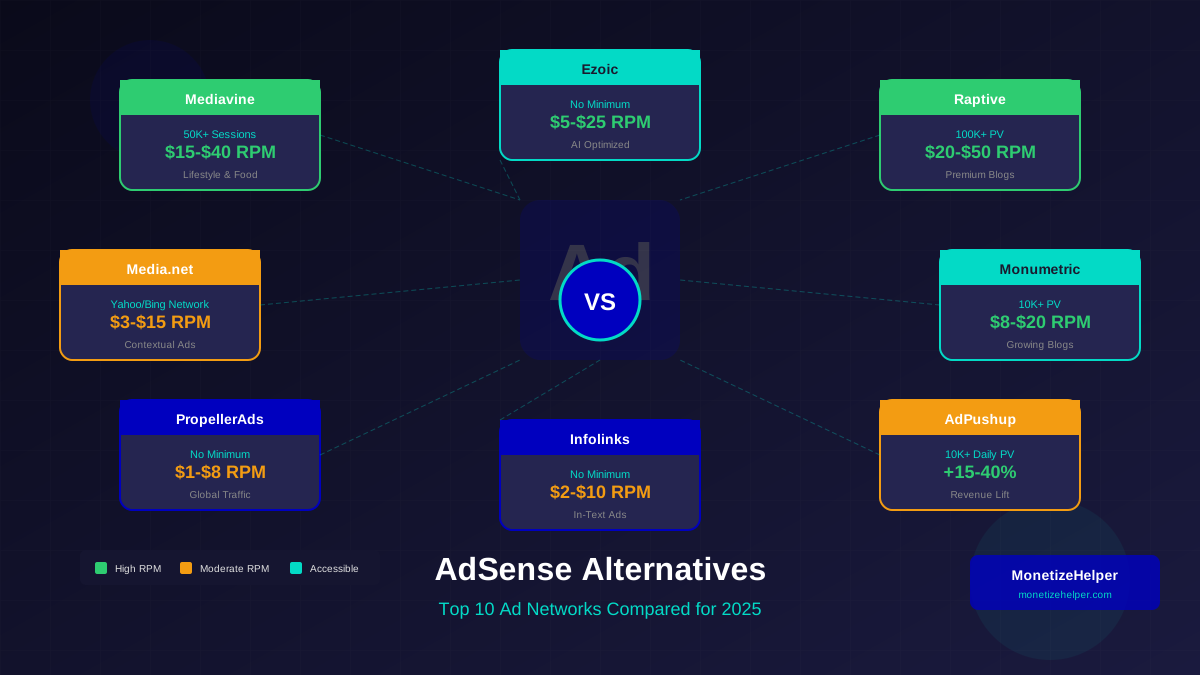
Traffic from different countries earns different rates. US/UK traffic typically earns most. Premium networks like Mediavine and Raptive often pay higher rates for US traffic.
5. Ad Category Management
Block low-paying or irrelevant ad categories to improve overall relevance and RPM.
Common Revenue Mistakes
Avoid these mistakes that hurt AdSense earnings:
- Too Many Ads: Overwhelming users decreases engagement and CTR
- Poor Placement: Ads in low-visibility areas waste impressions
- Ignoring Mobile: Not optimising for mobile majority
- No Testing: Leaving money on table through guessing
- Policy Violations: Clicking own ads, misleading placement
- Speed Neglect: Slow pages reduce ad viewability
- Content Mismatch: Ads not relevant to content
Tracking and Analysis
Regular analysis helps identify opportunities and problems early.
Learn more in RPM by Blog Niche: Which Topics Pay the Most in 2026 →
Weekly Review Checklist:
- ☐ Compare RPM to previous week
- ☐ Check for significant CTR changes
- ☐ Review top-earning pages
- ☐ Identify underperforming pages
- ☐ Check for policy notifications
Monthly Analysis:
- ☐ Compare to same month last year
- ☐ Analyse traffic source performance
- ☐ Review geographic performance
- ☐ Assess content category earnings
- ☐ Plan optimisation experiments
Frequently Asked Questions (FAQs)
What is a good AdSense RPM?
RPM varies dramatically by niche. General content might earn $2-5 RPM, while finance or technology sites can earn $15-30+. Focus on improving your own RPM over time rather than comparing to others.
How many ads should I put on a page?
There is no perfect number. Start with 2-3 ads on longer content, test adding more, and monitor user behaviour. Quality of placement matters more than quantity.
Why did my RPM suddenly drop?
Common causes include: seasonal advertiser budget changes, traffic source shifts, content changes, technical issues, or policy changes. Check each systematically.
Should I use Auto Ads or manual placement?
Start with Auto Ads to learn, then transition to manual placement as you understand your audience. Many publishers use a hybrid approach—Auto Ads plus key manual placements.
How can I increase CPC?
CPC is largely determined by your content topic and audience. Create content in higher-value niches, attract traffic from high-CPC countries, and ensure ad relevance through good content structure.
Conclusion
Revenue optimisation is an ongoing process, not a one-time task. The most successful publishers continuously test, analyse, and refine their approach.
Start with solid fundamentals—strategic placement, appropriate formats, and user experience balance. Then layer in testing and advanced techniques as you learn what works for your specific audience.
For more strategies on increasing your AdSense earnings, explore our detailed guide on increasing AdSense revenue.