Auto Ads or manual placement? It is the most common question AdSense publishers ask. The answer is not simple—it depends on your site, your audience, and your goals. This guide breaks down both approaches to help you maximize revenue.
Google launched Auto Ads to simplify monetization. But many experienced publishers swear by manual placement. The truth is, both can work well—and the best strategy often combines elements of each.
What You Will Learn:
- How Auto Ads and manual placement work
- Real revenue comparisons between approaches
- Pros and cons of each method
- How to implement a hybrid strategy
- Which approach suits your site type
What Are Auto Ads?
Auto Ads is Google's machine learning-powered ad placement system. Instead of manually placing ad code, you add one script to your site and Google automatically inserts ads where it predicts they will perform best.
How Auto Ads Work
- You add the Auto Ads script to your site header
- Google's AI scans your page structure
- The system identifies optimal ad positions
- Ads are automatically inserted and optimized
- Machine learning continuously improves placement
Auto Ad Types
Auto Ads can place several ad formats:
| Ad Type | Description | Where It Appears |
|---|---|---|
| In-page ads | Standard display ads within content | Between paragraphs, in content areas |
| Anchor ads | Sticky ads at screen edge | Bottom of mobile screens |
| Vignette ads | Full-screen ads between pages | During page navigation |
| Multiplex ads | Grid of related content/ads | End of articles, sidebar areas |
| Side rails | Vertical ads on wide screens | Unused space beside content |
Auto Ads Settings
You can control Auto Ads behavior:
- Enable or disable specific ad formats
- Set maximum ad load (number of ads per page)
- Exclude specific pages or sections
- Control mobile vs desktop behavior
"Auto ads uses machine learning to understand your page structure and make smart ad placement decisions across your site."
— Google AdSense Help
Manual Placement Basics
Manual placement gives you complete control. You decide exactly where each ad appears, what size it is, and how many ads to show.
For more on this topic, see our guide on Ezoic vs Mediavine: Which Ad Network Pays More in 2026? →
How Manual Placement Works
- Create ad units in your AdSense account
- Choose size and format for each unit
- Copy the ad code
- Paste code exactly where you want ads
- Test and optimize based on performance
Common Manual Placements
| Position | Typical Size | Performance |
|---|---|---|
| Below title | Responsive / 336×280 | Excellent viewability |
| In-content (mid-article) | 300×250 / Responsive | High CTR |
| Sidebar | 300×600 / 160×600 | Good on desktop |
| After article | Responsive / Multiplex | Engaged audience |
| Header | 728×90 / Responsive | High viewability |
Manual Placement Requires
- Technical knowledge to edit templates
- Time to test different positions
- Ongoing monitoring and optimization
- Understanding of your audience behavior
Revenue Comparison
Which approach earns more? The answer varies by site type, but here is what the data typically shows.
General Findings
| Scenario | Auto Ads | Manual | Winner |
|---|---|---|---|
| New sites (no optimization) | Higher | Lower | Auto Ads |
| Well-optimized sites | Similar | Higher | Manual |
| Content-heavy blogs | Good | Better | Manual |
| News/high-traffic sites | Good | Better | Hybrid |
| E-commerce/product sites | Lower | Higher | Manual |
Why Manual Can Outperform
Experienced publishers often earn more with manual placement because:
- Strategic positioning: You know your audience better than AI
- Better UX integration: Ads feel natural in the flow
- CLS control: Reserved space prevents layout shifts
- Testing insights: You learn what works over time
Why Auto Ads Can Outperform
Auto Ads sometimes earn more because:
- Machine learning: Finds opportunities humans miss
- Continuous optimization: Adjusts automatically
- Scale: Optimizes across millions of pages
- New formats: Accesses latest ad types automatically
"I tested both for 60 days. Manual placement earned 15% more on my established blog, but Auto Ads performed better on my newer site."
Related reading: AdThrive Requirements Guide: What You Need to Join Raptive in 2026 →
— Experienced AdSense Publisher
Pros and Cons of Each
Auto Ads Advantages
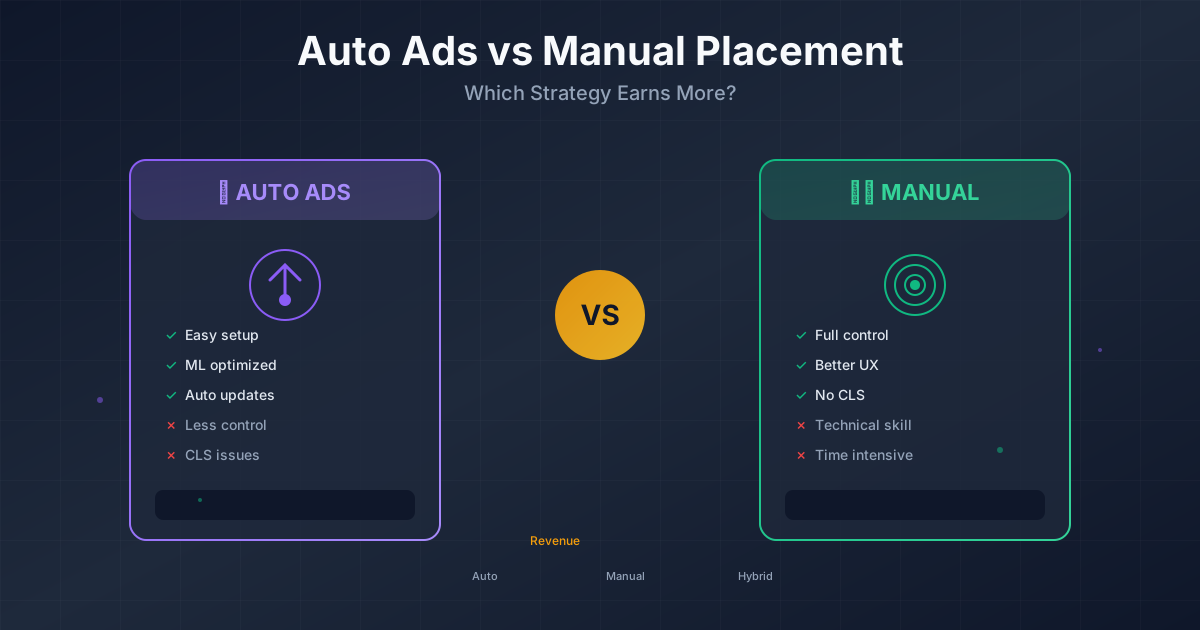
- ✅ Easy setup—one code for entire site
- ✅ No technical skills required
- ✅ Automatic optimization
- ✅ Access to new ad formats automatically
- ✅ Works across all pages without editing
- ✅ Good baseline for beginners
Auto Ads Disadvantages
- ❌ Less control over placement
- ❌ Can hurt user experience if aggressive
- ❌ May cause CLS issues
- ❌ Vignette ads can frustrate users
- ❌ Cannot target specific content sections
- ❌ Revenue can be unpredictable
Manual Placement Advantages
- ✅ Complete control over ad positions
- ✅ Better user experience integration
- ✅ Easier to manage CLS
- ✅ Strategic placement for high-value positions
- ✅ Consistent, predictable behavior
- ✅ Can optimize for specific goals
Manual Placement Disadvantages
- ❌ Requires technical knowledge
- ❌ Time-consuming to set up and test
- ❌ Need to add code to new pages
- ❌ May miss optimization opportunities
- ❌ Requires ongoing maintenance
- ❌ Harder to scale across large sites
The Hybrid Approach
The best strategy for many publishers combines both approaches. Use manual placement for key positions and Auto Ads for additional coverage.
How Hybrid Works
- Place manual ads in your highest-performing positions
- Enable Auto Ads for additional placements
- Configure Auto Ads to avoid competing with manual ads
- Monitor and adjust both systems
Optimal Hybrid Configuration
| Position | Use Manual | Use Auto | Reason |
|---|---|---|---|
| Below title | ✅ Yes | No | High-value, want control |
| In-content (first) | ✅ Yes | No | Strategic placement |
| Sidebar | ✅ Yes | No | Fixed position |
| Additional in-content | Optional | ✅ Yes | Let AI optimize |
| Anchor ads | No | ✅ Yes | Auto handles well |
| Post-article | ✅ Yes | No | Multiplex control |
Configuring Auto Ads with Manual Ads
When using both, configure Auto Ads to complement your manual placements:
- Go to AdSense → Ads → Auto ads
- Click "Edit" for your site
- Under "In-page ads," reduce ad load
- Exclude areas where you have manual ads
- Enable formats that complement your strategy
Recommended Auto Ads settings for hybrid:
- In-page ads: Low-Medium load
- Anchor ads: Enabled (mobile)
- Vignette: Disabled or Limited
- Multiplex: Disabled (use manual instead)
- Side rails: Enabled (desktop)
Best Practices by Site Type
Content Blogs
Recommended: Hybrid (manual primary)
- Manual ads: Below title, first in-content, after article
- Auto ads: Additional in-content, anchor
- Disable vignette ads (hurts reader experience)
News Sites
Recommended: Manual with selective Auto
For more on this topic, see our guide on Raptive Requirements Guide: Traffic, Content & Application Tips →
- Manual ads: Header, in-content (controlled)
- Auto ads: Anchor only
- Focus on viewability and quick loads
Tutorial/How-To Sites
Recommended: Manual placement
- Place ads between major sections
- Keep code examples ad-free
- Auto ads can interrupt reading flow
Portfolio/Business Sites
Recommended: Manual only (minimal ads)
- Very selective ad placement
- User experience is priority
- Auto ads may feel unprofessional
Forum/Community Sites
Recommended: Auto Ads
- Too many pages to manually optimize
- User-generated content varies widely
- Auto ads adapt to different page lengths
Setup Guide
Setting Up Auto Ads
-
Enable Auto Ads:
- Go to AdSense → Ads → Overview
- Click "Edit" next to your site
- Toggle "Auto ads" on
-
Configure formats:
- Choose which ad types to enable
- Set mobile vs desktop preferences
- Adjust ad load slider
-
Add the code:
<script async src="https://pagead2.googlesyndication.com/pagead/js/adsbygoogle.js?client=ca-pub-XXXXX" crossorigin="anonymous"></script> -
Add to site header:
Place in the <head> section of every page
Learn more in Mediavine Requirements Guide: How to Qualify and Get Accepted →
Setting Up Manual Ads
-
Create ad units:
- Go to AdSense → Ads → By ad unit
- Click "Create new ad unit"
- Choose Display ads
- Name it descriptively (e.g., "Below Title - Responsive")
-
Get ad code:
- Copy the provided ad code
- Note the data-ad-slot number
-
Place in your template:
<div class="ad-container">
  <ins class="adsbygoogle"
       style="display:block"
       data-ad-client="ca-pub-XXXXX"
       data-ad-slot="XXXXX"
       data-ad-format="auto"
       data-full-width-responsive="true"></ins>
  <script>
       (adsbygoogle = window.adsbygoogle || []).push({});
  </script>
</div>
Testing Your Setup
- Clear your browser cache
- Visit your site in incognito mode
- Verify ads appear in expected positions
- Check mobile and desktop layouts
- Monitor AdSense reports for the first week
Making Your Decision
Choose your approach based on your situation:
| If You... | Choose... |
|---|---|
| Are new to AdSense | Start with Auto Ads |
| Have technical skills | Manual or Hybrid |
| Prioritize UX | Manual placement |
| Have a large site | Auto or Hybrid |
| Want maximum revenue | Test both, use winner |
| Have limited time | Auto Ads |
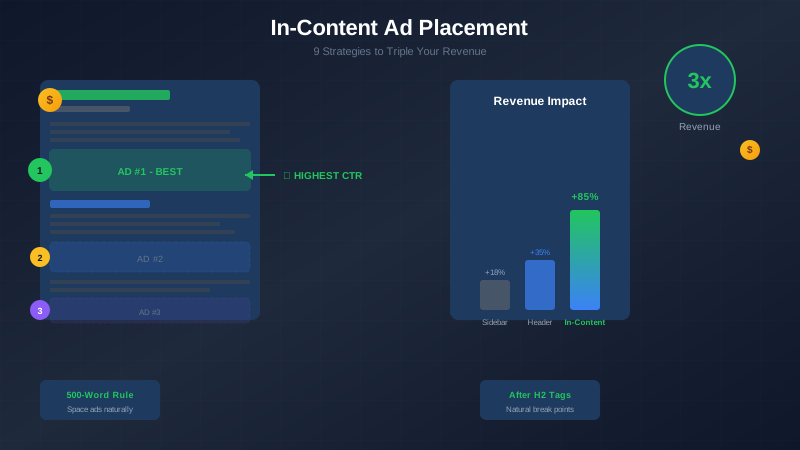
For more on ad placement strategies, see our guide on in-content ad placement.
Frequently Asked Questions
Can I use Auto Ads and manual ads together?
Yes, this is called a hybrid approach and is often the best strategy. Auto Ads is smart enough to avoid placing ads too close to your manual placements. You can also configure Auto Ads to exclude specific page areas where you have manual ads.
Will Auto Ads hurt my site's user experience?
It can if not configured properly. Vignette ads and aggressive in-page placement can frustrate users. Use the ad load slider to reduce ad density and disable formats that do not suit your site. Monitor bounce rates and user feedback after enabling Auto Ads.
Learn more in RPM by Blog Niche: Which Topics Pay the Most in 2026 →
How long should I test before deciding?
Run each approach for at least 30 days to get reliable data. Traffic and ad performance varies by day and week, so short tests can be misleading. Compare RPM, total revenue, and user metrics like bounce rate and pages per session.
Do Auto Ads cause more CLS issues than manual ads?
They can, because Auto Ads inserts ads dynamically after the page loads. Manual ads let you reserve space in advance. If CLS is a concern, use manual placement for above-fold positions and configure Auto Ads only for below-fold or enable Google's "optimize for CLS" setting.
Which option is better for mobile traffic?
Both work on mobile, but the approach differs. Auto Ads handles anchor ads well and adapts to different screen sizes. Manual placement gives you more control over the mobile experience. For mobile-heavy sites, a hybrid with Auto anchor ads and manual in-content ads often works best.