CPM and RPM are two of the most important metrics for understanding your AdSense earnings. While they sound similar, they measure different things and serve different purposes. Understanding both is essential for optimizing your revenue.
Many publishers confuse these metrics or only focus on one. This guide explains both, along with other key metrics you need to understand to maximize your earnings.
What You Will Learn:
- What CPM and RPM mean
- How each is calculated
- Which metric matters more for you
- Other important AdSense metrics
- How to use metrics for optimization
What Is CPM?
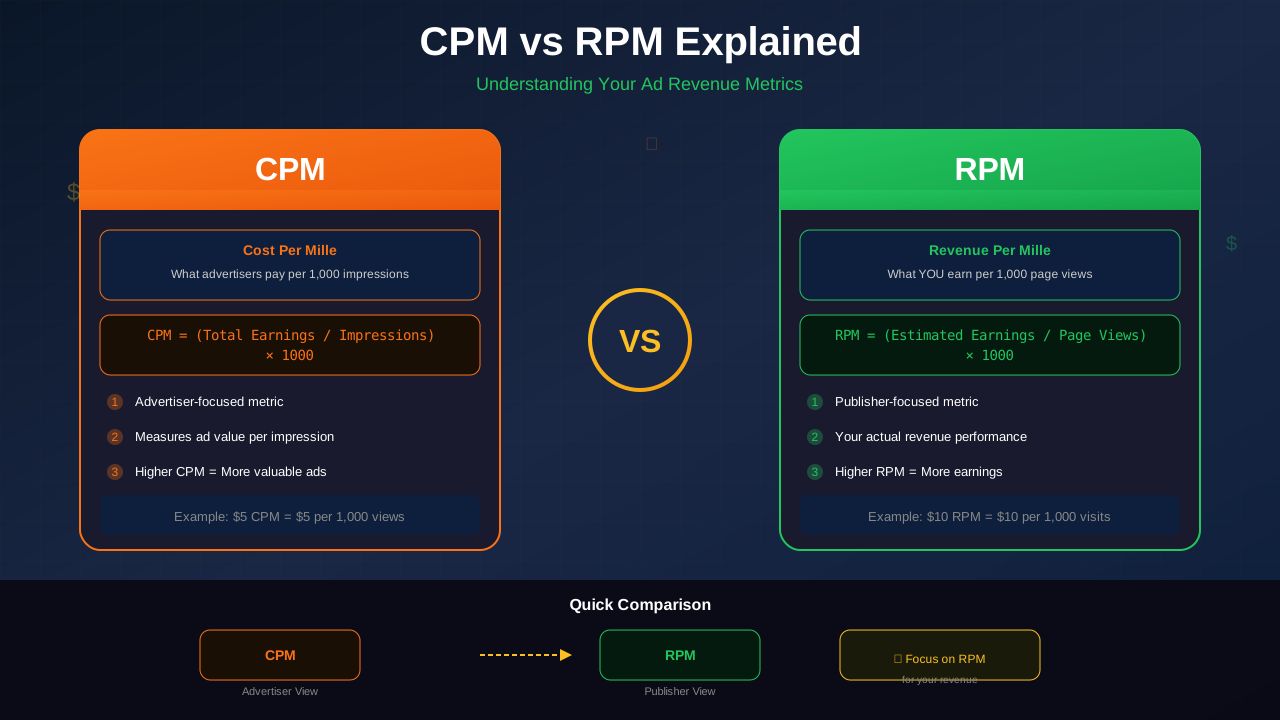
CPM stands for "Cost Per Mille" (mille means thousand in Latin). It represents how much advertisers pay per 1,000 ad impressions. You can find detailed metric definitions in the Google AdSense Help Center.
The Formula
CPM = (Advertiser Cost / Impressions) × 1,000
Example
If an advertiser pays $5 for 2,000 impressions:
CPM = ($5 / 2,000) × 1,000 = $2.50
What CPM Tells You
CPM reflects what advertisers are willing to pay to show ads on your site. Higher CPM means:
- Your audience is valuable to advertisers
- Your niche has competitive advertising
- Your content attracts high-intent users
What Is RPM?
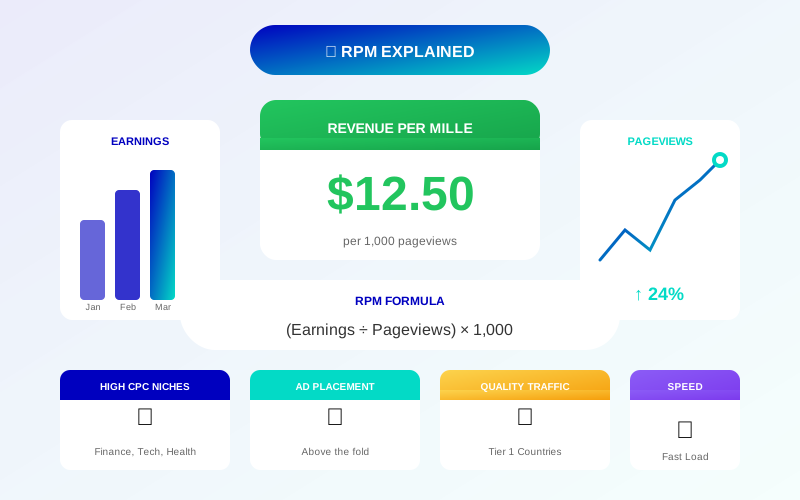
RPM stands for "Revenue Per Mille." It represents how much you earn per 1,000 page views. For a complete breakdown of this metric, see our detailed guide on how to calculate and improve your RPM.
The Formula
RPM = (Estimated Earnings / Page Views) × 1,000
Example
If you earned $10 from 5,000 page views:
For more on this topic, see our guide on Ezoic vs Mediavine: Which Ad Network Pays More in 2026? →
RPM = ($10 / 5,000) × 1,000 = $2.00
What RPM Tells You
RPM shows your actual earning efficiency per page view. It accounts for:
- Number of ads per page
- Ad viewability
- Click-through rates
- Overall monetization effectiveness
Key Differences
Understanding the distinction is crucial:
CPM Is Advertiser-Focused
CPM is the price advertisers pay. It measures ad unit value, not your total earnings.
RPM Is Publisher-Focused
RPM measures what you actually earn per page view, accounting for all factors affecting revenue.
Why They Differ
Even with high CPM ads, your RPM can be low if:
- You have few ads per page
- Ads have low viewability
- Pages load slowly, reducing ad impressions
- Users leave before ads load
Quick Comparison
| Metric | Measures | Best For |
|---|---|---|
| CPM | Ad unit value | Evaluating ad placements |
| RPM | Page earnings | Overall site performance |
Other Important Metrics
CPC (Cost Per Click)
How much you earn per ad click.
Related reading: AdThrive Requirements Guide: What You Need to Join Raptive in 2026 →
CPC = Earnings / Clicks
CTR (Click-Through Rate)
Percentage of ad impressions that result in clicks.
CTR = (Clicks / Impressions) × 100
Page Views
Total number of pages viewed. A single user visiting 3 pages = 3 page views.
Impressions
Number of times ads are shown. A page with 3 ads = 3 impressions per page view.
Viewable CPM (vCPM)
CPM calculated only for ads that were actually viewable (50% visible for 1 second).
Sessions
User visits to your site. One session can include multiple page views.
For more on this topic, see our guide on Raptive Requirements Guide: Traffic, Content & Application Tips →
Real-World Calculations
Scenario 1: Understanding Your Dashboard
Your AdSense shows:
- Page views: 10,000
- Earnings: $25
- Impressions: 25,000
Calculations:
- RPM: ($25 / 10,000) × 1,000 = $2.50
- Impression RPM: ($25 / 25,000) × 1,000 = $1.00
- Ads per page: 25,000 / 10,000 = 2.5 average
Scenario 2: Comparing Pages
Page A: 5,000 views, $20 earnings = $4.00 RPM
Page B: 5,000 views, $10 earnings = $2.00 RPM
Page A is monetizing twice as effectively. Investigate why and apply learnings to Page B.
Improving Your Metrics
To Improve CPM
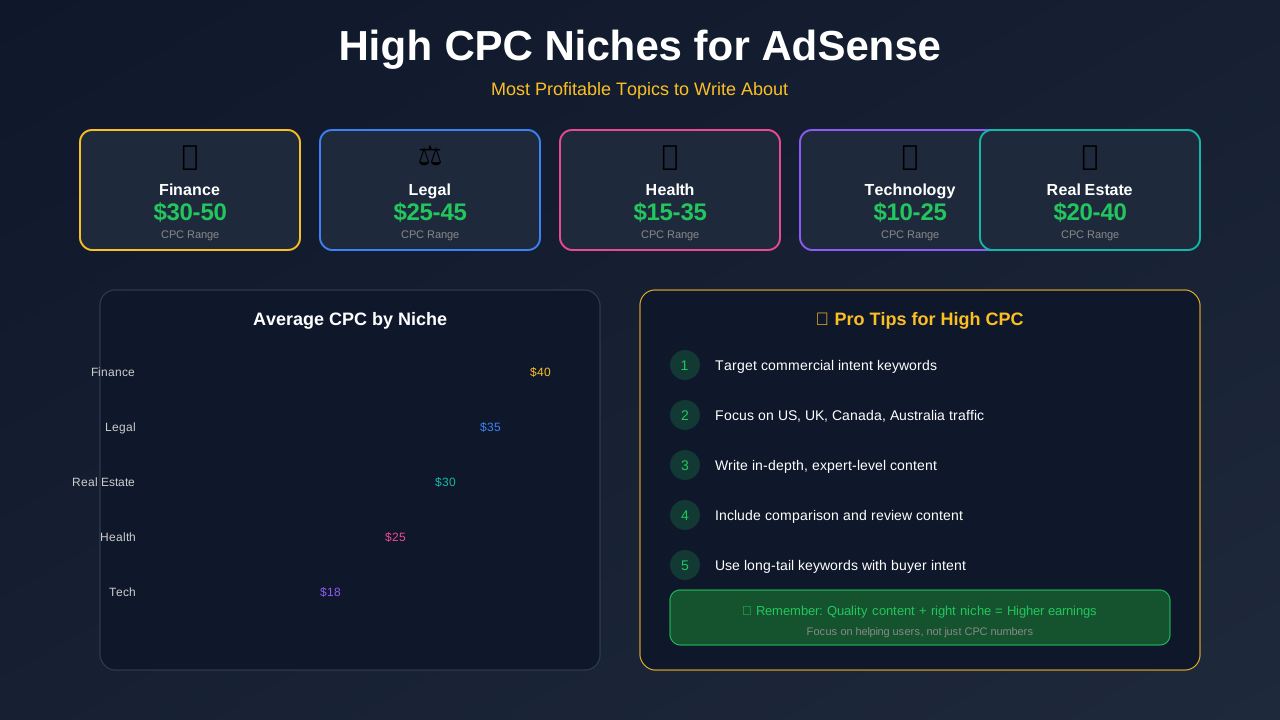
- Target higher-paying niches—discover the most profitable high-CPC niches
- Create content for valuable audiences
- Optimize ad viewability
- Improve page load speed (test with PageSpeed Insights)
- Increase content quality
To Improve RPM
- Add more ad units strategically
- Improve ad placement positions—follow our ad placement best practices
- Use sticky ads for better viewability
- Reduce bounce rate
- Increase pages per session
To Improve CTR
- Place ads near engaging content
- Use responsive ad units
- Test different ad formats
- Ensure ads are visible but not intrusive
"RPM is the metric that directly ties to your bank account. While CPM tells you about ad value, RPM tells you about your actual earnings performance."
Using Metrics for Analysis
Identify High-Performing Content
Sort pages by RPM to find what is working. Create more content like your top performers.
Learn more in Mediavine Requirements Guide: How to Qualify and Get Accepted →
Find Optimization Opportunities
High-traffic pages with low RPM are optimization opportunities. Small improvements on popular pages yield big results.
Track Changes Over Time
Monitor metrics monthly to identify trends. Seasonal variations affect all metrics.
Compare Categories
Different content categories often have different CPM. Understanding this helps with content planning.
Common Metric Mistakes
Focusing Only on CPM
High CPM means nothing if you have few impressions. Total earnings = impressions × CPM / 1,000.
Ignoring Viewability
Ads that users never see do not count. Check viewability rates in AdSense.
Daily Obsession
Daily fluctuations are normal. Focus on weekly and monthly trends instead.
Comparing to Other Publishers
Every site is different. Your metrics depend on your niche, audience, content, and ad setup.
Learn more in RPM by Blog Niche: Which Topics Pay the Most in 2026 →
Typical Metric Ranges
While every site differs, here are general benchmarks based on industry data from sources like the Interactive Advertising Bureau (IAB):
RPM Ranges
- Low: $0.50 - $2.00
- Average: $2.00 - $5.00
- Good: $5.00 - $15.00
- Excellent: $15.00+
CTR Ranges
- Low: Below 0.5%
- Average: 0.5% - 2%
- Good: 2% - 5%
- High: Above 5% (verify not invalid clicks)
CPC Ranges
- Varies dramatically by niche
- Finance, insurance: $2.00 - $50.00+
- Entertainment, lifestyle: $0.10 - $1.00
- Technology: $0.50 - $5.00
Frequently Asked Questions
Which metric should I focus on?
RPM is most important for understanding your actual earnings. Use CPM to evaluate individual ad placements and make optimization decisions.
Why does my RPM change daily?
Advertiser spending varies by day, week, and season. Weekdays typically outperform weekends. Q4 usually has higher rates than Q1.
How can I increase my CPM?
Create content for valuable audiences, improve ad viewability, and target higher-paying niches. Content quality matters—premium advertisers want premium placements.
What is a good RPM?
It depends on your niche. $3-5 is average for most publishers. Premium niches like finance can see $20+ RPM. Focus on improving your own metrics rather than comparing to others.
Is higher CTR always better?
Not necessarily. Very high CTR (above 10%) can indicate accidental clicks or policy violations. Natural CTR typically ranges from 1-5%.