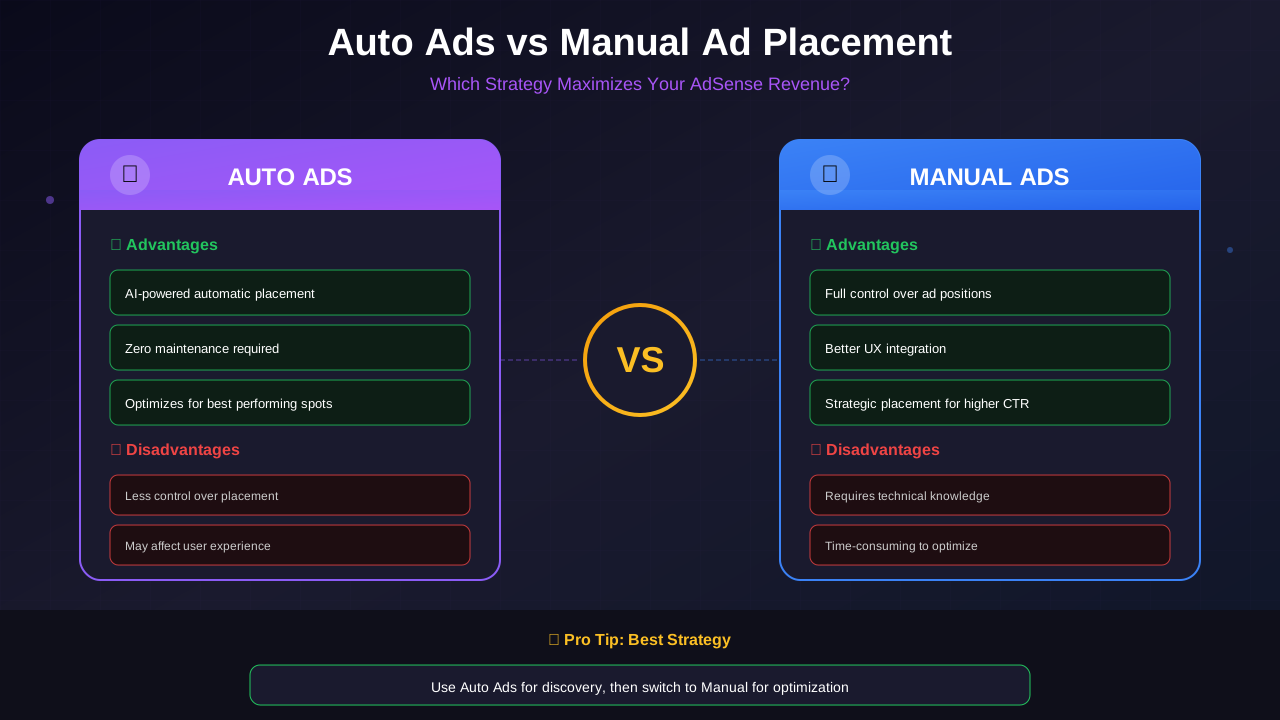
Choosing between anchor ads and sticky ads can significantly impact your AdSense revenue. Both formats offer unique advantages for monetization, but understanding their differences helps you make data-driven decisions that maximize earnings whilst maintaining excellent user experience. If you are also deciding between Auto Ads vs manual placement, that choice will affect which sticky formats you can use.
This comprehensive comparison examines how anchor ads and sticky ads work, their revenue potential, user experience implications, and implementation best practices for different website types.
Understanding Anchor Ads
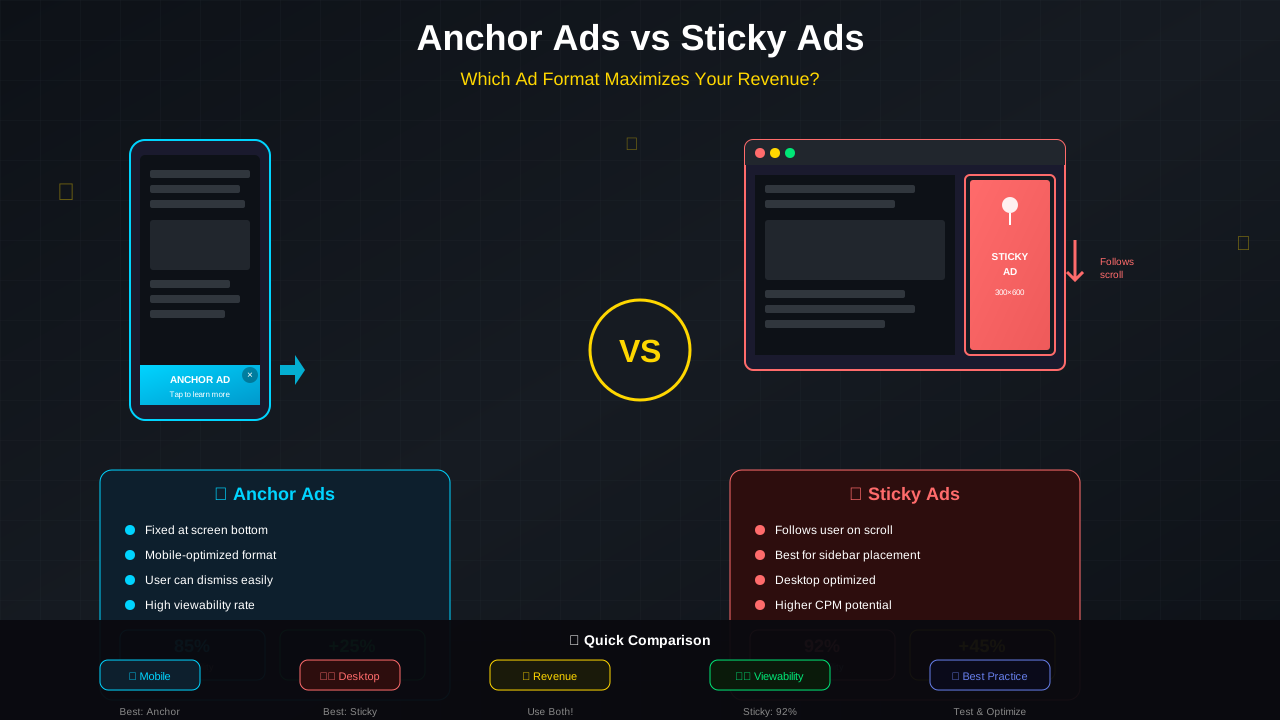
Anchor ads, also known as page-level ads or vignette anchors, are mobile-optimized ad units that attach to the edge of the user's screen and remain visible as they scroll through your content. Learn more about these formats in the Google AdSense Help Center.
How Anchor Ads Work
Anchor ads function by "anchoring" to a fixed position on the screen, typically at the bottom or top edge. They appear over your content but include a close button allowing users to dismiss them when desired.
- Automatic Display: Google determines when to show anchor ads based on user behaviour and page content
- Mobile Focus: Primarily designed for mobile browsing experiences
- Non-Intrusive Sizing: Takes up minimal screen real estate (typically 50-90 pixels height)
- Easy Dismissal: Users can close anchor ads with a single tap
- Smart Timing: Appears based on scroll behaviour and engagement patterns
Anchor Ad Types in AdSense
Understanding Sticky Ads
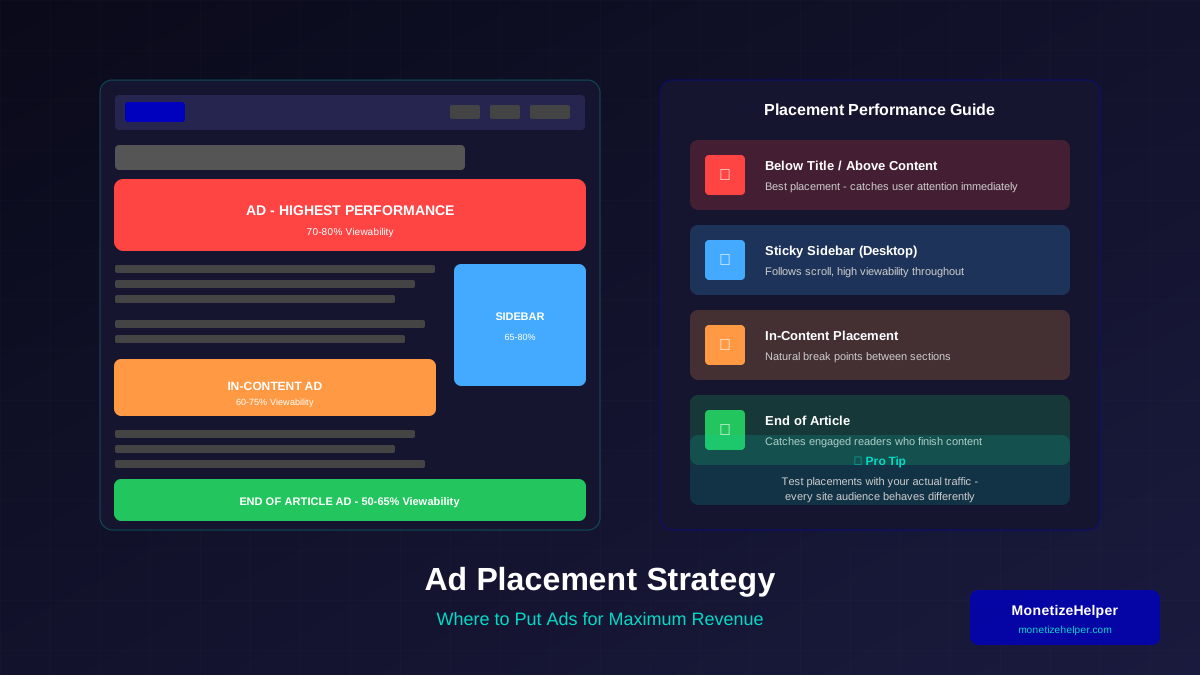
Sticky ads, sometimes called fixed or floating ads, maintain their position on the page whilst users scroll. Unlike anchor ads, sticky ads are typically implemented manually as part of your page layout. For comprehensive positioning strategies, see our ad placement best practices guide.
How Sticky Ads Work
Sticky ads use CSS positioning to remain fixed within a designated area of your page, commonly the sidebar. They follow the user's scroll within defined boundaries:
For more on this topic, see our guide on Ezoic vs Mediavine: Which Ad Network Pays More in 2026? →
- CSS-Based: Uses position: sticky or position: fixed with JavaScript
- Boundary Limits: Typically confined to sidebar or specific container
- Start/Stop Points: Begin sticking after scrolling past, stop before footer
- Desktop Focused: Most effective on wider screens with sidebars
- Always Visible: Cannot be dismissed by users
💡 AdSense Policy Reminder
Google requires that sticky ads do not cover or obstruct content, include a close option on mobile, and must not take up more than 30% of the screen height. Violating these policies can result in ad serving restrictions.
Revenue Comparison: Anchor vs Sticky Ads
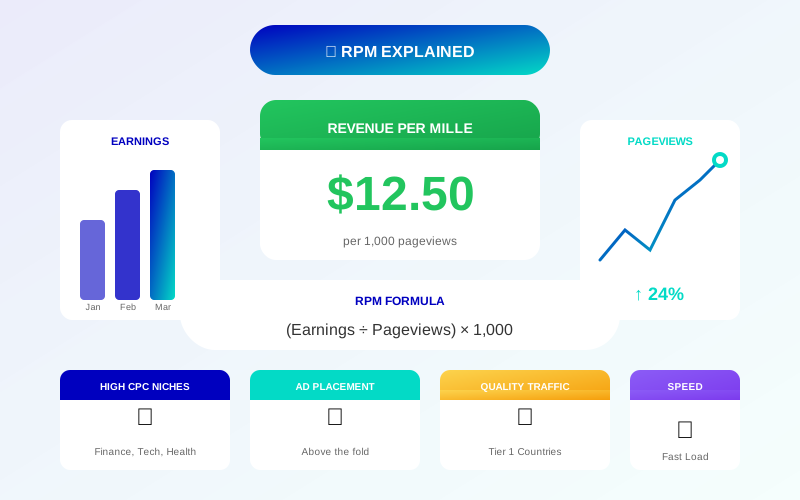
Both ad formats can generate significant revenue, but their performance varies based on implementation and traffic patterns. Understanding how to calculate and improve your RPM will help you measure which format performs better for your site.
Anchor Ads Revenue Potential
Sticky Ads Revenue Potential
User Experience Impact
Understanding how each ad format affects user experience helps you balance revenue with visitor satisfaction.
Related reading: AdThrive Requirements Guide: What You Need to Join Raptive in 2026 →
Anchor Ads UX Considerations
Anchor ads have both positive and negative UX implications:
- Pro: Dismissible - users have control
- Pro: Google optimises timing for engagement
- Con: Covers content, even if partially
- Con: Can feel intrusive on small screens
- Con: May trigger accidental taps
Sticky Ads UX Considerations
- Pro: Does not overlay main content
- Pro: Predictable position reduces surprise
- Pro: Less likely to cause accidental clicks
- Con: Cannot be dismissed
- Con: Takes permanent sidebar space
Implementation Best Practices
Anchor Ad Implementation
To enable anchor ads in AdSense:
- Navigate to Ads > By ad unit > Anchor
- Configure position preference (top/bottom)
- Set device targeting (mobile, desktop, or both)
- Enable in Auto ads settings for automatic placement
- Monitor performance in AdSense reports
Sticky Ad Implementation
For sticky sidebar ads, use this CSS approach:
For more on this topic, see our guide on Raptive Requirements Guide: Traffic, Content & Application Tips →
.sticky-ad-container {
  position: sticky;
  top: 20px;
  height: fit-content;
  max-height: calc(100vh - 40px);
}

@media (max-width: 768px) {
  .sticky-ad-container {
    position: static;
  }
}
✅ Best Practice
Always disable sticky behaviour on mobile devices where sidebar ads would overlap content. Use media queries to convert sticky ads to standard in-content placements on smaller screens.
Choosing the Right Format for Your Site
Choose Anchor Ads When:
- Mobile traffic exceeds 60% of total visits
- You want Google to optimise placement timing
- Your layout lacks sidebar space
- You prefer minimal implementation effort
- Content is primarily consumed on single pages
Choose Sticky Ads When:
- Desktop traffic is significant (40%+ of visits)
- You have long-form content with extended scroll
- Your layout includes substantial sidebar space
- You want maximum viewability for premium advertisers
- User experience is a primary concern (monitor impact using Core Web Vitals)
Use Both When:
- You have diverse traffic sources (mobile and desktop)
- Revenue maximisation is the primary goal
- You can monitor and balance ad density
- Your content supports multiple ad positions
Testing and Optimisation Strategy
To determine which format works best for your specific audience:
- Baseline Measurement: Record current RPM, CTR, and session metrics
- Single Variable Testing: Enable one format at a time for 2-4 weeks
- Segment Analysis: Compare mobile vs desktop performance separately
- User Feedback: Monitor bounce rates and time on page
- Performance Monitoring: Check ad impact using PageSpeed Insights
- Revenue Attribution: Use AdSense experiments for A/B testing
Common Mistakes to Avoid
- Over-Stacking: Using both anchor and sticky on the same page excessively
- Mobile Overflow: Sticky ads covering content on small screens
- Ignoring Policies: Violating AdSense ad placement policies
- No Testing: Implementing without measuring performance impact
- Poor Timing: Anchor ads appearing before users engage with content
Conclusion: Strategic Ad Format Selection
Both anchor ads and sticky ads serve important roles in a comprehensive monetisation strategy. Anchor ads excel at capturing mobile attention with minimal implementation effort, whilst sticky ads provide consistent visibility on desktop with less intrusiveness.
Learn more in Mediavine Requirements Guide: How to Qualify and Get Accepted →
The most successful publishers often use both formats strategically—anchor ads for mobile visitors and sticky sidebar ads for desktop users. This hybrid approach maximises revenue potential across all device types whilst respecting user experience expectations.
Start by implementing one format, measuring its impact carefully, then expand your strategy based on data-driven insights from your specific audience behaviour.