Writing great content takes time. But here's a secret: you don't always need new content. You can repurpose what you already have! Turn one blog post into videos, social posts, emails, and more. Here's how.
What You'll Learn:
- What content repurposing is and why it works
- How to turn one post into 10+ pieces of content
- The best formats for repurposing
- Tools that make repurposing easy
- A step-by-step repurposing workflow
What Is Content Repurposing?
Content repurposing means taking existing content and changing its format. A blog post becomes a video. A video becomes social media posts. An article becomes an email newsletter.
This is not the same as copying. You adapt the core ideas for different platforms. Each version fits the platform it's on.
Why does this work so well? Because different people like different formats. Some love reading. Others prefer watching videos. Repurposing lets you reach them all.
Why Repurposing Works for AdSense Bloggers
Repurposing helps your AdSense blog in several ways:
- More traffic – Each format brings new visitors to your blog
- Save time – Repurposing takes less time than creating from scratch
- Better SEO – More content signals to Google you're an authority
- Wider reach – You reach people on platforms they already use
- Higher revenue – More pageviews means more AdSense impressions
10 Ways to Repurpose Your Blog Posts
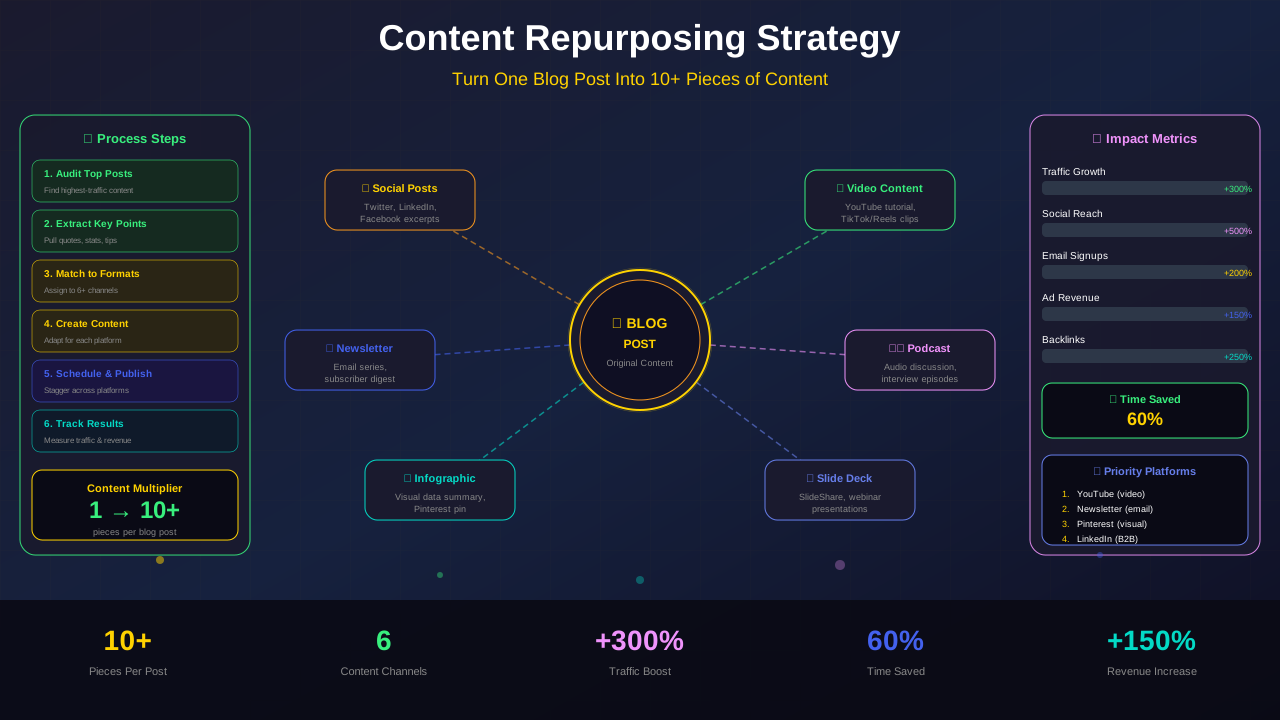
Here are the best ways to turn one post into many pieces:
1. Create Short Social Media Posts
Pull the best tips from your article. Turn each tip into a social media post. One article can give you 5-10 posts.
For more on this topic, see our guide on Blog Traffic Growth Strategies: 12 Proven Ways to Get More Readers in 2026 →
2. Make a YouTube Video
Record yourself explaining the key points. You don't need fancy equipment. A phone and good lighting work fine.
3. Design an Infographic
Turn data and lists into a visual infographic. Tools like Canva make this easy. Infographics get shared a lot.
4. Write an Email Newsletter
Summarize your post in an email. Link back to the full article. This drives traffic and builds your email list.
5. Create a Slide Deck
Turn your main points into slides. Share them on SlideShare or LinkedIn. This works great for how-to content.
Learn more in SEO Content Writing Guide: How to Write Articles That Rank and Convert →
6. Record a Podcast Episode
Discuss your article in a podcast format. Add personal stories and extra tips. Audio content reaches a different audience.
7. Make Pinterest Pins
Create tall, eye-catching pins for each article. Pinterest can send huge traffic to blogs over time.
8. Write a Twitter Thread
Break your article into a thread of short tweets. Number each point. Threads often go viral.
9. Create a Checklist or Template
Turn your steps into a downloadable checklist. This adds value and can help grow your email list.
For more on this topic, see our guide on Content Localization Strategy: Reach Global Audiences & Boost Revenue →
10. Update and Republish
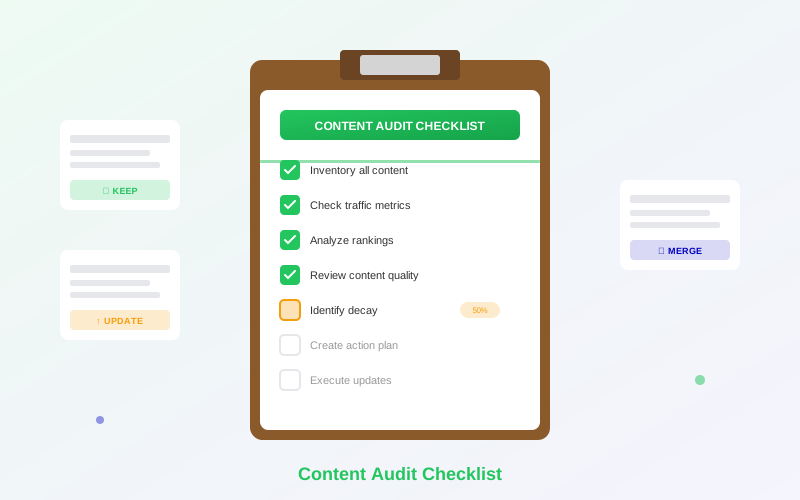
Old posts can be updated with new info and republished. This is a powerful way to boost rankings. Learn more in our content audit guide.
"Content repurposing is not about being lazy. It's about being smart with the valuable content you've already created."
— Content Marketing Institute
Step-by-Step Repurposing Workflow
Follow this workflow every time you publish a new article:
- Publish your blog post – Make it the best it can be
- Pull key quotes – Find 5-8 quotable lines
- Create social posts – Schedule them over the next 2 weeks
- Make visual content – Create infographics or Pinterest pins
- Write an email – Send a summary to your list
- Plan a video – Script a short video based on the post
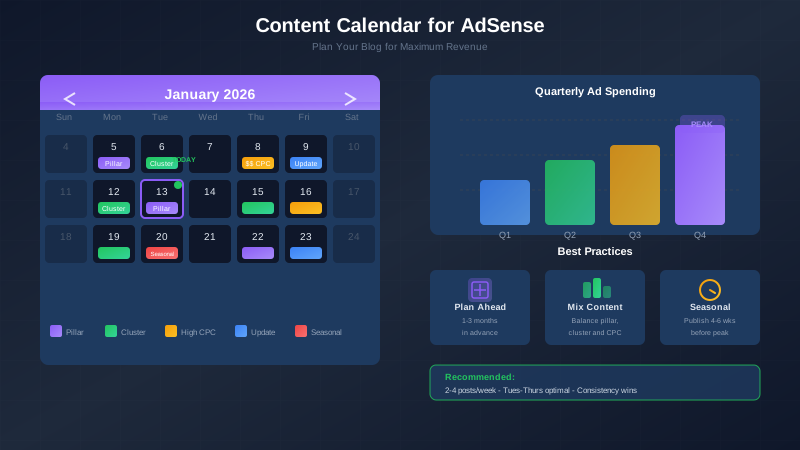
Use a content calendar to track all these pieces. Our content calendar guide shows you how.
Related reading: AI Content and AdSense: How to Use AI Safely Without Getting Banned →
Best Tools for Content Repurposing
| Tool | Best For | Price |
|---|---|---|
| Canva | Infographics, social posts, pins | Free / $12.99/mo |
| Lumen5 | Turning blog posts into videos | Free / $29/mo |
| Buffer | Scheduling social media posts | Free / $6/mo |
| Descript | Podcast editing | Free / $24/mo |
| Mailchimp | Email newsletters | Free / $13/mo |
Frequently Asked Questions
Will repurposed content hurt my SEO?
No! Repurposed content is on different platforms with different formats. It's not duplicate content. Google only penalizes exact copies on your own site.
Which posts should I repurpose first?
Start with your most popular posts. Check Google Analytics to find your top performers. These already proved they resonate with readers.
How much time does repurposing take?
After the initial setup, repurposing one post takes about 1-2 hours. That's much less than writing a new post from scratch.
Should I repurpose every blog post?
Focus on your best content. Not every post is worth repurposing. Prioritize your cornerstone articles and top traffic drivers.
Learn more in Featured Snippets Optimization: Boost Traffic and Revenue Fast →
Conclusion
Content repurposing is one of the smartest strategies for AdSense bloggers. One great article can become 10+ pieces of content across different platforms.
Start with your top-performing posts. Turn them into social media content, videos, and emails. Use the tools and workflow above to make it efficient.
Stop creating from scratch every time. Work smarter by repurposing what you already have. Your traffic and revenue will thank you!